Indledning
The Tech Feel smartwatch with ECG combines the primary functionalities of a smart watch with comprehensive 360° cardiac monitoring. It is an ideal tool for individuals who wish to monitor their heart functions, as well as for athletes who want to track their performance. Please note: This device is not a medical device and should not be used for medical diagnosis or treatment.
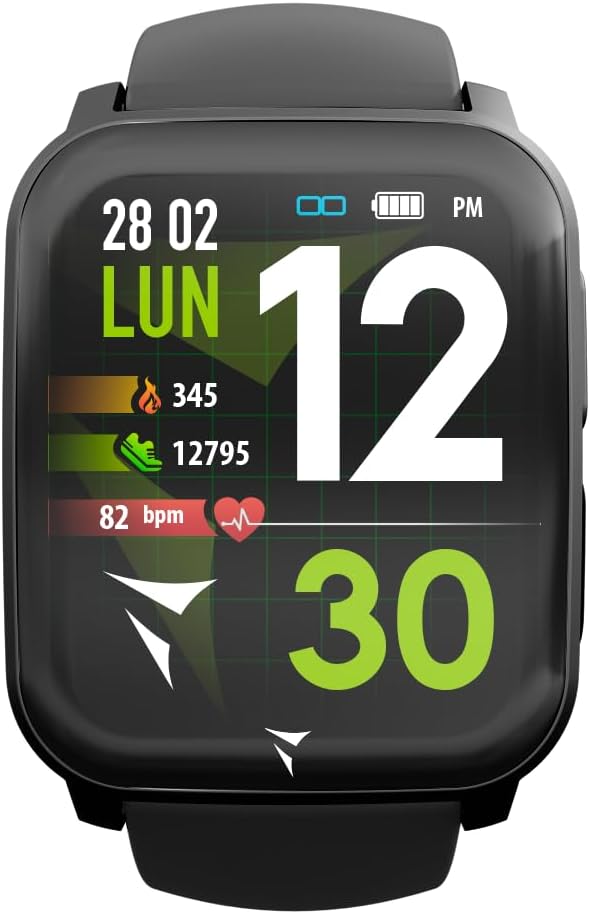
Figure 1: Tech Feel Smartwatch displaying activity data.
1. Opsætning
1.1 Opladning af enheden
Before first use, fully charge your Tech Feel smartwatch. Connect the magnetic charging cable to the charging contacts on the back of the watch and plug the USB end into a standard USB power adapter (not included) or a computer's USB port. The watch display will indicate charging status.
1.2 Appinstallation og parring
- Download Companion-appen: Søg efter the official Techmade companion app (e.g., "Techmade Fit" or similar, check product packaging or quick start guide for exact name) on the Apple App Store (for iOS devices) or Google Play Store (for Android devices).
- Opret en konto: Åbn appen, og følg instruktionerne på skærmen for at oprette en ny brugerkonto eller logge ind, hvis du allerede har en.
- Aktiver Bluetooth: Sørg for, at Bluetooth er aktiveret på din smartphone.
- Par smartwatchet: Within the app, navigate to the device pairing section. Select your Tech Feel smartwatch from the list of available devices. Follow any prompts on both the app and the watch to complete the pairing process. A successful connection will usually be indicated on the watch display.
2. Betjeningsvejledning
2.1 Grundlæggende navigation
- Touchskærm: Swipe left/right, up/down to navigate through different screens and menus. Tap to select an option.
- Side Button/Digital Crown: Press the side button (often also a digital crown) to return to the home screen, wake the device, or access the app menu. Rotate the digital crown (if applicable) to scroll through lists.
2.2 ECG Measurement
The Tech Feel smartwatch is equipped with additional electrodes to perform a single-lead Electrocardiogram (ECG) measurement. This feature provides insights into your heart rate and rhythm.
- Forberedelse: Sørg for, at uret sidder tæt på dit håndled.
- Start måling: Navigate to the ECG function on your smartwatch.
- Position Finger: While wearing the smartwatch, place your fingertip (typically the index finger of the opposite hand) on the digital crown located on the side of the screen. This action closes an electrical circuit through your fingertip, which then reaches the sensor on your wrist.
- Måleproces: Hold your finger still for approximately 30 seconds while the watch records the electrical signals.
- Resultater: An algorithm within the Techmade application processes the data and generates an ECG graph. This single-lead ECG can provide information on heart rate and rhythm and may assist in the classification of atrial fibrillation.
- Sharing Data: The generated ECG data can be viewed in the companion app and potentially shared with your doctor for review.
Vigtig bemærkning: A single-lead ECG cannot be used to detect all heart problems, such as heart attacks. This device is not a medical device and should not replace professional medical advice or diagnosis.
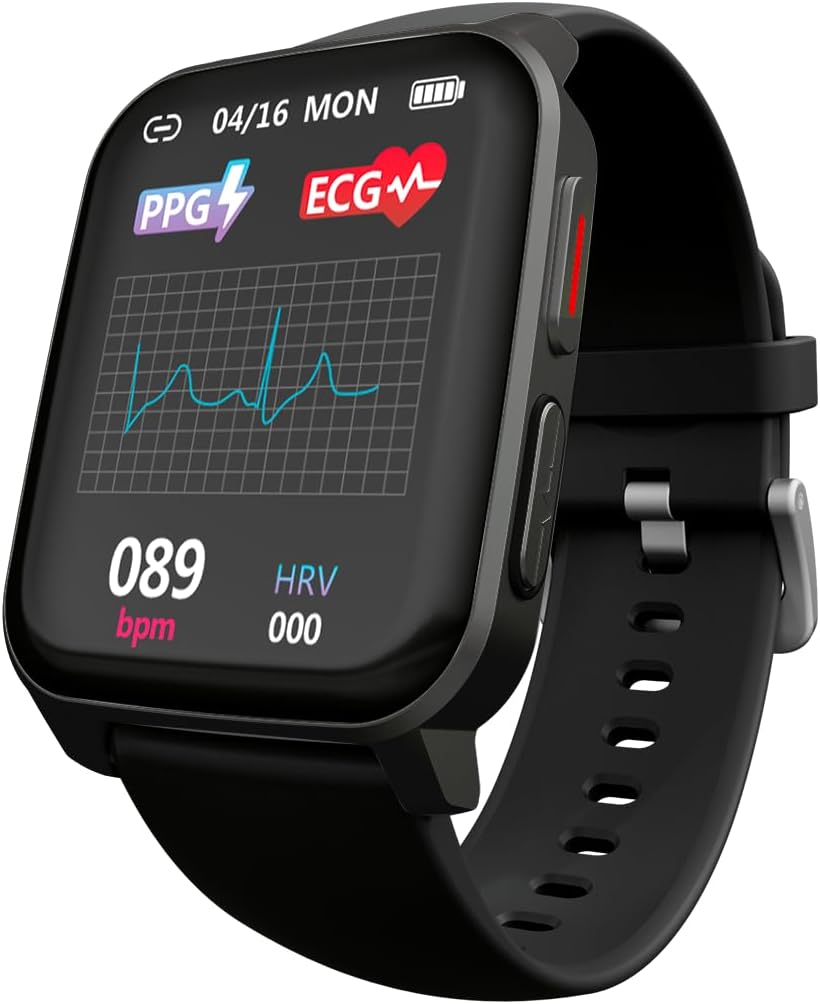
Figure 2: ECG waveform display on the smartwatch.

Figure 3: Smartwatch on wrist with companion app displaying ECG analysis.
2.3 Heart Rate and Blood Oxygen Monitoring
The smartwatch continuously monitors your heart rate and can measure blood oxygen saturation (SpO2). Access these features through the dedicated menus on the watch or view historical data in the companion app.
2.4 sportstilstande
The Tech Feel smartwatch supports various sport modes to track your physical activity. Select the desired sport mode before starting your workout to record metrics such as steps, distance, calories burned, and heart rate during exercise.

Figure 4: Smartwatch displaying Sport mode during an outdoor activity.
2.5 Søvnovervågning
Wear the smartwatch to bed to automatically monitor your sleep patterns. The app provides detailed analysis of your sleep stages (dyb, let, REM) og varighed.
2.6 Meddelelser
Once paired with your smartphone, the Tech Feel smartwatch can receive notifications for calls, messages, and app alerts directly on your wrist. Configure notification settings within the companion app.
3. Vedligeholdelse
- Rensning: Rengør regelmæssigt uret og remmen med en blød kludamp klud. Undgå at bruge skrappe kemikalier eller slibende materialer. Sørg for, at opladningskontakterne er rene og tørre, før du oplader.
- Opbevaring: Opbevar smartwatchet på et køligt, tørt sted, når det ikke er i brug.
- Vandtæthed: Se produktspecifikationerne for vandtæthedsklassificeringer. Undgå at udsætte uret for varmt vand, damp eller højtryksvandstråler.
- Undgå ekstreme temperaturer: Do not expose the device to extremely high or low temperatures, as this can damage the battery and internal components.
4. Fejlfinding
| Problem | Mulig årsag | Løsning |
|---|---|---|
| Uret tænder ikke. | Lavt batteri. | Oplad uret i mindst 30 minutter. |
| Kan ikke parres med smartphone. | Bluetooth er slukket; uret er uden for rækkevidde; app-problem. | Ensure Bluetooth is on. Bring watch closer to phone. Restart both watch and phone. Reinstall the app if necessary. |
| Inaccurate heart rate/ECG readings. | Watch not worn snugly; sensor dirty; movement during measurement. | Ensure watch is snug on wrist. Clean the sensor on the back of the watch. Remain still during measurements. |
| Notifikationer ikke modtaget. | Notification permissions not granted; app not running in background. | Check app notification settings on your phone. Ensure the app is running or allowed to run in the background. |
5. Specifikationer
| Feature | Detalje |
|---|---|
| Mærke | Techmade |
| Modelnavn | ECG Tech Feel |
| Varemodelnummer | TM-FEEL-BK |
| Farve | Black Case and Strap |
| Operativsystem | Bær OS |
| Forbindelsesteknologi | Bluetooth |
| Standard for trådløs kommunikation | Bluetooth |
| Særlige funktioner | Blood Pressure Monitoring, ECG, Heart Rate, Oxygenation, Sport, Sleep Monitor, Call Notification |
| Kompatible enheder | Smartphone (iOS og Android) |
| Batterisammensætning | Lithium-polymer |
| Genopladeligt batteri | Ja |
| Batterikapacitet | 180 mAh (ca.) |
| GPS | GPS via smartphone |
| Form | Firkant |
| Fabrikant | Techmade |
| Oprindelsesland | Kina |
| Tilgængelighed af reservedele | Oplysninger om reservedele er ikke tilgængelige |
| Softwareopdateringer garanteret indtil | Information ikke tilgængelig |
| Første tilgængelighedsdato på Amazon.com.be | 26. april 2024 |
6. Garantioplysninger
Specific warranty details for the Tech Feel Smartwatch are not provided in the product information. Please refer to the warranty card included with your product or visit the official Techmade webhjemmeside for detaljerede garantivilkår.
7. Kundesupport
For technical assistance, troubleshooting beyond this manual, or product inquiries, please visit the official Techmade support webwebstedet eller kontakt deres kundeserviceafdeling. Kontaktoplysninger findes typisk på producentens webwebsted eller i produktemballagen.


