1. Introduktion
The KLLOQUE K10 Fingerprint Smart Door Knob offers a secure and convenient access solution for your home or office. This biometric door knob integrates fingerprint recognition, smartphone app control, and traditional key access, providing versatile entry options. It is designed for easy installation and enhanced privacy.
Nøglefunktioner:
- 3-in-1 Unlocking Methods: Fingerprint, App, and Key.
- Three Operating Modes: Passage, Entrance, and Privacy.
- App Control for user management, unlocking records, and mode settings.
- Fast 0.1-second fingerprint recognition, storing up to 20 fingerprints.
- Automatic locking feature after 5 seconds.
- Built-in rechargeable battery with up to 12 months of use.
- Durable aluminum construction with robust testing for reliability.
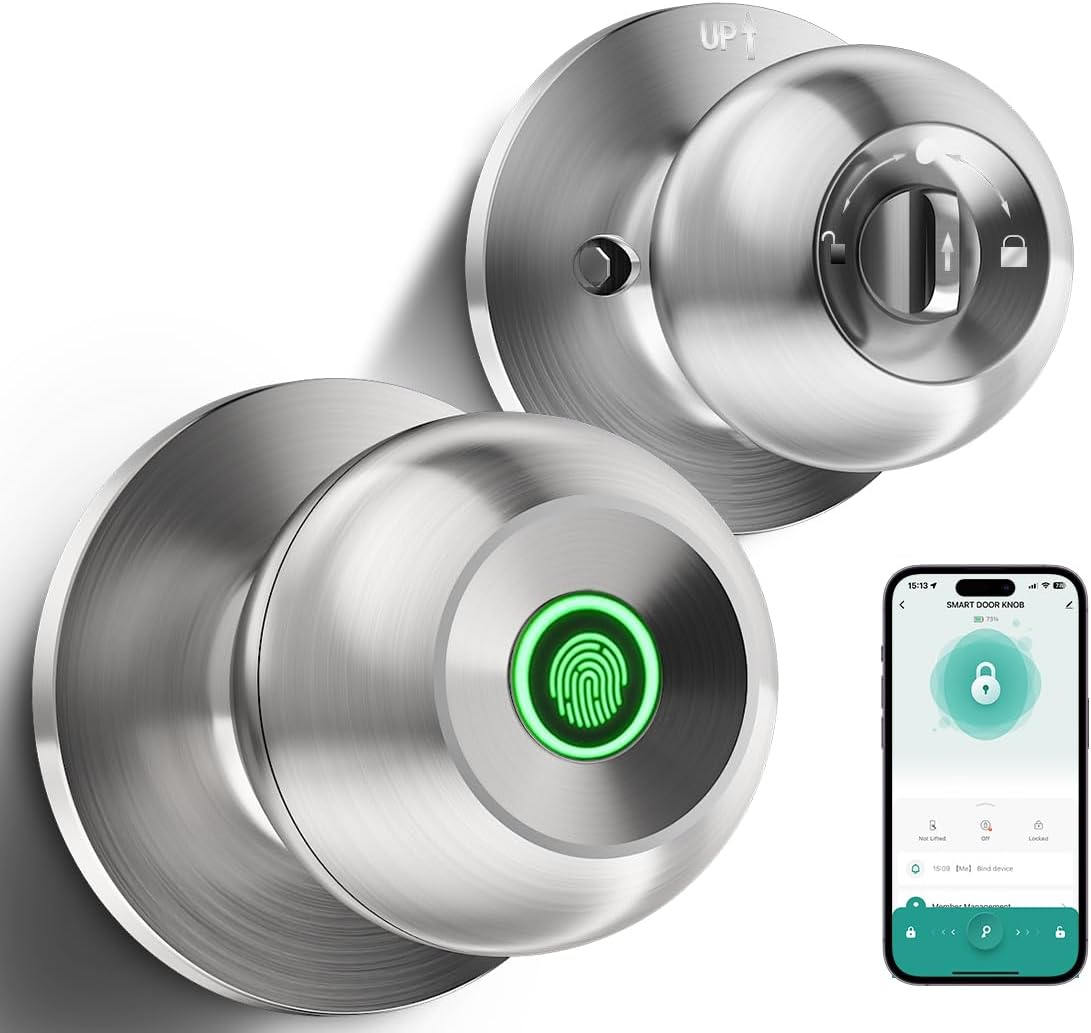
Figure 1: KLLOQUE K10 Fingerprint Smart Door Knob (Brushed Silver)

Figure 2: The KLLOQUE K10 offers three convenient unlocking methods: fingerprint, smartphone app, and traditional physical key.
2. Opsætning og installation
2.1 Kompatibilitetskontrol
Før installation skal du sørge for, at din dør opfylder følgende specifikationer:
- Dørtykkelse: 1 3/8" to 2 1/8" (35mm to 54mm)
- Dørhuls diameter: 2 1/8" (54 mm)
- backset: 2 3/4" (70mm) or 2 3/8" (60mm)
- Hole Diameter for Latch: 1" (25 mm)
This smart door knob is suitable for standard American doors. It is not suitable for glass doors or doors with special designs that do not accommodate standard knob dimensions.

Figure 3: Diagram illustrating door compatibility dimensions for the KLLOQUE K10 Smart Door Knob.
2.2 Installationstrin
The KLLOQUE K10 is designed for easy installation using a screwdriver. Follow the detailed instructions provided in the physical manual included with your product. Ensure the latch level is correctly installed.

Figur 4: Eksploderet view and dimensional diagram for easy installation of the KLLOQUE K10 Smart Door Knob.
2.3 App-opsætning
The KLLOQUE smart door knob can be controlled via a dedicated smartphone application. Refer to the manual for specific app download and pairing instructions. App control is effective within Bluetooth range. For Wi-Fi control, a separately purchased gateway is required.

Figure 5: The smartphone app provides essential features including passage mode, auto-lock, fingerprint setting, user management, record checking, and silent mode.
3. Betjeningsvejledning
3.1 Oplåsningsmetoder
- Lås op med fingeraftryk: Place your registered finger on the sensor. The lock will recognize your thumbprint within 0.1 seconds.
- Applås: Use the paired smartphone app to remotely unlock the door within Bluetooth range.
- Nøgleoplåsning: In case of emergency or preference, use the provided physical keys to unlock the door.

Figure 6: The fingerprint sensor allows for quick and secure access. Ensure your finger is clean and dry for optimal performance.
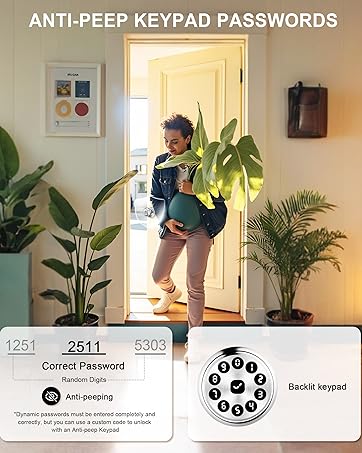
Figure 7: Manage your KLLOQUE K10 Smart Door Knob via the dedicated smartphone application for convenient control and monitoring.

Figure 8: Two backup keys are provided for manual unlocking in case of emergencies or battery depletion.
3.2 driftstilstande
The KLLOQUE K10 features three distinct operating modes, easily switchable by rotating the thumbprint area on the smart door knob:
- Passagetilstand: The door remains unlocked, allowing free entry and exit without requiring a fingerprint or key.
- Entrance Mode: The door is locked and requires a valid fingerprint, app command, or key for entry.
- Privatlivstilstand: Provides enhanced security by locking the door from the inside, preventing external access even with a valid fingerprint or key.

Figure 9: Visual representation of the three operating modes: Entrance, Passage, and Privacy, offering flexible access control.
3.3 Håndtering af fingeraftryk
The lock can store up to 20 unique fingerprints. Use the smartphone app to add, delete, or manage registered fingerprints. When recording fingerprints, place your clean and dry finger at different angles and positions to ensure a larger area is scanned for improved recognition.

Figure 10: The app allows for easy setup of fingerprints and management of authorized users, ideal for various environments.
3.4 Unlocking Records and Mute Mode
App'en giver dig mulighed for view a history of unlocking events, providing a log of who accessed the door and when. Additionally, a mute mode can be activated via the app to disable audible sounds during locking and unlocking, providing a silent operation.

Figure 11: The app displays a detailed log of all unlocking activities, enhancing security monitoring.

Figure 12: Activate mute mode for silent locking and unlocking, ideal for maintaining quiet environments.
4. Vedligeholdelse
4.1 Batteriopladning
The KLLOQUE K10 features a built-in 400mAh rechargeable battery. A full charge takes approximately 3 hours and can provide power for up to 12 months, depending on usage frequency. The lock includes a visual power display and a low-battery alarm function to alert you when charging is needed. The battery is not removable.
Vigtig: The lock typically charges with USB-C cables where the input side is USB-A (USB-A to USB-C cable). USB-C to USB-C cables may not work with all chargers.

Figure 13: The KLLOQUE K10 features a rechargeable battery with low battery alerts and Type-C charging capability.
4.2 Rengøring
To ensure optimal performance of the fingerprint sensor, clean the surface regularly with a soft, damp klud. Undgå at bruge slibende rengøringsmidler eller opløsningsmidler, der kan beskadige overfladen eller de elektroniske komponenter.
5. Fejlfinding
- Fingeraftryk ikke genkendt: Ensure your finger is clean and dry. Try placing your finger at different angles and with a light touch. Re-registering the fingerprint in the app may also help.
- Lock Not Unlocking Mechanically: If the fingerprint reader recognizes your print and you hear a click, but the door does not unlock, check the internal mechanism for any obstructions or ensure proper installation.
- Problemer med appforbindelse: Ensure Bluetooth is enabled on your smartphone and you are within range of the door knob. If issues persist, try restarting the app or re-pairing the device.
- Opladningsproblemer: If the lock is not charging, ensure you are using a USB-A to USB-C cable. Some USB-C to USB-C cables may not be compatible. Verify the charging adapter is functioning correctly.
- Alarm for lavt batteri: When the low battery alarm sounds, charge the device promptly to avoid being locked out. Use the backup keys if the battery is fully depleted.
6. Specifikationer
| Feature | Specifikation |
|---|---|
| Mærke | KLLOQUE |
| Modelnavn | K10 |
| Låsetype | Biometric, Key Lock |
| Materiale | Aluminium |
| Farve | Børstet sølv |
| Produktmål (L x B x H) | 8.78 x 3.78 x 3.78 tommer |
| Varens vægt | 1.63 pund |
| Forbindelsesprotokol | Bluetooth (Wi-Fi with separate gateway) |
| Fingeraftrykskapacitet | Op til 20 fingeraftryk |
| Auto-Lock-funktion | 5 sekunder |
| Batteritype | Built-in 400mAh rechargeable |
| Opladningstid | Ca. 3 timer |
| Batterilevetid | Up to 12 months (usage dependent) |
| Driftstemperatur | 23°F - 131°F |
| Holdbarhedstest | 150,000 Mechanical Life, 144hr Salt Spray, 144hr Humidity, 8000N Lock Case Strength |
7. Garanti og support
The KLLOQUE K10 Fingerprint Smart Door Knob comes with a 1-year warranty. KLLOQUE also provides lifetime technical support for its products. For assistance, please contact KLLOQUE customer service.

Figure 14: KLLOQUE products undergo rigorous testing to ensure reliability and durability, backed by a 1-year warranty and lifetime technical support.

Figure 15: KLLOQUE offers US-based support for customer inquiries and technical assistance.


