Indledning
Thank you for choosing the BINNUNE Wireless Gaming Headset. This manual provides detailed instructions on how to set up, operate, and maintain your headset to ensure optimal performance and a superior gaming experience. Please read this manual thoroughly before using the product.
Hvad er der i æsken
Upon unboxing your BINNUNE Wireless Gaming Headset, please verify that all the following components are included:
- BINNUNE Wireless Gaming Headset (Blue)
- 2.4 GHz USB-dongle
- 3.5 mm lydkabel
- USB opladningskabel
- Brugervejledning (dette dokument)

Image: The BINNUNE Wireless Gaming Headset in blue, accompanied by its 2.4GHz USB dongle and a 3.5mm audio jack. These are the primary components included in the product package.
Produkt overview
Familiarize yourself with the key features and components of your BINNUNE Wireless Gaming Headset:
- Justerbart pandebånd: For en behagelig pasform.
- Bløde ørekopper: Large-size memory foam earmuffs (110mm diameter, 45mm thickness) made of breathable PU leather and mesh material for extended comfort.
- 50 mm drivere: High-performance 50mm driver units for clear and rich stereo sound.
- Unidirectional Noise-Canceling Microphone: A 120° adjustable boom mic designed to filter out background noise for clear communication.
- Betjening på headsettet: Buttons for power, volume adjustment, and microphone mute.

Billede: En detaljeret view of the BINNUNE Wireless Gaming Headset's unidirectional boom microphone, highlighting its flexible design and noise-canceling capabilities.

Image: An exploded diagram illustrating the internal components of the 50mm audio drivers within the BINNUNE headset, emphasizing their design for rich, full-range sound.
Opsætning
Opladning af headsettet
Before first use, fully charge the headset. A full charge takes approximately 3 hours. A 10-minute quick charge can provide up to 3 hours of battery life. The headset offers up to 80 hours of continuous use in 2.4GHz mode and up to 120 hours in Bluetooth mode.
- Tilslut USB-opladerkablet til headsettets opladningsport.
- Tilslut den anden ende af USB-kablet til en kompatibel USB-strømkilde (f.eks. en computers USB-port eller en USB-vægadapter).
- The LED indicator on the headset will show charging status (refer to the headset's LED guide for specific indications).

Image: The BINNUNE Wireless Gaming Headset displayed alongside a visual representation of its impressive 120-hour battery life, indicating extended usage time.
Tilslutningsmuligheder
Your BINNUNE headset supports three connection modes:
- 2.4 GHz trådløs (USB-dongle): Provides ultra-low latency (15ms) for gaming. Ideal for PS5, PS4, PC, and Mac.
- Bluetooth 5.3: For wireless connection to mobile phones, tablets, PC, and Mac.
- 3.5 mm kablet forbindelse: Universal compatibility with any device featuring a 3.5mm audio jack.
2.4GHz Wireless Connection (for PS5, PS4, PC, Mac)
- Insert the 2.4GHz USB dongle into an available USB port on your PS5, PS4, PC, or Mac.
- Tænd headsettet. Det vil automatisk forsøge at oprette forbindelse til donglen.
- Once connected, the LED indicator on the headset will confirm the connection (refer to LED guide).
- On your device, ensure the BINNUNE headset is selected as the audio output and input device.
Bluetooth 5.3 Connection (for PC, Mac, Mobile Phone, Tablet)
- Ensure the headset is powered on and in Bluetooth pairing mode (usually indicated by a blinking LED). If not, double-press the power button to switch to Bluetooth mode.
- On your device (PC, Mac, mobile phone, tablet), go to Bluetooth settings and search for available devices.
- Select "BINNUNE BW01" (or similar) from the list of found devices to pair.
- Once paired, the LED indicator will show a solid light (refer to LED guide).
3.5mm Wired Connection (for All Platforms)
- Tilslut den ene ende af 3.5 mm lydkablet til headsettets 3.5 mm-port.
- Connect the other end of the 3.5mm audio cable to the 3.5mm audio jack on your device (e.g., PS4/PS5 controller, PC, mobile phone).
- The headset will function in passive wired mode. Note that some headset features (like LED lighting or specific controls) may be limited in wired mode.
Note: The BINNUNE Wireless Gaming Headset is not compatible with Xbox consoles.
Kompatibilitet overståetview
The following table provides a quick reference for device compatibility across different connection modes:

Image: A visual compatibility chart detailing which devices (PC, PS4/PS5 Console, PS4/PS5 Controller, Switch, Cell Phone, Tablet) support sound, microphone, and microphone mute functions across 2.4GHz Wireless (USB Dongle), Bluetooth 5.3, and 3.5mm Wired connection modes.
Betjeningsvejledning
Tænd/sluk
- Tænd: Tryk på tænd/sluk-knappen og hold den nede i cirka 3 sekunder, indtil LED-indikatoren lyser.
- Sluk: Tryk på tænd/sluk-knappen og hold den nede i cirka 3 sekunder, indtil LED-indikatoren slukker.
Switching Between 2.4GHz and Bluetooth Modes
The headset supports simultaneous wireless operation, allowing quick toggling between 2.4GHz and Bluetooth modes.
- Sådan skifter du tilstand: Double-press the Power button. The headset will switch between 2.4GHz wireless mode and Bluetooth mode.
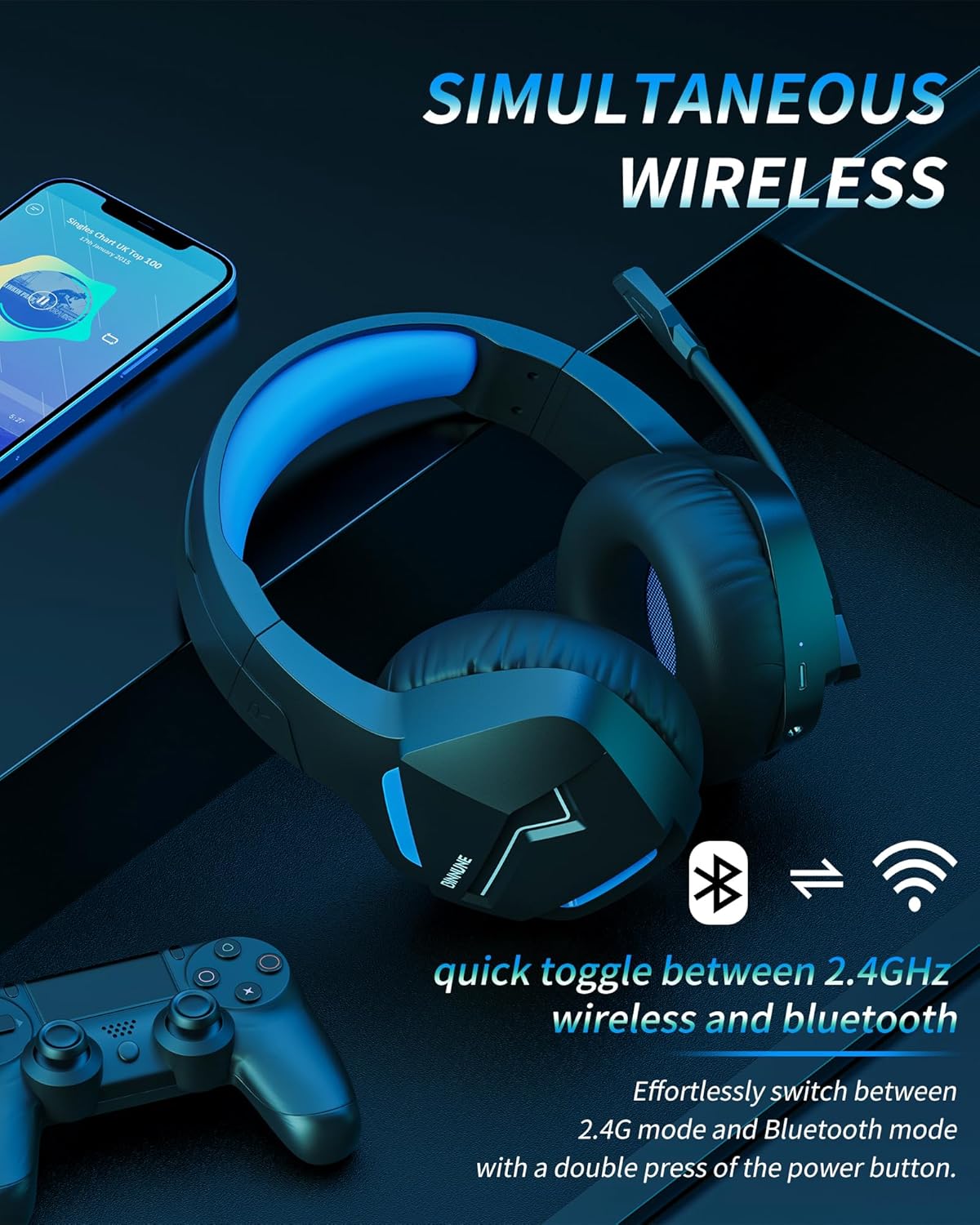
Image: The BINNUNE Wireless Gaming Headset shown with icons representing both 2.4GHz wireless and Bluetooth connectivity, indicating its ability to switch between these modes for versatile use.
Lydstyrkekontrol
- Forøg lydstyrke: Tryk på knappen Lydstyrke op (+).
- Skru ned for lydstyrken: Tryk på knappen Lydstyrke ned (-).
Mikrofon kontrol
- Slå mikrofon til/fra: Press the Microphone Mute button. A red LED on the microphone tip usually indicates it is muted.
- Juster mikrofonposition: The 120° adjustable memory line microphone can be freely shaped and adjusted to your ideal angle.
Spilpræstation
The headset is designed for an immersive gaming experience with features like:
- Accurate Sound Positioning: The 50mm drivers provide clear and rich stereo sound, allowing you to accurately pinpoint in-game sounds like footsteps and environmental details.
- Lav forsinkelse: The 2.4GHz wireless technology ensures an ultra-low latency of 15ms, providing synchronized audio and video for competitive gaming.
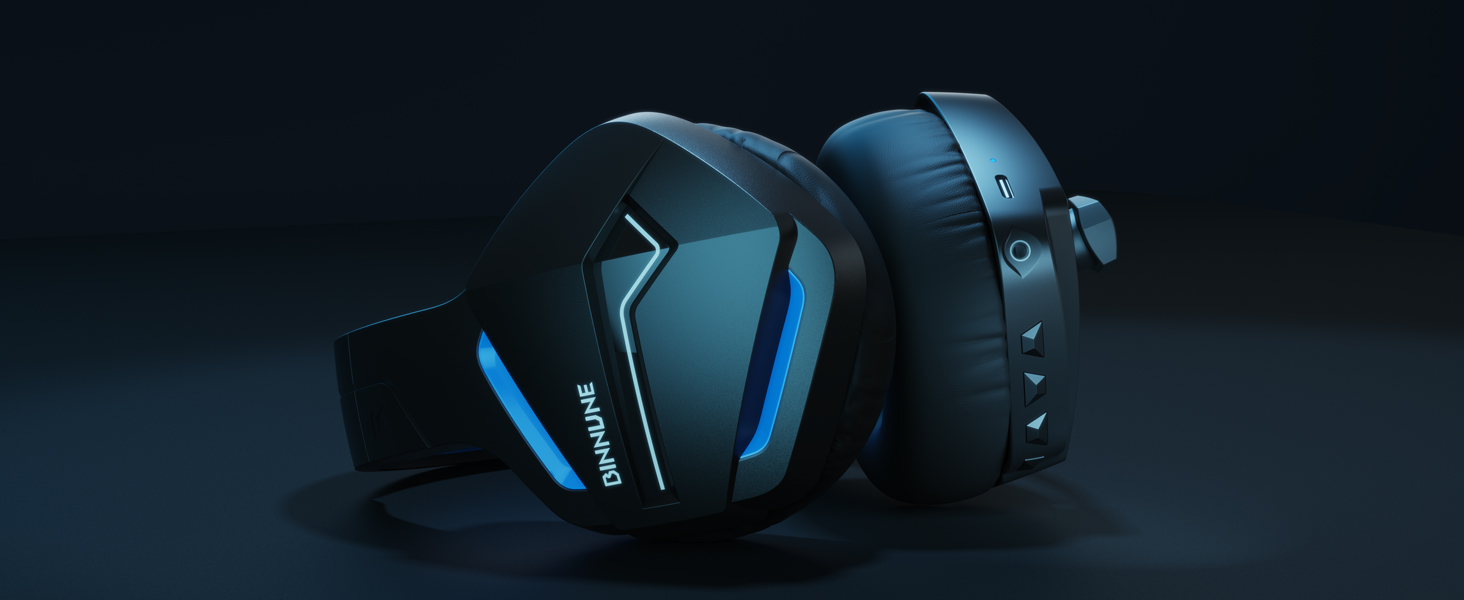
Image: A gamer immersed in a game, wearing the BINNUNE headset, highlighting the benefits of low latency and stable wireless connection for an enhanced gaming experience.
Opretholdelse
Proper maintenance ensures the longevity and performance of your BINNUNE Wireless Gaming Headset.
- Rensning:
- Use a soft, dry, lint-free cloth to clean the headset's surfaces.
- Tør forsigtigt ørekopper af med en let dip.amp klud og lad den lufttørre helt inden brug.
- Brug ikke skrappe kemikalier, rengøringsopløsningsmidler eller stærke rengøringsmidler.
- Opbevaring:
- Opbevar headsettet et køligt, tørt sted væk fra direkte sollys og ekstreme temperaturer.
- Undgå at placere tunge genstande på headsettet.
- Batteripleje:
- Undgå at aflade batteriet helt ofte.
- If storing for a long period, charge the headset to about 50% every few months to preserve battery health.
Fejlfinding
If you encounter issues with your BINNUNE Wireless Gaming Headset, please refer to the following common solutions:
| Problem | Mulig årsag | Løsning |
|---|---|---|
| Ingen lyd / lav lydstyrke |
|
|
| Mikrofon virker ikke |
|
|
| Connection Issues (Intermittent/No Connection) |
|
|
| Headset Not Compatible with Xbox |
|
|
Specifikationer
Detailed technical specifications for the BINNUNE Wireless Gaming Headset (Model: BW01):
| Feature | Detalje |
|---|---|
| Modelnavn | BW01 |
| Forbindelsesteknologi | Wireless (2.4GHz USB Dongle, Bluetooth 5.3), Wired (3.5mm Jack) |
| Trådløs kommunikationsteknologi | Bluetooth 5.3 |
| Bluetooth rækkevidde | Op til 10 meter (33 fod) |
| Lydforsinkelse (2.4 GHz) | 15ms (Ultra Stable 2.4GHz Wireless Connection) |
| Audio driver type | Dynamisk Driver |
| Audio driver størrelse | 50 millimeter |
| Frekvensrespons | 20 Hz - 20,000 Hz |
| Følsomhed | 96 dB |
| Mikrofon | Unidirectional Noise-Canceling Mic (120° adjustable) |
| Batterilevetid | Up to 80 hours (2.4GHz mode), Up to 120 hours (Bluetooth mode) |
| Opladningstid | Ca. 3 timer for fuld opladning |
| Ørestykke form | Oval (110mm diameter, 45mm thickness memory foam) |
| Materiale | Plastic (headset), PU leather and mesh (earmuffs) |
| Varens vægt | 10.7 ounces (ca. 303 gram) |
| Produktdimensioner | 8.27 x 7.48 x 4.33 tommer |
| Kompatible enheder | Gaming Consoles (PS4, PS5), Laptops, PC, Mac, Mobile Phones, Tablets |
| Kontroltype | Knap kontrol |
| Inkluderede komponenter | User Manual, 2.4GHz USB Dongle, 3.5mm Audio Cable, USB Charging Cable |
Garantioplysninger
BINNUNE products are manufactured with high-quality standards. While specific warranty details are not provided in this manual, BINNUNE typically offers a limited warranty against defects in materials and workmanship. For detailed warranty terms, conditions, and registration, please refer to the official BINNUNE webwebsted eller kontakt kundesupport.
Kundesupport
For further assistance, technical support, or inquiries regarding your BINNUNE Wireless Gaming Headset, please contact BINNUNE customer support through the following channels:
- Official BINNUNE Webwebsted: Visit the official BINNUNE webwebsted med ofte stillede spørgsmål, supportressourcer og kontaktformularer.
- Amazon Store: Du kan også besøge BINNUNE Butik på Amazon for product information and seller contact options.
Please have your product model (BW01) and purchase details ready when contacting support.


