1. Produktet er slutview
The FUNLAB Firefly Wireless Pro Controller is designed to enhance your gaming experience on Nintendo Switch, Switch OLED, and Switch Lite consoles. It features Hall Effect joysticks for precise control, customizable RGB LED lighting, programmable back paddle buttons, and motion control capabilities.
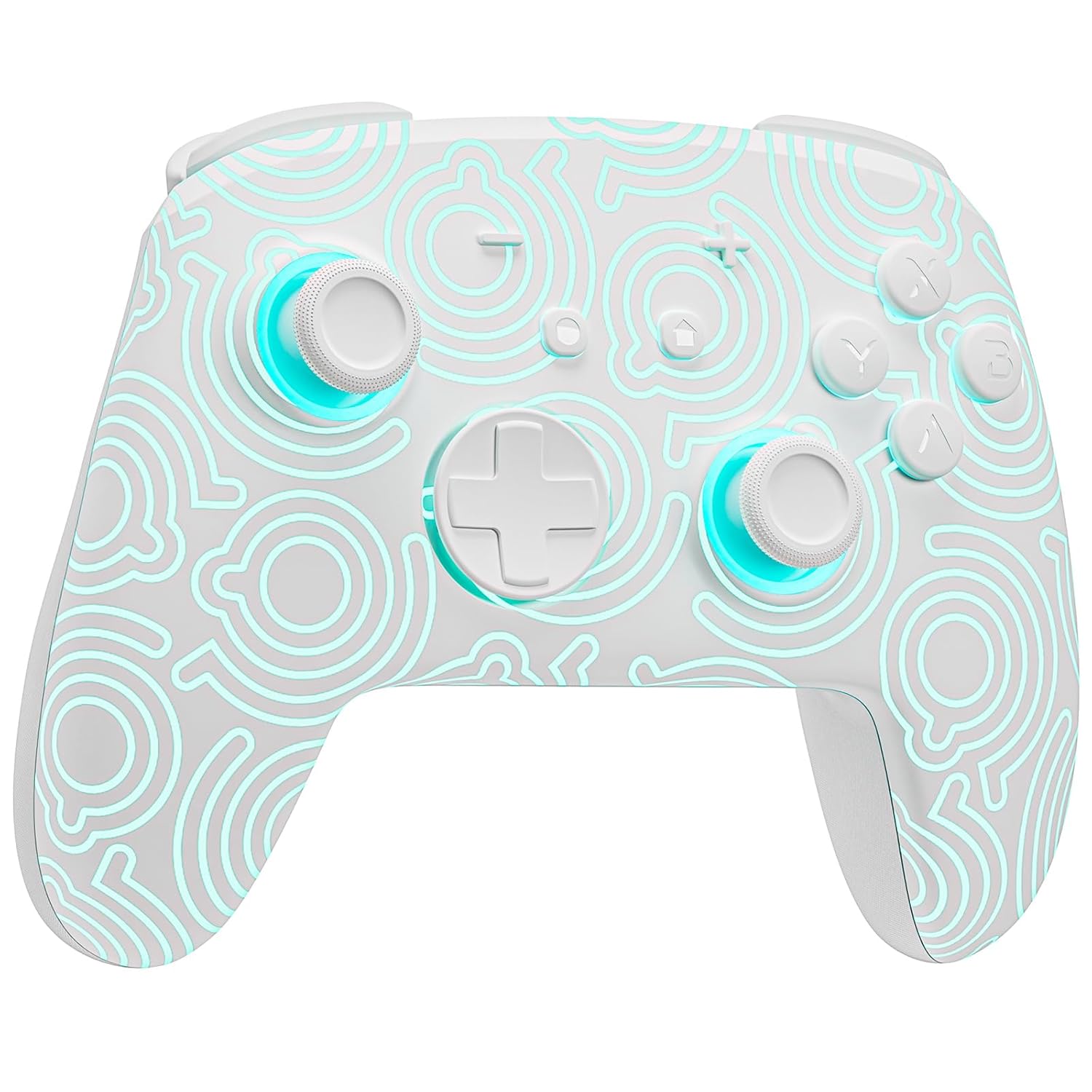
Billede 1.1: Forside view of the FUNLAB Firefly Wireless Pro Controller, showcasing its white design with illuminated patterns.
2. Pakkens indhold
- FUNLAB Firefly Wireless Pro Controller
- USB-C ladekabel
- Instruktionsmanual
3. Opsætning og tilslutning
3.1 Første parring med Nintendo Switch
- Sørg for, at din Nintendo Switch-konsol er tændt og opdateret til den nyeste systemsoftware.
- For the first-time connection, connect the controller to the Switch console using the provided USB-C charging cable. This wired activation is required to enable the one-touch wake-up function.
- Once connected, the controller will automatically pair with the console.
- After initial wired pairing, you can disconnect the cable. The controller can now be connected wirelessly.
3.2 Wireless Connection and Wake-Up Function
- To connect wirelessly, press the HJEM button on the controller. The controller will attempt to connect to the last paired console.
- The controller supports a one-key wake-up function. Pressing the HJEM button will wake up a sleeping Nintendo Switch, Switch OLED, or Switch Lite console instantly, provided it has been previously paired via wired connection.
3.3 Opladning af controlleren
- Connect the controller to a USB power source (e.g., Switch dock, computer, USB wall adapter) using the USB-C charging cable.
- The controller features a built-in 3.7V/950mAH Lithium battery.
- A full charge provides approximately 12.5 hours of playtime (with LED lights off). Charging indicators will typically show the charging status.

Image 3.1: Illustration of the controller's battery life, indicating 12 hours playing time and 950mAh capacity.
3.4 Kompatibilitet med flere enheder
The controller is compatible with multiple devices beyond the Nintendo Switch, including Android, iOS, Steam Deck, and PC systems. Refer to the specific pairing instructions for each device in the included manual or online resources.
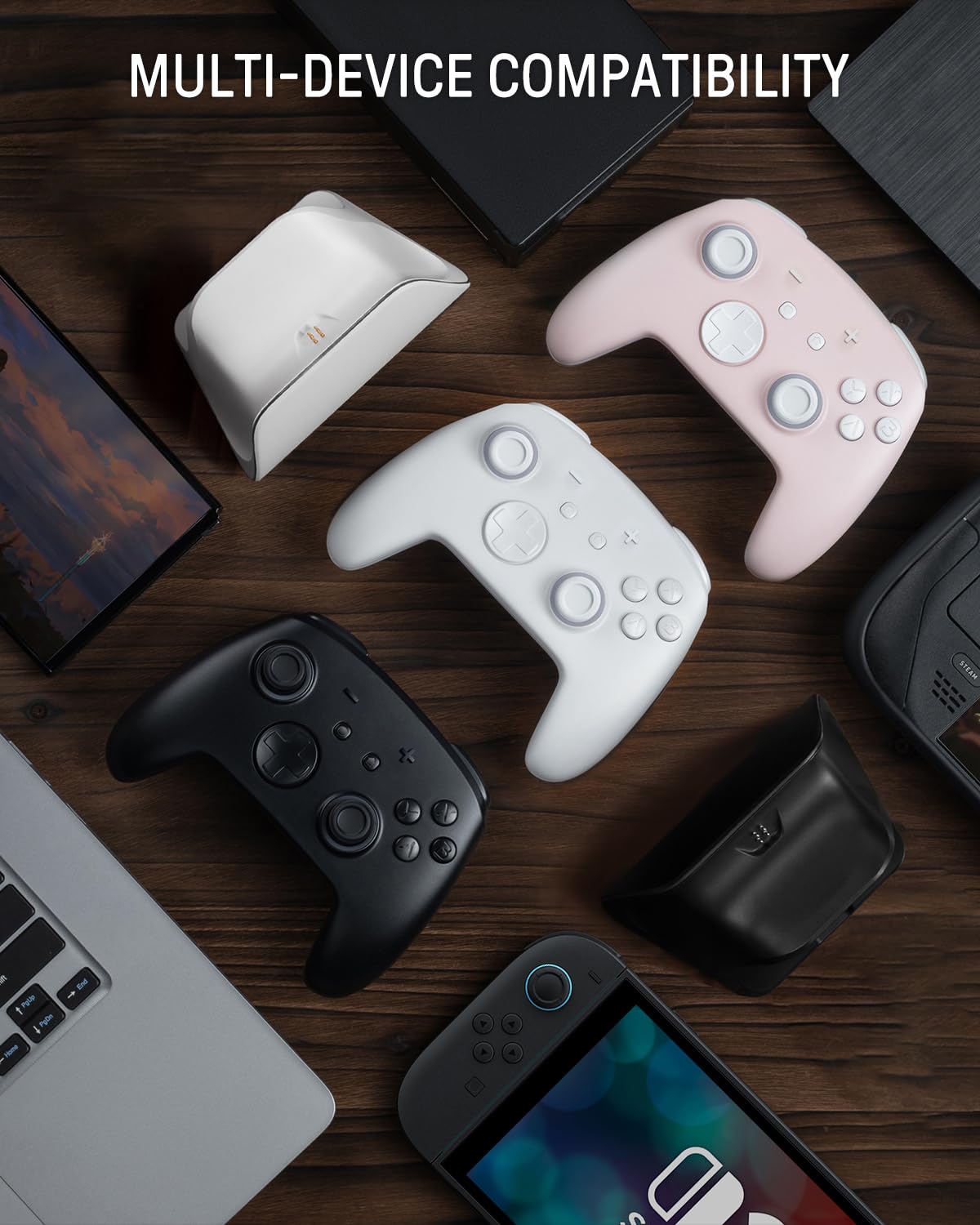
Image 3.2: The controller shown alongside various compatible devices such as laptops, smartphones, and handheld gaming consoles.
4. Betjeningsvejledning
4.1 Hidden-til-lit Display and LED Lighting
The controller features a unique hidden-til-lit display. When the LED is inactive, the controller appears as a solid white unit. Upon activation, a hidden pattern illuminates, enhancing the visual experience.
- Tryk på Lys knap (located on the back or front, depending on model variant) to cycle through 7 LED colors.
- The controller offers 4 lighting modes: breathing light mode, quick flash mode, vibration lighting mode, and always-on mode.
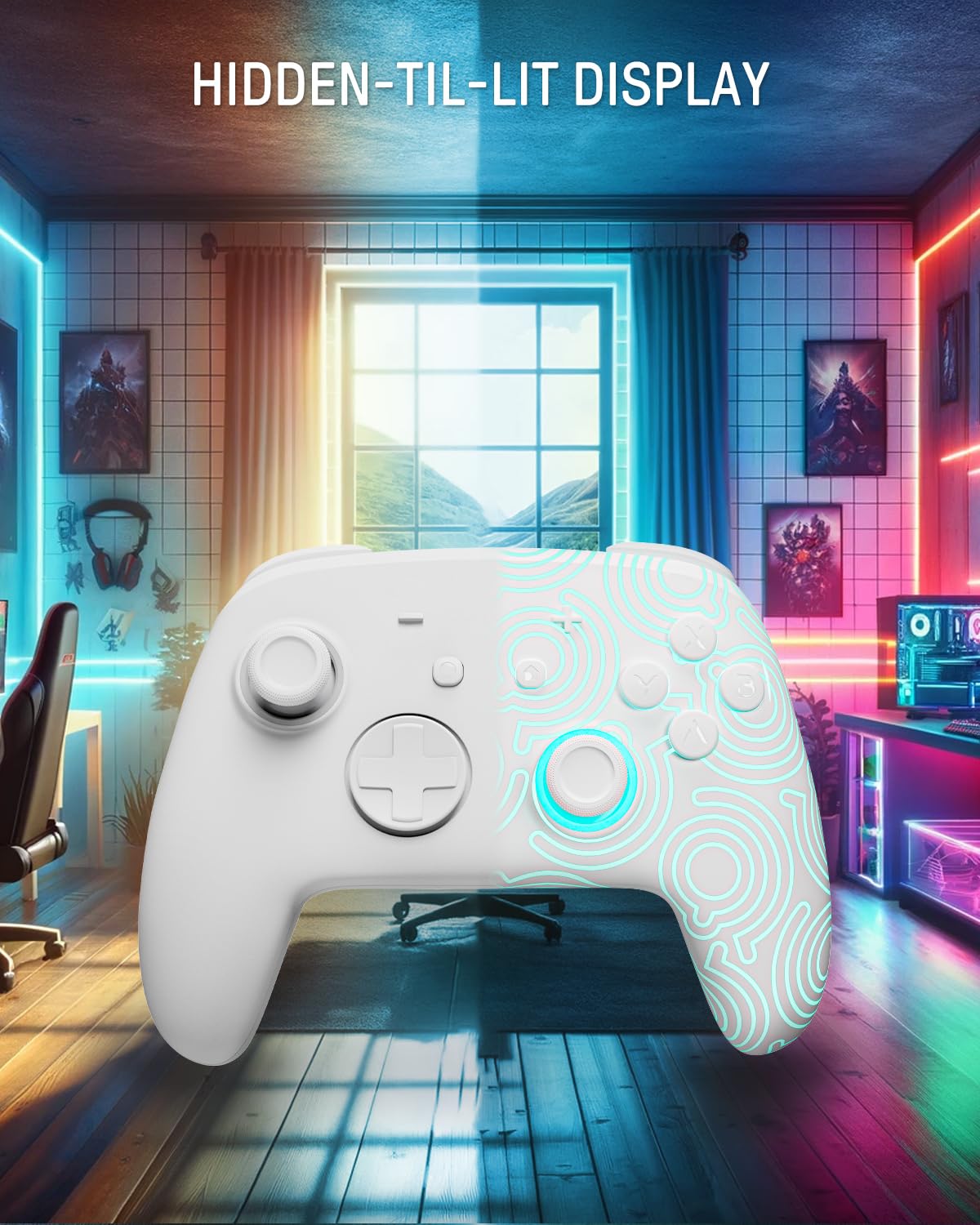
Image 4.1: The controller demonstrating its hidden-til-lit display, with one side illuminated and the other unlit.
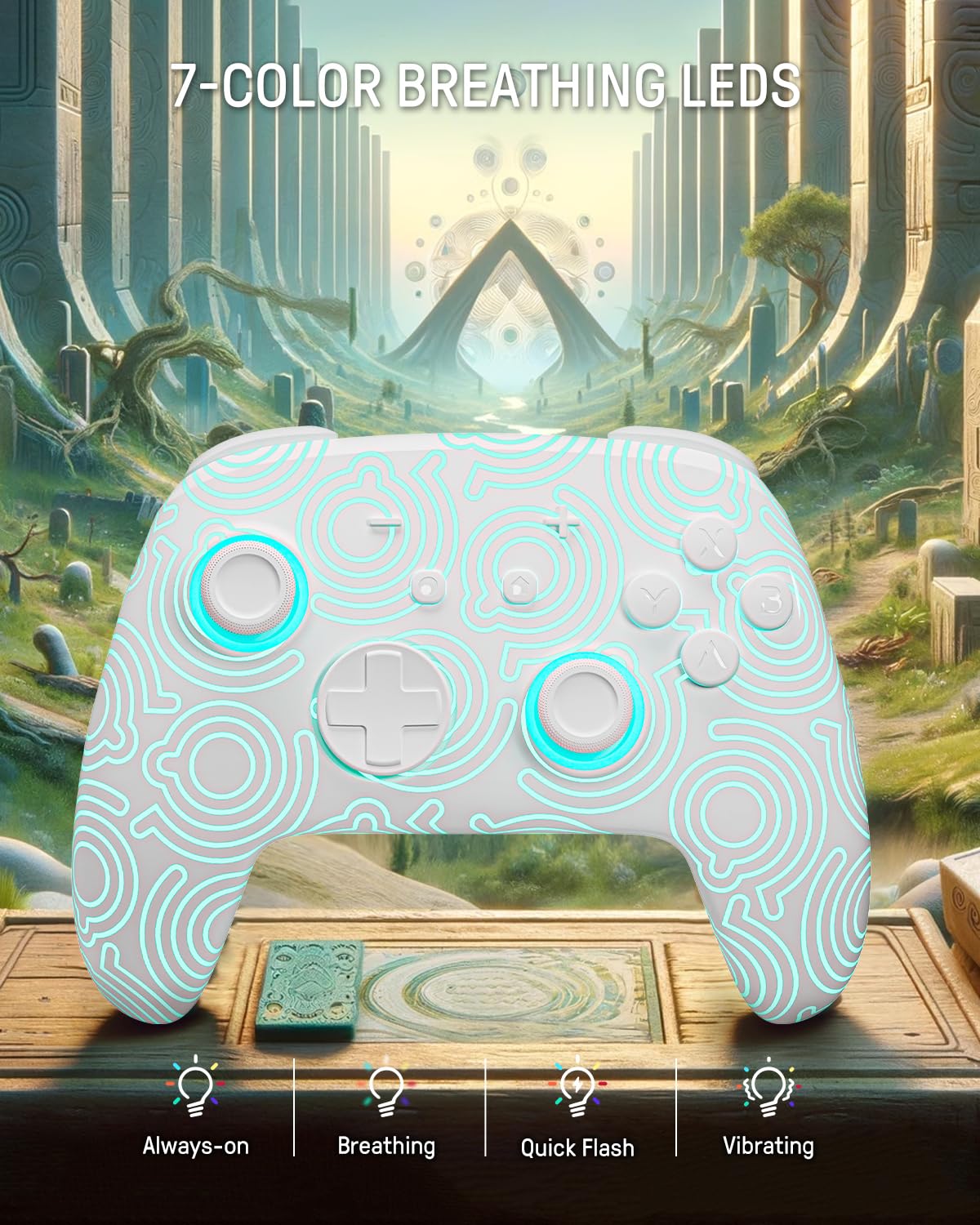
Image 4.2: The controller displaying its 7-color breathing LED feature, with various lighting modes indicated.
4.2 Hall-effekt joysticks
The controller is equipped with Hall Effect joysticks, which utilize magnetic sensors instead of physical contacts. This design provides precise and sensitive control, ensuring accurate and smooth gameplay while offering a longer lifespan and stable performance with reduced mechanical wear and stick drift.

Image 4.3: A detailed diagram illustrating the internal components and magnetic sensing principle of a Hall Effect joystick.
4.3 Back Paddle Buttons
The controller includes programmable back paddle buttons. These buttons can be assigned to replicate other controller inputs, allowing for enhanced gameplay and customized control setups to suit individual playstyles.

Billede 4.4: Bagside view of the controller, highlighting the two programmable back paddle buttons.
4.4 Turbo Function and Motion Control
- The controller features a Turbo funktion, which supports continuous input for rapid button presses. This is beneficial for games requiring quick, repeated actions, such as shooting games.
- Præcis motion control is integrated, allowing for immersive gameplay in titles that utilize gyroscope or accelerometer input.
4.5 Vibrationsfunktion
The controller provides immersive vibration feedback, bringing in-game actions to life. The intensity of the vibration can often be adjusted or toggled off via console settings or dedicated controller buttons, if available.

Image 4.5: An illustration depicting the vibration function of the controller, with intensity levels indicated.
5. Vedligeholdelse
- Rensning: Brug en blød, tør klud til at rengøre controlleren. Ved genstridigt snavs, tør letampRengør kluden med vand. Undgå at bruge skrappe kemikalier eller slibende materialer.
- Opbevaring: Opbevar controlleren et køligt, tørt sted væk fra direkte sollys og ekstreme temperaturer.
- Batteripleje: For at forlænge batteriets levetid bør du undgå at aflade controlleren helt ofte. Oplad den regelmæssigt, selvom den ikke er i brug i længere perioder.
6. Fejlfinding
6.1 Controlleren opretter ikke forbindelse
- Sørg for, at controlleren er opladet.
- Perform the initial wired pairing as described in Section 3.1.
- Check the console's Bluetooth settings to ensure it is enabled and searching for devices.
- Try resetting the controller (a small reset button may be present on the back, often requiring a pin to press).
6.2 Input Lag or Unresponsive Buttons
- Ensure the controller is fully charged. Low battery can affect performance.
- Move closer to the console to minimize wireless interference.
- Sørg for, at ingen andre trådløse enheder forårsager interferens.
- Restart both the controller and the console.
6.3 LED Lights Not Functioning
- Press the Light button repeatedly to cycle through modes and colors.
- Sørg for, at controlleren har tilstrækkelig batteriopladning.
7. Specifikationer
| Feature | Detalje |
|---|---|
| Model | FUNLAB Firefly Wireless Pro Controller |
| ASIN | B0D2LCBVYD |
| Produktdimensioner | 5.91 x 2.36 x 4.33 tommer |
| Varens vægt | 8.8 ounce |
| Fabrikant | FUNLAB |
| Batteritype | 1 lithium-ion batteri (medfølger) |
| Batterikapacitet | 950mAH |
| Estimeret spilletid | Op til 12.5 timer (lys slukket) |
| Forbindelse | Wireless (Bluetooth), USB-C (wired) |
| Kompatibilitet | Nintendo Switch, Switch OLED, Switch Lite, Android, iOS, Steam Deck, PC |
| Særlige funktioner | Hall Effect Joysticks, RGB 7 LED Colors, Back Paddle Buttons, Turbo Function, Motion Control, Wake-Up Function |
8. Garanti og support
For warranty information and customer support, please refer to the documentation included with your product or visit the official FUNLAB webDu kan også kontakte sælgeren direkte via den platform, hvor produktet blev købt, for at få hjælp.
Fabrikant: FUNLAB
Dato først tilgængelig: 24. april 2024


