Indledning
Thank you for choosing the RAINPOINT Sprinkler Timer. This programmable water timer is designed to simplify your garden and lawn watering, offering automatic, manual, and rain delay modes. With its easy-to-read LCD screen and intuitive controls, managing your irrigation has never been easier. This manual provides detailed instructions for setting up, operating, and maintaining your new sprinkler timers.

Image: Two RAINPOINT Sprinkler Timers, highlighting their compact design and digital displays.
Sikkerhedsoplysninger
- Do not immerse the timer in water. It is designed to be water-resistant (IP54), not submersible.
- Use only 2 AAA alkaline batteries (not included). Do not mix old and new batteries or different battery types.
- Sørg for, at alle forbindelser er tætte for at forhindre lækager.
- Do not expose the timer to freezing temperatures. Remove from faucet and store indoors during winter.
- Opbevares utilgængeligt for børn.
Pakkens indhold
- RAINPOINT Sprinkler Timer (x2)
- Brugervejledning (x1)
Note: 2 AAA alkaline batteries are required for each timer and are not included in the package.
Opsætning
1. Batteriinstallation
- Find batterirummet på bagsiden af timeren.
- Skub batteribakken ud.
- Insert two new AAA alkaline batteries, ensuring correct polarity (+/-).
- Slide the battery tray back into the compartment until it clicks securely.
2. Attaching the Timer to the Faucet
- Sørg for, at vandhanen er ren og fri for snavs.
- Screw the timer's inlet (top connector) onto your outdoor faucet or hose bib. Hand-tighten only. Do not overtighten.
- The timer features an upgraded anti-leakage design with increased thread engagement for a tighter fit.
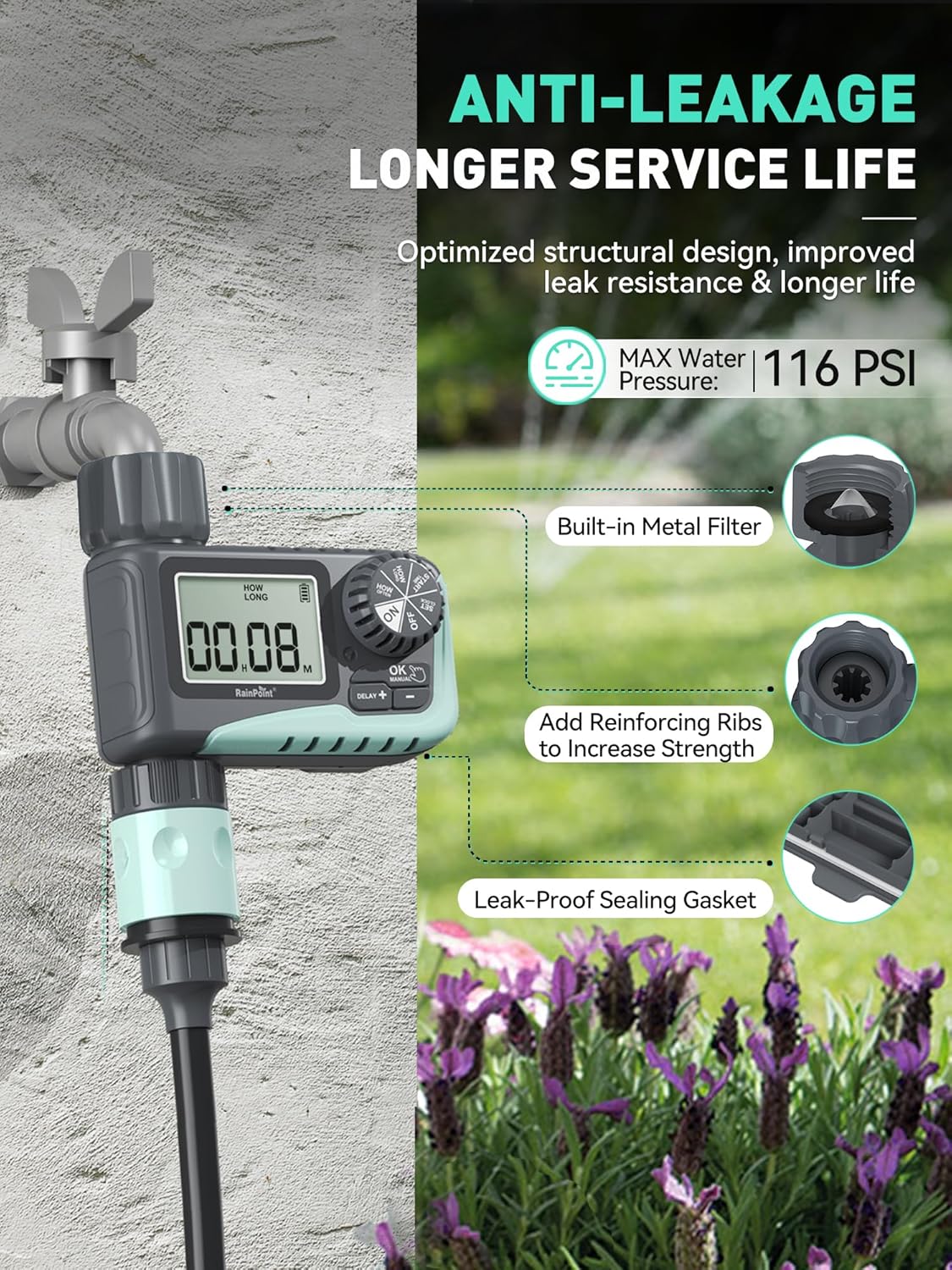
Image: The sprinkler timer connected to a faucet, illustrating its anti-leakage design and built-in metal filter for debris prevention.
3. Tilslutning af slangen
- Screw your garden hose onto the timer's outlet (bottom connector). Hand-tighten only.
- The timer is designed to withstand up to 116 PSI water pressure.
Betjeningsvejledning
The RAINPOINT Sprinkler Timer features a large LCD screen and a rotary dial for easy programming. The dial allows you to select different modes, and the buttons below the screen are used for adjustments.

Billede: Et nærbillede view of the timer's large LCD display and user-friendly rotary dial, emphasizing ease of setup and reading.
1. Indstilling af uret
- Turn the dial to "SET CLOCK".
- Use the "+" and "-" buttons to adjust the current time.
- Press "OK" to confirm and move to the next setting.
2. Programmering af automatisk vanding
This mode allows you to set a customized watering schedule.
- Turn the dial to "START TIME". Use "+" and "-" to set the desired start time for watering. Press "OK".
- Turn the dial to "HOW LONG". Set the watering duration from 1 minute to 3 hours 59 minutes. Press "OK".
- Turn the dial to "HOW OFTEN". Choose the watering frequency:
- Every 1h to 12h (e.g., every 6 hours)
- Every 1 day to 7 days (e.g., every 2 days)
- Turn the dial to "ON" to activate the programmed schedule.

Image: The timer's display showing options for setting watering duration and frequency, including hourly and daily cycles.
3. Manuel vanding
Use this mode for immediate, on-demand watering without affecting your programmed schedule.
- Turn the dial to "ON".
- Press the "MANUAL" button.
- Use "+" and "-" to set the desired manual watering duration (1 minute to 8 hours).
- Press "OK" to start manual watering. The timer will automatically return to its programmed schedule after the manual watering is complete.
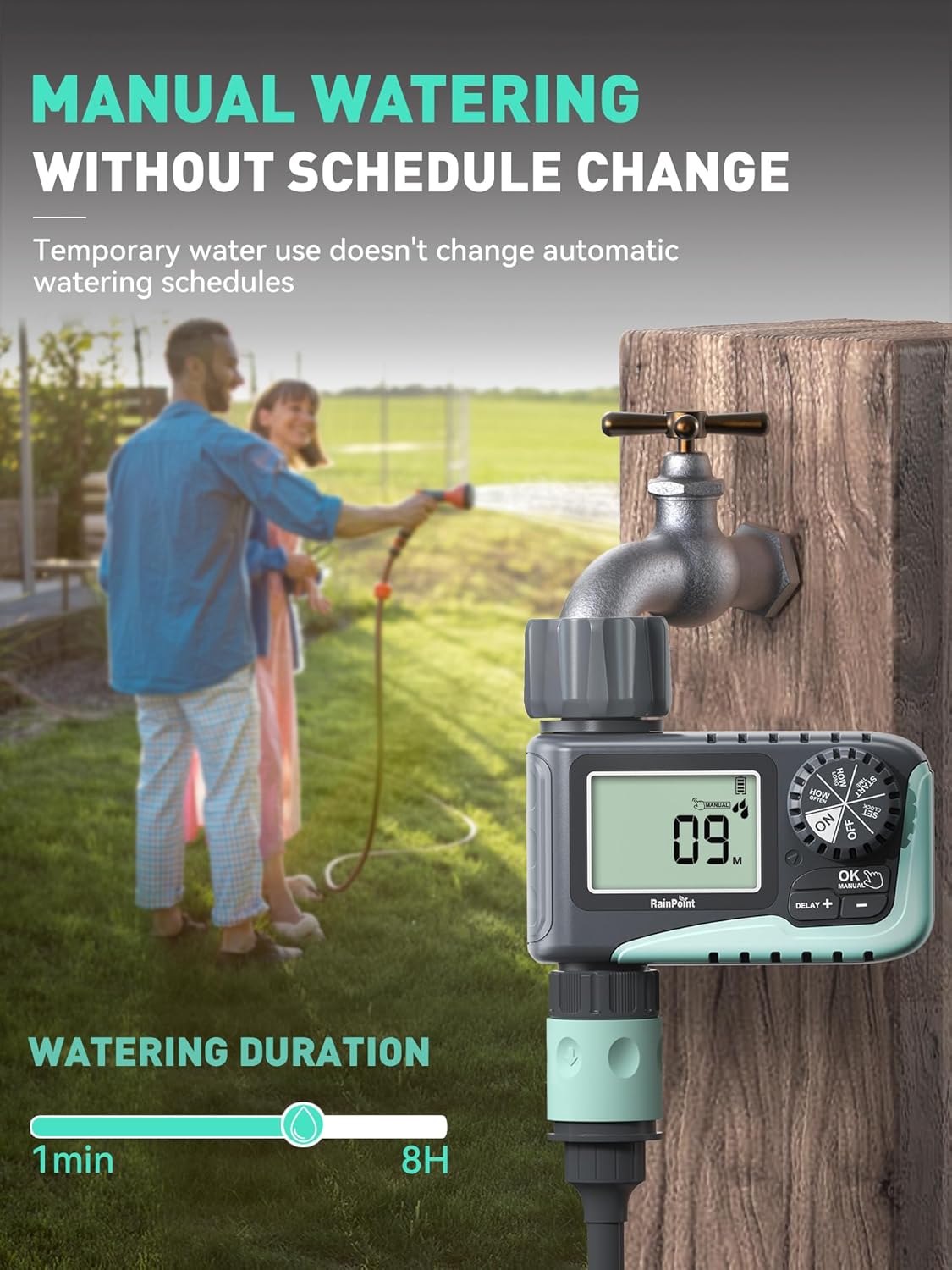
Image: A person manually watering a garden using the RAINPOINT Sprinkler Timer, demonstrating the manual mode functionality.
4. Rain Delay Mode
This feature allows you to pause your watering schedule during rainy periods to conserve water and prevent overwatering.
- Turn the dial to "ON".
- Press the "DELAY +" button.
- Each press will increase the delay by 24 hours (options: 24h, 48h, 72h).
- The timer will automatically resume its programmed schedule after the selected delay period.

Image: The sprinkler timer displaying a rain delay countdown, set against a backdrop of a rainy garden, illustrating its water-saving feature.
5. Slukning af timeren
- Turn the dial to "OFF". This will stop all watering programs.
Opretholdelse
Batterilevetid og udskiftning
- The timer is designed for long battery life (up to 365 days).
- The LCD screen will display a low power indicator when batteries need replacement.
- When the battery is low, the valve will automatically close to prevent flooding and water waste.
- Replace batteries promptly when the low power indicator appears. Your programmed settings will be saved during battery replacement.

Image: The timer's display indicating low battery, with an icon showing the valve automatically closing to prevent flooding, emphasizing its low power auto-shutoff feature.
Rengøring af filteret
- The timer has a built-in metal filter at the inlet to prevent debris from entering the irrigation system.
- Periodically check and clean the filter to ensure optimal water flow and prevent blockages.
- Unscrew the timer from the faucet, remove the filter, rinse it under running water, and reinsert.
Vinter opbevaring
- Before the first frost, remove the timer from the faucet.
- Hæld eventuelt resterende vand fra timeren.
- Opbevar timeren indendørs på et tørt og frostfrit sted.
Fejlfinding
| Problem | Mulig årsag | Løsning |
|---|---|---|
| Timeren tænder ikke/displayet er tomt. | Døde eller forkert installerede batterier. | Replace with new AAA alkaline batteries, ensuring correct polarity. |
| Ingen vandgennemstrømning. | Faucet is off; low water pressure; clogged filter; incorrect programming. | Ensure faucet is fully open. Check water pressure. Clean the inlet filter. Verify programming settings. |
| Timeren lækker. | Loose connection; damaged washer; cracked housing. | Ensure connections are hand-tight. Check rubber washer for damage and replace if necessary. If housing is cracked, contact support. |
| Watering schedule not starting. | Timer is in "OFF" or "MANUAL" mode; incorrect start time/frequency. | Turn the dial to "ON". Recheck and adjust your programmed start time and frequency. |
Specifikationer
- Mærke: REGNPUNKT
- Model: ITV 107 (Based on video information)
- Materiale: Plast
- Farve: Grøn
- Produktdimensioner: 5" D x 4" B x 4.8" H
- Varens vægt: 1.3 pounds (for the pack, likely)
- Strømkilde: 2 x AAA Alkaline Batteries (not included)
- Vandingsvarighed: 1 minute to 3 hours 59 minutes (Automatic), 1 minute to 8 hours (Manual)
- Vandingsfrekvens: Hver 1-12 timer eller hver 1-7 dag
- Muligheder for regnforsinkelse: 24h, 48h, 72h
- Max vandtryk: 116 PSI
- Vandtæthed: IP54
Garanti og support
RAINPOINT products are designed for quality and reliability. For any questions, technical support, or warranty claims, please contact RAINPOINT customer service. Refer to the contact information provided in your product packaging or visit the official RAINPOINT webwebsted for hjælp.
Du kan også besøge RAINPOINT-butik på Amazon for mere information og supportressourcer.


