Indledning
This manual provides essential instructions for the safe and effective use of your NEBULA Capsule Power Bank Tripod. Please read this manual thoroughly before operating the device and retain it for future reference.

Image: The NEBULA Capsule Power Bank Tripod shown fully extended, illustrating its compact design and tripod base.
Produkt overview
The NEBULA Capsule Power Bank Tripod is a versatile accessory designed to enhance your projector experience. It combines a stable tripod stand with an integrated power bank, offering extended usage and flexible positioning for compatible NEBULA Capsule series projectors.
- Integreret powerbank: Provides up to 2 hours of additional battery life for your projector.
- Justerbar højde: Extends from 215mm (8.5 inches) to 840mm (33 inches).
- Justerbar Viewvinkel: The top mount can be adjusted from 0 to 90 degrees.
- Kompakt design: Weighs approximately 900g (1.9 pounds) and has a diameter of 62mm for portability.
- Kompatibilitet: Designed for use with NEBULA Capsule Air, Capsule 3 Laser, and Capsule 3 projectors.

Image: The NEBULA Capsule Power Bank Tripod in both extended and compact tripod modes, with a NEBULA Capsule projector attached, highlighting its 10000mAh battery capacity.

Image: The NEBULA Capsule Power Bank Tripod held in a person's hand, demonstrating its compact and portable size.
Opsætningsinstruktioner
- Unlocking the Tripod Legs: Press the button located at the base of the tripod to release the folded legs.
- Åbning af stativet: Gently pull the legs outwards until they are fully extended and stable.
- Extending the Tripod Legs: Pull the telescopic sections of the tripod upwards to achieve the desired height.
- Securing the Height: Twist the locking knob clockwise to secure the extended height.
- Attaching the Projector: Mount your compatible NEBULA Capsule projector onto the tripod's top screw mount.
- Justering Viewvinkel: Loosen the adjustment knob on the top mount to tilt the projector from 0 to 90 degrees, then tighten to secure.

Image: A visual guide demonstrating the four steps for quick setup: pressing the button, pulling open the tripod, extending the legs, and tightening the locking knob.
Operating the Power Bank Feature
The integrated power bank provides additional operational time for your NEBULA Capsule projector. To utilize this feature:
- Connect the projector to the tripod's charging port using a compatible USB cable.
- The power bank will automatically begin charging the projector or providing power.
- A full charge of the power bank can extend projector usage by up to 2 hours (actual time may vary based on projector model and usage mode).
- The tripod also supports 30W Power Delivery pass-through charging, allowing you to charge both the tripod and the projector simultaneously while in use.
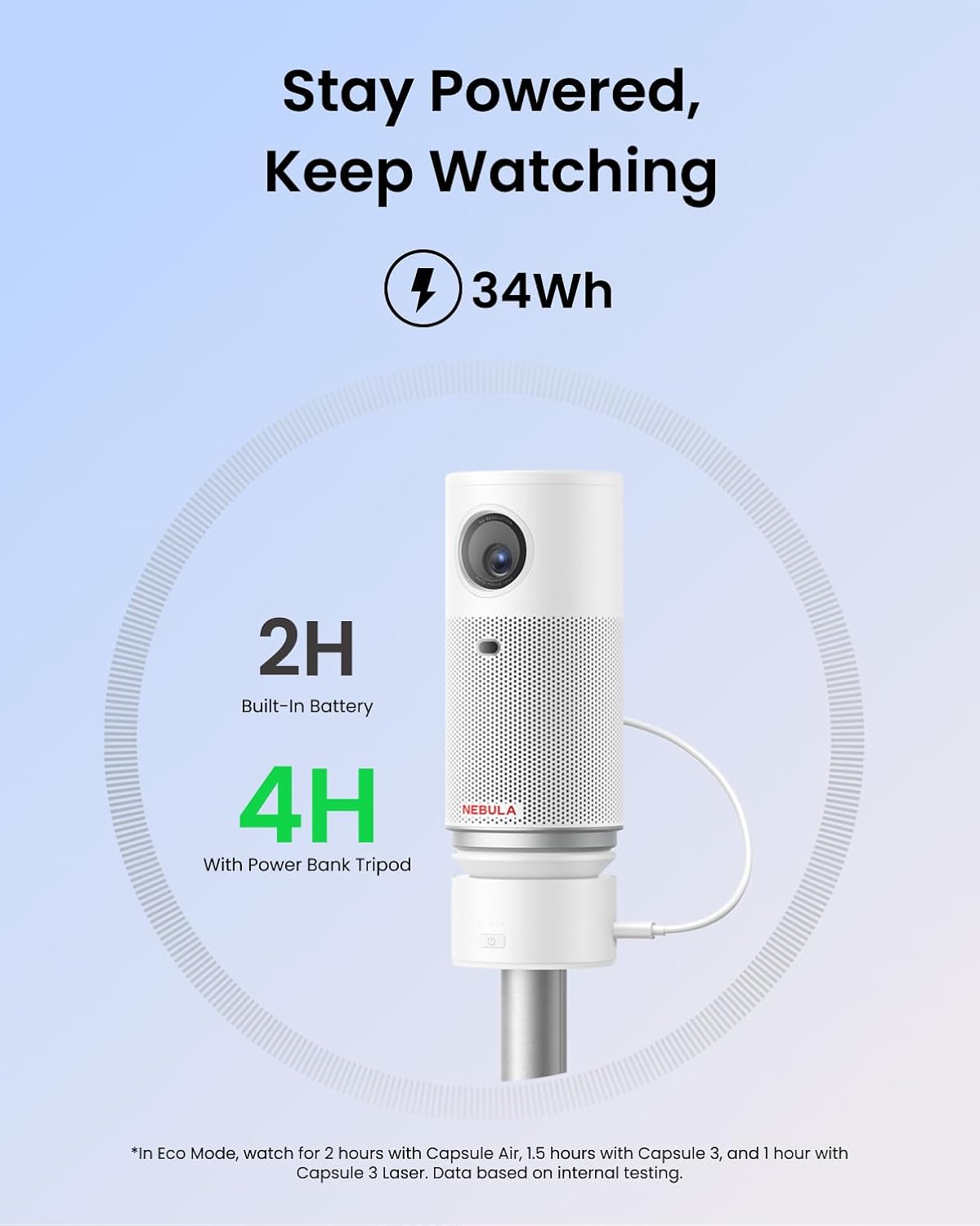
Image: A NEBULA Capsule projector mounted on the tripod, illustrating the extended battery life provided by the integrated power bank (2 hours built-in, 4 hours with power bank tripod).
Vedligeholdelse og pleje
To ensure the longevity and optimal performance of your NEBULA Capsule Power Bank Tripod, follow these guidelines:
- Rensning: Wipe the surface with a soft, dry cloth. Avoid using abrasive cleaners or solvents.
- Opbevaring: Store the tripod in a cool, dry place when not in use. Ensure it is fully collapsed to prevent damage.
- Batteripleje: For optimal battery health, charge the power bank fully at least once every three months if not used regularly.
- Undgå påvirkning: Protect the device from drops and impacts, which can damage internal components or the tripod mechanism.
Fejlfinding
| Problem | Mulig årsag | Løsning |
|---|---|---|
| Tripod legs do not extend or retract smoothly. | Obstruction or dirt in the mechanism. | Gently clean the leg joints. Do not force the mechanism. If the issue persists, contact customer support. |
| Power bank is not charging the projector. | Low power bank battery, incorrect cable, or loose connection. | Ensure the power bank is charged. Verify the USB cable is securely connected to both the tripod and the projector. Use a compatible charging cable. |
| Projector is unstable on the tripod. | Projector not securely mounted, tripod legs not fully extended/locked, or on an uneven surface. | Ensure the projector is tightly screwed onto the mount. Confirm tripod legs are fully extended and locked. Place the tripod on a flat, stable surface. |
Specifikationer
| Feature | Detalje |
|---|---|
| Modelnummer | D0731 |
| Produktdimensioner (skjult) | 2.44 x 2.44 x 8.5 tommer (62 x 62 x 215 mm) |
| Varens vægt | 1.9 pund (900 g) |
| Maksimal højde | 840 mm (33 tommer) |
| Minimum højde | 215 mm (8.5 tommer) |
| Justerbar Viewi vinkel | 0-90 grader |
| Batterikapacitet | 10000mAh (34Wh) |
| Materiale | Aluminium |
| Kompatible enheder | NEBULA Capsule Air, Capsule 3 Laser, Capsule 3 |
Garanti og support
NEBULA products are manufactured by Anker. For warranty information, technical support, or customer service inquiries, please refer to the official NEBULA website or contact Anker customer support directly. Please have your product model number (D0731) and purchase details available when contacting support.
You can typically find support contact information on the official NEBULA or Anker webwebsteder.


