1. Introduktion
The Intermatic PE733P is a 7-day electronic Wi-Fi pool timer designed to automate the operation of pool and spa equipment. This device features a 3-circuit control system, auto-voltage detection (120-277V), and a durable Type 3R outdoor plastic enclosure. It allows for remote management via the Intermatic Connect mobile application or voice commands, providing flexible scheduling and manual control options for pumps, heaters, lights, and other spa equipment.
2. Sikkerhedsoplysninger
ADVARSEL: Risiko for elektrisk stød. This product must be installed by a qualified electrician in accordance with all national and local electrical codes. Disconnect power at the circuit breaker or fuse box before installing or servicing. Failure to follow these instructions could result in serious injury or death.
- Ensure the power supply matches the timer's voltage krav.
- Do not operate the timer with damaged wiring or enclosure.
- Keep the enclosure door securely closed to maintain its Type 3R rating.
- Denne enhed er beregnet til permanent installation.
3. Pakkens indhold
Kontroller, at alle komponenter er til stede, før installationen påbegyndes:
- Intermatic PE733P Wi-Fi Pool Timer Unit
- Installation and Operating Instructions (this manual)
- Monteringsudstyr (skruer, ankre)
4. Produktet er slutview
The Intermatic PE733P timer features a robust outdoor enclosure and an intuitive internal control panel. Key components include status indicator LEDs, control buttons for manual operation, and terminal blocks for wiring connections.

Figur 4.1: Intern View of PE733P Timer. This image displays the Intermatic PE733P timer with its front cover open. Visible are the internal control board with LED indicators for SERVICE, MANUAL, AUTO, and NETWORK status. Below these are the MODE and RESET buttons, along with three numbered manual override buttons for circuits 1, 2, and 3. The green terminal blocks for wiring input and three output circuits are clearly shown at the bottom of the control panel.
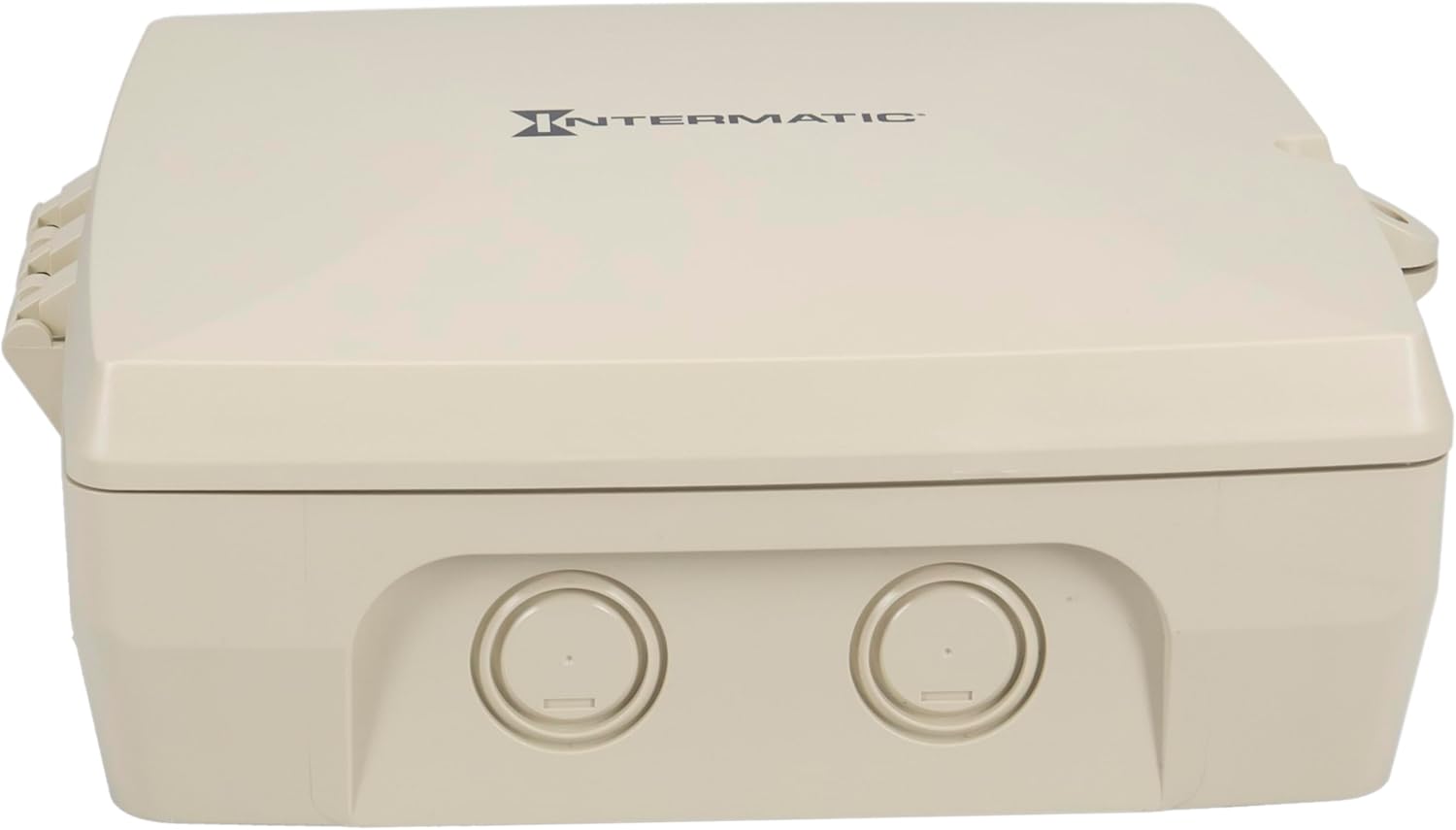
Figur 4.2: Udvendigt View of PE733P Timer. This image shows the Intermatic PE733P timer with its Type 3R outdoor plastic enclosure closed. The front panel is a solid, light-colored surface with the 'Intermatic' logo prominently displayed. The robust design is suitable for outdoor installations, protecting internal components from environmental elements.
5. Opsætning
5.1. Installation
The PE733P is designed for outdoor installation in a Type 3R enclosure. Select a suitable location near your pool or spa equipment, ensuring it is accessible for wiring and maintenance. The unit supports auto-voltage detection from 120-277V AC (50/60 Hz), simplifying power connection. Its design allows for seamless upgrades or replacements of existing Intermatic enclosures due to compatible knockout locations and dimensions.
5.2. Ledninger
Before wiring, ensure all power is disconnected at the main breaker. The PE733P provides three independent circuits for controlling various loads up to 30A. Refer to the internal wiring diagram located on the inside of the enclosure door for specific connection points. Connect the incoming power supply to the designated input terminals and connect your pool/spa equipment (pumps, heaters, lights, sanitation systems) to the respective circuit output terminals (CIRCUIT 1, CIRCUIT 2, CIRCUIT 3). The timer supports SPDT or DPDT relay outputs.
5.3. App Connection (Intermatic Connect)
- Download Intermatic Connect app fra din enheds appbutik.
- Opret en konto eller log ind.
- Follow the in-app instructions to add your PE733P timer. This typically involves putting the timer into pairing mode (refer to the device's internal instructions for specific button presses) and connecting to its temporary Wi-Fi network before linking it to your home Wi-Fi network.
- Ensure your Wi-Fi network is within range. The PE733P offers a long-range Wi-Fi capability up to 180 ft (line of sight).
6. Betjening
6.1. Planlægning
The PE733P allows for advanced 7-day programming with up to 96 ON/OFF events per day per circuit. All scheduling is managed through the Intermatic Connect mobile app.
- Open the Intermatic Connect app and select your PE733P device.
- Navigate to the 'Schedules' or 'Programming' section.
- Create new schedules by selecting the desired circuit, ON/OFF times, and days of the week.
- Save your schedules. The timer will automatically execute these programs.
6.2. Manuel kontrol
You can manually control the circuits directly from the timer unit or via the Intermatic Connect app.
- On-Device Manual Control: Press the numbered buttons (1, 2, or 3) on the control panel to manually toggle the corresponding circuit ON or OFF. The status LEDs (SERVICE, MANUAL, AUTO) indicate the current operating mode.
- App Manual Control: Within the Intermatic Connect app, select your device and use the virtual buttons to instantly turn circuits ON or OFF.
6.3. Stemmekontrol
The PE733P is compatible with voice assistants like Amazon Alexa. To enable voice control:
- Ensure your Intermatic Connect account is linked to your Alexa account through the Alexa app.
- Discover devices in the Alexa app.
- You can then use voice commands such as, "Alexa, turn on Pool Pump" (assuming you named Circuit 1 'Pool Pump' in the Intermatic Connect app).
7. Vedligeholdelse
The Intermatic PE733P is designed for minimal maintenance. Periodically inspect the enclosure for any signs of damage or wear. Ensure the door gasket is intact to maintain its weather-resistant properties. Keep the area around the timer clear of debris to ensure proper ventilation and access. No user-serviceable parts are inside beyond the wiring terminals.
8. Fejlfinding
If you encounter issues with your PE733P timer, refer to the following common troubleshooting steps:
| Problem | Mulig årsag | Løsning |
|---|---|---|
| Timer not powering on | No power supply; tripped breaker; faulty wiring. | Check circuit breaker. Verify wiring connections. Consult a qualified electrician. |
| Problemer med Wi-Fi-forbindelse | Out of Wi-Fi range; incorrect Wi-Fi password; router issues. | Ensure timer is within Wi-Fi range. Re-enter Wi-Fi credentials in the app. Restart your router. |
| Schedules not executing | Incorrect schedule settings; timer in manual mode; time zone error. | Verify schedules in the Intermatic Connect app. Ensure the timer is in AUTO mode. Check time zone settings in the app. |
| Manual override not working | Circuit overload; internal fault. | Check the load connected to the circuit. If the issue persists, contact Intermatic support. |
For further assistance, refer to the Intermatic support webwebsted eller kontakt deres kundeservice.
9. Specifikationer
Technical specifications for the Intermatic PE733P Wi-Fi Pool Timer:
- Model: PE733P
- Voltage: 120-277V AC, Auto-Voltage Registrering
- Frekvens: 50/60 Hz
- Belastningskapacitet: 30A per circuit (3 circuits total)
- Indkapslingstype: Type 3R Outdoor Plastic
- Driftstemperatur: -40°F til 158°F (-40°C til 70°C)
- Wi-Fi-rækkevidde: Op til 180 fod (sigtelinje)
- Programmering: 7-day, up to 96 ON/OFF events per day
- Dimensioner: Cirka 11 cm D x 14 cm B x 10.75 cm H
- Vægt: 2.4 pund
- Materiale: Plast
- Farve: Grå
10. Garantioplysninger
Intermatic products are manufactured under strict quality standards. For detailed warranty information, including terms, conditions, and duration, please refer to the official Intermatic webwebstedet eller garantikortet, der fulgte med dit produkt. Gem din købsbevis til garantikrav.
11. Support
For technical support, product inquiries, or service, please contact Intermatic customer service or visit their official webwebsted:
- Intermatic Webwebsted: www.intermatic.com
- Kundeservice: Der henvises til webwebsted for aktuelle kontaktoplysninger (telefon, e-mail, supportformularer).


