1. Introduktion og overview
This manual provides essential information for setting up, operating, and maintaining your Xiaomi POCO F6 Pro smartphone. Please read it carefully to ensure optimal performance and longevity of your device.
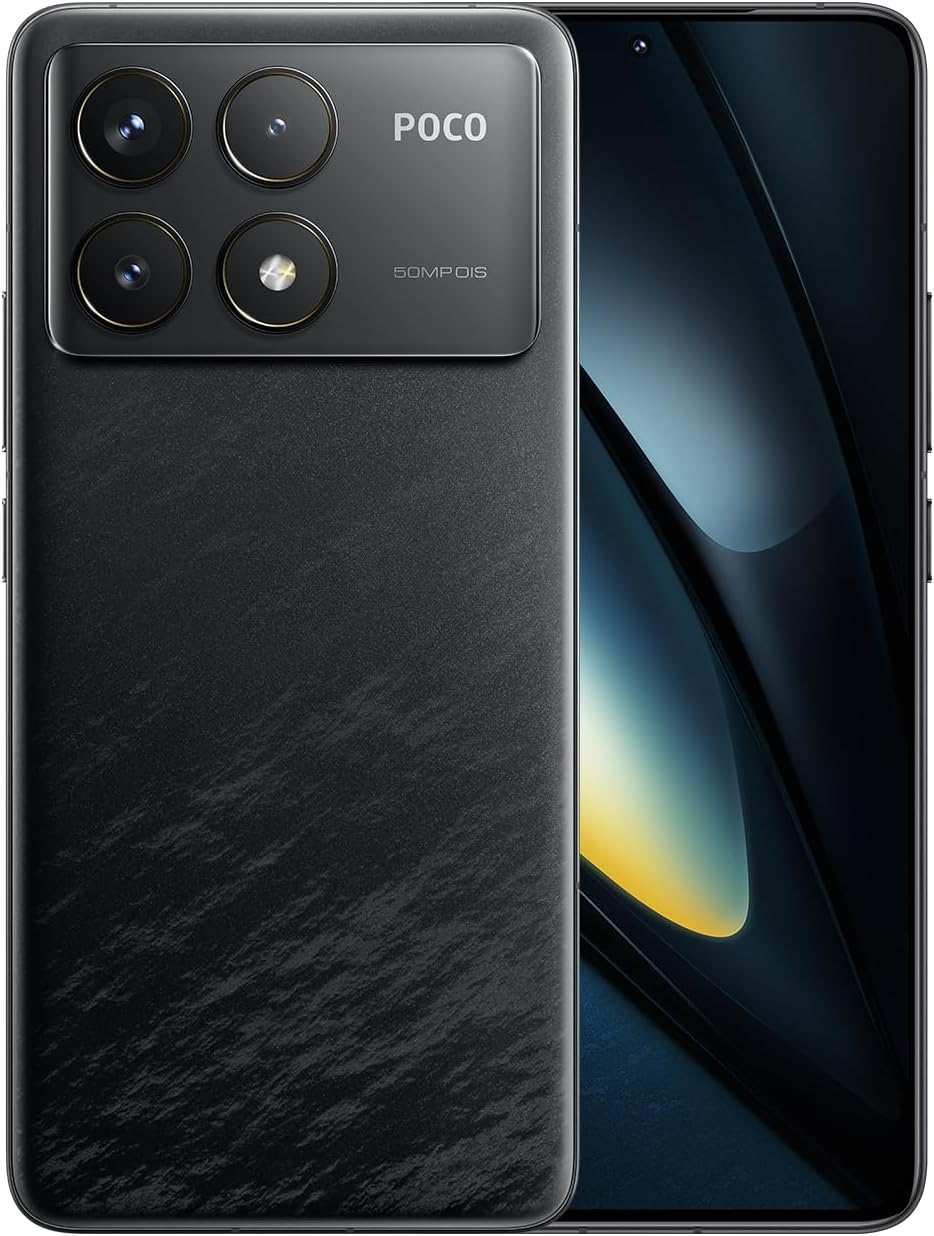
Figure 1.1: Xiaomi POCO F6 Pro device overview.
Nøglefunktioner:
- Højtydende processor: Equipped with the Qualcomm Snapdragon 8 Gen 2, a 4nm flagship processor offering approximately 20% improvement in CPU and GPU performance for a superior user experience.
- Avanceret kølesystem: Features LiquidCool Technology 4.0 with a large stainless steel IceLoop system (approx. 5000mm²) for efficient heat dissipation, maintaining peak performance during intensive tasks.
- Hurtig opladning og lang batterilevetid: A 5000mAh battery combined with 120W Xiaomi HyperCharge technology allows for a 100% charge in approximately 19 minutes.
- Fantastisk skærm: A WQHD+ (3200x1440) 1-120Hz LTPO C8 OLED display with a peak brightness of 4000 nits, offering high light efficiency, low power consumption, and hardware-level low blue light protection.
- Avanceret kamerasystem: A triple camera setup with a 50MP main sensor, Optical Image Stabilization (OIS), and Light Fusion 800 image sensor for professional-quality photos in various lighting conditions.
2. Opsætningsvejledning
2.1 Pakkens indhold
Før du starter, skal du kontrollere, at alle dele er til stede i pakken:
- Xiaomi POCO F6 Pro Smartphone
- AC Adapter (120W HyperCharge)
- USB Type-C-kabel
- SIM-udskubningsværktøj
- Blødt etui
- Hurtig startvejledning
2.2 Isætning af SIM-kortet
- Find SIM-kortbakken på siden af din enhed.
- Sæt SIM-kortudkastningsværktøjet i det lille hul ved siden af bakken, og tryk forsigtigt, indtil bakken springer ud.
- Placer dit/dine Nano-SIM-kort i bakken med guldkontakterne nedad. Sørg for, at de sidder korrekt.
- Skub forsigtigt bakken tilbage i åbningen, indtil den flugter med enheden.
2.3 Første opstart og opsætning
- Tryk og hold tænd/sluk-knappen nede, indtil Xiaomi-logoet vises.
- Følg instruktionerne på skærmen for at vælge dit sprog og din region og oprette forbindelse til et Wi-Fi-netværk.
- Log ind med din Google-konto, eller opret en ny.
- Set up your screen lock method (PIN, pattern, password, fingerprint, or face unlock).
- Review og accepterer vilkårene og betingelserne.
- Din enhed er nu klar til brug.
3. Betjeningsvejledning
3.1 Display og navigation
The POCO F6 Pro features a WQHD+ 120Hz LTPO OLED display. Navigate the interface using gestures or traditional navigation buttons, configurable in the settings.

Figur 3.1: Skærmspecifikationer og funktioner.
- Opdateringshastighed: The adaptive refresh rate (1-120Hz) optimizes smoothness and power consumption.
- Lysstyrke: Adjust brightness manually or enable adaptive brightness for automatic adjustment based on ambient light.
- Øjenkomfort: The hardware-level low blue light design helps reduce eye strain. Enable Reading Mode in settings for a more comfortable viewoplevelse.
- Fingeraftrykssensor: The in-display fingerprint sensor provides quick and secure unlocking. Ensure your finger is clean and dry for optimal performance.
3.2 Ydeevne og spil
The Snapdragon 8 Gen 2 processor and LiquidCool Technology 4.0 ensure high performance, especially for gaming.

Figure 3.2: WildBoost Optimization 3.0 for enhanced gaming.
- Game Turbo: Access Game Turbo by swiping from the left edge during gameplay to optimize performance, manage notifications, and record screen.
- WildBoost-optimering 3.0: This feature enhances performance scheduling and game control for an improved overall gaming experience.
3.3 Kamerafunktioner
The POCO F6 Pro features a versatile triple camera system for high-quality photography.

Figure 3.3: POCO F6 Pro triple camera system.
- Hovedkamera: 50MP med OIS til stabile billeder i høj opløsning.
- Ultra-wide kamera: 8MP til optagelse af større scener.
- Makro kamera: 2MP til detaljerede nærbilleder.
- AI funktioner: Utilize AI for image enhancement, object removal, and smart search within your gallery.
3.4 Batteri og opladning
The device is equipped with a 5000mAh battery and supports 120W Xiaomi HyperCharge.

Figure 3.4: 120W HyperCharge technology.
- Hurtig opladning: Use the provided 120W charger and cable for optimal charging speeds.
- Batterioptimering: The POCO battery management system, featuring Surge P2 charging chipset and Surge G1 battery chipset, provides smart and safe management.
- Dvaletilstand: The device can enter hibernation mode to conserve battery when not in use for extended periods.
3.5 Forbindelse
The POCO F6 Pro offers various connectivity options.

Figur 3.5: Forbindelses- og lydfunktioner.
- Wi-Fi 7: Supports the latest Wi-Fi standard for faster and more reliable wireless connections.
- Bluetooth 5.3: Til tilslutning af trådløst tilbehør som hovedtelefoner og højttalere.
- NFC: Multifunctional NFC for contactless payments and data transfer.
- IR Blaster: Brug din telefon som en universel fjernbetjening til kompatible enheder.
- GNSS: High-precision Global Navigation Satellite System for accurate location services.
4. Vedligeholdelse
Proper maintenance ensures the longevity and optimal performance of your POCO F6 Pro.
- Rensning: Brug en blød, fnugfri klud til at rengøre skærmen og kabinettet. Undgå slibende materialer eller barske kemikalier.
- Softwareopdateringer: Søg regelmæssigt efter og installer systemopdateringer for at sikre, at din enhed har de nyeste funktioner og sikkerhedsrettelser.
- Lagerstyring: Ryd periodisk unødvendigt fileog apps for at frigøre lagerplads og opretholde ydeevnen.
- Batteripleje: Avoid exposing the device to extreme temperatures. While fast charging is convenient, occasional slower charging can help prolong battery health.
- Beskyttelse: Use a screen protector and the provided soft case to guard against scratches and minor impacts.
5. Fejlfinding
Hvis du støder på problemer med din enhed, kan du se følgende almindelige fejlfindingstrin:
- Enheden reagerer ikke: Tryk og hold tænd/sluk-knappen nede i cirka 10-15 sekunder for at fremtvinge en genstart.
- Batteriet aflades hurtigt: Check background app usage in battery settings. Reduce screen brightness or disable unnecessary features like GPS, Bluetooth, or Wi-Fi when not in use.
- Problemer med netværksforbindelse: Toggle Airplane Mode on and off. Restart your device. Check if your SIM card is properly inserted. Contact your network provider if the issue persists.
- Apps der går ned/fryser: Clear the cache and data for the problematic app in App Info settings. If the issue continues, uninstall and reinstall the app.
- Overophedning: Close background applications, reduce screen brightness, and avoid using the device while charging for extended periods. If gaming, ensure the device has adequate ventilation.
- Problemer med fingeraftrykssensor: Ensure your finger and the sensor area are clean and dry. Re-register your fingerprints if recognition is inconsistent.
For more complex issues, consult the official Xiaomi support webwebsted eller kontakt kundeservice.
6. Specifikationer
| Feature | Specifikation |
|---|---|
| Operativsystem | Android 14 |
| Processor | Qualcomm Snapdragon 8 Gen 2 |
| CPU hastighed | 3.2 GHz |
| Installeret RAM-hukommelsesstørrelse | 12 GB |
| Hukommelseslagringskapacitet | 256 GB |
| Displayteknologi | OLED |
| Udlæsningsopløsning | 3200 x 1440 (WQHD+) |
| Batteristyrke | 5000 mAh |
| Trådløs kommunikationsteknologi | Cellular, Wi-Fi 7, Bluetooth 5.3 |
| Forbindelsesteknologi | USB, NFC, IR Blaster |
| GPS | Ja |
| Formfaktor | Skifer |
| Farve | Sort |
| Produkt Modelnummer | MZB0HEJJP |
| Varens vægt | 580 g |
| Pakkedimensioner | 18.7 x 9.4 x 6.1 cm |
7. Garanti og support
Your Xiaomi POCO F6 Pro is covered by a standard manufacturer's warranty. For detailed warranty terms and conditions, please refer to the warranty card included in your product packaging or visit the official Xiaomi support webwebsted.
For technical support, service, or inquiries, please contact Xiaomi customer service through their official channels. Keep your proof of purchase handy when seeking support.
Officiel Xiaomi-support: https://www.mi.com/global/support


