1. Introduktion
This manual provides detailed instructions for the assembly, setup, operation, and maintenance of your Bestier L Shaped Desk with 4 Drawers. Please read this manual thoroughly before beginning assembly and retain it for future reference. Proper assembly and care will ensure the longevity and optimal performance of your desk.
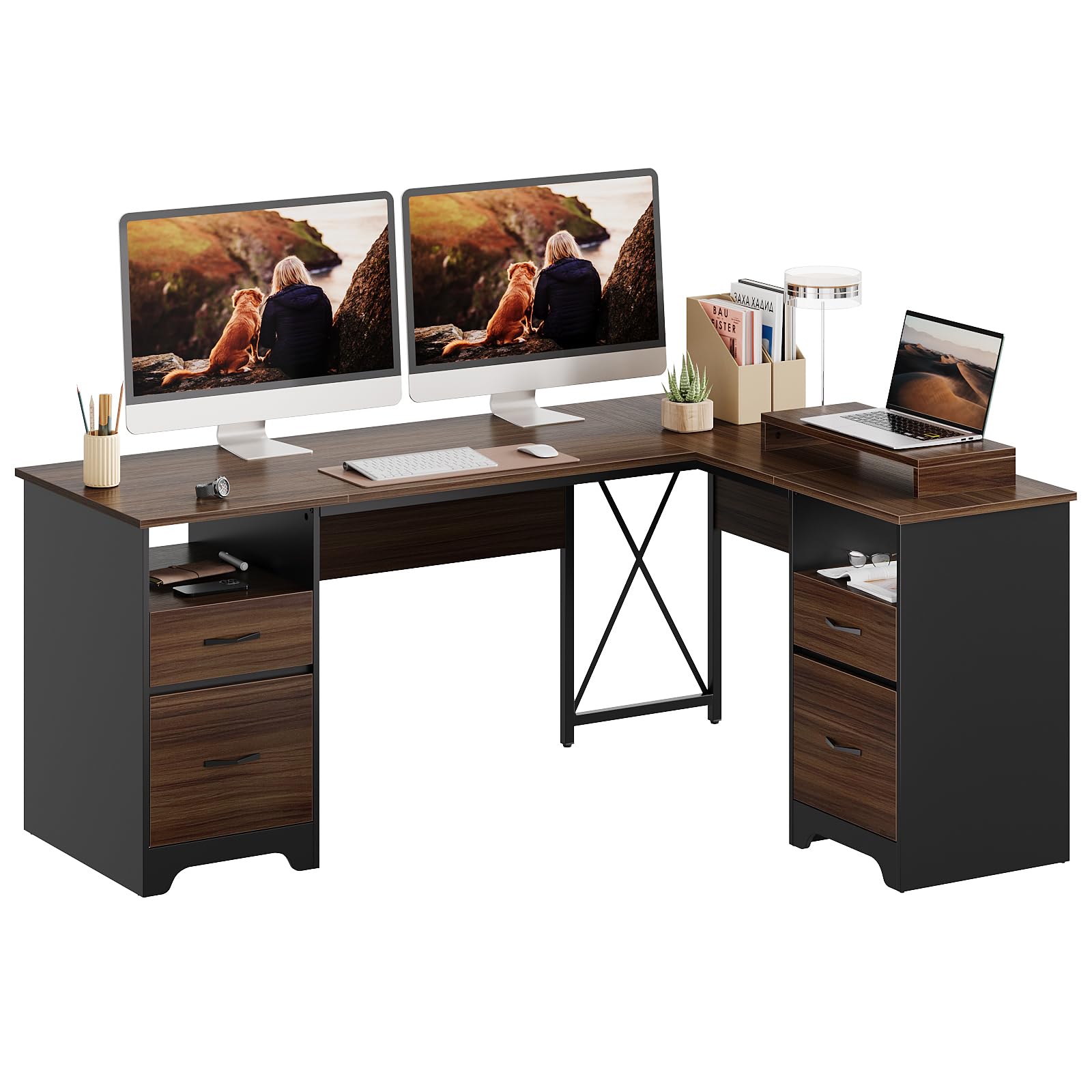
Figure 1.1: The Bestier L Shaped Desk with 4 Drawers, showcasing dens rummelige design og integrerede opbevaring.
2. Sikkerhedsoplysninger
- Vægtgrænser: Do not exceed the maximum weight recommendations. The desktop supports up to 280 lbs, storage drawers up to 20 lbs, and file drawers up to 40 lbs.
- Forsamling: Ensure proper assembly to prevent tipping or structural instability. It is recommended that two people assemble this desk.
- Placering: Place the desk on a level surface to avoid wobbling.
- Rensning: Brug kun annonceamp cloth or dry cloth for cleaning. Avoid harsh chemicals that may damage the finish.
- Børn og kæledyr: Hold små dele væk fra børn og kæledyr under montering.
3. Pakkens indhold
Verify that all components are present before beginning assembly. Refer to the included parts list in your packaging. Key components include:
- Desktop panels (L-shaped configuration)
- Support frames and X-crossbar
- 4 drawer units (2 for office supplies, 2 for file mapper)
- 2 open storage compartments
- Removable monitor stand
- Assembly hardware (screws, cam locks, etc.)
- Assembly tools (screwdriver)

Figure 3.1: Product dimensions and individual component weight capacities.
4. Monteringsvejledning
The Bestier L Shaped Desk is designed for straightforward assembly. All parts are labeled, and clear instructions are provided in the packaging. We recommend two people for smoother assembly. A power tool, such as a drill, can speed up screw tightening.
Trin for generalforsamling:
- Udpak og organiser: Lay out all parts and hardware on a clean, soft surface. Verify against the parts list.
- Saml bundrammer: Connect the metal support frames and the X-crossbar according to the diagrams.
- Attach Pedestals: Secure the wooden pedestals to the base frames.
- Installer skuffer og hylder: Assemble the drawer units and install them into the pedestals. Insert the open storage shelves.
- Mount Desktop Panels: Carefully place and secure the L-shaped desktop panels onto the assembled base and pedestals.
- Installer skærmstativ: Position the removable monitor stand as desired on the desktop.
Video 4.1: Official Bestier video demonstrating various desk configurations and features, including assembly aspects. This video is provided by Bestier Direct.
5. Opsætning
Skrivebordsplacering:
Choose a suitable location for your L-shaped desk, ensuring sufficient space for movement and access to all desk areas. The L-shape can be configured for either left or right-hand orientation during assembly to best fit your room layout.
Monitorstativ:
The removable monitor stand can be placed anywhere on the desktop to elevate your monitor to a comfortable viewing height, reducing neck and eye strain. This stand is not fixed, allowing for flexible positioning.

Figure 5.1: Key features including the removable monitor stand and structural supports.
6. Betjening
Opbevaringsskuffer:
The desk features two smaller drawers for office supplies and two larger file drawers designed to accommodate letter, A4, or legal-size hanging file folders. Ensure drawers slide smoothly on their metal glides.

Figure 6.1: Smart storage solutions for various file størrelser.
Åben opbevaring:
Utilize the two open storage compartments for easy access to frequently used items, books, or decorative elements.
Kabelstyring:
The desk includes integrated cable management features to help keep your workspace tidy and organized. Route cables through designated openings to minimize clutter.
7. Vedligeholdelse
Rensning:
To maintain the desk's finish, wipe surfaces with a damp cloth for general cleaning. For tougher spots, use a mild, non-abrasive cleaner and immediately wipe dry with a clean cloth. Avoid excessive moisture.
Care for Engineered Wood:
The desk is constructed from engineered wood with a laminated finish, making it stable, durable, waterproof, and easy to clean. Avoid placing extremely hot items directly on the surface without protection.

Figure 7.1: Benefits of engineered wood construction.
Hardwarekontrol:
Kontrollér regelmæssigt alle skruer og fastgørelseselementer for at sikre, at de forbliver stramme. Spænd dem igen om nødvendigt for at opretholde stabiliteten.
8. Fejlfinding
Skrivebordsslingrer:
- Sørg for, at skrivebordet er placeret på en flad, jævn overflade.
- Check all assembly screws and cam locks. Tighten any loose connections.
- Verify that the X-crossbar is correctly installed and secured, as it provides additional support.
Skuffer glider ikke jævnt:
- Inspect the drawer glides for any obstructions or misalignment.
- Ensure the drawer units are correctly installed within the pedestals.
Dele mangler eller er beskadigede:
If you encounter missing or damaged parts during assembly, please contact Bestier customer support immediately for assistance.
9. Specifikationer
| Feature | Detalje |
|---|---|
| Mærke | Bestier |
| Modelnummer | H104715P-CRY |
| Modelnavn | L Shaped Desk with 4 Drawers |
| Produktdimensioner | 47" D x 63" B x 30" H |
| Varens vægt | 97 pund |
| Farve | Kirsebær |
| Stil | Moderne |
| Grundmateriale | Konstrueret træ, metal |
| Top materialetype | Konstrueret træ |
| Finish Type | Lamineret |
| Antal skuffer | 4 |
| Antal åbne hylder | 2 |
| Maksimal vægtanbefaling | 280 Pounds (Desktop) |
| Påkrævet samling | Ja |
| Anbefalet antal personer til forsamling | 2 |
| Inkluderede komponenter | Removable Monitor Stand |
10. Garanti og support
Garanti:
This Bestier L Shaped Desk comes with an 18-month manufacturer's warranty. Please retain your proof of purchase for warranty claims.
Kundesupport:
The Bestier team is committed to providing lifetime customer service and stands by to offer satisfying solutions for any product issues you may encounter. For assistance, please visit the Bestier Store on Amazon or contact us directly through the platform where you made your purchase.


