1. Introduktion og overview
The Audio Enhancement XD Teacher Microphone ST-XD-9026 is designed to enhance vocal clarity and distribution in various educational environments. This microphone is specifically engineered to be compatible only with Audio Enhancement amplifier/receiver systems. It helps evenly distribute the teacher's natural speaking voice, ensuring high-quality audio throughout the classroom, including specialized spaces, rooms with windows, portable classrooms, and even outdoors.
This device also features built-in discreet panic buttons that integrate with Audio Enhancement's SAFE System, providing an additional layer of safety.
2. Hvad er der i æsken
Upon unboxing your XD Teacher Microphone ST-XD-9026, please ensure all the following components are present:
- XD Teacher Microphone
- XD Battery
- USB-C oplader

Billede: Forside view of the XD Teacher Microphone, showing control buttons and indicators.
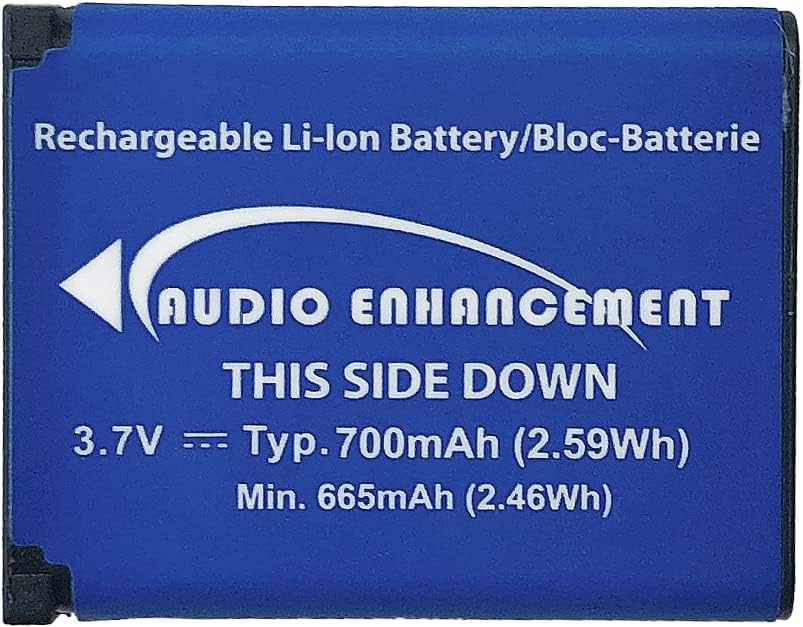
Image: The blue rechargeable Li-ion battery for the microphone, labeled "Audio Enhancement".

Image: The compact black USB-C charger with two USB ports.
3. Opsætning
- Oplad batteriet: Before first use, fully charge the provided XD Battery using the USB-C charger. Insert the USB-C cable into the microphone's DC IN port.
- Indsæt batteri: Open the battery compartment on the microphone and insert the fully charged XD Battery, ensuring correct polarity.
- Tænd: Press and hold the PWR button on the microphone until the indicator lights illuminate.
- Par med Amplifier/modtager: The XD Teacher Microphone is designed for seamless integration with Audio Enhancement amplifier/receiver systems. Follow the pairing instructions provided with your Audio Enhancement amplifier/receiver to establish a connection. Ensure the microphone is within range of the receiver.
- Placering: For optimal voice pickup, wear the microphone as a lavalier microphone, positioned close to your mouth. The microphone features a clip for secure attachment to clothing.

Billede: Side view of the XD Teacher Microphone, highlighting the MIC IN (3.5mm jack) and DC IN (USB-C) ports.
4. Betjeningsvejledning
- Tænd/sluk: Tryk og hold på PWR button to turn the microphone on or off.
- Mute-funktion: Tryk kort på STUM button to mute or unmute the microphone. An indicator light will show the mute status.
- Lydstyrkekontrol: Brug Up og Ned arrow buttons to adjust the microphone's volume output.
- Kanalvalg: The microphone supports multiple channels (OWN, OTHER, CH3). Use the VÆLGE button to cycle through available channels. Ensure the microphone is on the correct channel for your Audio Enhancement amplifier/modtager.
- Panik knap: The microphone includes discreet panic buttons for use with the Audio Enhancement SAFE System. Refer to your SAFE System documentation for specific instructions on activating and using this feature.
- Student Use: The microphone can be passed to students to amplify their voices, allowing for better audibility in the classroom.
- Long Range Operation: The XD Teacher Microphone offers a significant operating range. When moving between classrooms or outside the intended reception area, it is recommended to mute or power off the microphone to avoid unintended broadcasts.
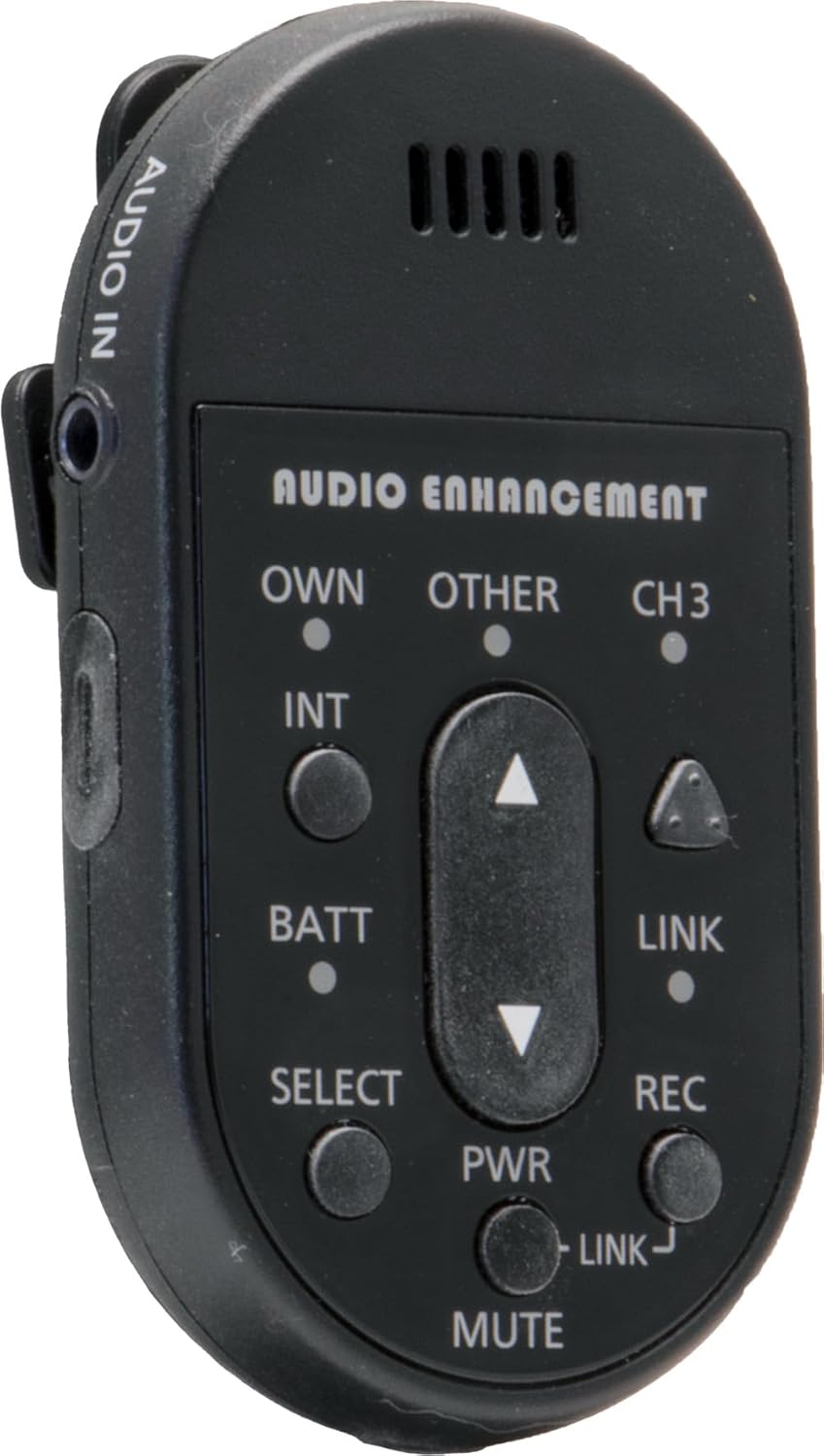
Billede: Side view of the XD Teacher Microphone, showing the AUDIO IN port, which can be used for external audio sources.
5. Vedligeholdelse
- Rensning: Use a soft, dry cloth to clean the exterior of the microphone. Do not use liquid cleaners or aerosols.
- Batteripleje: To prolong battery life, avoid fully discharging the battery frequently. Store the microphone and battery in a cool, dry place when not in use for extended periods.
- Opbevaring: Keep the microphone away from extreme temperatures, direct sunlight, and high humidity.
- Håndtering: Håndter mikrofonen forsigtigt for at forhindre skader fra fald eller stød.
6. Fejlfinding
| Problem | Mulig årsag | Løsning |
|---|---|---|
| Ingen lyd fra mikrofonen | Microphone is muted; Battery is low or dead; Not paired with receiver; Incorrect channel selected. | Press MUTE button; Charge battery; Re-pair with amplifier/receiver; Select correct channel. |
| Dårlig lydkvalitet eller statisk støj | Microphone too far from mouth; Interference; Low battery; Out of range. | Adjust microphone position; Check for nearby electronic devices; Charge battery; Move closer to receiver. |
| Mikrofonen tænder ikke | Battery not inserted correctly; Battery is completely dead. | Re-insert battery correctly; Charge battery for an extended period. |
If you continue to experience issues, please refer to the support section or contact Audio Enhancement customer service.
7. Specifikationer
- Modelnavn: Audio Enhancement XD Teacher Microphone
- Varemodelnummer: ST-XD-9026
- Mærke: Lydforbedring
- Farve: Sort
- Strømkilde: Batteridrevet
- Antal kanaler: 1
- Forbindelse teknologi: DECT
- Connector Type: USB Type-C (til opladning)
- Særlige funktioner: Clip, Mute Function, Volume Control, Built-in Panic Buttons (for SAFE System)
- Kompatible enheder: Lydforbedring Amplivligere/modtager
- Polar mønster: Ensrettet
- Mikrofonformfaktor: Lavalier
8. Garanti og support
For warranty information and technical support, please visit the official Audio Enhancement webwebstedet eller kontakt deres kundeservice direkte. Du kan også finde mere information og produkter på Audio Enhancement Store on Amazon.
Gem venligst din købsbevis i tilfælde af garantikrav.


