1. Introduktion
Thank you for choosing the gearelec GX4 Helmet Bluetooth Headset. This device is designed to enhance your riding experience with advanced communication and audio features. It supports multi-rider intercom, HiFi stereo sound, and effective noise reduction, all within a durable, waterproof design. Please read this manual carefully before use to ensure proper operation and maximize your enjoyment.

Image 1.1: The gearelec GX4 Helmet Bluetooth Headset, showcasing its red graffiti panel and control buttons.
2. Hvad er der i æsken
Kontroller venligst pakkens indhold for at sikre, at alle varer er til stede:
- gearelec GX4 Helmet Bluetooth Headset
- Mounting Bracket (Clip and Adhesive)
- Speakers and Microphone Kit
- USB opladningskabel
- Brugermanual
- CD (Typically refers to documentation or software, though less common with modern devices)
3. Nøglefunktioner
- Expressive HiFi Sound & Noise Reduction: Equipped with an upgraded 40MM speaker and advanced audio decoding technology for realistic music. Features active and passive physical noise reduction, plus CVC&DSP algorithm noise reduction, reducing environmental noise by 98% for clear audio up to 120 KM/H.
- 2-4 Riders Intercom System & Top V5.2 BT Chip: Supports 2-4 person ultra-long-distance full-duplex intercom pairing within 5 seconds (2 people up to 1000M, 4 people up to 1500M). Utilizes a V5.2 Qualcomm Bluetooth chip for superior link distance, stability, and transmission speed. Compatible with third-party brand headsets (e.g., Sena, Cardo, Lexin).

Image 3.1: Visual representation of the GX4's communication capabilities, including multi-rider intercom distances and music sharing.
- Cool Graffiti Panel & Music Sharing: Features a unique street graffiti style mirror panel for personalized aesthetics. Supports music sharing, allowing you to enjoy the same song with friends.
- Safe and Convenient Riding: Simplified one-button pairing for 2-person & 4-person intercom. Includes shortcut buttons for automatic call answering and last number redialing. Easily wake up mobile phone voice assistants (Siri/Google Assistant) for hands-free control.

Billede 3.2: Overview of safety and convenience features, such as voice assistant integration and call management.
- Worry-Free Power & IP65-Proof: Equipped with a 1000mAh battery, supporting use while charging. Fully charges in 1.5 hours. Provides 40 hours of music listening, 36 hours of group intercom, and up to 400 hours of standby. IP65 protection level ensures operation in rainy and snowy conditions.
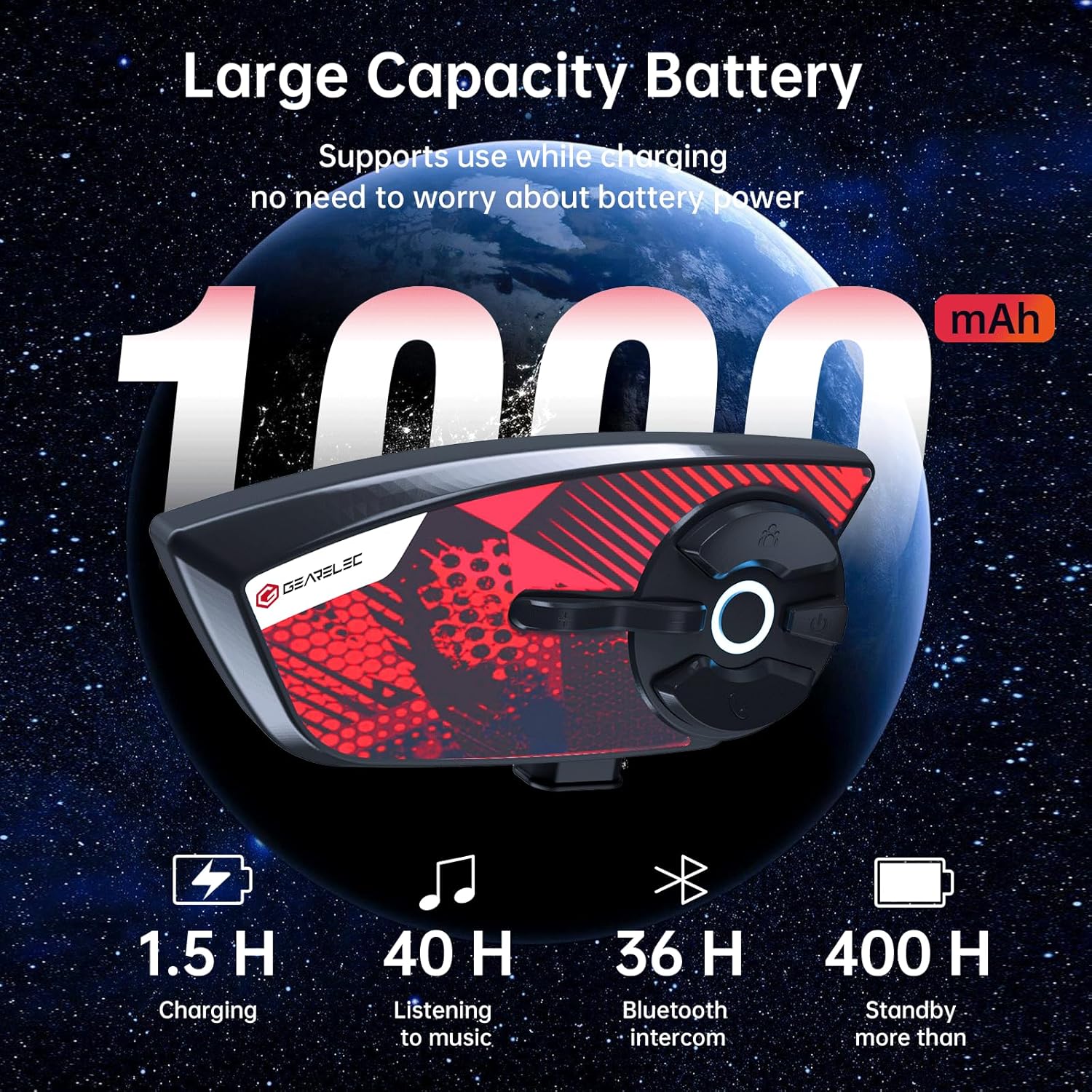
Image 3.3: Details on the GX4's battery life and charging time.

Image 3.4: Illustration of the GX4's IP65 waterproof rating, indicating its resilience in various weather conditions.
4. Opsætningsvejledning
4.1 Opladning af enheden
Before first use, fully charge the GX4 headset. Connect the provided USB charging cable to the charging port on the headset and to a USB power source (e.g., computer, wall adapter). The charging indicator light will show charging status and turn off when fully charged. A full charge takes approximately 1.5 hours.
4.2 Montering af headsettet
The GX4 can be mounted to most helmets using either the clip-on bracket or the adhesive bracket.
- Vælg monteringssted: Select a flat surface on the left side of your helmet where the headset will not obstruct your vision or movement.
- Installer beslag:
- Clip-on beslag: Slide the bracket between the helmet shell and the inner padding. Ensure it is securely fastened.
- Selvklæbende beslag: Clean the chosen area on the helmet surface thoroughly. Peel off the protective film from the adhesive pad on the bracket and firmly press it onto the helmet for at least 30 seconds. Allow 24 hours for the adhesive to cure before use.
- Attach Headset: Slide the GX4 headset onto the installed bracket until it clicks securely into place.
4.3 Installation af højttalere og mikrofon
- Højttalerplacering: Attach the speakers to the inside of your helmet, aligning them with your ears. Use the provided adhesive pads if necessary. Ensure they are positioned for optimal sound.
- Mikrofonplacering: Position the microphone in front of your mouth, ensuring it is close enough for clear voice pickup but does not obstruct your vision or comfort.
- Tilslut kabler: Plug the speaker and microphone cables into the corresponding ports on the GX4 headset.
5. Betjeningsvejledning
5.1 Tænd/sluk
- Tænd: Press and hold the Power button for approximately 3 seconds until the indicator light turns on and you hear a voice prompt.
- Sluk: Press and hold the Power button for approximately 3 seconds until the indicator light turns off and you hear a voice prompt.
5.2 Bluetooth-parring med mobiltelefon
- With the GX4 powered off, press and hold the Power button for approximately 5-7 seconds until the indicator light flashes red and blue alternately, indicating pairing mode.
- Gå til Bluetooth-indstillinger på din mobiltelefon, og søg efter nye enheder.
- Select "GX4" from the list of available devices.
- Once paired, the indicator light will flash blue slowly, and you will hear a confirmation tone.
5.3 Intercom Pairing (2-4 Riders)
The GX4 supports full-duplex intercom for up to 4 riders.
- Ensure all GX4 units are powered on and not connected to other devices.
- On the first two units (A and B), press and hold the Intercom button (usually the group icon) for 5 seconds until the indicator lights flash rapidly.
- The units will automatically pair within 5 seconds. Once paired, the indicator lights will flash blue slowly, and you can begin intercom communication.
- To add a third unit (C), pair unit C with either A or B using the same method.
- To add a fourth unit (D), pair unit D with the remaining unpaired unit (A, B, or C).
Image 5.1: Diagram illustrating the multi-rider intercom setup and range capabilities.
5.4 Musikafspilning
- Afspil/pause: Press the Multi-function button (center button) once.
- Næste nummer: Tryk på knappen Lydstyrke op (+).
- Forrige nummer: Tryk på knappen Lydstyrke ned (-).
- Lydstyrkejustering: Rotate the control dial or press and hold Volume Up (+) or Volume Down (-) buttons.

Image 5.2: Visual highlighting the 40MM large speakers and HiFi stereo sound quality.
5.5 Opkaldshåndtering
- Besvar opkald: Press the Phone button once.
- Afslut opkald: Press the Phone button once during a call.
- Afvis opkald: Tryk og hold telefonknappen nede i 2 sekunder.
- Genopkald sidste nummer: Dobbelttryk på telefonknappen.
- Automatisk opkaldsbesvarelse: The headset supports automatic answering of incoming calls after a few rings. This feature can usually be toggled in the device settings or through specific button combinations (refer to quick start guide for details).
5.6 Stemmeassistent
To activate your mobile phone's voice assistant (Siri, Google Assistant), press the Voice Assistant button (usually the circular button with a light ring) once. You can then issue commands through the headset's microphone.
6. Vedligeholdelse
- Rensning: Brug en blød, damp cloth to clean the headset. Do not use harsh chemicals or abrasive cleaners. Ensure the charging port cover is securely closed before cleaning.
- Opbevaring: Store the headset in a cool, dry place away from direct sunlight and extreme temperatures. If storing for an extended period, charge the battery to about 50% every few months to prolong its lifespan.
- Batteripleje: Avoid fully discharging the battery frequently. Charge the device regularly, even if not in use, to maintain battery health.
- Vandtæthed: The GX4 is IP65 rated, meaning it is protected against dust and low-pressure water jets. While it can withstand rain and snow, avoid submerging it in water. Ensure all port covers are sealed before exposure to moisture.
7. Fejlfinding
| Problem | Mulig årsag | Løsning |
|---|---|---|
| Enheden tænder ikke | Lavt batteri | Oplad enheden helt. |
| Ingen lyd fra højttalerne | Volume too low; Speakers not connected; Speakers faulty | Increase volume; Check speaker connection; Contact support if faulty. |
| Kan ikke parres med telefon/intercom | Enhed ikke i parringstilstand; Bluetooth slukket på telefonen; Interferens | Ensure device is in pairing mode (flashing red/blue); Turn on phone Bluetooth; Move away from other Bluetooth devices. |
| Intercom connection unstable | Out of range; Obstacles; Interference | Reduce distance between units; Move to an open area; Avoid strong electromagnetic fields. |
| Mikrofonen opfanger ikke stemme | Microphone not connected; Incorrect position; Microphone faulty | Check microphone connection; Adjust microphone position closer to mouth; Contact support if faulty. |
8. Specifikationer
| Feature | Specifikation |
|---|---|
| Modelnavn | GX4 |
| Mærke | gearelec |
| Forbindelsesteknologi | Trådløs (Bluetooth) |
| Bluetooth version | 5.2 |
| Bluetooth rækkevidde | Op til 100 meter (1E+2 meter) |
| Intercom Range (2 riders) | Op til 1000 mio |
| Intercom Range (4 riders) | Op til 1500 mio |
| Batterikapacitet | 1000mAh |
| Opladningstid | 1.5 timer |
| Music Listening Time | Up to 40 Hours (at high volume) |
| Group Intercom Time | Op til 36 timer |
| Standby tid | Op til 400 timer |
| Støjkontrol | Active Noise Cancellation (CVC&DSP algorithm) |
| Vandmodstandsniveau | IP65 |
| Højttaler størrelse | 40MM |
| Frekvensområde | 20 Hz - 20,000 Hz |
| Impedans | 40 Ohm |
| Kontroltype | Mediekontrol, berøring |
| Varens vægt | 12.6 ounce |
| Materiale | Plast |
| Kompatible enheder | Some Third-Party Bluetooth Headsets (e.g., Sena, Cardo, Lexin) |
9. Garanti og support
GEARELEC is committed to customer satisfaction. If you encounter any issues with your product, have questions about its use, or wish to provide feedback, please do not hesitate to contact our customer service team. We aim to respond to all inquiries within 6 hours.
For support, please refer to the contact information provided with your product packaging or visit the official GEARELEC webwebsted.


