Indledning
The Prolink DS-3106 3MP Full HD Pan/Tilt/Zoom Smart Home Security Camera is designed to provide comprehensive indoor monitoring. Featuring a 110-degree wide-angle lens and 10-meter night vision, this AI-enabled camera ensures the safety of your household. It also includes a built-in microphone and speaker for two-way communication, allowing you to interact with occupants remotely.

Image: Prolink DS-3106 Home Security Camera with companion mobile application interface.
Hvad er inde i æsken
Kontroller, at alle komponenter er til stede i emballagen, før du fortsætter installationen.

Image: Contents of the Prolink DS-3106 package.
- Prolink DS-3106 Smart Security Camera
- Mount accessories (mounting kit with screw set)
- Power adapter (5V 1A, UK plug)
- USB cable (Type A to Type-C)
- Hurtig installationsvejledning
Produkt overview og funktioner
AI-Powered Detection
The camera utilizes smart AI to analyze human contours, enabling faster detection and delivering timely notifications upon detection of activity within its field of view.

Image: Smart AI Detection and Notification feature highlighting human contour analysis.
Full HD 3MP Resolution
Capture every detail in Full HD with 3-megapixel resolution. The camera incorporates Wide Dynamic Range (WDR) image enhancement for clearer visuals.

Image: Comparison of 3MP Full HD resolution versus 2MP, demonstrating enhanced detail.
Klart nattesyn
The DS-3106 provides clear night vision with a visual distance of up to 10 meters in low light conditions, ensuring continuous monitoring even in darkness.

Image: Night vision capability comparison, showing superior clarity of the Prolink DS-3106.
Pan-Tilt-Zoom (PTZ) Functionality
Achieve wide-range coverage with 360-degree pan and 110-degree tilt capabilities. The camera also features 6X digital zoom and can be mounted on ceilings or walls to eliminate blind spots.

Image: Pan-Tilt-Zoom functionality and wide-angle view demonstration.
Bredt dynamisk område (WDR)
WDR technology adjusts lighting contrast to minimize shadowing effects and overexposure, rendering images that are true to life, even in challenging lighting conditions.
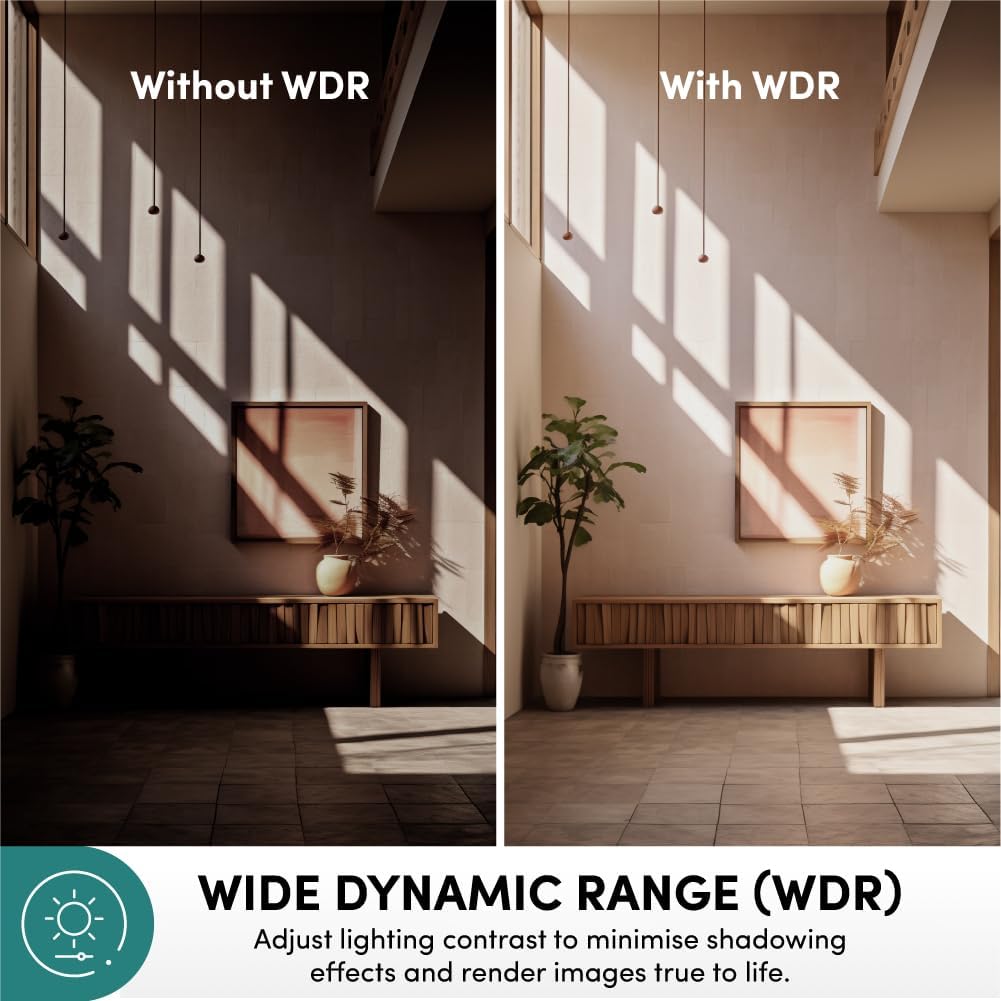
Image: Effect of Wide Dynamic Range (WDR) on image quality.
To-vejs kommunikation
The integrated microphone and speaker enable live view and two-way audio communication, allowing you to speak and listen through the camera via the mobile application.
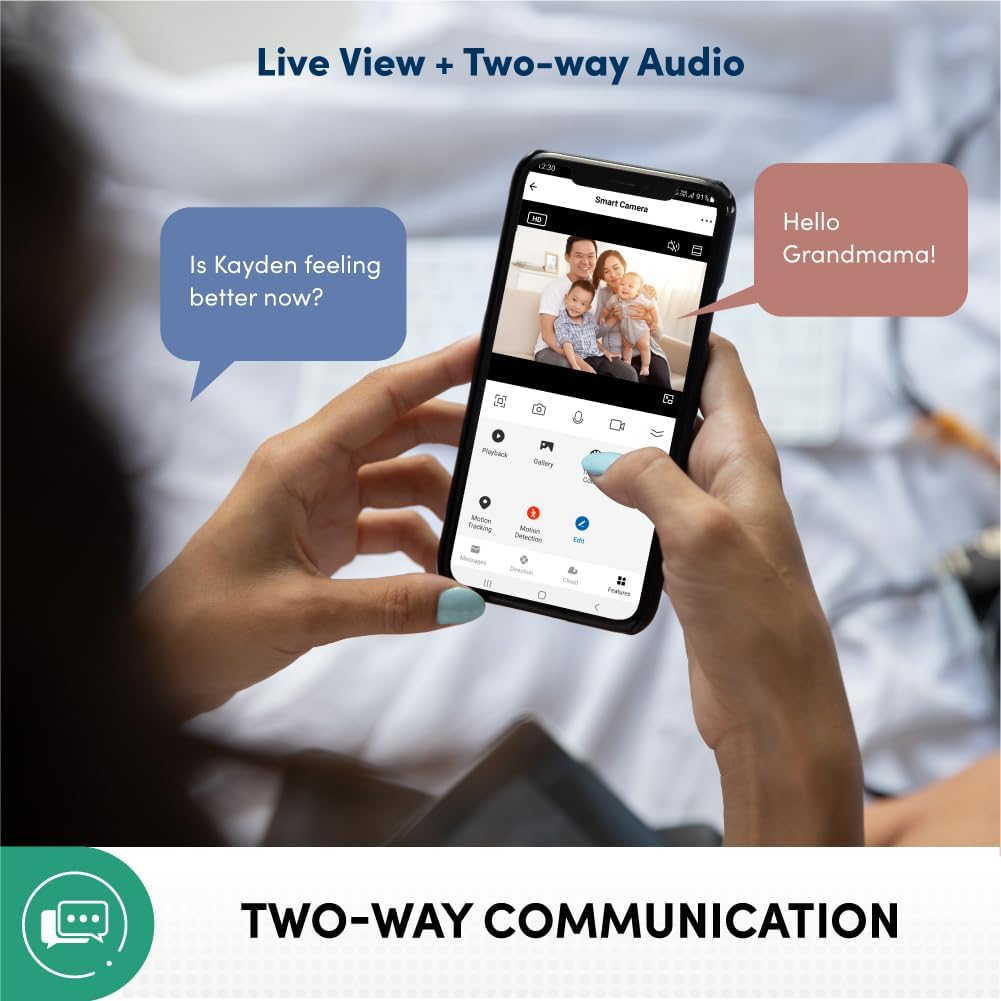
Image: Two-way communication feature via the mobile app.
Privacy Protection and Data Security
Your data and privacy are protected by end-to-end encryption (AES/TLS) to prevent malicious cyber attacks. The system is hosted on Amazon AWS Cloud Server and features 2-layer user login (password/pattern). It is also certified by the Cyber Security Agency of Singapore.

Image: Privacy protection and data security features.
Multiple Recording Methods
The camera supports various recording and storage options, including 3rd party NVR (ONVIF Compatible), optional cloud storage (subscription required), direct recording to smartphone/tablet, and local storage via microSD card up to 512GB (sold separately).

Image: Available recording and storage methods.
Opsætningsvejledning
1. Tænd for kameraet
- Connect the provided USB cable to the camera's Type-C port.
- Connect the other end of the USB cable to the 5V 1A power adapter.
- Sæt strømadapteren i en almindelig stikkontakt.
- Wait for the camera's indicator light to show it is ready for pairing (refer to the Quick Installation Guide for specific light patterns).
2. Mobile Application Installation and Pairing
- Download the official Prolink Smart Home application from your device's app store (available for Android and iOS).
- Open the application and create a new account or log in if you already have one.
- Følg instruktionerne i appen for at tilføje en ny enhed. Dette involverer typisk at scanne en QR-kode på kameraet eller manuelt vælge kameramodellen.
- Sørg for, at din mobilenhed er forbundet til et 2.4 GHz Wi-Fi-netværk under parringsprocessen.
- Når du er forbundet, vil du kunne view livefeedet og adgang til kameraindstillingerne.
3. Montering af kameraet (valgfrit)
The camera can be placed on a flat surface or mounted on a wall/ceiling using the included mounting kit.
- Vælg en passende placering for optimal viewdækning.
- Use the mounting bracket as a template to mark screw holes on the desired surface.
- Bor forhuller og isæt vægankre om nødvendigt.
- Fastgør monteringsbeslaget til overfladen med de medfølgende skruer.
- Attach the camera to the mounting bracket, ensuring it is securely locked in place.
Betjeningsvejledning
Levende View og Overvågning
- Open the Prolink Smart Home app on your smartphone or tablet.
- Select the DS-3106 camera from your device list to access the live video feed.
- Use the on-screen controls to pan (rotate horizontally) and tilt (rotate vertically) the camera lens for a full 360-degree view.
- Pinch to zoom in or out on the live feed to utilize the 6X digital zoom.
To-vejs lydkommunikation
- Mens i live view, tap the microphone icon to enable two-way audio.
- Speak into your mobile device's microphone to transmit your voice through the camera's speaker.
- The camera's built-in microphone will pick up audio from the camera's environment, which will be played through your mobile device's speaker.
Optagelse og afspilning
- Local Storage (microSD card): Insert a microSD card (up to 512GB, sold separately) into the camera's card slot. Configure recording settings (e.g., continuous, motion-triggered) via the app.
- Cloud Storage: If subscribed to cloud storage, recordings will automatically upload to the cloud based on your settings.
- Afspilning: Få adgang til optaget footage through the "Playback" or "Gallery" section in the Prolink Smart Home app. Select the date and time to review begivenheder.
Bevægelsesdetektering og advarsler
- Aktivér bevægelsesdetektion i kameraindstillingerne i appen.
- Adjust sensitivity levels and define detection zones as needed.
- Receive instant push notifications on your mobile device when motion is detected.
Opretholdelse
- Rensning: Tør forsigtigt kameralinsen og huset af med en blød, tør klud. Undgå at bruge skrappe kemikalier eller slibende materialer, der kan beskadige overfladen eller linsen.
- Firmwareopdateringer: Regularly check for and install firmware updates through the Prolink Smart Home app to ensure optimal performance, security, and access to new features.
- Placering: Ensure the camera is placed in a stable location, away from direct sunlight, extreme temperatures, and high humidity.
- Netværksstabilitet: Maintain a stable Wi-Fi connection for uninterrupted monitoring and recording.
Fejlfinding
| Problem | Mulig årsag | Løsning |
|---|---|---|
| Kameraet tænder ikke | Power adapter or cable issue; power outlet problem. | Check power connections. Try a different outlet. Ensure the power adapter is functioning correctly. |
| Kan ikke oprette forbindelse til Wi-Fi | Forkert Wi-Fi-adgangskode; kamera for langt fra routeren; 5 GHz Wi-Fi-netværk. | Verify Wi-Fi password. Move camera closer to router. Ensure you are connecting to a 2.4GHz Wi-Fi network. Reset camera and try pairing again. |
| Ingen live videofeed | Internet connection issue; camera offline; app glitch. | Check your internet connection. Restart the camera. Close and reopen the Prolink Smart Home app. |
| Bevægelsesdetektion virker ikke | Feature disabled; sensitivity too low; incorrect detection zone. | Aktivér bevægelsesdetektion i appindstillingerne. Øg følsomheden. Juster detektionszoner. |
| Tovejslyd fungerer ikke | Microphone/speaker muted in app; volume too low; network latency. | Check audio settings in the app. Increase volume on your mobile device. Ensure stable network connection. |
Specifikationer
| Feature | Detalje |
|---|---|
| Modelnummer | DS-3106-CCL |
| Videooptagelsesopløsning | 3 MP (2304 effective resolution) |
| Farve | Trækul |
| Dimensioner (L x B x H) | 7.5 x 7.5 x 11.3 cm |
| Vægt | 186 g |
| Viewi vinkel | 110 Degrees (wide-angle lens) |
| Pan/tilt rækkevidde | Pan: 360 Degrees, Tilt: 110 Degrees |
| Digital Zoom | 6X |
| Night Vision Range | Op til 10 meter |
| Forbindelsesteknologi | Wi-Fi (2.4 GHz) |
| Særlige funktioner | AI-Powered Detection, 2-Way Audio, Wide Dynamic Range (WDR), Privacy Protection (AES/TLS Encryption) |
| Opbevaringsmuligheder | microSD card (up to 512GB), Cloud Storage (optional), 3rd Party NVR (ONVIF Compatible) |
| Strømkilde | Corded Electric (5V 1A) |
| Installationstype | Freestanding, Wall Mount, Ceiling Mount |
| Indendørs/Udendørs brug | Indendørs |
| Controller type | Android, iOS (via Prolink Smart Home App) |
Garanti og support
For warranty information, technical support, or service inquiries, please refer to the official Prolink website or contact Prolink customer service directly. Details can typically be found in the Quick Installation Guide included with your product or on the manufacturer's official support pages.
Fabrikant: Prolink
Sælger: Prolink Official (via Amazon.sg)
Returpolitik: 15 days (refund/replacement) as per Amazon.sg policy.


