1. Introduktion
Velkommen til den sorteview A55 experience. This manual provides essential information to help you get the most out of your new unlocked Android smartphone. The Blackview A55 combines a vibrant display, reliable performance, and essential features for daily communication and entertainment.

Billede: Forside og bagside view af den sorteview A55 Unlocked Cell Phone.
2. Opsætning
2.1 Pakkens indhold
Upon unboxing your Blackview A55, please ensure all items are present:
- Sortview A55 Cell Phone
- USB kabel
- Power Adapter (if included in your region)
- SIM-udskubningsværktøj
- Brugervejledning (dette dokument)
Billede: Den Sorteview A55 phone, USB cable, and other accessories included in the package.
2.2 Installation af SIM-kort og lagerplads
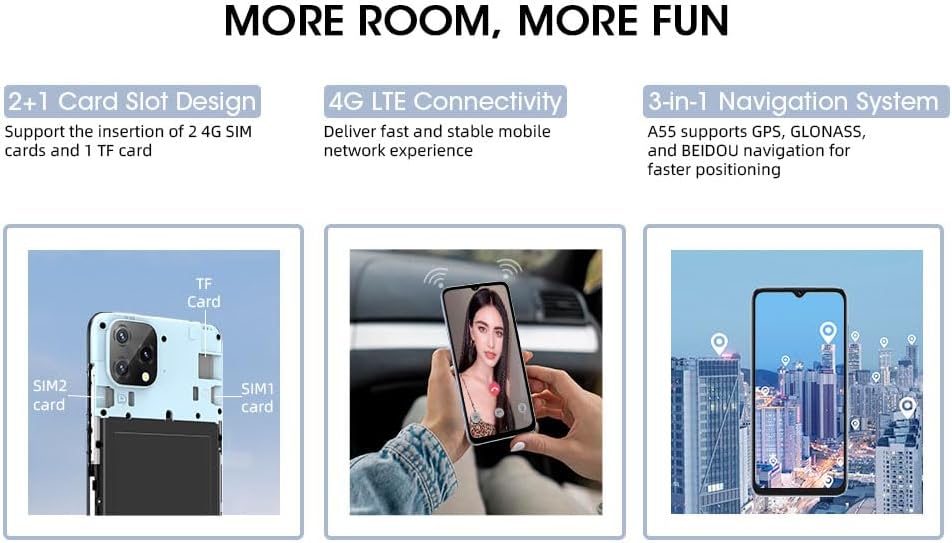
Den sorteview A55 features a convenient 2+1 card slot design, allowing for two 4G SIM cards and one TF (microSD) card for expandable storage.
- Find SIM-kortbakken på siden af din enhed.
- Sæt SIM-kortudkastningsværktøjet i det lille hul ved siden af bakken, og tryk forsigtigt, indtil bakken springer ud.
- Place your Nano-SIM cards into the designated SIM1 and SIM2 slots.
- If desired, insert a TF (microSD) card into the dedicated storage slot. The device supports up to 1TB of expandable storage.
- Sæt forsigtigt bakken tilbage i telefonen, indtil den klikker på plads.
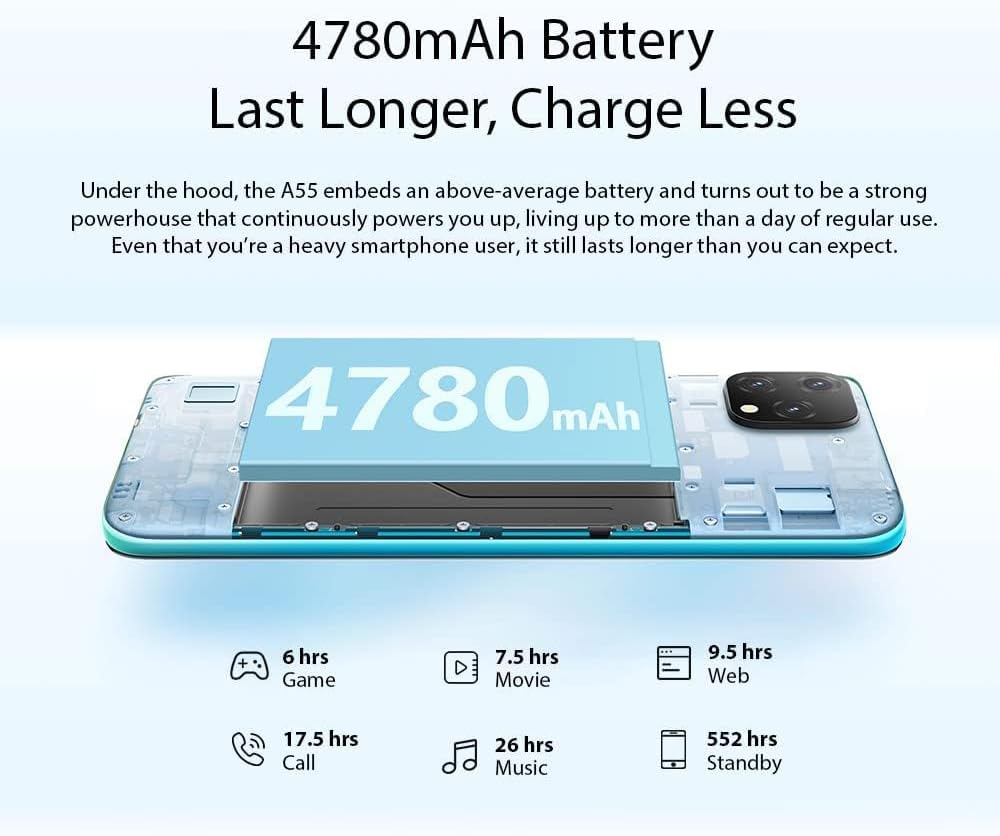
Image: A visual representation of the 2+1 card slot, indicating where to insert SIM1, SIM2, and the TF card.
2.3 Indledende tænding
To power on your device, press and hold the Power Button located on the side until the Blackview logo appears on the screen. Follow the on-screen prompts to complete the initial setup, including language selection, Wi-Fi connection, and Google account setup.
3. Betjening af din sorteview A55
3.1 Enhed overview
Gør dig bekendt med de fysiske komponenter i din Blackview A55:

Image: A detailed diagram highlighting the 3.5mm headphone jack, earpiece, screen, speaker, microphone, charger/USB port, 13MP rear camera, flash, fingerprint sensor, volume buttons, and power button.
- Power knap: Located on the right side, used to power on/off and wake/sleep the screen.
- Lydstyrkeknapper: Located above the Power Button, used to adjust media and call volume.
- 3.5 mm hovedtelefonstik: Located on the top edge for wired audio accessories.
- USB-C-port: Placeret i den nederste kant til opladning og dataoverførsel.
- Højttaler og mikrofon: Located on the bottom edge for audio output and input.
- Kameraer: Rear and front cameras for photography and video calls.
3.2 Skærmfunktioner
Den sorteview A55 features a 6.528-inch HD+ Incell display with a resolution of 720*1600 pixels and 400 nits brightness, ensuring clear and vibrant visuals even in bright conditions.

Billede: Den Sorteview A55 display showcasing its 6.528-inch screen size, 720*1600 HD+ resolution, 89% screen-to-body ratio, and 400nit brightness.
3.3 Kamerabrug
Capture memorable moments with the 8MP dual rear camera and 5MP front camera. The device supports features like Face Unlock for quick and secure access.

Image: Illustrates the 8MP rear camera and 5MP front camera capabilities, along with the Face Unlock feature.
3.4 Batteristyring
Den sorteview A55 is equipped with a 4780mAh battery, providing extended usage. Optimize battery life by managing background apps and adjusting screen brightness.

Image: Details the 4780mAh battery and estimated hours of use for gaming, movies, web browsing, calls, music, and standby.
3.5 Forbindelse
Din sorteview A55 supports 4G LTE on AT&T, Cricket, and T-Mobile carriers. It also includes GPS, Beidou, GLONASS, and Galileo for navigation, dual-band 5G Wi-Fi, and Bluetooth 4.1.
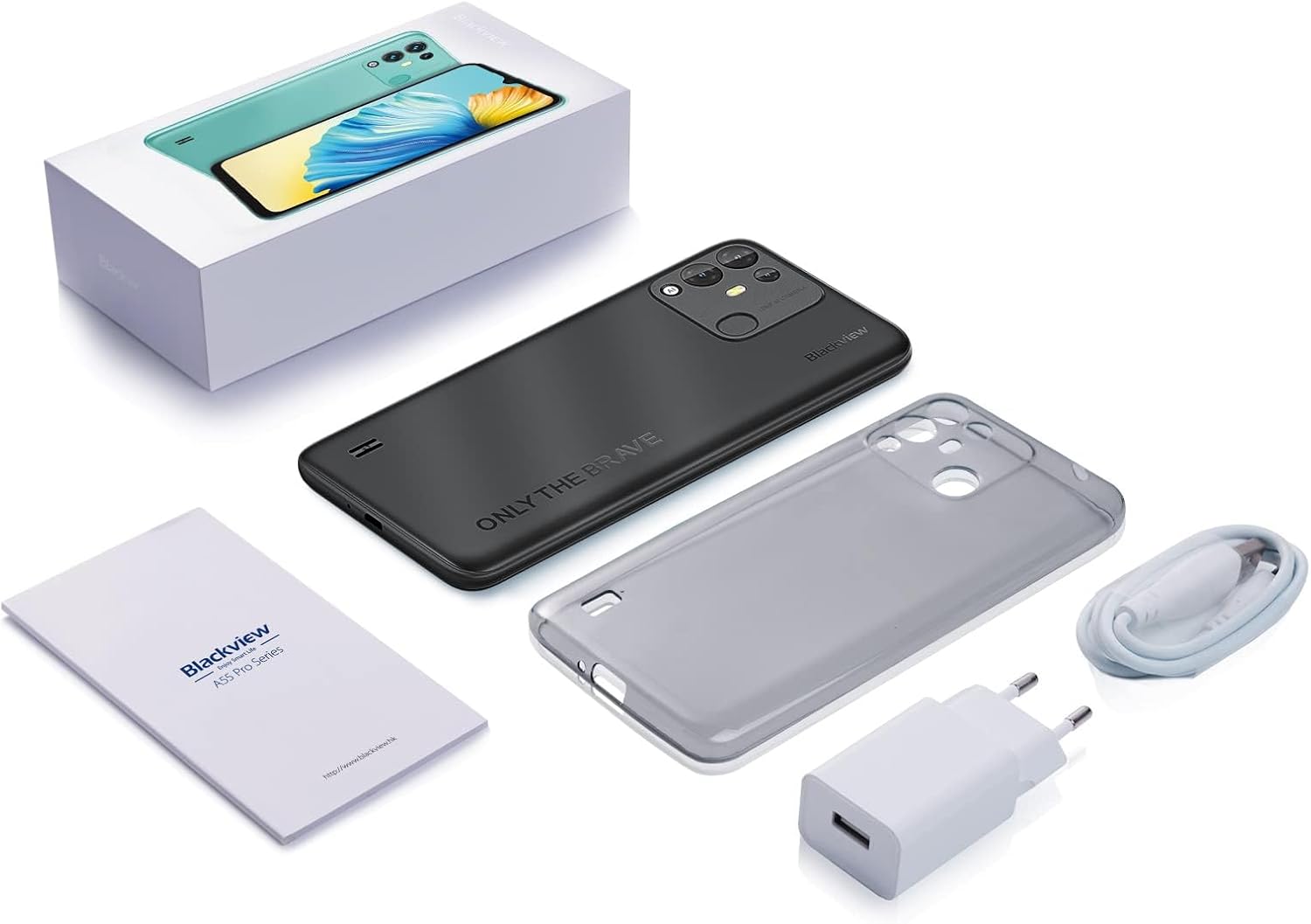
Image: A map illustrating the supported 4G GSM network carriers for the Blackview A55 in North America.
3.6 Ydeevne og lagerplads
Powered by a 2.0GHz quad-core MT6761V processor, the A55 offers smooth performance. It comes with 3GB RAM and 16GB ROM, expandable up to 1TB with a TF card.
3.7 Software
Den sorteview A55 runs on Android 11 with the self-developed Doke OS 2.1 UI system, providing a user-friendly and intuitive interface.
4. Vedligeholdelse
To ensure the longevity and optimal performance of your Blackview A55, follow these maintenance guidelines:
- Keep your device clean by wiping it with a soft, dry cloth.
- Undgå at udsætte telefonen for ekstreme temperaturer eller direkte sollys i længere perioder.
- Protect the screen with a screen protector and consider a protective case to prevent physical damage.
- Opdater regelmæssigt softwaren for at drage fordel af de nyeste funktioner og sikkerhedsforbedringer.
- Manage storage by deleting unnecessary files og apps for at opretholde ydeevnen.
5. Fejlfinding
Hvis du støder på problemer med din Blackview A55, consider the following common troubleshooting steps:
- Enheden reagerer ikke: Tryk og hold tænd/sluk-knappen nede i cirka 10-15 sekunder for at fremtvinge en genstart.
- Apps der går ned eller fryser: Close background applications and restart the device. Consider uninstalling recently installed apps that might be causing conflicts.
- Batteriet aflades hurtigt: Reduce screen brightness, disable unnecessary features like GPS or Bluetooth when not in use, and check battery usage in settings to identify power-hungry apps.
- Forbindelsesproblemer: Toggle Wi-Fi or mobile data off and on. Restart your router for Wi-Fi issues. Ensure your SIM card is properly inserted.
Troubleshooting Video: Device Lagging or Freezing
Video: This video provides general tips for resolving device lagging or freezing issues on Blackview phones. While not specific to the A55, the principles apply.
6. Specifikationer
| Feature | Specifikation |
|---|---|
| Produktdimensioner | 6.48 x 3.03 x 0.38 tommer |
| Varens vægt | 7.2 ounce |
| Varemodelnummer | cell Phone A55 |
| Batterier | 1 Lithium-ion-batterier påkrævet. (inkluderet) |
| OS | Android 11 (with Doke OS 2.1 UI) |
| Trådløse kommunikationsteknologier | Bluetooth, mobil, Wi-Fi |
| Forbindelsesteknologier | Trådløs |
| GPS | GPS+GLONASS+BEIDOU+Galileo |
| Særlige funktioner | 4780mAh, 4G AT&T/Cricket/T-Mobile Carriers, Face Unlocked, Three Cards Slots |
| Human Interface Input | Touchskærm |
| Scanneropløsning | 1600*720 pixels |
| Andre kamerafunktioner | Front (5MP), Rear (8MP Dual) |
| Lydstik | 3.5 mm |
| Formfaktor | Smartphone |
| Farve | Sort |
| Batteristyrke | 4780 mioamp Timer |
| Hvad er der i æsken | USB kabel |
| Fabrikant | Sortview |
| Dato først tilgængelig | 1. april 2024 |
| Hukommelseslagringskapacitet | 3 GB (kan udvides op til 1 TB) |
| Stående skærm displaystørrelse | 6.53 tommer |
| Installeret RAM-hukommelsesstørrelse | 3 GB |
| Batterikapacitet | 4780 mioamp Timer |
| Vægt | 0.45 pund |
| Mærke | Sortview |
| Operativsystem | Android |
| Skærmstørrelse | 6.53 tommer |
| Opløsning | 1600*720 pixels |
| Modelnavn | cell Phone A55 |
| Trådløs bærer | T-Mobile (also supports AT&T, Cricket) |
| Cellulær teknologi | 4G |
| Forbindelsesteknologi | Trådløs |
7. Garanti og support
Din sorteview A55 comes with a two-year guarantee. If you encounter any issues, please contact our professional customer service team by activating the service card included with your product. We are committed to providing support and resolving any concerns you may have.
Product Video: Blackview A55 Features
Video: An official Blackview videoshowasing the features of the A55 smartphone, including its 4G compatibility with AT&T, Cricket, and T-Mobile carriers.


