1. Produktet er slutview
The boAt Airdopes 311 Pro are truly wireless in-ear earbuds designed for an immersive audio experience with extended playtime and advanced features. They are equipped with 10mm drivers and Bluetooth v5.3 for stable connectivity and superior sound quality.

Figure 1.1: boAt Airdopes 311 Pro Earbuds and Charging Case (Space Grey)
This image displays the boAt Airdopes 311 Pro earbuds in their transparent Space Grey charging case. The earbuds are visible inside the case, which features a sleek, minimalist design.
Nøglefunktioner:
- Immersive Audio: 10mm drivers and Bluetooth v5.3 for high-quality sound.
- Lang batterilevetid: Op til 50 timers samlet spilletid med opladningsetuiet.
- Lav latenstilstand: 50ms Beast Mode for optimized gaming and video streaming.
- Hurtig opladning: ASAP Charging provides 150 minutes of playtime with just 10 minutes of charge.
- Vandtæthed: IPX4 rating for resistance against water splashes and sweat.
- Dual Mics with ENx Tech: Ensures crystal-clear voice calls.
- IWP Tech: Instant Wake N' Pair technology for seamless connectivity.
2. Hvad er der i æsken
Upon unboxing your boAt Airdopes 311 Pro, you should find the following components:
- boAt Airdopes 311 Pro Earbuds
- Opladningsetui
- Ørepuder (forskellige størrelser)
- USB Type-C Charging Cable (not explicitly listed in 'whats_in_the_box' but implied by 'Type-C Charging' feature)
- Brugervejledning (dette dokument)
3. Opsætningsvejledning
3.1 Opladning af øretelefoner og etuiet
Before first use, fully charge the Airdopes 311 Pro earbuds and their charging case.
- Place both earbuds into the charging case, ensuring they are correctly seated.
- Tilslut USB Type-C-opladerkablet til opladningsporten på etuiet, og den anden ende til en kompatibel USB-strømkilde (f.eks. en vægadapter, computerens USB-port).
- LED-indikatoren på etuiet viser opladningsstatus. Når den er fuldt opladet, ændres eller slukkes indikatoren.

Figur 3.1: Batterilevetid og hurtig opladning
This image highlights the impressive 50 hours of total playback time offered by the Airdopes 311 Pro, including the charging case. It also emphasizes the ASAP Charging feature, which provides 150 minutes of playtime from just 10 minutes of charging.
3.2 Parring med din enhed
The Airdopes 311 Pro features IWP (Instant Wake N' Pair) technology for quick and easy pairing.
- Åbn låget på opladningsetuiet. Øretelefonerne tænder automatisk og går i parringstilstand.
- Naviger til Bluetooth-indstillingerne på din smartphone eller Bluetooth-aktiverede enhed.
- Søg efter available devices and select "Airdopes 311 Pro" from the list.
- Når der er oprettet forbindelse, hører du en lydmeddelelse, og LED-indikatoren på ørepropperne bekræfter, at parringen er gennemført.
- For subsequent uses, the earbuds will automatically connect to the last paired device when the case lid is opened.

Figure 3.2: Connectivity and Key Features
This composite image illustrates several key features of the Airdopes 311 Pro: Bluetooth v5.3 for stable wireless connection, IPX4 water and sweat resistance for durability, One-Touch Voice Assistant for convenient control, and Type-C Charging for modern and efficient power delivery.
4. Betjeningsvejledning
4.1 Tryk på kontrolelementer
The Airdopes 311 Pro features intuitive touch controls on each earbud for managing playback, calls, and voice assistant.
| Handling | Venstre øretelefon | Højre ørepropper |
|---|---|---|
| Afspil/pause | Enkelt tryk | Enkelt tryk |
| Næste spor | Dobbelttryk | |
| Forrige spor | Dobbelttryk | |
| Besvar/afslut opkald | Enkelt tryk | Enkelt tryk |
| Afvis opkald | Langt tryk (2 sek.) | Langt tryk (2 sek.) |
| Aktiver Voice Assistant | Tredobbelt tryk | Tredobbelt tryk |
| Toggle Beast Mode | Langt tryk (3 sek.) | Langt tryk (3 sek.) |
4.2 Specialtilstande
The Airdopes 311 Pro offers specialized modes for enhanced performance:
- Beast Mode (Low Latency): This mode reduces audio latency to 50ms, providing a more synchronized experience for gaming and video playback. Activate/deactivate by long-pressing the touch control for 3 seconds.

Figure 4.1: BEAST™ Mode for Low Latency Gaming
This image illustrates the BEAST™ Mode feature of the Airdopes 311 Pro, emphasizing its 50ms low latency for an optimized gaming experience. The visual suggests a seamless and responsive audio-visual synchronization.
- Dual Mics with ENx™ Technology: Equipped with dual microphones and ENx™ (Environmental Noise Cancellation) technology, these earbuds ensure clear voice calls by minimizing background noise.
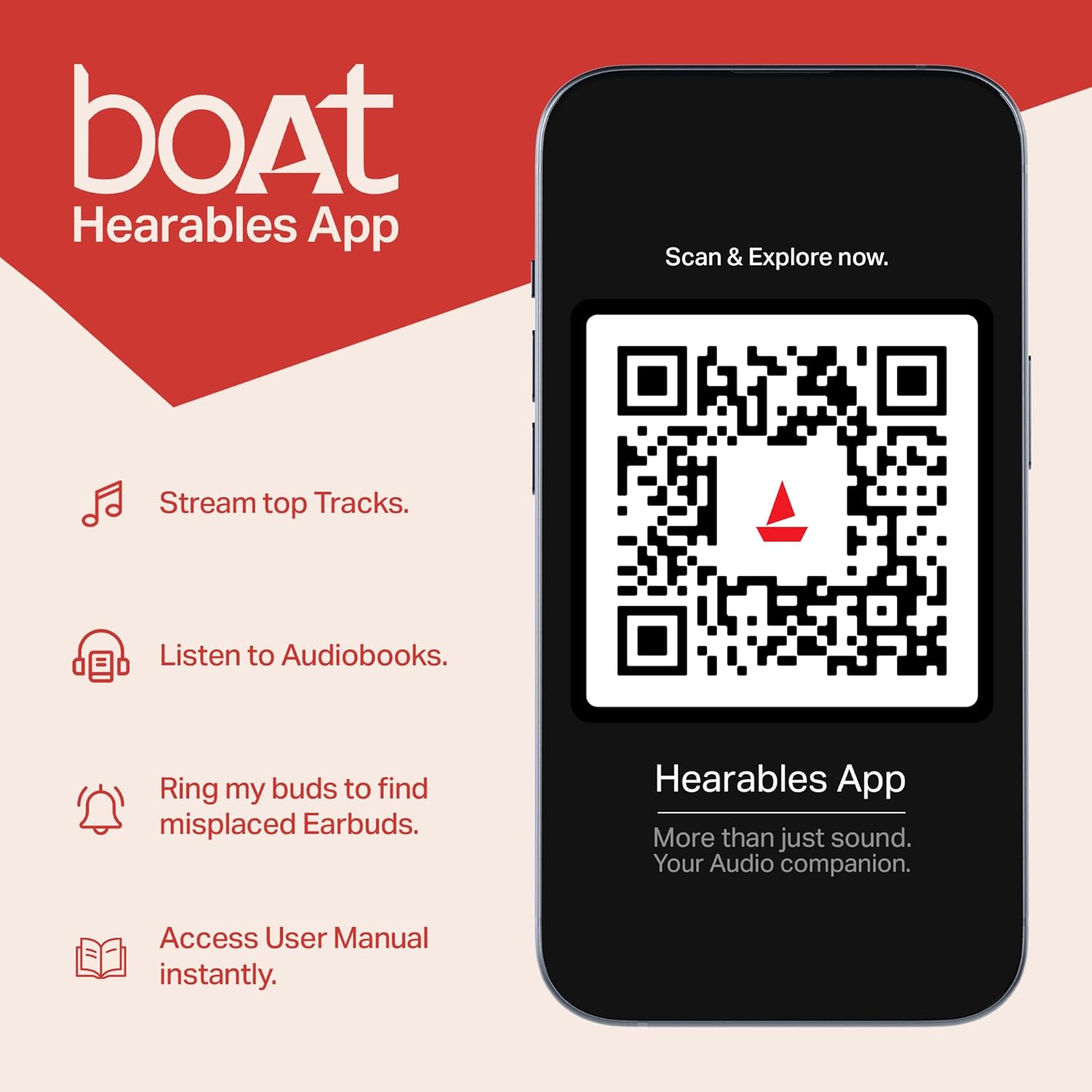
Figure 4.2: Dual Mics with ENx™ Technology
This diagram highlights the internal structure of the Airdopes 311 Pro earbuds, specifically showcasing the Dual Mics with ENx™ Technology. This technology is designed to provide clear voice calls by effectively canceling environmental noise.
5. Vedligeholdelse og pleje
To ensure the longevity and optimal performance of your Airdopes 311 Pro, follow these maintenance guidelines:
- Rensning: Rengør regelmæssigt ørepropperne og opladningsetuiet med en blød, tør og fnugfri klud. Brug ikke slibende rengøringsmidler eller opløsningsmidler.
- Vandtæthed: The earbuds are IPX4 rated, meaning they are resistant to splashes and sweat. Do not submerge them in water or expose them to heavy rain. Dry them thoroughly if they get wet.
- Opbevaring: Når ørepropperne ikke er i brug, skal de opbevares i deres opladningsetui for at beskytte dem mod støv og skader. Opbevares køligt og tørt, væk fra ekstreme temperaturer.
- Opladning: Use only the provided USB Type-C cable or a certified equivalent for charging. Avoid overcharging.
6. Fejlfinding
If you encounter issues with your Airdopes 311 Pro, try the following solutions:
6.1 Parringsproblemer
- Øretelefoner parrer ikke med enheden: Ensure Bluetooth is enabled on your device. Make sure the earbuds are charged and in pairing mode. Forget the device from your phone's Bluetooth list and try pairing again.
- Kun én øreprop virker: Place both earbuds back into the charging case, close the lid, wait a few seconds, then open the lid again. This often re-syncs them.
6.2 Lydproblemer
- Ingen lyd: Check the volume level on both your device and the earbuds. Ensure the earbuds are properly connected.
- Lav lydstyrke: Clean any debris from the earbud mesh. Adjust volume on your device.
- Forvrænget lyd: Move closer to your paired device to avoid interference. Ensure the earbuds are fully charged.
6.3 Opladningsproblemer
- Øretelefoner oplader ikke: Ensure the earbuds are correctly seated in the charging case. Clean the charging contacts on both the earbuds and the case.
- Etuiet oplader ikke: Prøv et andet USB Type-C-kabel og en anden strømadapter. Sørg for, at opladningsporten er ren og fri for snavs.
7. Specifikationer
| Feature | Specifikation |
|---|---|
| Modelnavn | Airdopes 311 Pro |
| Forbindelsesteknologi | Bluetooth |
| Trådløs kommunikationsteknologi | Bluetooth v5.3 |
| Lydforsinkelse | 50 millisekunder (Beast-tilstand) |
| Driver størrelse | 10 mm |
| Spilletid (i alt) | Op til 50 timer (med opladningsetui) |
| Hurtig opladning | ASAP Charging (10 mins charge = 150 mins playtime) |
| Vandmodstandsniveau | IPX4 (vandtæt) |
| Kontrolmetode | Røre |
| Mikrofoner | Dual Mics with ENx™ Technology |
| Ørestykke form | In-ear |
| Varens vægt | 120 gram (4.2 ounce) |
| Produktdimensioner | 1.73 x 3.66 x 4.72 tommer |
| Batterier | 1 Lithium Polymer batteri påkrævet (medfølger) |
| Farve | Space Grey |
8. Garanti og support
Your boAt Airdopes 311 Pro comes with a manufacturer's warranty. Please refer to the warranty card included in your product packaging for specific terms and conditions, including warranty duration and claim procedures.
For further assistance, product registration, or to access the user manual digitally, you can download the boAt Hearables App.

Figure 8.1: boAt Hearables App
This image promotes the boAt Hearables App, which allows users to stream top tracks, listen to audiobooks, find misplaced earbuds, and access the user manual instantly. A QR code is provided for easy download and exploration of the app's features. You can download the app via this link: boAt Hearables App Download
You can also visit the official boAt website for support and FAQs: www.boat-lifestyle.com


