Indledning
Welcome to the Smart Tech 32HG01VC LED HD Smart TV user manual. This guide provides comprehensive instructions for setting up, operating, and maintaining your new television. The Smart Tech 32HG01VC offers an immersive visual experience with its 32-inch high-definition LED screen, vibrant colors, and smart connectivity powered by Google TV. Enjoy seamless access to streaming applications, integrated internet browsing, and high-fidelity audio. Its elegant and minimalist design integrates perfectly into any living space.
Sikkerhedsoplysninger
Læs venligst alle sikkerhedsinstruktioner omhyggeligt, inden du bruger dit tv. Gem denne manual til senere brug.
- Strømkilde: Ensure the TV is connected to a power supply that matches the voltage specified on the rating label. Use only the provided 12-volt charger or a compatible power adapter.
- Ventilation: Bloker ikke ventilationsåbningerne. Sørg for tilstrækkelig plads omkring tv'et til korrekt luftgennemstrømning for at forhindre overophedning.
- Vand og fugt: Udsæt ikke tv'et for regn eller fugt. Placer ikke genstande fyldt med væsker, såsom vaser, oven på tv'et.
- Rensning: Tag stikket ud af tv'et før rengøring. Brug en blød, tør klud. Brug ikke flydende rengøringsmidler eller sprayrengøringsmidler.
- Placering: Place the TV on a stable, flat surface or mount it securely to a wall using a compatible VESA mount (100x100mm). Avoid placing it in direct sunlight or near heat sources.
- Lyn: For ekstra beskyttelse under tordenvejr eller når tv'et står uden opsyn i længere perioder, skal du tage stikket ud af stikkontakten og afbryde antennen eller kabelsystemet.
- Batterier: The remote control requires 2 AAA batteries. Ensure correct polarity when inserting. Do not mix old and new batteries or different types of batteries.
Pakkens indhold
Kontroller, at alle varer er inkluderet i pakken:
- Smart Tech 32HG01VC LED HD Smart TV
- Fjernbetjening
- TV-bord (2 stk.)
- Skruer til TV-stativ
- 12-Volt Car Charger
- Brugervejledning (dette dokument)
- AAA-batterier (2x) til fjernbetjening

Figure 1: Smart Tech 32HG01VC LED HD Smart TV. This image displays the front of the television, highlighting its Google TV capabilities and various streaming service logos.

Figure 2: Included 12-Volt Car Charger. This image shows the power adapter designed for use in vehicles, featuring a cigarette lighter plug.
Opsætning
1. Montering af tv-stativet
- Placer forsigtigt tv'et med forsiden nedad på en blød, ren overflade for at forhindre, at skærmen beskadiges.
- Juster stativstykkerne med de tilsvarende riller i bunden af tv'et.
- Fastgør stativet med de medfølgende skruer.
2. Vægmontering (valgfrit)
If you choose to wall mount your TV, ensure you use a VESA compatible mount (100x100mm). Refer to your wall mount's instructions for proper installation. Remove the TV stand before mounting.

Figure 3: TV Dimensions. This image shows the front and side views of the TV with measurements for width, height, and depth, including the stand.

Figure 4: Rear Panel Connections. This image illustrates the back of the TV, detailing the location of USB, DVB-T/T2, DVB-S/S2, HDMI, AV IN, Optical, and RJ45 ports, along with the CI Slot and VESA 100x100mm mounting points.
3. Tilslutning af enheder
- HDMI-porte (3): Tilslut Blu-ray-afspillere, spillekonsoller eller set-top-bokse.
- USB-porte (2): Tilslut USB-drev til medieafspilning.
- Optical Port (1): Tilslut til en soundbar eller et hjemmebiografsystem for digital lydudgang.
- RJ45 Port (1): Tilslut et Ethernet-kabel for kablet internetadgang.
- AV IN: Connect older devices using composite video and audio cables.
- Antenne/kabel: Tilslut din antenne eller kabel-tv-indgang.
- 12-Volt Power: Use the provided 12-volt charger for mobile use (e.g., in a caravan or RV) or a standard AC adapter for home use.
4. Første opstart og Google TV-opsætning
- Sæt tv'et i en stikkontakt.
- Tryk på tænd/sluk-knappen på fjernbetjeningen eller tv'et.
- Følg instruktionerne på skærmen for at fuldføre den indledende opsætning, herunder valg af sprog, netværksforbindelse (Wi-Fi eller Ethernet) og login til Google-konto.
- The TV will guide you through installing essential apps and setting up Google Assistant.
Drift
Grundlæggende tv-funktioner
- Magt: Tryk på Magt button on the remote to turn the TV on/off or enter/exit standby mode.
- Bind: Brug VOL +/- knapper for at justere lydstyrken.
- Kanaler: Brug CH +/- buttons to change channels or input numbers directly using the numeric keypad.
- Inputkilde: Tryk på Kilde button to select input sources (HDMI 1/2/3, AV, DTV, ATV, Media).
Google TV Interface Navigation
The Google TV interface organizes your content from various streaming services and live TV into one personalized home screen.
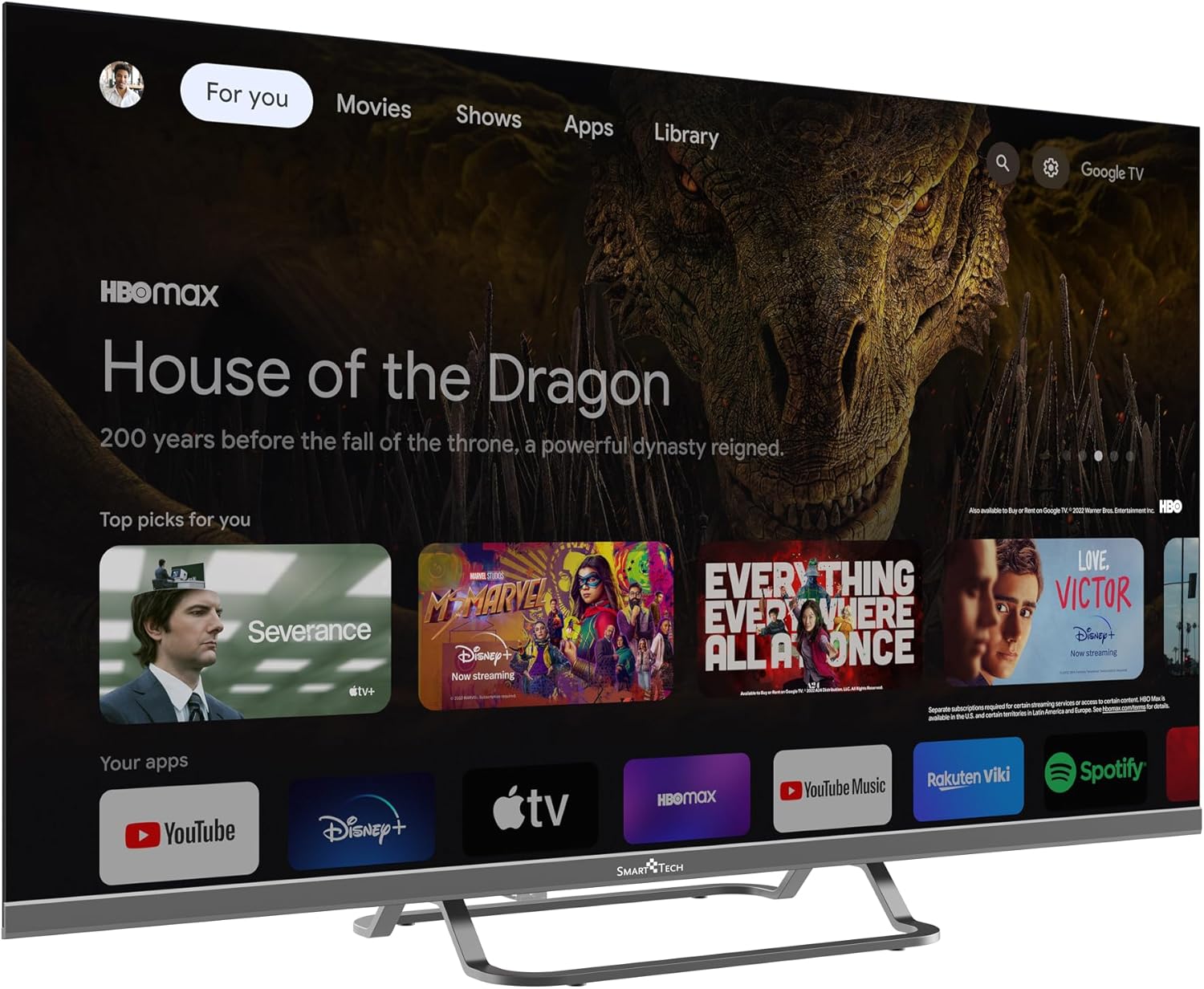
Figure 5: Google TV Home Screen. This image displays the main Google TV interface with personalized recommendations and quick access to various streaming applications.
- Brug Navigation (Op/Ned/Venstre/Højre) buttons to move through menus and content.
- Trykke OK/Enter for at vælge et element.
- Trykke Tilbage for at vende tilbage til den forrige skærm.
- Trykke Hjem to go back to the Google TV home screen.
- Brug Google Assistant button (microphone icon) to activate voice commands.
Streaming Applications and Chromecast
Your Smart Tech TV comes with popular streaming apps pre-installed or easily downloadable from the Google Play Store. It also features built-in Chromecast for casting content from your mobile devices.

Figure 6: Google TV Apps Section. This image shows a broader view of the Google TV interface, highlighting the array of available streaming and entertainment applications.
- Adgang til apps: Navigate to the "Apps" tab on the home screen or use the dedicated app buttons on your remote (e.g., Netflix, YouTube).
- Chromecast: To cast content, ensure your mobile device and TV are on the same Wi-Fi network. Open a compatible app on your phone/tablet and tap the Cast icon (normalt et rektangel med et Wi-Fi-symbol) to select your TV.
Opretholdelse
Rengøring af dit TV
- Tag altid stikket ud af stikkontakten før rengøring.
- Brug en blød, fnugfri klud til forsigtigt at tørre skærmen og kabinettet af.
- For genstridige mærker, gnid letampRengør kluden med vand eller en specialiseret skærmrens (spray ikke direkte på skærmen).
- Undgå at bruge slibende rengøringsmidler, voks eller opløsningsmidler.
Softwareopdateringer
Your Smart Tech TV may receive software updates to improve performance and add new features. Ensure your TV is connected to the internet for automatic updates. You can also check for updates manually in the TV's settings menu.
Fejlfinding
Hvis du støder på problemer med dit tv, kan du se følgende almindelige problemer og løsninger:
| Problem | Mulig årsag/løsning |
|---|---|
| Ingen strøm | Check if the power cord is securely plugged into the TV and the outlet. Try a different outlet. Ensure the 12V charger is properly connected if using. |
| Intet billede, men der er lyd | Check the input source. Ensure the connected device is turned on and functioning correctly. Try a different HDMI cable. |
| Ingen lyd, men billedet er til stede | Check the volume level. Ensure Mute is not activated. Check audio output settings (e.g., if connected to an external sound system). |
| Fjernbetjeningen virker ikke | Check and replace batteries (2x AAA). Ensure there are no obstructions between the remote and the TV's IR sensor. |
| Kan ikke oprette forbindelse til Wi-Fi | Ensure your Wi-Fi router is on and working. Re-enter the Wi-Fi password. Try restarting the TV and router. |
| Apps indlæses ikke / Langsom ydeevne | Check your internet connection speed. Close unused apps. Clear app cache in settings. Restart the TV. |
Specifikationer
| Feature | Detalje |
|---|---|
| Mærke | Smart Tech |
| Modelnavn | 32HG01VC |
| Modelnummer | 32ha29v1 |
| Skærmstørrelse | 32 tommer (80 cm) |
| Displayteknologi | LED |
| Opløsning | HD (1366 x 768) |
| Opdateringshastighed | 60 Hz |
| Operativsystem | Android (Google TV) |
| Forbindelse | Wi-Fi, Bluetooth, Ethernet (RJ45) |
| HDMI porte | 3 |
| USB-porte | 2 |
| Optisk port | 1 |
| Særlige funktioner | Chromecast, Parental Control, Flat Screen |
| Inkluderede komponenter | Remote control, stand, user manual, 12-volt charger |
| Strømkilde | 12 Volts (DC) / AC (via adapter, not specified if included) |
| Dimensioner (med stativ) | 72 cm (B) x 47 cm (H) x 20 cm (D) |
| VESA Mount Kompatibilitet | 100 x 100 mm |
| Energieffektivitetsklasse (SDR) | E |

Figure 7: Product Information Sheet. This sheet provides detailed technical specifications and energy consumption data for the Smart Tech 32HG01VC television.
For more detailed energy information, visit the EPREL-database.

Figure 8: Energy Efficiency Label. This label indicates the energy efficiency class (E) and power consumption (26 kWh/1000h) of the Smart Tech 32HG01VC TV.
Garanti og support
Smart Tech is committed to providing high-quality products. This product comes with a manufacturer's warranty.
- Tilgængelighed af reservedele: Spare parts are guaranteed to be available for 11 years.
- Softwareopdateringer: Oplysninger om garanterede softwareopdateringer er ikke tilgængelige.
- Produktsupport: Minimum guaranteed product support is 8 years.
- Generel garanti: The duration of the general guarantee offered by the supplier is 1 year.
For technical support, warranty claims, or further assistance, please refer to the contact information provided on the Smart Tech official website or your purchase documentation. Please have your model number (32HG01VC) and purchase date ready when contacting support.


