1. Introduktion
The BOBLOV F5 Body Camera is a compact and versatile recording device designed for various applications, including law enforcement, personal security, and outdoor activities. It features 4K video resolution, 5-megapixel Sony IMX335 sensors, Electronic Image Stabilization (EIS), and Wi-Fi connectivity for seamless operation and data management.
2. Pakkens indhold
Bekræft, at alle nedenstående varer er inkluderet i din pakke:
- BOBLOV F5 Kropskamera
- Brugermanual
- Monteringsbeslag
- USB kabel
- Kortlæser

Image: The BOBLOV F5 Body Camera package contents, showing the camera, user manual, various mounting brackets, a USB cable, and a card reader.
3. Produktet er slutview
The F5 Body Camera is designed for ease of use with a minimalist interface. It features a wide-angle lens and essential controls for recording and power.

Image: The BOBLOV F5 Body Camera held in a hand, alongside a USB adapter and the camera mounted on a blue bicycle helmet, illustrating its compact size and versatility.

Image: Detailed side and front views of the BOBLOV F5 Body Camera, showcasing its integrated clip for attachment and a separate USB adapter.
3.1 Nøglefunktioner
- 4K videoopløsning: Optager klar videotage.
- 5 megapixel sensor: Equipped with a Sony IMX335 sensor for enhanced image quality.
- 145-Degree Wide Lens: Tilbyder et bredt felt af view.
- Elektronisk billedstabilisering (EIS): Reduces video shake for smoother recordings.
- Wi-Fi-forbindelse: Allows connection to a smartphone for preview og file ledelse.
- USB-C-port: Til hurtig dataoverførsel og opladning.
- Kompakt design: Small and lightweight for easy portability and discreet use.
4. Opsætning
4.1 Opladning af batteriet
Before first use, fully charge the camera's internal 800mAh Lithium Polymer battery. Connect the camera to a power source using the provided USB-C cable. A full charge typically takes approximately 2 hours.

Image: The BOBLOV F5 Body Camera being charged via its USB-C port, with labels indicating a usage time of 1.5-2 hours for 4K recording, 2-2.5 hours for 1080P recording, and a charging time of 2 hours.
4.2 Indsættelse af et hukommelseskort
The BOBLOV F5 Body Camera requires a Micro SD card (not included) for storing recordings. It supports cards up to 128GB. Insert the Micro SD card into the designated slot on the camera until it clicks into place.
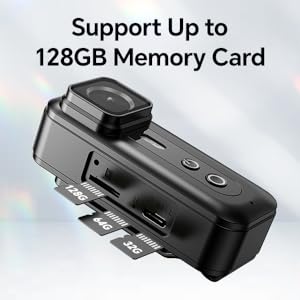
Image: A close-up of the BOBLOV F5 Body Camera's side, showing the Micro SD card slot and indicating support for memory cards up to 128GB.
4.3 Montering af kameraet
The camera comes with a rear clip and a helmet bracket for versatile mounting options. Attach the desired accessory to the camera and secure it to your clothing, backpack, or helmet.

Image: Two scenarios demonstrating the use of the BOBLOV F5 Body Camera: one showing it clipped to a person's shirt for discreet recording, and another showing it mounted on a helmet for capturing activities like cycling.
5. Betjeningsvejledning
5.1 Tænd/sluk og optagelse
To power on the camera and begin recording, press the designated power/record button. The camera is designed for quick activation to capture urgent situations. Refer to the specific button layout in the user manual for detailed instructions.
5.2 Video Recording Duration
The F5 Body Camera can record approximately 150 minutes of footage at 1080P resolution or 120 minutes at 4K resolution on a full charge.
5.3 Elektronisk billedstabilisering (EIS)
The camera features advanced EIS technology to minimize video shake, resulting in smoother and more stable footage, especially during movement.

Image: A side-by-side comparison illustrating the effectiveness of EIS. The left panel shows a clear, stable view of a road with EIS enabled, while the right panel shows a blurred, shaky view with EIS disabled.
5.4 Wi-Fi-forbindelse og appbrug
The F5 camera can connect to your smartphone via Wi-Fi for live preview, afspilning og file management. Download the dedicated app (e.g., 'RoadCam' or similar, as specified in the included manual) to your smartphone. Ensure the camera is within 3 meters of your phone for a stable connection.
- Turn on Wi-Fi on the camera.
- Tilslut din smartphone til kameraets Wi-Fi-netværk.
- Åbn appen for at få adgang til kamerafunktionerne.
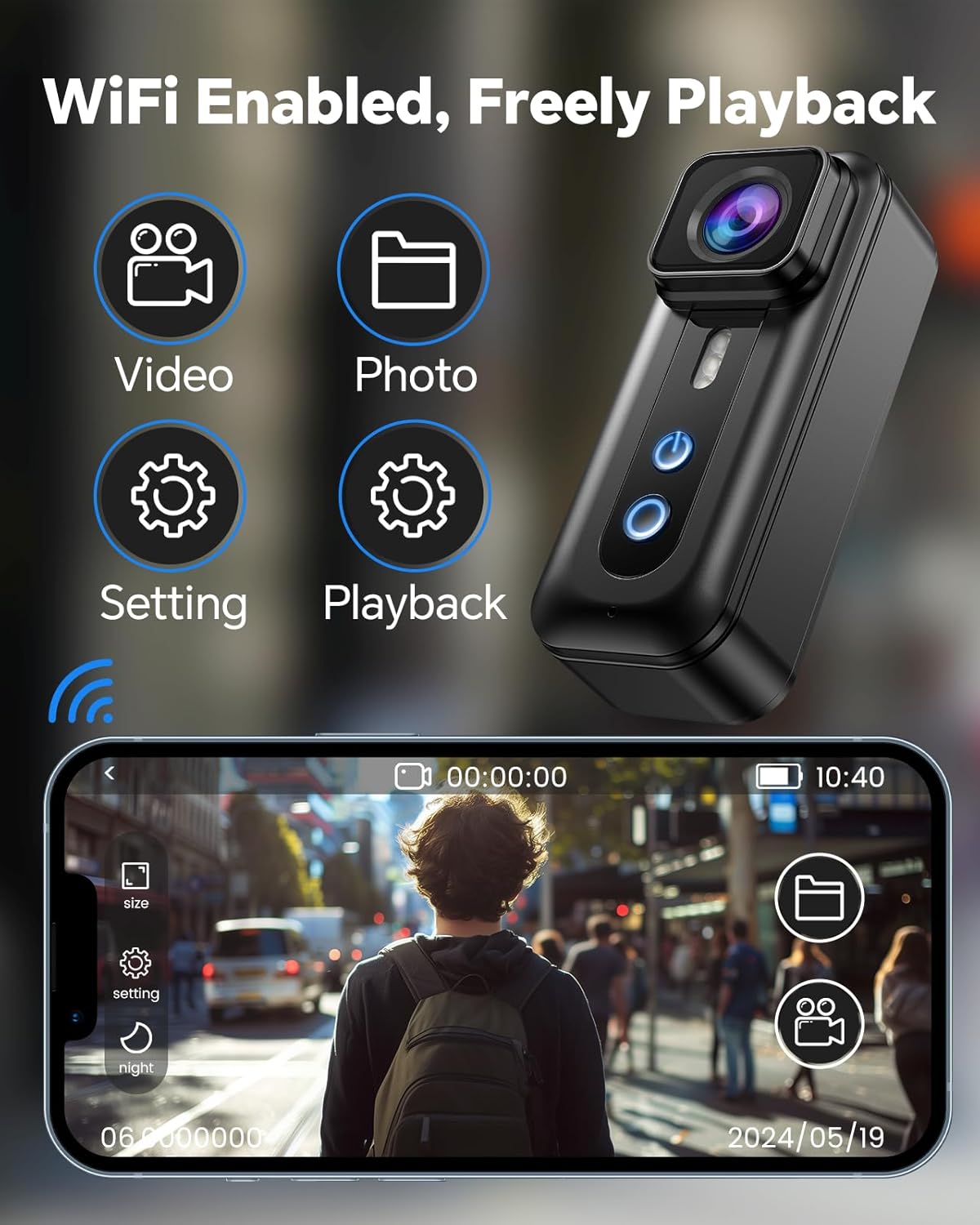
Image: The BOBLOV F5 Body Camera with Wi-Fi icons, positioned next to a smartphone displaying the camera's mobile application interface, which allows for video preview, photo capture, settings adjustment, and playback.
5.5 Dataoverførsel
Files can be transferred from the camera to a computer using two methods:
- Direkte USB-forbindelse: Connect the camera to your PC using the USB-C cable. Ensure the camera is powered on.
- Brug af en kortlæser: Remove the Micro SD card from the camera and insert it into the provided card reader, then connect the card reader to your computer.

Image: A two-panel image showing file transfer options. The top panel depicts the camera connected directly to a laptop via USB-C. The bottom panel shows a Micro SD card inserted into a card reader, which is then connected to a laptop.
6. Vedligeholdelse
- Rensning: Brug en blød, tør klud til at rengøre kamerahuset. Brug en specialklud og -opløsning til objektivet.
- Opbevaring: Opbevar kameraet et køligt og tørt sted, væk fra direkte sollys og ekstreme temperaturer.
- Batteripleje: For at forlænge batteriets levetid bør du undgå at aflade batteriet helt ofte. Oplad kameraet regelmæssigt, selvom det ikke er i brug i længere perioder.
7. Fejlfinding
- Kamera tænder ikke: Sørg for, at batteriet er opladet. Tilslut til en strømkilde, og prøv igen.
- Problemer med optagelse: Check if a Micro SD card is properly inserted and has sufficient free space. Format the card if necessary (this will erase all data).
- Problemer med Wi-Fi-forbindelse: Ensure the camera and smartphone are within the 3-meter range. Restart both devices and try reconnecting.
- Shaky video: Verify that the EIS function is enabled in the camera settings (if applicable via app or direct controls).
- Files not transferring: Ensure the camera is powered on when connected via USB. Try using the provided card reader.
8. Specifikationer
| Feature | Detalje |
|---|---|
| Mærke | BOBLOV |
| Modelnavn | F5 (02US-CP1A0264US) |
| Fotosensorteknologi | CMOS |
| Videooptagelsesopløsning | 4K |
| Effektiv stillopløsning | 5 MP |
| Flash-hukommelsestype | Micro SD (op til 128 GB) |
| Videooptagelsesformat | MOV |
| Forbindelsesteknologi | USB, Wi-Fi |
| Videokamera type | Video kamera |
| Linsetype | Vidvinkel (145 grader) |
| Batteritype | 1 Lithium Polymer (inkluderet) |
| Batterikapacitet | 800mAh |
| Usage Time (1080P) | Ca. 2-2.5 timer |
| Usage Time (4K) | Ca. 1.5-2 timer |
| Opladningstid | Ca. 2 timer |
9. Garanti og support
BOBLOV provides 24 months of product coverage for registered users. For technical assistance or warranty claims, please contact BOBLOV customer support. They offer quick responses within 24 hours and lifetime technical support.
Refer to the official BOBLOV webwebstedet eller kontaktoplysningerne på din produktemballage for at få de seneste supportoplysninger.


