Indledning
This manual provides comprehensive instructions for the PRITOM M10 Android Tablet. Please read this guide thoroughly before using your device to ensure proper operation and to maximize its features. Keep this manual for future reference.
1. Opsætning
1.1 Pakkens indhold
Bekræft at alle varer er til stede i pakken:
- PRITOM M10 Android Tablet
- Tastatur
- Trådløs mus
- Flat Protective Cover
- Strømadapter
- Datakabel (USB-C)
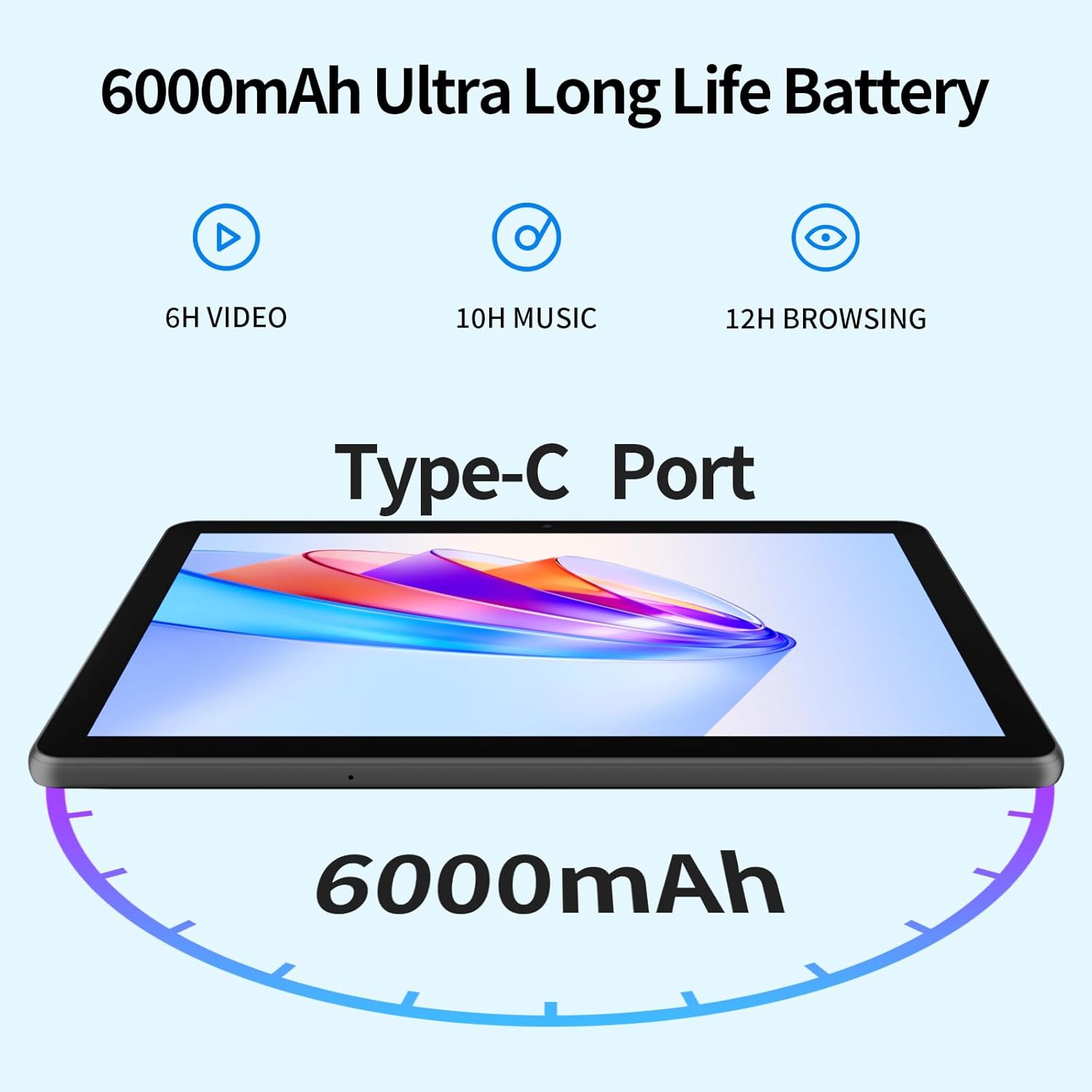
Image 1.1: Included accessories with the PRITOM M10 Tablet.
1.2 Indledende opladning
Before first use, fully charge the tablet. Connect the provided USB-C data cable to the tablet's Type-C port and the power adapter. Plug the adapter into a wall outlet. The charging indicator will illuminate.
1.3 Tænd/sluk
- For at tænde: Press and hold the Power Button located on the side of the tablet until the screen lights up.
- For at slukke: Press and hold the Power Button, then select 'Power Off' from the options displayed on the screen.
- For at genstarte: Press and hold the Power Button, then select 'Restart' from the options.

Image 1.2: Hardware overview of the PRITOM M10 Tablet, indicating button and port locations.
1.4 Netværksforbindelse (Wi-Fi)
- Gå til 'Indstillinger' > 'Netværk og internet' > 'Wi-Fi'.
- Slå Wi-Fi til for 'Til'.
- Vælg dit ønskede Wi-Fi-netværk fra listen.
- Enter the password if prompted, then tap 'Connect'.
2. Betjeningsvejledning
2.1 Brugergrænseflade og navigation
The PRITOM M10 Tablet runs on Android 13, providing an intuitive user experience. Navigate by tapping, swiping, and pinching on the 10-inch HD IPS display.

Image 2.1: The PRITOM M10 Tablet's 1280x800 HD IPS display in use.
2.2 Kamerabrug
The tablet is equipped with a 2.0 MP front camera and an 8.0 MP rear camera.
- Åbn applikationen 'Kamera'.
- Tryk på kameraikonet for at skifte mellem forreste og bageste kamera.
- Tryk på udløserknappen for at tage billeder eller starte/stoppe videooptagelse.
2.3 Lydfunktioner
The PRITOM M10 features dual speakers for enhanced audio output. A 3.5mm headphone jack is also available for private listening.
2.4 Lagerstyring
The tablet comes with 64GB of internal storage and supports Micro SD card expansion up to 1TB. To insert a Micro SD card, locate the dual card slot as shown in Image 1.2.

Image 2.2: Storage and RAM specifications of the PRITOM M10 Tablet.
2.5 Versatile Use Cases
The PRITOM M10 tablet is designed for various activities, including learning, reading, watching videos, listening to music, making video calls, and productivity tasks.

Billede 2.3: Eks.amples of how the PRITOM M10 Tablet can be utilized.
3. Vedligeholdelse
3.1 Pleje af batterier
The tablet is equipped with a 6000mAh lithium battery. To prolong battery life:
- Undgå ekstreme temperaturer.
- Lad ikke batteriet aflades helt ofte.
- Brug den originale oplader og kabel.

Image 3.1: PRITOM M10 Tablet 6000mAh battery performance estimates.
3.2 Rengøring
Brug en blød, fnugfri klud til at rengøre skærmen og tablettens kabinet. Undgå at bruge skrappe kemikalier eller slibende materialer.
3.3 Softwareopdateringer
Regularly check for and install software updates to ensure optimal performance and security. Go to 'Settings' > 'System' > 'System update'.
4. Fejlfinding
4.1 Fælles problemer
- Tabletten tænder ikke: Sørg for, at batteriet er opladet. Tilslut det til opladeren i mindst 30 minutter, før du forsøger at tænde det.
- Skærmen reagerer ikke: Try restarting the tablet. If unresponsive, press and hold the power button for 10-15 seconds to force a shutdown, then power on again.
- Problemer med Wi-Fi-forbindelse: Kontroller, om Wi-Fi er aktiveret. Genstart din router og tablet. Sørg for, at du indtaster den korrekte adgangskode.
- Langsom ydeevne: Close unused applications. Clear cache regularly. Consider uninstalling unnecessary apps.
4.2 Fabriksindstilling
En fabriksnulstilling sletter alle data fra din tablet og gendanner den til dens oprindelige fabriksindstillinger. Sikkerhedskopier vigtige data, før du fortsætter.
- Gå til 'Indstillinger' > 'System' > 'Nulstillingsindstillinger'.
- Vælg 'Slet alle data (fabriksindstilling)'.
- Bekræft dit valg, og følg instruktionerne på skærmen.
5. Specifikationer
| Feature | Specifikation |
|---|---|
| Mærke | PRITOM |
| Modelnavn | M10 |
| Operativsystem | Android 13 |
| Skærmstørrelse | 10 tommer |
| Skærmopløsning | 1280 x 800 pixels (HD IPS) |
| Processor | Octa-Core (Qualcomm) |
| VÆDDER | 8 GB (4 GB + 4 GB udvidelse) |
| Intern opbevaring | 64 GB |
| Udvidelig opbevaring | Up to 1 TB (Micro SD, not included) |
| Bagkamera | 8.0 MP |
| Forreste kamera | 2.0 MP |
| Batterikapacitet | 6000 mAh |
| Forbindelse | Wi-Fi (802.11n) |
| Havne | Type-C, 3.5mm Headphone Jack, Dual Card Slot |
| Farve | Sort |
6. Garanti og support
Your PRITOM M10 Tablet is covered by a standard manufacturer's warranty. Please refer to the warranty card included in your package for specific terms and conditions. For technical support or warranty claims, please contact PRITOM customer service through their official webwebstedet eller forhandleren, hvor produktet blev købt.


