1. Introduktion
The PUZU PZ-C7 is a sophisticated 4-channel to 6-channel Digital Signal Processor (DSP) car audio amplifier designed to significantly upgrade your vehicle's sound system. It features a built-in 4-channel amplifier and offers advanced sound tuning capabilities via APP, PC, and Bluetooth. This device is specifically designed for plug-and-play installation in 2005-2025 Toyota models (excluding JBL systems), ensuring a non-destructive connection to basic audio systems without factory amplifiers. The PZ-C7 provides precise audio control, allowing for a customized and enhanced listening experience.

Figure 1.1: The PUZU PZ-C7 DSP amplifier unit shown with its accompanying wiring harnesses, ready for installation.
2. Nøglefunktioner
- 4-Channel to 6-Channel DSP Amplivligere: Integrates a 4-channel amplifier with 6 RCA output channels, supporting the addition of active subwoofers.
- Advanced Equalization: All six output channels feature a fully adjustable 15-band EQ with floating-point high-precision tuning control.
- Kraftig output: Delivers a peak power of 4x150W and RMS power of 4x50W at 4ohm impedance.
- Hi-fi-lyd: Boasts a Signal-to-Noise Ratio (SNR) greater than 108dB, a frequency response of 20Hz-20kHz, and a Total Harmonic Distortion (T.H.D) less than 0.01%.
- Alsidig tilslutning: Supports wireless connection via iOS App, Android App, and PC software for sound tuning. Features Bluetooth 5.0 for music streaming and USB ports for playing music.
- Plug & Play installation: Includes a dedicated wiring harness suitable for 2005-2025 Toyota Tundra, Tacoma, 4Runner, Corolla, Sienna, and RAV4 models (non-JBL systems), allowing for non-destructive installation without damaging original audio cables.
- Tidsforsinkelsesfunktion: Adjustable sound field delay to achieve spatial editing and optimize sound positioning.
- Multiple Storage Modes: Features 6 storage modes for saving preferred audio settings.

Figur 2.1: Overview of the PUZU DSP Amplifier's primary features and capabilities.

Figure 2.2: Detailed breakdown of the nine major features enhancing audio quality and user experience.
3. Opsætning og installation
The PZ-C7 is designed for a straightforward plug-and-play installation in compatible Toyota vehicles. Ensure your car does not have a factory amplifier system, as this product is not designed for such configurations without significant modification.
3.1. Produktet er slutview og forbindelser

Figur 3.1: Detaljeret view of the PZ-C7's input and output ports, including RCA outputs, USB ports, and the main power connector.
3.2. Wiring Harness Selection
The package includes two types of wiring harness cables. Select the one suitable for your car radio installation. These harnesses facilitate a male-to-female plug connection, using the same power as your car stereo.

Figure 3.2: Different wiring harness options for compatibility with various car radio setups.

Figure 3.3: Schematic showing how the wiring harness integrates the DSP amplifier with your car's existing audio system.
3.3. Installation Steps (Approx. 15 Minutes)
- Trin 1: Remove the decoration panel of your car's dashboard, take out the factory CD player, and unplug its power cable.
- Trin 2: Connect one end of the adapter harness to the DSP unit. Connect the other end of the harness to the factory car radio plug and the car stereo power connector separately.
- Trin 3: Carefully place the DSP unit into the glove box or another suitable, secure location.
- Trin 4: Installation is complete. Proceed to sound tuning using PC software or the mobile application.

Figure 3.4: Visual guide for the quick and easy 4-step installation process.
3.4. Installationsvideo
Video 3.1: An official product video demonstrating the installation and features of the PZ-C7 DSP Car Audio Amplifier. This video provides a visual walkthrough of the product and its setup process.
4. Betjening og tuning
The PZ-C7 offers flexible sound tuning options via PC software or mobile applications (iOS/Android) to customize your audio experience.
4.1. PC Software Tuning
Connect the DSP to your PC using the provided USB data cable. The PC software provides a comprehensive interface for detailed sound adjustments, including the 15-band equalizer, time delay, and other audio parameters.
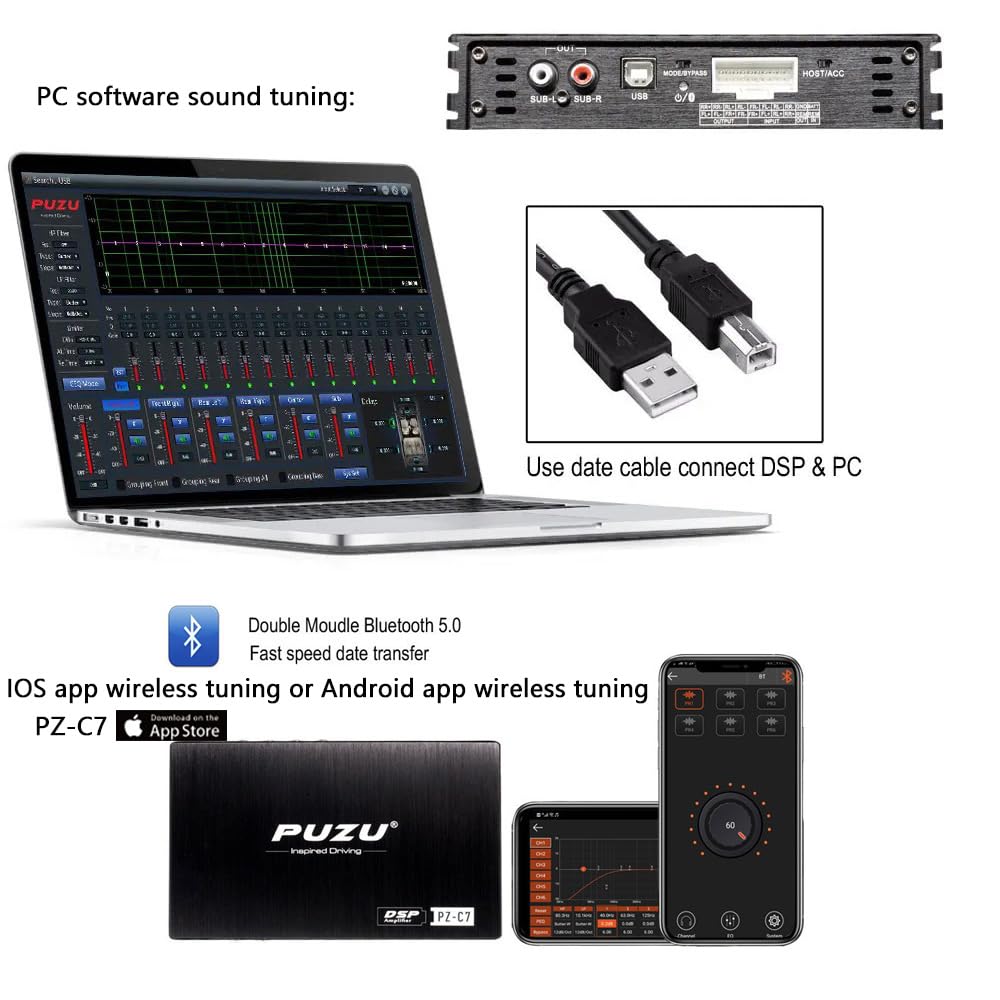
Figure 4.1: The PC software interface for precise sound tuning and equalization.
4.2. Mobile App Wireless Tuning
The PZ-C7 supports wireless tuning via dedicated iOS and Android applications, utilizing Bluetooth 5.0 for fast data transfer. This allows for convenient adjustments directly from your smartphone.
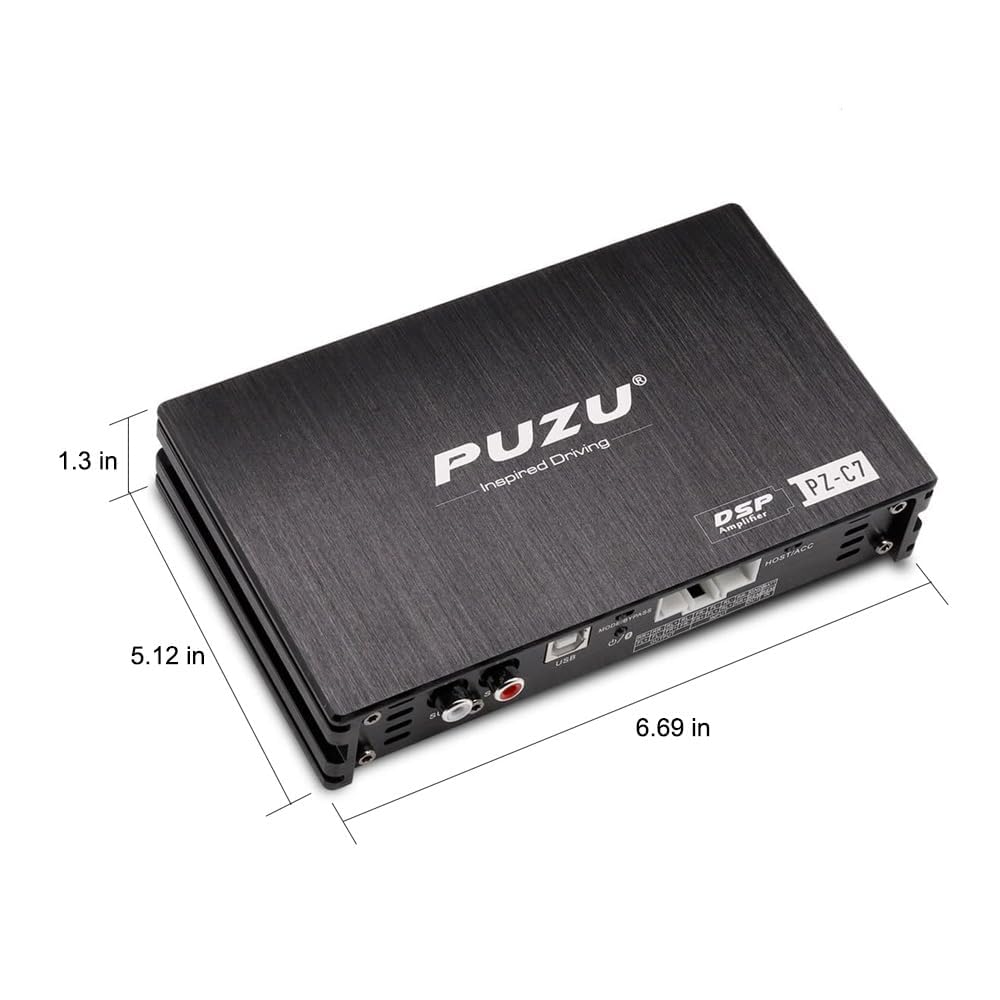
Figure 4.2: The mobile application interface for wireless sound tuning on the go.
4.3. Time Delay Function
The Time Delay function allows you to adjust the sound output timing for each speaker, creating an optimal "Emperor Position" or stereo surround effect within your vehicle. This feature can be easily configured using both the computer software and the Android phone app.

Figure 4.3: Understanding and utilizing the Time Delay feature for enhanced sound staging.
5. Vedligeholdelse
To ensure the longevity and optimal performance of your PUZU PZ-C7 DSP ampLifier, følg disse generelle vedligeholdelsesretningslinjer:
- Rensning: Use a soft, dry cloth to wipe the exterior of the unit. Avoid using harsh chemicals, solvents, or abrasive cleaners, as they may damage the finish.
- Ventilation: Ensure the unit is installed in a location with adequate ventilation to prevent overheating. Do not block any ventilation openings on the device.
- Forbindelser: Periodically check all wiring connections to ensure they are secure and free from corrosion. Loose connections can lead to signal loss or poor performance.
- Miljøforhold: Undgå at udsætte enheden for ekstreme temperaturer, direkte sollys eller overdreven fugtighed.
6. Fejlfinding
If you encounter issues with your PZ-C7 DSP amplifer, se følgende almindelige fejlfindingstrin:
| Problem | Mulig årsag | Løsning |
|---|---|---|
| Ingen lydudgang |
|
|
| Forvrænget lyd |
|
|
| Problemer med Bluetooth-forbindelse |
|
|
| Enheden tændes ikke |
|
|
7. Specifikationer
- Modelnummer: PZ-C7
- Produktdimensioner: 6.69 x 5.12 x 1.3 tommer
- Vægt: 3.5 pund
- Spidseffekt: 4x150W
- RMS effekt: 4x50W
- Impedans: 4 ohm
- Output-kanaler: 6 (RCA output)
- Signal til støjforhold (SNR): >108dB
- Frekvensrespons: 20Hz-20kHz
- Total harmonisk forvrængning (THD): <0.01 %
- Operation Voltage: DC 12V
- Bluetooth version: 5.0
- EQ Bands: 15-band (adjustable)
- Fabrikant: PUZU
- Oprindelsesland: Kina
Figure 7.1: Physical dimensions of the PZ-C7 DSP amplivligere.
8. Hvad er der i æsken
The PUZU PZ-C7 package includes the following components:
- PUZU-C7 DSP Amplifier enhed
- Wiring Harness Cable 1
- Wiring Harness Cable 2
- USB PC Tuning Data Cable
- Brugermanual

Figure 8.1: All items included in the PZ-C7 product packaging.
9. Support
For any questions or assistance regarding the PUZU PZ-C7 DSP Car Audio Digital Signal Processor, please do not hesitate to contact our customer support team. We are committed to providing timely assistance and will respond to your inquiries within 24 hours.
Please refer to the contact information provided with your purchase or visit the official PUZU webwebsted for supportdetaljer.


