1. Introduktion
Thank you for choosing the Megadream Wireless Game Controller, Model D8. This versatile controller is designed to enhance your gaming experience across a wide range of platforms, including iOS, Android, PC, PlayStation 3, PlayStation 4, and Nintendo Switch. Featuring advanced Hall effect joysticks and linear triggers, customizable RGB lighting, and a convenient Turbo function, this manual will guide you through its setup, operation, and maintenance to ensure you get the most out of your device.
2. Produktfunktioner
- Bred kompatibilitet: Supports iOS 13.0+ (iPhone 15/14/13, iPad 10/9/8/7), Android 6.0+ smartphones, Windows 7.0+ PCs, Nintendo Switch (including OLED/Lite), and PlayStation 3/4 devices.
- Adjustable Length Design: The controller features an extendable clamp that accommodates most iPad series (excluding iPad Pro 12.9-inch), Galaxy Tab S9 FE/S9/S8/A9+/A8, Huawei Mate Pad/SE, and Surface GO, with a device length range of 129mm to 252mm.
- Mobile Gaming Console Experience: Transform your smartphone or tablet into a portable gaming console. Supports streaming from Xbox/PS4/PS5/PC via dedicated apps like PS Remote Play, Xbox App, and Steam Link, allowing you to play console games on your mobile device without physical downloads.
- Cloud Gaming Support: Compatible with major cloud gaming services on iPhone/Android phones and tablets, including Nvidia GeForce Now, Xbox Cloud Gaming, Amazon Luna, Google Stadia, Rainway, and Moonlight. Supports popular titles such as Call of Duty Mobile, Minecraft, Asphalt 9: Legends, Dead Cells, and Roblox.
- RGB Breathing Lights & Turbo Function: Equipped with two joysticks and two linear trigger buttons. The joysticks feature colorful RGB breathing lights, providing an immersive visual experience in dark environments. The Turbo function offers both manual and auto modes for rapid-fire actions (Note: Turbo function applies to single buttons like A/B/X/Y/LT/LB/RT/RB, not key combinations).
- 6-Axis Gyro Sensor & Vibration Motors: Features a high-sensitivity 6-axis gyro sensor for precise motion control in compatible games. Dual vibration motors provide immersive haptic feedback. Vibration intensity can be adjusted in four levels (None, Weak, Medium, Strong) by pressing the "Turbo" button and moving the right stick up/down. (Note: Gyro and vibration functions are supported only on PC, N-Switch, PS4/PS5, not on smartphones).
- Hall Effect Joysticks & Linear Triggers: Utilizes Hall effect technology for both joysticks and triggers, ensuring high precision, no drift, and extended durability. The linear triggers offer multi-stage input with a response gap of less than 0.1mm for quick and accurate actions.

This image shows the Megadream Game Controller attached to a tablet and a smartphone, illustrating its multi-device compatibility for gaming.

The controller is compatible with a wide range of platforms, including Android, iOS, PlayStation 3, PlayStation 4, Nintendo Switch, and PC.

The controller features an adjustable design, accommodating devices with lengths from 129mm to a maximum of 252mm.
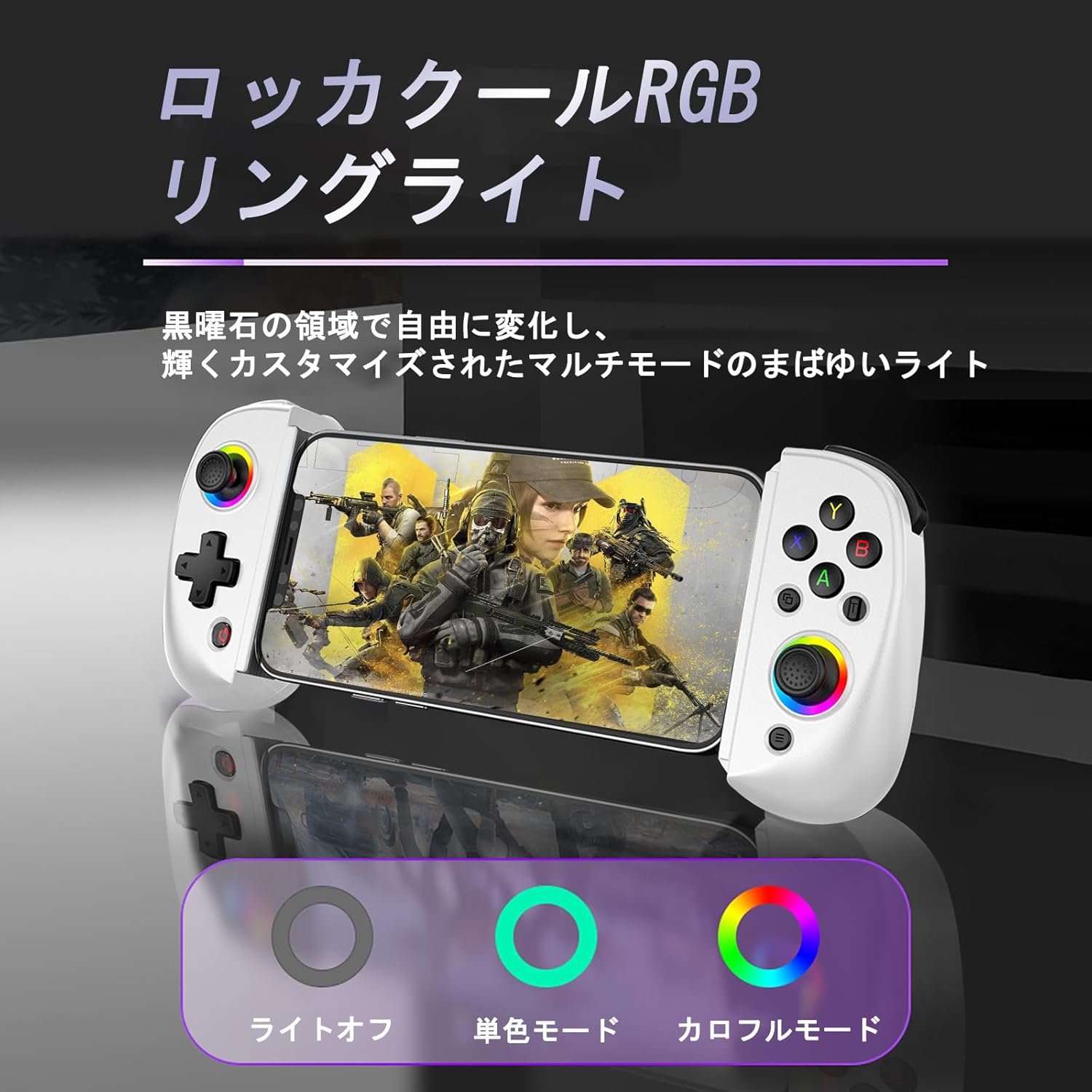
The joysticks feature customizable RGB lighting with options for light off, single color, and colorful breathing modes, enhancing the gaming experience in low-light conditions.
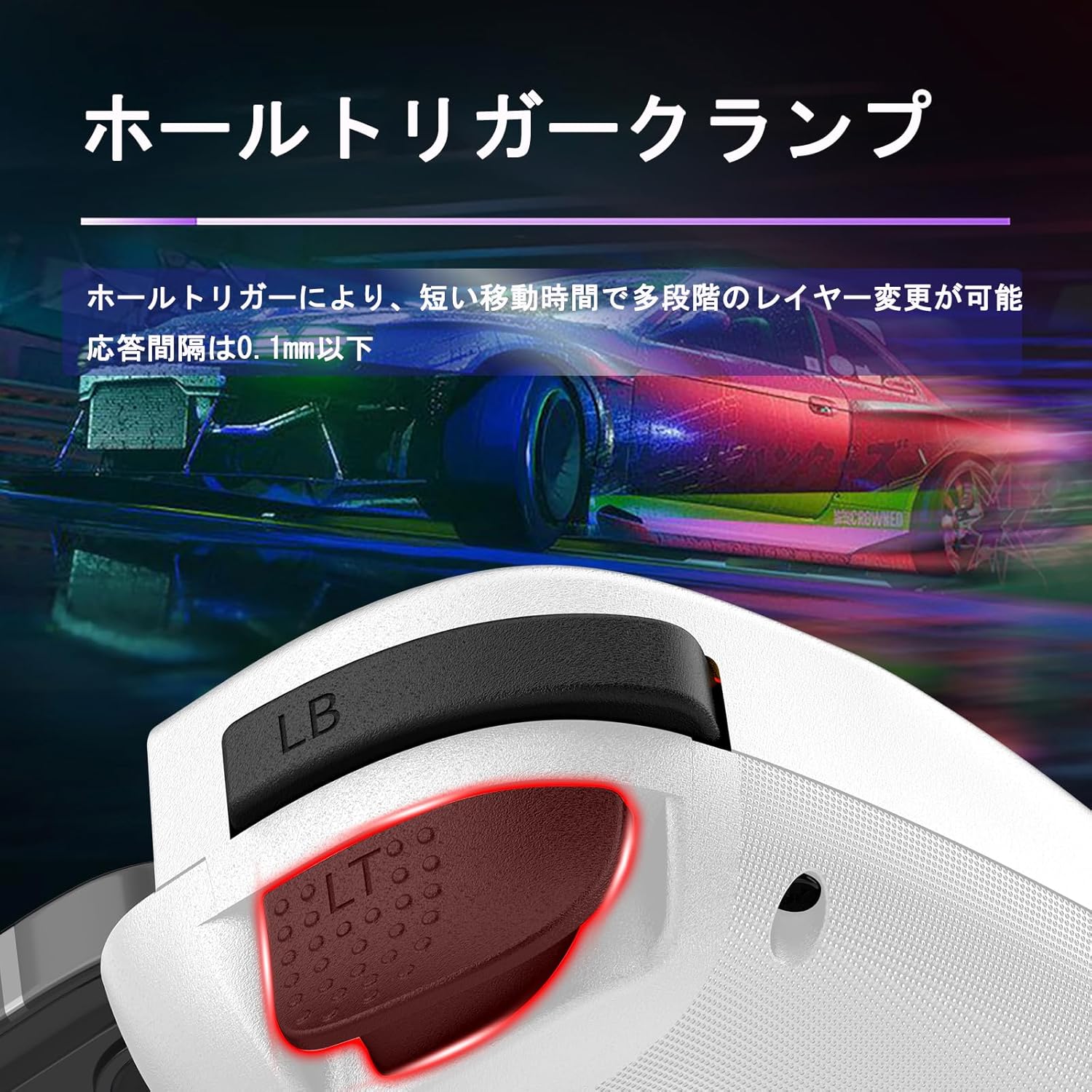
Equipped with Hall effect linear triggers, this controller offers precise and responsive input with a short travel distance and multi-stage layer changes, ensuring a response gap of less than 0.1mm.
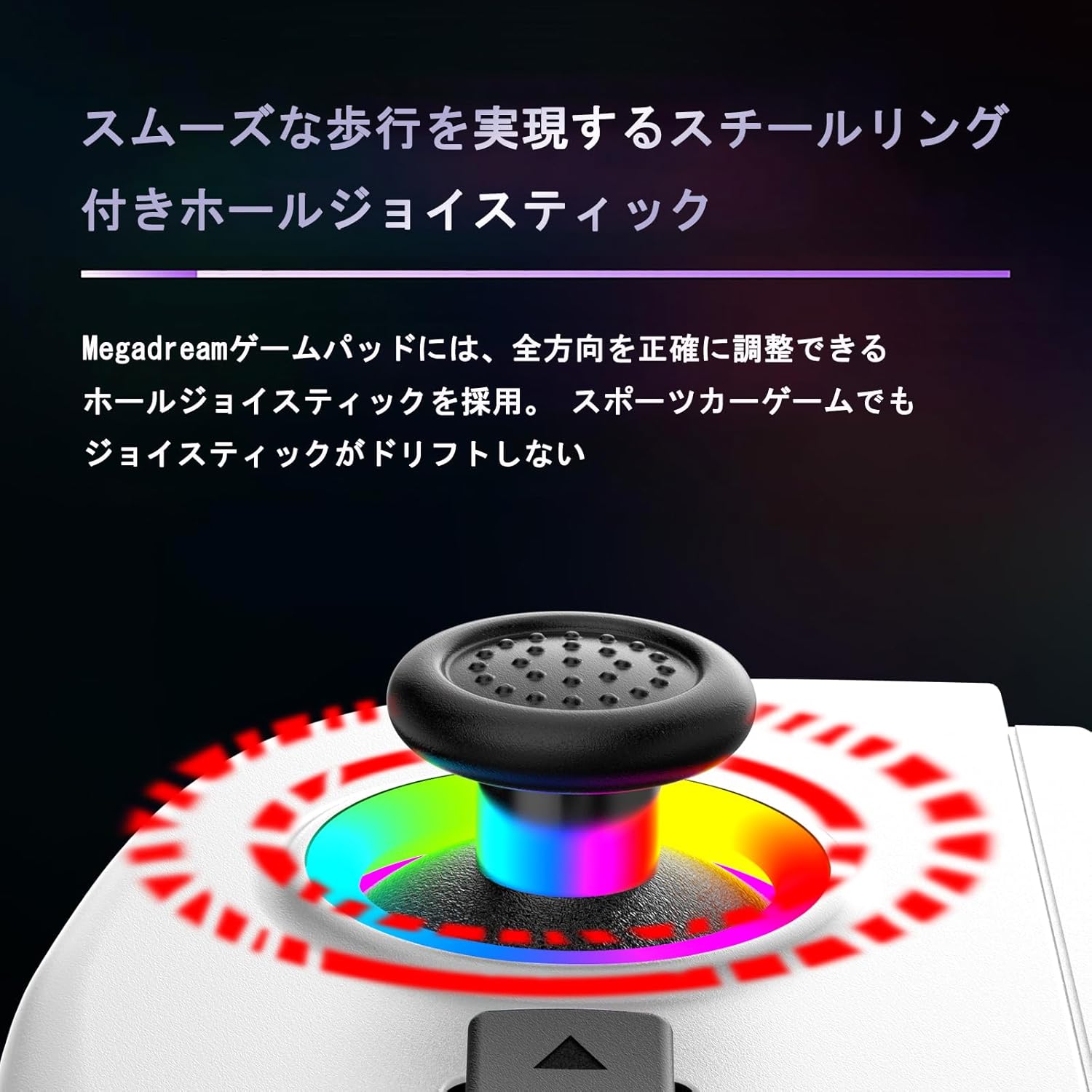
The Hall effect joysticks with steel rings provide smooth and accurate movement, preventing drift and ensuring precise directional control, even in fast-paced sports car games.
3. Opsætningsvejledning
3.1 Opladning af controlleren
Before first use, fully charge the controller using the provided USB-C cable. Connect the cable to the controller's charging port and a compatible USB power source. The charging indicator will show the charging status and turn off when fully charged.
3.2 Bluetooth Pairing (iOS/Android)
- Sørg for, at controlleren er slukket.
- Press and hold the Bluetooth pairing button (refer to controller diagram for exact location) until the indicator light flashes rapidly, indicating pairing mode.
- On your iOS or Android device, go to Bluetooth settings and search for available devices.
- Select "Megadream D8" (or similar name) from the list to connect. The indicator light will become solid once paired.
3.3 Kabelbaseret forbindelse (PC)
- Tilslut controlleren til din pc med USB-C-kablet.
- PC'en burde automatisk registrere og installere de nødvendige drivere.
- The controller will be ready for use once the indicator light stabilizes.
3.4 Nintendo Switch-forbindelse
- On your Nintendo Switch, go to "System Settings" > "Controllers and Sensors" > "Disconnect Controllers" to clear previous connections.
- Then, go to "Change Grip/Order."
- Press and hold the pairing button on the Megadream controller until the indicator lights flash.
- The Switch will detect the controller, and the indicator light will become solid upon successful connection.
3.5 PlayStation 3/4 Connection
For PS3/PS4, connect the controller via USB cable. The system should recognize it as a wired controller. Wireless pairing may require specific steps depending on the console's firmware; refer to your console's manual for detailed third-party controller pairing instructions.
4. Betjeningsvejledning
4.1 Turbofunktion
To activate Turbo mode for a button (A, B, X, Y, LT, LB, RT, RB):
- Tryk og hold den ønskede knap nede.
- While holding the button, press the "Turbo" button once for manual Turbo. The button will repeat input as long as it's held down.
- Press the "Turbo" button again for auto Turbo. The button will continuously repeat input without being held.
- Press the "Turbo" button a third time to deactivate Turbo for that button.
Note: The Turbo function does not support combinations of keys (e.g., "A+B").
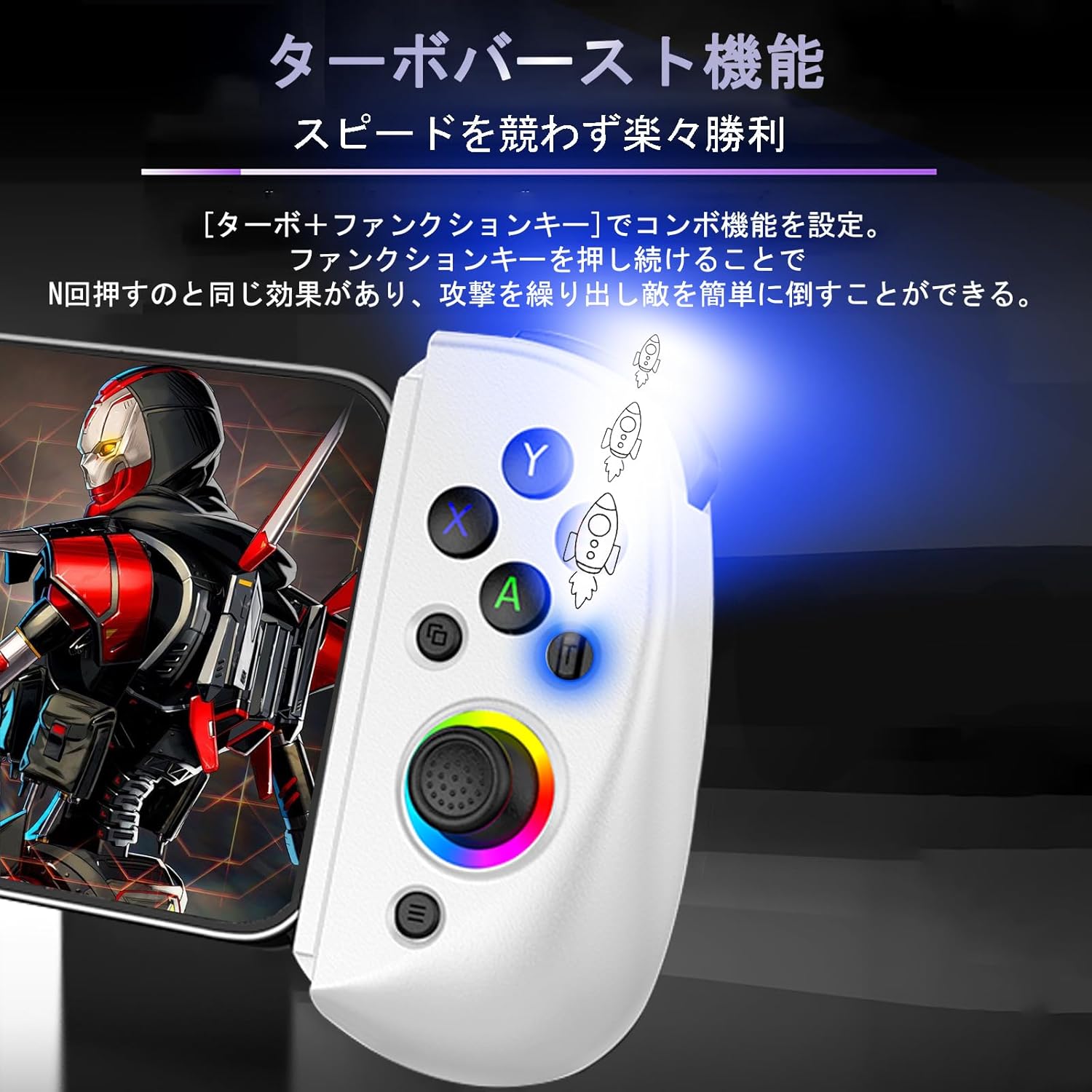
The Turbo function allows for rapid, repeated button presses, providing an advantage in games. It can be activated by pressing the Turbo button in combination with a function key.
4.2 Adjusting Vibration Intensity (PC/N-Switch/PS4/PS5 only)
Sådan justeres vibrationsniveauet:
- Press and hold the "Turbo" button.
- While holding "Turbo," move the right joystick up or down to cycle through the four vibration levels: None, Weak, Medium, Strong.
- Release the "Turbo" button to set the desired vibration level.
4.3 RGB-lystilstande
The RGB lights around the joysticks can be customized. Specific button combinations or a dedicated button (refer to controller diagram) may be used to cycle through modes: Light Off, Single Color, and Colorful Breathing Mode.
5. Vedligeholdelse
- Rensning: Brug en blød, tør klud til at rengøre controlleren. Undgå at bruge skrappe kemikalier eller slibende materialer.
- Opbevaring: Opbevar controlleren et køligt, tørt sted væk fra direkte sollys og ekstreme temperaturer.
- Batteripleje: For at forlænge batteriets levetid bør du undgå at aflade controlleren helt ofte. Oplad den regelmæssigt, selvom den ikke er i brug i længere perioder.
- Undgå dråber: Beskyt controlleren mod fald og stød, som kan beskadige de interne komponenter.
6. Fejlfinding
- Controlleren forbinder ikke:
- Sørg for, at controlleren er fuldt opladet.
- Bekræft, at Bluetooth er aktiveret på din enhed, og at controlleren er i parringstilstand.
- Prøv at genstarte både controlleren og din enhed.
- For Switch, ensure previous controller connections are cleared before attempting to pair.
- Buttons or Joysticks Unresponsive/Too Sensitive:
- Perform a factory reset on the controller (refer to manufacturer's website for specific instructions if available).
- For sensitivity issues, especially with the right stick in FPS games, try adjusting in-game sensitivity settings. The Hall effect joysticks are designed for precision, but game-specific calibration may be needed.
- If a specific axis (e.g., right stick Y-axis) is consistently unresponsive, contact customer support for assistance.
- Input lag:
- Sørg for, at der ikke er nogen forhindringer mellem controlleren og din enhed.
- Minimize other active Bluetooth devices that might cause interference.
- For PC, consider using a wired connection for the lowest latency.
7. Specifikationer
| Modelnummer | D8 |
| Dimensioner | 21.9 x 10.8 x 5.4 cm |
| Vægt | 250 g |
| Kompatibilitet | iOS 13.0+, Android 6.0+, Windows 7.0+, PC, Nintendo Switch, PS3, PS4 |
| Forbindelse | Trådløs Bluetooth, USB-C-kablet |
| Særlige funktioner | Hall Effect Joysticks, Hall Effect Linear Triggers, Turbo Function, RGB Lighting, 6-Axis Gyro Sensor, Dual Vibration Motors |
| Fremstillingsdato | 2024/12/15 |
| Oprindelse | Kina |
8. Garanti og support
For warranty information, technical support, or any inquiries regarding your Megadream Wireless Game Controller, please refer to the official Megadream webwebstedet eller kontakt sælgeren direkte via din købsplatform. Gem dit købsbevis til garantikrav.
Note: Video content was not available for embedding based on the provided data and criteria.