1. Introduktion
Welcome to the Innostyle Travel Backpack P21 user manual. This document provides essential information for the proper use, care, and maintenance of your new backpack. Please read these instructions carefully to ensure optimal performance and longevity of your product.
2. Produktfunktioner
The Innostyle Travel Backpack P21 is designed for versatility and durability, offering a range of features for daily commuting, travel, and academic use.
- Spacious & Organized Design: This backpack includes a padded compartment suitable for a 13-14 inch laptop and a 12.9-inch iPad, alongside ample space for other essentials. It is ideal for work, college, or short trips.
- Hurtig adgangslommer: Two front-zippered pockets provide convenient storage for frequently used items such as smartphones, wallets, passports, and keys, eliminating the need to access the main compartment.
- Let og komfortabel: Engineered with adjustable padded shoulder straps and breathable back panels, the backpack ensures comfort during extended wear, whether commuting or exploring.
- Water-Resistant & Durable Construction: Crafted from 1680D DuPont water-resistant fabric, this backpack protects contents from moisture. High-quality YKK zippers and Duraflex buckles contribute to its long-lasting performance.
- Minimalist & Stylish Aesthetic: The sleek, casual design combines functionality with a modern appearance, suitable for various professional and casual settings.

Figur 2.1: Interiør view demonstrating the spacious and organized compartments.

Figur 2.2: Forside view highlighting the quick-access pockets.
3. Opsætning og første brug
Before using your Innostyle Travel Backpack P21, follow these steps:
- Pakker ud: Remove the backpack from its packaging and inspect it for any signs of damage.
- Juster skulderstropper: Place the backpack on your back. Use the adjustable buckles on the shoulder straps to achieve a comfortable fit. The backpack should sit snugly against your back, with the weight evenly distributed.
- Familiarize with Compartments: Open and close all zippers to understand the layout of the main compartment, laptop sleeve, and front pockets.

Figure 3.1: Back panel and shoulder straps designed for comfort and breathability.
4. Betjening og brug
To maximize the utility and comfort of your backpack:
- Indlæsning af rygsækken: Place heavier items closer to your back to maintain balance and reduce strain. Utilize the dedicated laptop compartment for your device.
- Laptoprum: Carefully slide your 13-14 inch laptop or 12.9-inch iPad into the padded sleeve. Ensure it is fully seated and secure.
- Hurtig adgangslommer: Use the front zippered pockets for items you need to retrieve frequently, such as keys, phone, or travel documents.
- Side Water Bottle Pockets: The elasticated side pockets are designed to hold water bottles or small umbrellas securely.
- Transportmuligheder: The backpack can be carried using the adjustable shoulder straps for hands-free transport or by the top handle for quick grabs.
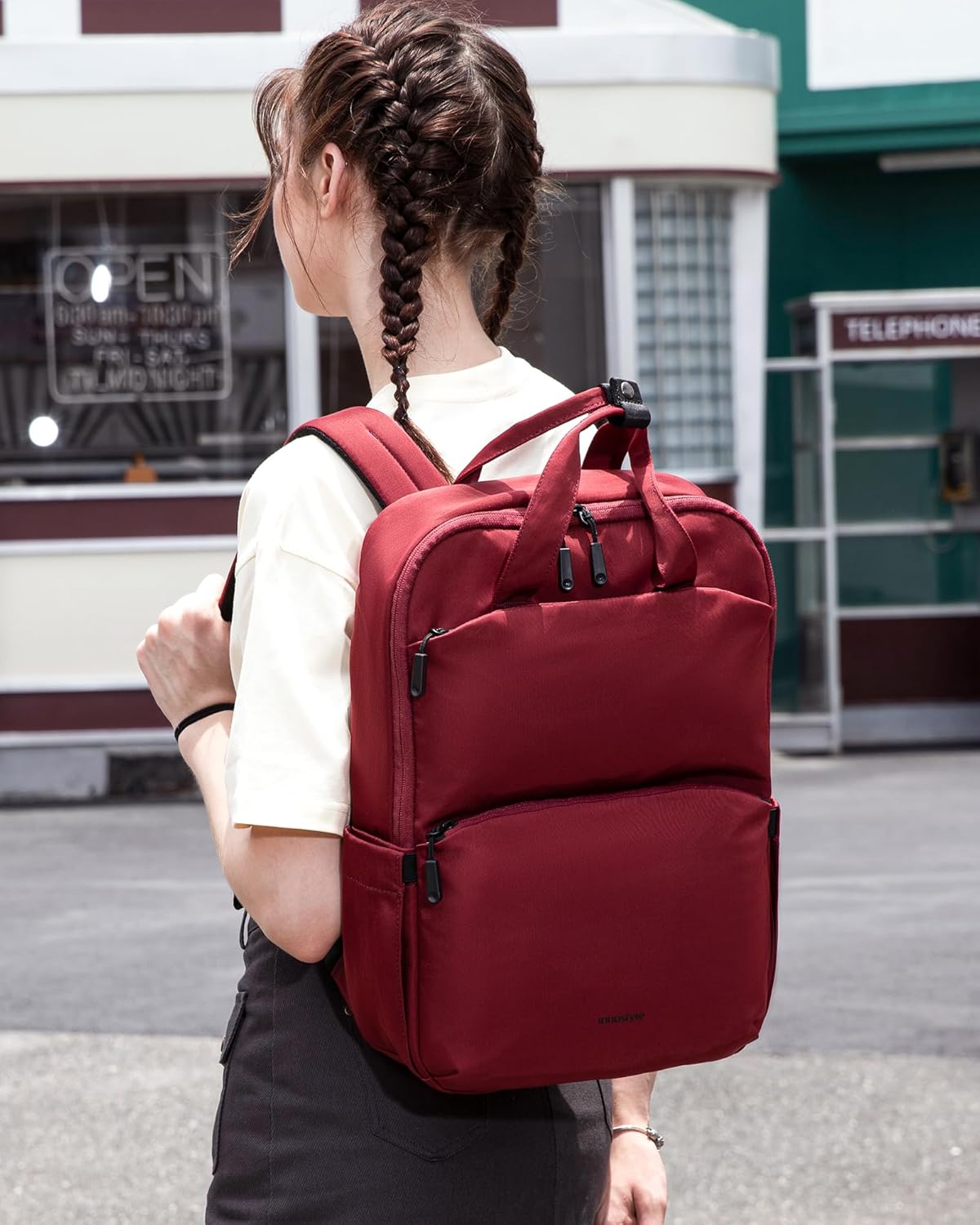
Figure 4.1: Proper way to wear the backpack for comfort and balance.

Figure 4.2: Close-up of the water-resistant fabric, YKK zippers, and side pocket.
5. Vedligeholdelse
Proper care will extend the life of your Innostyle backpack:
- Rensning: For minor dirt or stains, spot clean with a damp cloth and a mild detergent. Avoid harsh chemicals or abrasive cleaners. Do not machine wash or tumble dry.
- Tørring: If the backpack gets wet, allow it to air dry completely in a well-ventilated area, away from direct sunlight or heat sources.
- Opbevaring: Store the backpack in a cool, dry place when not in use. Avoid compressing it with heavy objects to maintain its shape.
- Lynlåspleje: Kontrollér jævnligt lynlåsene for at sikre, at de fungerer problemfrit. Hvis en lynlås bliver stiv, kan du påføre en lille mængde lynlåssmøremiddel eller voks.
6. Fejlfinding
Her er løsninger på almindelige problemer, du kan støde på:
- Lynlåsfastgørelse: Ensure no fabric is caught in the zipper teeth. Apply a small amount of graphite from a pencil or a zipper lubricant to the teeth and gently work the zipper back and forth.
- Mindre pletter: Refer to the cleaning instructions in Section 5. Act quickly to prevent stains from setting.
- Ubehagelig pasform: Re-adjust the shoulder straps as described in Section 3. Ensure the weight inside the backpack is evenly distributed.
7. Specifikationer
| Feature | Detalje |
|---|---|
| Produktdimensioner | 3.9 x 11.38 x 16.5 tommer |
| Varens vægt | 1.1 pund (0.5 kilo) |
| Kapacitet i alt | 14 liter |
| Materiale | 1680D DuPont Water-Resistant Fabric |
| Lynlåse | YKK Zippers |
| Spænder | Duraflex Buckles |
| Bærbar kompatibilitet | 13-14 inch laptop, 12.9-inch iPad |

Figure 7.1: Backpack dimensions for reference.
8. Garanti og support
For information regarding warranty coverage or to seek support for your Innostyle Travel Backpack P21, please refer to the documentation provided at the time of purchase or contact Innostyle customer service directly. Contact details can typically be found on the manufacturer's official webhjemmeside eller gennem din forhandler.


