1. Vigtige sikkerhedsinstruktioner
Please read all instructions carefully before using this dehumidifier and retain this manual for future reference. Failure to follow these instructions may result in electric shock, fire, or serious injury.
- Always unplug the dehumidifier from the power outlet before cleaning, performing maintenance, or when not in use.
- Do not operate the dehumidifier with a damaged cord or plug. If the power cord is damaged, it must be replaced by the manufacturer, its service agent, or similarly qualified persons to avoid a hazard.
- Dette apparat er kun til indendørs brug. Må ikke bruges udendørs.
- Ensure the dehumidifier is placed on a stable, level surface to prevent tipping and water spillage.
- Do not block the air inlet or outlet. Maintain at least 8 inches (20 cm) clearance from walls or other objects.
- Affugteren, netledningen eller stikket må ikke nedsænkes i vand eller andre væsker.
- Keep children and pets away from the dehumidifier during operation.
- Brug ikke affugteren i områder, hvor der opbevares brandfarlige væsker eller gasser.
- Tøm vandtanken regelmæssigt for at forhindre overløb.
2. Produktet er slutview
The VEWIOR PC-450B Dehumidifier is designed to efficiently remove excess moisture from your indoor environment, improving air quality and comfort. It features a large water tank, quiet operation, and convenient functions like auto shut-off and a night light.
Komponentidentifikation
- Kontrolpanel med digitalt display
- Luftindtag
- Luftudtag
- Aftagelig vandtank
- Netledning Port


3. Opsætning
Follow these steps to set up your dehumidifier for the first time.
- Pakker ud: Carefully remove the dehumidifier from its packaging. Retain all packaging materials for future storage or transport.
- Placering: Place the dehumidifier on a firm, level surface in the desired location. Ensure there is at least 8 inches (20 cm) of clear space around the air inlet and outlet for optimal airflow. Avoid placing it directly against walls or furniture.
- Strømtilslutning: Plug the power adapter into the dehumidifier's power port, then plug the other end into a standard electrical outlet (100-240V AC, 50/60Hz).
- Indledende drift: Enheden er nu klar til drift.

4. Betjeningsvejledning
Gør dig bekendt med kontrolpanelet og dets funktioner.
Kontrolpanel funktioner
- Tænd/sluk-knap (⏻): Tryk for at tænde eller slukke for affugteren.
- Night Light Button (☀): Press to cycle through 7 different LED light colors or turn the night light off. This can create a warm ambiance.
- Timer-knap (◷): Press to set an auto-off timer from 1 to 24 hours. Each press increases the timer by one hour. The unit will automatically shut off after the set time.
- Speed/Sleep Mode Button (⇋): Press to switch between different fan speeds or activate Sleep Mode. In Sleep Mode, the unit operates at a lower fan speed for quieter operation (approximately 30dB).
- Digital skærm: Shows the current humidity level in the room and timer settings.
Driftstilstande
- Standard affugtning: The unit will operate to reduce humidity based on its internal sensor.
- Sove mode: Activates quiet operation, ideal for bedrooms or quiet environments.
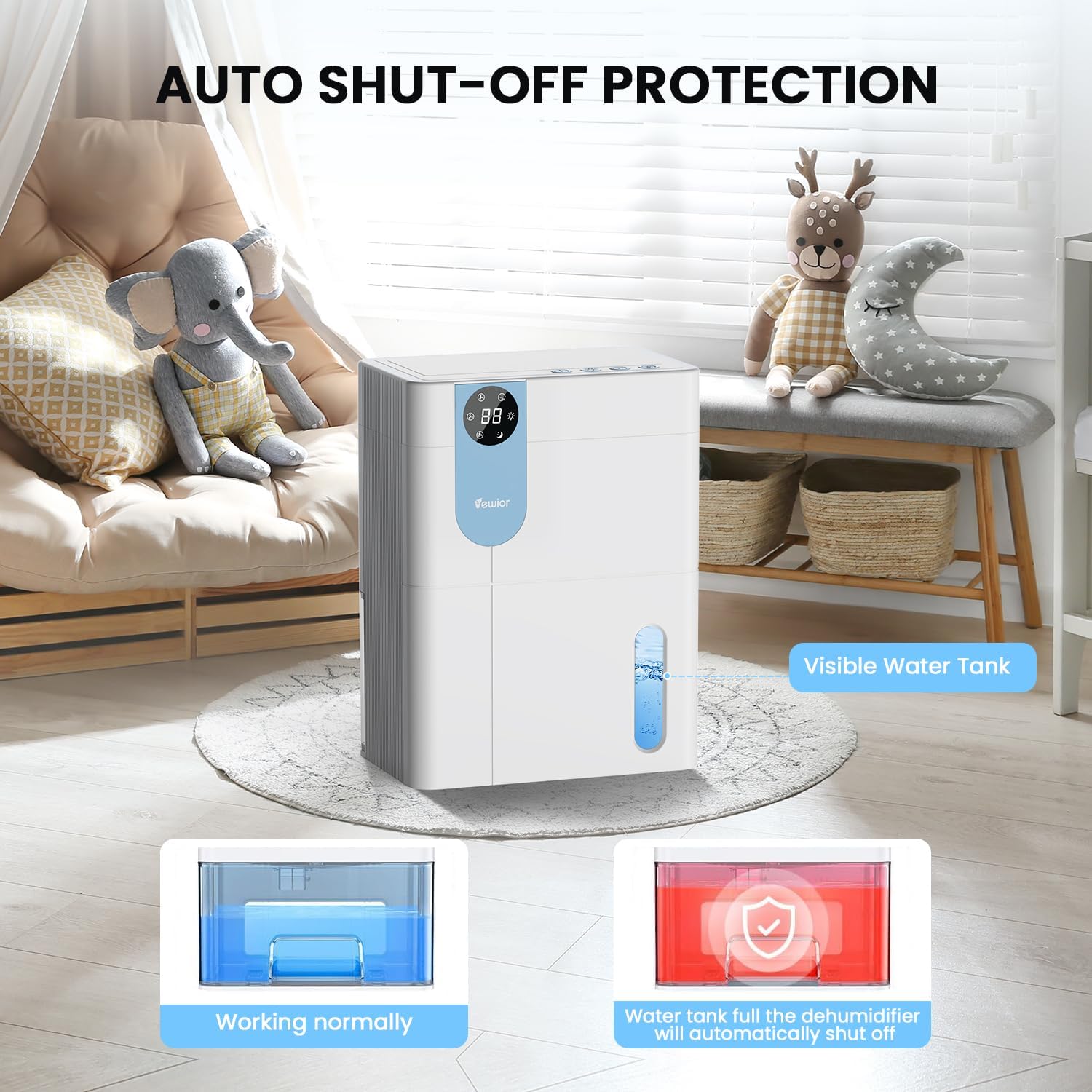
- Automatisk slukning: The dehumidifier will automatically stop operating when the water tank is full to prevent overflow. The digital display may flash a red light to indicate the tank needs emptying.

5. Water Tank Management
The dehumidifier features a 4500ml (152 oz) water tank and an auto shut-off function when the tank is full.
Tømning af vandtanken
- When the water tank is full, the dehumidifier will automatically stop operating, and the internal red light will flash to remind you to empty the water.
- Gently pull out the water tank from the side of the dehumidifier.
- Fjern tanklåget.
- Hæld det opsamlede vand ud.
- Replace the tank lid securely.
- Slide the empty water tank back into the dehumidifier until it clicks into place. The unit will resume operation automatically.

6. Vedligeholdelse
Regelmæssig vedligeholdelse sikrer optimal ydeevne og levetid for din affugter.
Rengøring af ydersiden
- Tag altid stikket ud af stikkontakten før rengøring.
- Tør ydersiden af med en blød, damp klæde. Brug ikke slibende rengøringsmidler eller opløsningsmidler.
- Sørg for, at der ikke kommer vand ind i kontrolpanelet eller andre elektriske komponenter.
Cleaning the Air Filter (Recommended Monthly)
- Locate the air filter (typically at the back or side air inlet).
- Fjern filteret.
- Rengør filteret med en støvsuger, eller vask det forsigtigt med varmt sæbevand.
- Lad filteret lufttørre helt, før det monteres igen. Udsæt det ikke for direkte sollys eller høj varme.
- Sæt tørfilteret i enheden igen.
Langtidsopbevaring
- Empty and clean the water tank thoroughly.
- Rengør luftfilteret.
- Tag netledningen ud, og rul den pænt op.
- Store the dehumidifier in a cool, dry place, preferably in its original packaging, away from direct sunlight and extreme temperatures.
7. Fejlfinding
Hvis du støder på problemer med din affugter, kan du se følgende almindelige problemer og løsninger.
| Problem | Mulig årsag | Løsning |
|---|---|---|
| Affugteren tænder ikke. | No power supply. Power button not pressed. | Sørg for, at netledningen er sat ordentligt i en stikkontakt, der virker. Tryk på tænd/sluk-knappen. |
| Enheden kører, men opsamler ikke vand. | Room humidity is too low. Temperature is too low. Air filter is clogged. | Dehumidifiers are most effective in higher humidity. Ensure room temperature is above 41°F (5°C). Clean the air filter. |
| Water tank full indicator (red light) is on, but tank is not full. | Water tank not properly seated. Float sensor malfunction. | Remove and reinsert the water tank, ensuring it is correctly aligned. If the issue persists, contact customer support. |
| Enheden er støjende. | Enheden står ikke på en plan overflade. Luftfilteret er tilstoppet. | Place the unit on a flat, stable surface. Clean the air filter. Ensure no objects are obstructing the fan. |
| Humidity level not decreasing significantly. | Room size exceeds capacity. High external humidity. Doors/windows open. | Ensure the dehumidifier is suitable for the room size. Close all doors and windows. Consider running the unit for longer periods. |
If the problem persists after trying these solutions, please contact VEWIOR customer support.
8. Specifikationer
Detailed technical specifications for the VEWIOR PC-450B Dehumidifier.
| Feature | Specifikation |
|---|---|
| Mærke | VEWIOR |
| Modelnavn | PC-450B |
| Affugtningskapacitet | Op til 1060 ml (36 oz) pr. dag (ved 86°F, 80% RF) |
| Vandtankkapacitet | 4500 Milliliters (152 OZ) |
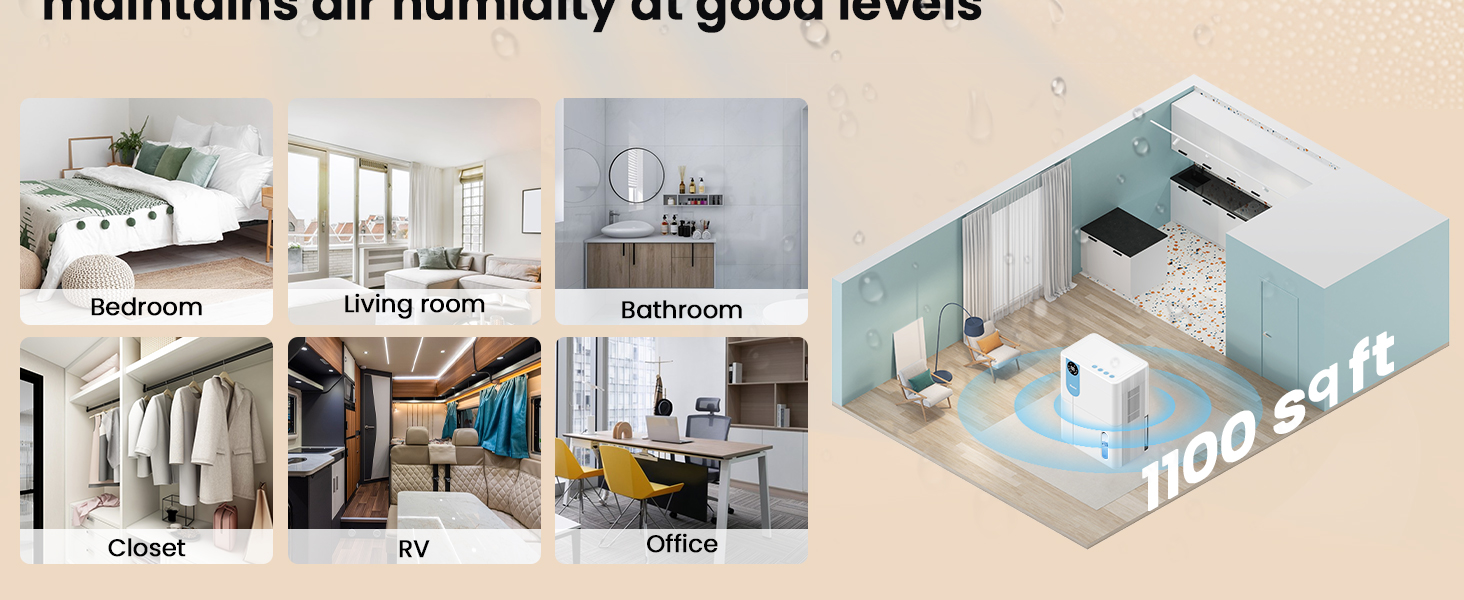
| Dækningsområde | Op til 1100 kvadratmeter |
| Produktmål (D x B x H) | 6.3 cm x 9.84 cm x 12.6 cm |
| Varens vægt | 2.27 pund |
| Særlige funktioner | Automatic Shutoff, Colorful Lights, Digital Display, Removable Tank, Timer |
| Driftstilstand | Sove |
| Luftmængde kapacitet | 900 Cubic Feet Per Hour |
| Strømkilde | Elektrisk med ledning |

9. Garanti og support
VEWIOR is committed to providing quality products and customer satisfaction.
Garantioplysninger
- 3 års gratis udskiftning: Your VEWIOR PC-450B Dehumidifier is covered by a 3-year free replacement policy for manufacturing defects.
- Livsvarig support: VEWIOR offers lifetime technical support and satisfied solutions for its products.
Kundesupport
For any questions, troubleshooting assistance, or warranty claims, please contact VEWIOR customer service:
- E-mail: [Insert VEWIOR Support Email Here]
- Telefon: [Insert VEWIOR Support Phone Number Here]
- Online: Visit the official VEWIOR webwebsted for ofte stillede spørgsmål og supportressourcer.
Our customer service team is available for quick service via phone or email within 24 hours.
Returpolitik: A 30-day no-reason return policy is available for purchases.


