1. Introduktion og overview
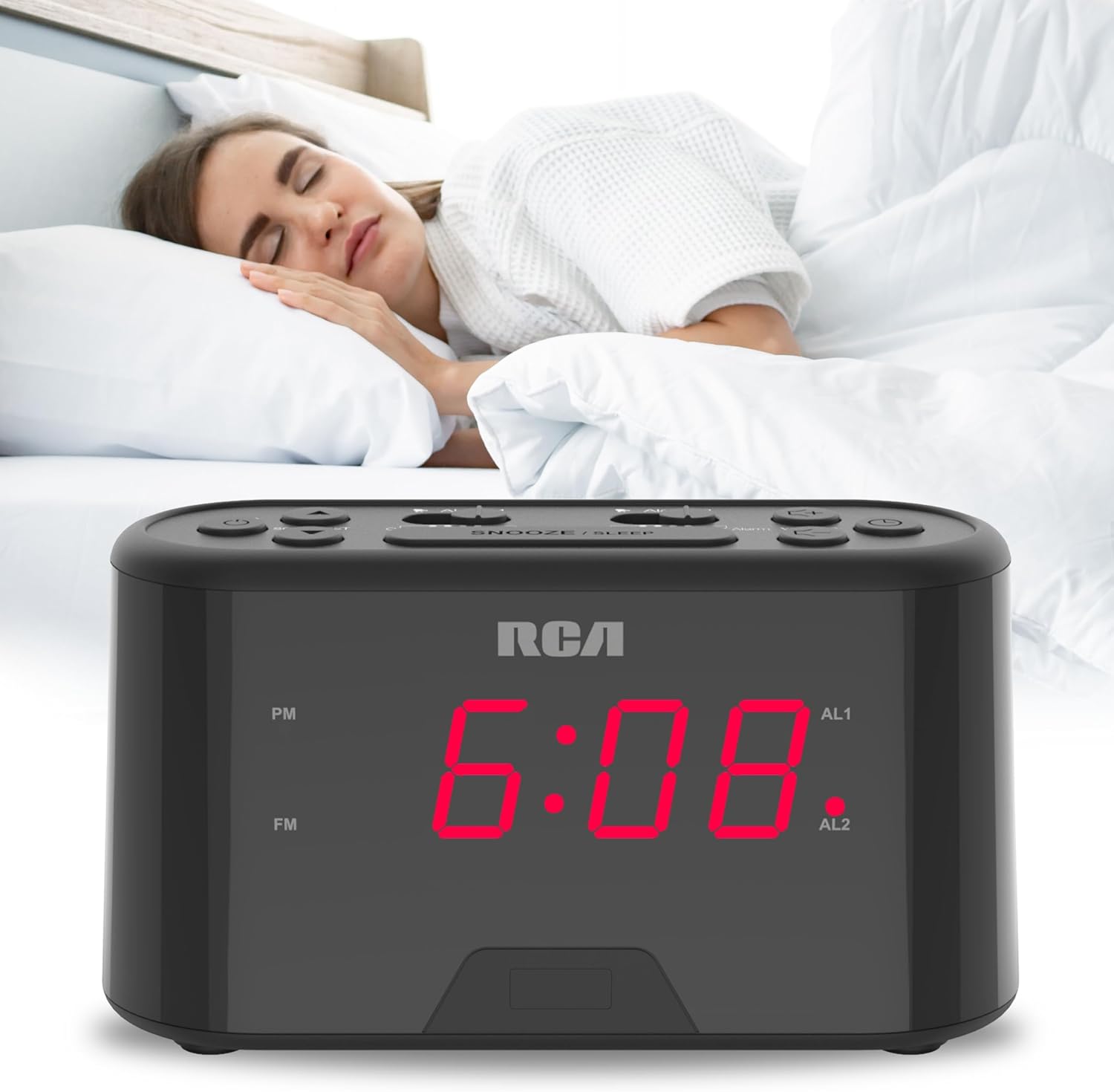
The RCA RC551 Digital Clock Radio is designed for convenience and reliability, featuring a compact design suitable for various spaces like nightstands or desks. It offers a large, easy-to-read display for clear time-checking. Key features include a dual wake alarm, a sleep timer, and a snooze function. Users can choose to wake up to either the FM radio or a traditional alarm sound. For uninterrupted operation, the clock radio includes a 'No Worry' backup battery option, ensuring your alarm functions even during power outages.

Figur 1: Forside view of the RCA RC551 Digital Clock Radio, displaying the time 12:08 in red LED digits.
2. Opsætning
2.1 Strømtilslutning
Connect the provided AC power adapter to the DC IN jack on the back of the unit and then plug it into a standard wall outlet. The display will illuminate, and the clock will be ready for initial setup.
2.2 Installation af batteribackup
For the 'No Worry' backup battery feature, install 2 AAA batteries (not included) into the battery compartment located on the bottom of the unit. This ensures that time and alarm settings are retained during a power interruption.
2.3 Indstilling af starttidspunkt
Ved første opstart eller efter længere tids strømafbrydelsetage without backup batteries, the display may flash. Follow the operating instructions below to set the current time.
3. Betjeningsvejledning
3.1 Indstilling af det aktuelle klokkeslæt
- Tryk og hold på TIDSINDSTILLING knappen, indtil timecifrene begynder at blinke.
- Tryk på TIME Tryk gentagne gange på knappen for at justere timetallet. Se på PM-indikatoren for korrekt AM/PM-indstilling.
- Tryk på MINUT knappen gentagne gange for at justere minutterne.
- Trykke TIDSINDSTILLING igen for at bekræfte og afslutte tidsindstillingstilstanden.
3.2 Setting the Dual Alarms (Alarm 1 and Alarm 2)
The RC551 features two independent alarms. Each can be set to a specific time and wake-up source (FM radio or buzzer).
- Tryk og hold på ALARM 1 or ALARM 2 button until the alarm time digits begin to flash.
- Tryk på TIME button repeatedly to adjust the alarm hour.
- Tryk på MINUT button repeatedly to adjust the alarm minutes.
- Tryk på ALARM 1 or ALARM 2 button again to select the wake-up source:
- Summer: An audible beep will sound.
- FM-radio: The last tuned FM station will play.
- Tryk på den respektive ALARM button one more time to confirm and activate the alarm. An indicator (AL1 or AL2) will appear on the display.
3.3 Snooze -funktion
Når en alarm lyder, skal du trykke på den store SLUM/SØV button to temporarily silence the alarm for approximately 9 minutes. The alarm will resume after the snooze period.
3.4 Sleep Timer
The clock radio includes a sleep timer function, allowing you to fall asleep to the radio, which will automatically turn off after a set duration. Refer to the full product manual for detailed instructions on setting the sleep timer duration.
3.5 FM-radiofunktion
- Tryk på RADIO TIL/FRA knappen for at tænde eller slukke FM-radioen.
- Brug SCAN/SET button to automatically scan for and tune to the next available FM station.
- Juster lydstyrken ved hjælp af LYDSTYRKE + og VOLUME - knapper.
3.6 Displayets lysstyrke
The large display is designed for readability. The brightness level is typically fixed for optimal visibility in various lighting conditions. Some models may feature an automatic dimming sensor or manual dimmer controls; consult the full product manual for specific details on your unit.
3.7 USB-opladningsport
The RC551 may include a built-in USB port for charging compatible devices. Locate the USB port on the unit and connect your device's charging cable. This port is intended for charging and does not support data transfer.

Figur 2: Øverst view of the RCA RC551 Digital Clock Radio, highlighting the various control buttons.
Figur 3: Tilbage view of the RCA RC551 Digital Clock Radio, illustrating the power input and USB charging port.
4. Vedligeholdelse
4.1 Rengøring
Tør enheden af med en blød, tør klud. Brug ikke slibende rengøringsmidler eller opløsningsmidler, da de kan beskadige overfladen.
4.2 Udskiftning af batteri
If the backup batteries are depleted, the time and alarm settings will be lost during a power outage. Replace the 2 AAA batteries in the battery compartment when necessary to maintain the backup function.
5. Fejlfinding
- Ingen strøm/skærm slukket: Ensure the AC adapter is securely plugged into both the unit and a working wall outlet. Check the power source.
- Alarmen lyder ikke: Verify that the alarm is activated (AL1/AL2 indicator is on) and the alarm time is correctly set. Check the alarm source (buzzer/radio) and volume level.
- Dårlig FM-radiomodtagelse: Extend the FM antenna wire fully. Try repositioning the unit or the antenna for better signal reception.
- Time/Alarm Settings Lost: Ensure backup batteries are installed and are not depleted. Replace old batteries if necessary.
6. Specifikationer
- Mærke: RCA
- Model: RC551
- Farve: Sort
- Skærmtype: Digital LED
- Strømkilde: AC Power Adapter (included), 2 x AAA batteries (not included) for backup
- Produktdimensioner: Cirka 7.09 cm B x 2.17 cm H
- Funktioner: Dual Wake Alarm, Sleep Timer, Snooze, FM Radio, USB Charging Port
7. Garanti og support
For warranty information and customer support, please refer to the documentation included with your product or visit the official RCA webwebsted. Gem din købskvittering som købsbevis i tilfælde af garantikrav.


