Indledning
Thank you for choosing the TANLANIN Portable CD Player. This device is designed to provide a high-quality audio experience with its versatile features, including CD playback, Bluetooth connectivity (both input and output), USB playback, and AUX input. Its compact and rechargeable design makes it ideal for both home and on-the-go use. Please read this manual carefully to ensure proper operation and to maximize your enjoyment of the product.
Pakkens indhold
Ved udpakning skal du kontrollere, at alle nedenstående varer er inkluderet og i god stand:
- 1x Vintage CD Player
- 1x brugermanual
- 1x fjernbetjening
- 1x Type-c ladekabel
- 1x garantikort
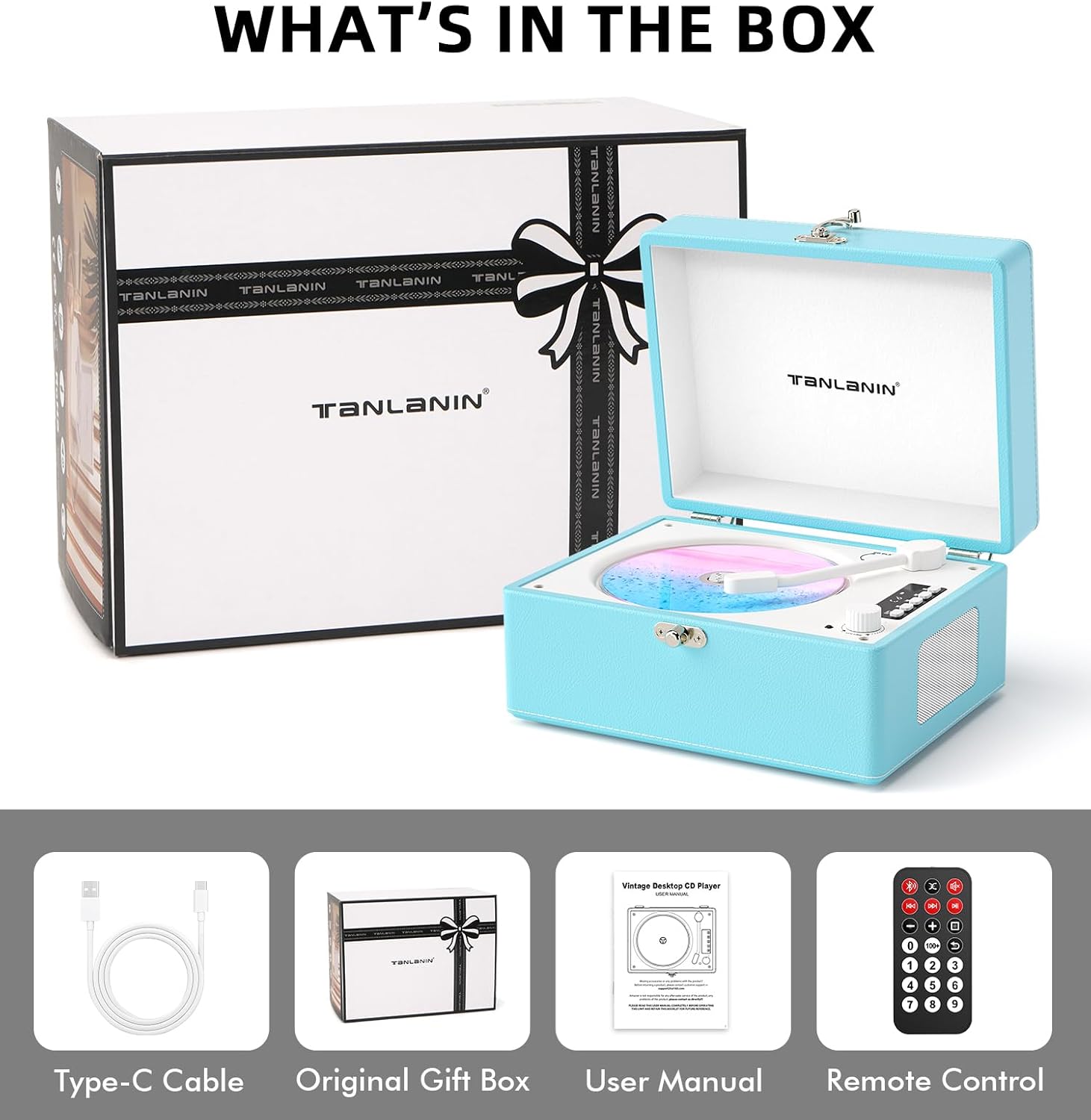
Figure 1: All items included in the product packaging.
Produkt overview
The TANLANIN Portable CD Player features a retro-inspired design with modern functionalities. It is equipped with an LED display and intuitive controls for easy navigation.

Figur 2: Forside view of the TANLANIN Portable CD Player.

Figure 3: Control Panel and Port Layout.
Opsætning
Opladning af enheden
Before first use, or when the battery is low (indicated by a flashing battery symbol on the LED display), charge the CD player using the provided Type-C charging cable and a DC 5V 1A power adapter (included). The indicator light will turn red during charging and green when charging is complete. A full charge provides approximately 5-8 hours of playtime.
Tænd/sluk
Locate the Power Switch on the rear of the device. Slide the switch to the 'ON' position to power on the CD player. To power off, slide the switch to the 'OFF' position.
Driftstilstande
Betjening af CD-tilstand
The CD player supports CD, CD-R, CD-RW, MP3, and WMA formats.
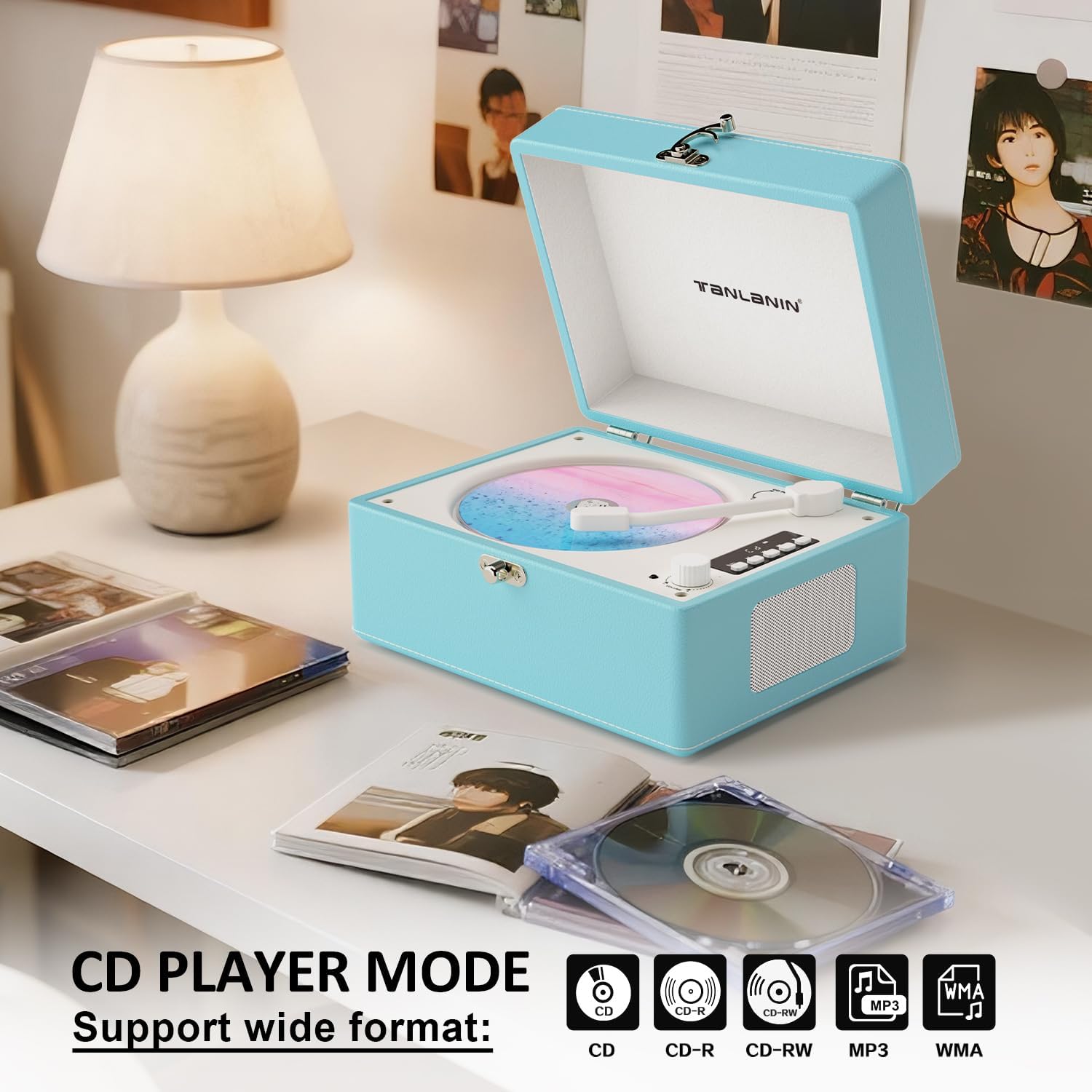
Figure 4: CD Player Mode and Supported Formats.
- Flyt CD-armen til toppen af CD-disken for at gå ind i CD-afspilningstilstand.
- Tryk på Afspil/pause knappen for at afspille eller sætte det aktuelle nummer på pause.
- Tryk på Tidligere button to go back one song. Press and hold the key to fast rewind the current track.
- Tryk på Næste button to advance one track. Press and hold the key to fast forward the current track.
- Tryk på Stop button to stop the current playback.
- Tryk på Gentage button to repeat single song/repeat whole disk/close repeat play.
Bluetooth Mode Operation (Input)
The power-on default is Bluetooth mode. The Bluetooth symbol will flash slowly, indicating it is searching for a device. Once paired, the symbol will remain solid.
- Turn on the Bluetooth function on your mobile phone or tablet.
- Søg efter Bluetooth-enhedens navn ACD-001 og tilslut.
- Once paired, you can play music from your device through the CD player's speakers.
Bluetooth Output Mode Operation (Transmitter)
The Bluetooth output function allows you to transmit audio from the CD player to external Bluetooth receiving devices, such as Bluetooth headphones or speakers.
- In CD/USB/AUX mode, long press the Bluetooth Transmit/Repeat button for 2 seconds to enter Bluetooth output mode. The Bluetooth symbol will flash slowly, indicating that Bluetooth output is currently in Bluetooth mode.
- Turn on the receiving device (Bluetooth speaker or Bluetooth headphones) and ensure it is in pairing mode.
- When the pairing is successful, the Bluetooth symbol will remain solid.
- You can use the playback controls on the transmitter side to control the up and down song, play, pause and other controls.
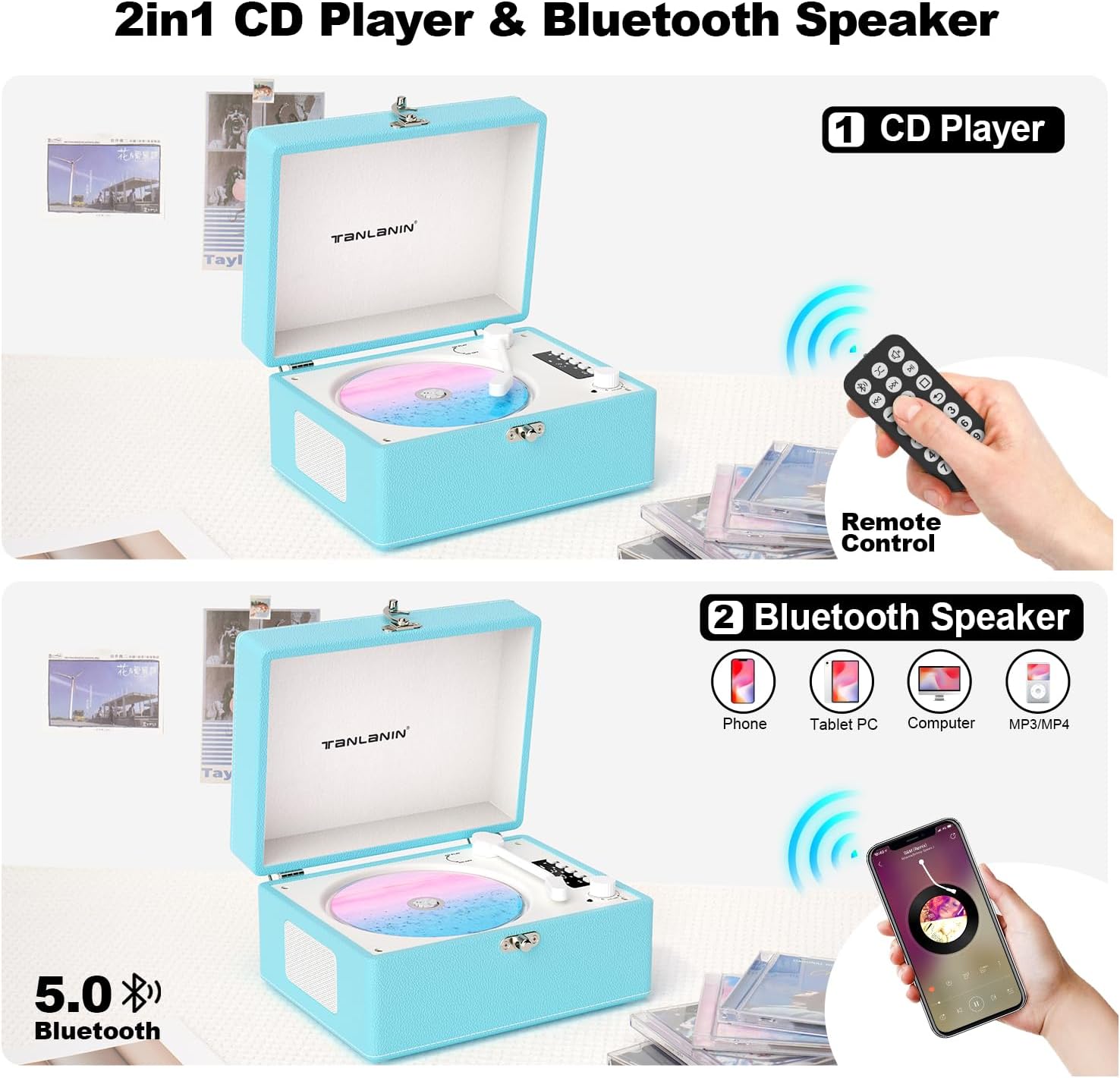
Figure 5: 2-in-1 CD Player & Bluetooth Speaker Functionality.
Betjening af USB-tilstand
Efter indsættelse af USB-flashdisken, genkendes lyden files in the USB flash disk can be played automatically, and the screen displays 'USB'.
- Tryk på Afspil/pause knappen for at afspille eller sætte det aktuelle nummer på pause.
- Tryk på Tidligere button to go back one song. Press and hold the key to fast rewind the current track.
- Tryk på Næste button to advance one track. Press and hold the key to fast forward the current track.
- Tryk på Stop button to stop the current playback.
- Tryk på Gentage button, you can modify it to repeat single song/repeat whole disk/close repeat play.
Betjening af AUX-in-tilstand
Plugging into the AUX port will automatically play AUX external audio. The screen displays 'LINE'.
- Tryk på Afspil/pause button to pause playback. Tap the key again to resume playback.
- Note: Plugging into the AUX port has no effect when the USB/CD is not added.
Kontroller og indikatorer
The CD player features an intuitive control panel and an LED display for easy operation.
| Kontrol/indikator | Fungere |
|---|---|
| LED Display | Shows current mode (CD, Bluetooth, USB, LINE) and track information. |
| CD Arm | Move to engage CD playback. |
| Stop knap | Stops current playback. |
| Næste sangknap | Advances to the next track. Long press for fast forward. |
| Forrige sangknap | Goes back to the previous track. Long press for fast rewind. |
| Pause/Afspil knap | Afspiller eller sætter det aktuelle nummer på pause. |
| Bluetooth Transmit/Repeat Key | Short press to cycle repeat modes (single, all). Long press for Bluetooth output pairing. |
| Volumenknap | Justerer lydstyrken. |
| Strømafbryder | Tænder eller slukker for enheden. |
| USB -indgangsport | Connects USB flash drives for music playback. |
| AUX-indgangsport | Connects external audio devices via 3.5mm cable. |
| Headphone Jack (AUX Out) | Connects headphones or external speakers. |
| Type-C opladningsport | Connects the Type-C charging cable for power. |
Specifikationer
| Feature | Detalje |
|---|---|
| Modelnavn | CD-001BE |
| Produktdimensioner | 6.1 x 8.07 x 4.13 tommer |
| Varens vægt | 3.2 pund |
| Batterier | 1 Lithium Ion batterier påkrævet (medfølger) |
| Forbindelsesteknologi | Hjælpestik, Bluetooth 5.0, USB |
| Understøttede formater | CD, CD-R, CD-RW, MP3, WMA |
| Særlige funktioner | Anti-Skip Protection, Battery Level Indicator, LED Display, Rechargeable Battery, Remote Control, A-B Repeat |
| Fabrikant | TANLANIN |
| Farve | Blå |

Figure 6: Product Dimensions and Design Details.
Opretholdelse
- Hold enheden ren ved at tørre den af med en blød, tør klud. Undgå at bruge slibende rengøringsmidler eller opløsningsmidler.
- Store the CD player in a cool, dry place away from direct sunlight and extreme temperatures.
- Udsæt ikke enheden for vand eller fugt.
- Handle CDs carefully to prevent scratches and dust accumulation.
Fejlfinding
| Problem | Mulig løsning |
|---|---|
| Enheden tænder ikke. | Ensure the device is charged. Check the power switch is in the 'ON' position. |
| CD'en afspiller ikke eller springer over. | Check if the CD is clean and free of scratches. Ensure the CD is properly placed in the tray. |
| Ingen lyd fra højttalere. | Adjust the volume knob. Ensure the device is not connected to headphones or external speakers via AUX out. Check if Bluetooth output is active. |
| Bluetooth-parring mislykkes. | Ensure the CD player is in Bluetooth input mode (flashing Bluetooth symbol). Make sure your external device's Bluetooth is on and discoverable. Try restarting both devices. |
| Fjernbetjening virker ikke. | Ensure there are no obstructions between the remote and the player. Check and replace the remote control battery if necessary. |
Garanti og support
The TANLANIN Portable CD Player comes with a 1 års produktgaranti fra købsdatoen. Derudover en 30-day replacement policy is offered for any manufacturing defects. Please retain your purchase receipt as proof of purchase for warranty claims.
For technical support, troubleshooting assistance, or warranty inquiries, please refer to the contact information provided on the warranty card included in your package or visit the official TANLANIN store on Amazon.


