1. Introduktion
Thank you for choosing the GAOMON 3-Drawer Dresser. This manual provides essential information for the safe assembly, proper use, and maintenance of your new furniture. Please read these instructions carefully before beginning assembly and retain them for future reference.
2. Sikkerhedsoplysninger
- Voksensamling påkrævet: This product requires adult assembly. Keep small parts and packaging materials away from children during assembly.
- Vægtgrænser: Do not exceed the maximum weight capacity. The top surface can hold up to 120 lbs (54.4 kg). Each drawer can hold up to 20 lbs (9.1 kg).
- Anti-tip-enhed: For safety, it is highly recommended to secure the dresser to a wall using an anti-tip device (not specified if included, but general safety advice). This prevents accidental tipping, which can cause serious injury.
- Stabil placering: Place the dresser on a flat, level surface to ensure stability.
- Korrekt brug: Do not allow children to climb on the dresser or hang from the drawers. Open only one drawer at a time to maintain stability.
3. Pakkens indhold
Before assembly, verify that all parts and hardware are present. All hardware and parts are numbered or lettered for easy identification. If any parts are missing or damaged, please contact GAOMON customer support.

Figure 1: Dresser Dimensions Overview. This image illustrates the overall dimensions of the dresser (30.5"H x 32"W x 16"D) and the internal dimensions of a single drawer (26"W x 14.5"D x 7.5"H).
4. Monteringsvejledning
Assembly of this dresser is designed to be straightforward. Follow the step-by-step, illustrated instructions provided in the packaging. Ensure all parts are correctly oriented before tightening fasteners. An additional person may be helpful for certain steps.
Vigtige monteringstrin:
- Pak alle komponenter ud, og læg dem på en ren, blød overflade for at forhindre ridser.
- Identify all numbered or lettered parts and hardware according to the instruction manual.
- Assemble the main frame of the dresser, ensuring all connections are secure.
- Install the high-quality metal slide rails for each drawer into the dresser frame.
- Assemble the individual drawers, attaching the front panels and handles.
- Insert the completed drawers into the dresser frame, ensuring smooth operation.
- Attach the anti-tip device to the back of the dresser and secure it to a wall stud (if applicable).
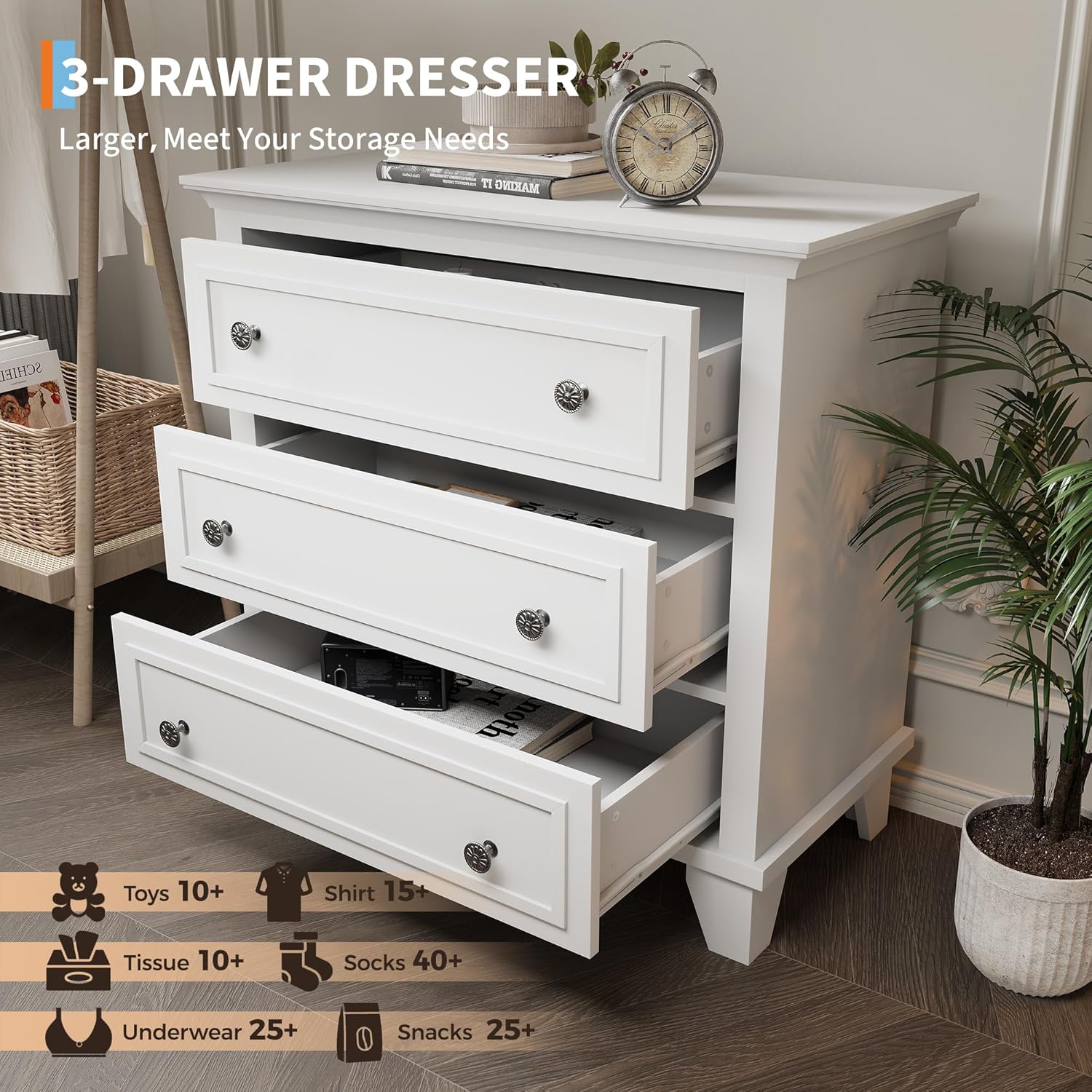
Figure 2: Open Drawers View. This image demonstrates the spacious interior of the three drawers, suitable for organizing various items.
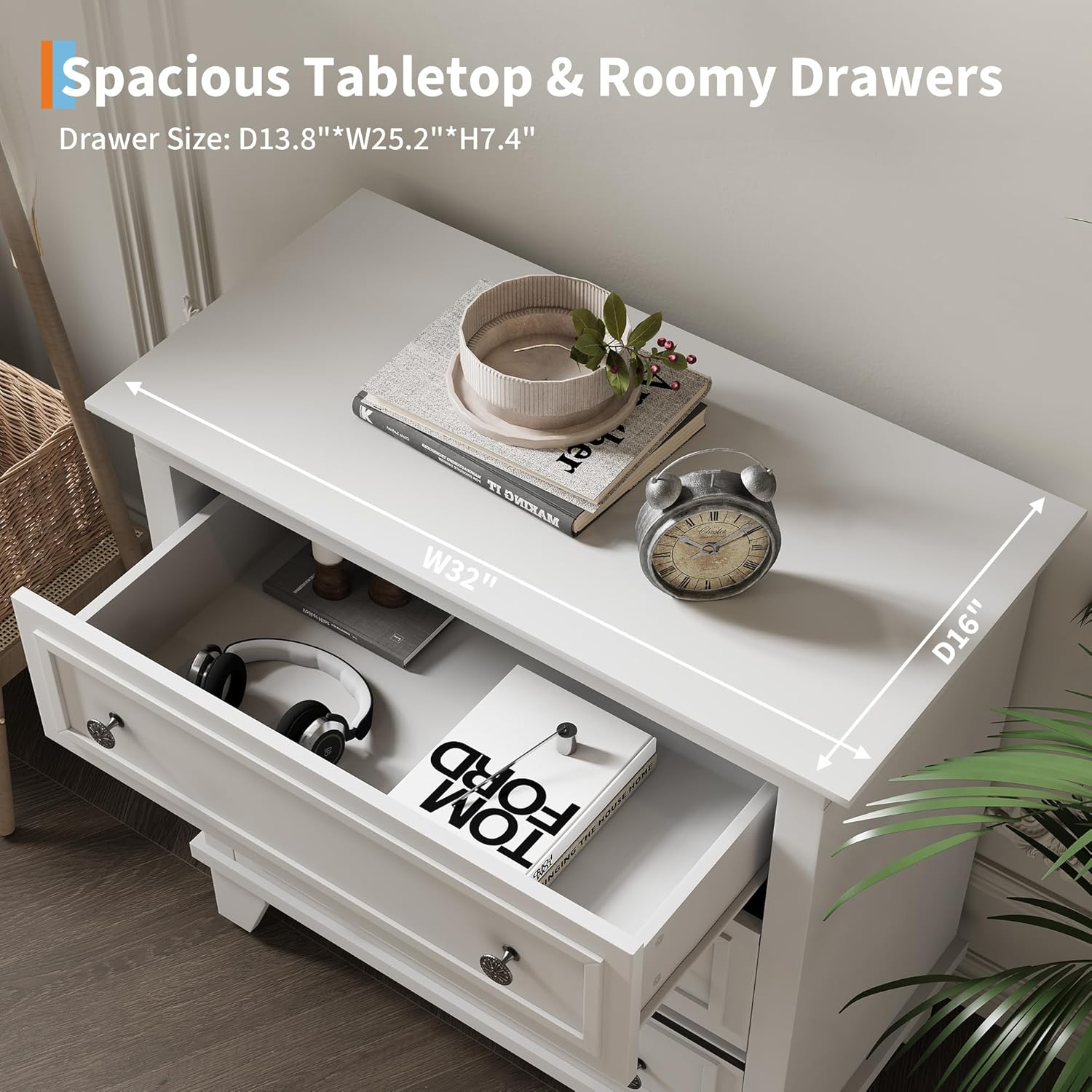
Figure 3: Top Surface and Drawer Detail. This image shows the 32"W x 16"D top surface and a partially open drawer, illustrating the drawer's depth and the smooth slide mechanism.
5. Betjeningsvejledning
The GAOMON 3-Drawer Dresser is designed for convenient storage. To operate the drawers, simply pull the handles to open and push to close. The drawers are equipped with high-quality metal slide rails for smooth movement.
- Skuffekapacitet: Each drawer is designed to hold up to 20 lbs (9.1 kg). Avoid overloading to ensure smooth operation and prevent damage.
- Top Surface Use: The top surface can support items up to 120 lbs (54.4 kg). It is suitable for lamps, decorative items, or other personal belongings.
- Glat betjening: If a drawer feels stiff, ensure it is properly aligned on its rails and not overloaded.

Figure 4: GAOMON 3-Drawer Dresser in a Room Setting. This image displays the fully assembled dresser, showcasing its design and functionality within a home environment.
6. Vedligeholdelse og pleje
To ensure the longevity and appearance of your GAOMON dresser, follow these care guidelines:
- Rensning: Tør overflader af med en blød, damp klud. Undgå at bruge skrappe kemikalier, slibende rengøringsmidler eller polermidler, der kan beskadige finishen.
- Spild: Tør spild op med det samme for at forhindre pletter eller beskadigelse af træoverfladen.
- Eksponering for sollys: Undgå langvarig udsættelse for direkte sollys, da dette kan forårsage falmning eller misfarvning.
- Fugtighed: Oprethold et stabilt fugtighedsniveau i rummet for at forhindre træet i at vride sig eller revne.
- Hardwarekontrol: Periodically check and tighten all screws and fasteners to ensure the dresser remains stable and secure.
7. Fejlfinding
Hvis du støder på problemer med din kommode, kan du bruge følgende almindelige løsninger:
| Problem | Mulig årsag | Løsning |
|---|---|---|
| Skuffen glider ikke jævnt. | Overloaded drawer, misaligned rails, or debris in rails. | Reduce drawer contents. Check if rails are properly installed and aligned. Clean rails of any obstructions. |
| Kommoden føles vaklende. | Løse fastgørelseselementer eller ujævnt gulv. | Tighten all assembly screws. Ensure the dresser is on a level surface; use shims if necessary. |
| Dele mangler eller er beskadigede. | Forsendelsesskade eller emballagefejl. | Contact GAOMON customer support with your model number and details of the issue. |
8. Specifikationer
- Mærke: GAOMON
- Modelnavn: eZfjHjtWX4DvxGR3dJLMxwWsmB6z (Internal Model Number: 55bQcx7CxK_iqoKY7FTP2wd0)
- Produktdimensioner: 40.6 cm D x 81.3 cm B x 77.5 cm H (16 cm D x 32 cm B x 30.5 cm H)
- Drawer Dimensions (Internal): Approximately 14.5"D x 26"W x 7.5"H (36.8 cm D x 66 cm W x 19 cm H)
- Farve: Hvid
- Materiale: High-quality MDF with vacuum-formed craftsmanship
- Varens vægt: 70.5 pund (32 kg)
- Top Surface Weight Capacity: 120 lbs (54.4 kg)
- Skuffevægtkapacitet: 9.1 kg pr. skuffe
- Montering påkrævet: Ja
- UPC: 199809414290
9. Garanti og support
For warranty information or customer support, please contact GAOMON directly through their official channels. If you have any issues with your package, including missing or damaged parts, please reach out to us for assistance. We are committed to helping you resolve any problems.


