Indledning
Thank you for choosing the VTech ES2051 Digital Cordless Phone. This manual provides comprehensive instructions for setting up, operating, and maintaining your new phone system. The ES2051 is designed for ease of use, featuring a digital answering machine, call blocking capabilities, volume amplification, and an antibacterial plastic construction for enhanced hygiene.
Please read this manual thoroughly before using your phone to ensure proper operation and to take full advantage af dens funktioner.
Sikkerhedsoplysninger
Følg altid grundlæggende sikkerhedsforanstaltninger, når du bruger dette produkt, for at reducere risikoen for brand, elektrisk stød og personskade.
- Brug ikke dette produkt i nærheden af vand, eller når du er våd.
- Avoid using the phone during a thunderstorm. There may be a remote risk of electric shock from lightning.
- Brug ikke dette produkt til at rapportere om en gaslækage i nærheden af lækagen.
- Use only the power adapter and batteries provided with this product.
- Do not dispose of batteries in a fire. They may explode. Check with local codes for special disposal instructions.
- Tag dette produkt ud af stikkontakten før rengøring. Brug ikke flydende eller aerosol rengøringsmidler. Brug annonceamp klud til rengøring.
Pakkens indhold
Sørg for, at alle varer er til stede i din pakke:
- Main Base Unit with Digital Answering Machine
- Cordless Handset(s) (typically two for this model)
- Handset Charger(s) (for additional handsets)
- Strømadapter(e)
- Telefonledning
- NiMH AAA Rechargeable Batteries (4 included)
- Brugervejledning (dette dokument)
Opsætning
1. Tilslutning af baseenheden
- Sæt den lille ende af strømadapteren i strømstikket på bagsiden af baseenheden.
- Sæt den store ende af strømadapteren i en stikkontakt, der ikke styres af en vægafbryder.
- Sæt den ene ende af telefonledningen i telefonstikket på bagsiden af baseenheden.
- Sæt den anden ende af telefonledningen i et telefonstik i væggen.
2. Installing and Charging Batteries
- Åbn batterirummets dæksel på bagsiden af håndsættet.
- Insert the supplied NiMH AAA batteries, observing the correct polarity (+ and -).
- Luk batterirummets dæksel.
- Place the handset in the base unit or charger to charge. The handset will beep, indicating it is charging.
- Allow the handset to charge for at least 16 hours before initial use. For optimal battery performance, keep the handset in the charger when not in use.

Image: The VTech ES2051 Digital Cordless Phone system, showing the main base with one handset and a charging cradle for the second handset, ready for setup.
Betjeningsvejledning
Foretage og modtage opkald
- Sådan foretager du et opkald: Trykke TALK / FLASH or HØJTTALER, og ring derefter op til telefonnummeret.
- For at besvare et opkald: Trykke TALK / FLASH or HØJTTALER når telefonen ringer.
- Sådan afslutter du et opkald: Trykke FRA/RYD eller sæt håndsættet tilbage i basen/opladeren.
Digital telefonsvarer
The integrated digital answering machine can record up to 30 minutes of messages. It automatically answers calls when you are unavailable.
- Afspiller beskeder: Trykke SPIL/STOP på basisenheden.
- Sletning af beskeder: Trykke SLET under afspilning af beskeder.
- Optagelse af en meddelelse: Follow the instructions in the full manual for custom outgoing message recording.

Image: A woman interacting with the VTech ES2051 phone, highlighting the digital message counter on the base unit, which indicates the number of new messages.
Opkaldsblokering
The selective call blocking feature allows you to block up to 100 unwanted numbers, preventing them from ringing your phone.
- Sådan blokerer du et nummer: Under et opkald eller fra opkalds-ID-loggen skal du trykke på OPKALDSBLOK button (often represented by a specific icon) and follow the on-screen prompts to add the number to the blacklist.
- Håndtering af blokerede numre: Access the call block list through the handset menu to review or remove blocked numbers.

Image: A visual representation of the call blocker feature, showing a family in a kitchen setting with an icon indicating unwanted calls are being blocked.
Bind Amplivligere
Volumen amplification feature enhances incoming sounds and voices, improving clarity and volume in the handset earpiece. This is particularly useful for users with hearing impairments or those who prefer a louder audio experience.
- Activating/Adjusting: Under et opkald skal du trykke på den dedikerede VOLUME BOOST button (often indicated by a speaker icon with a plus sign) or use the volume up/down keys to increase the earpiece volume.
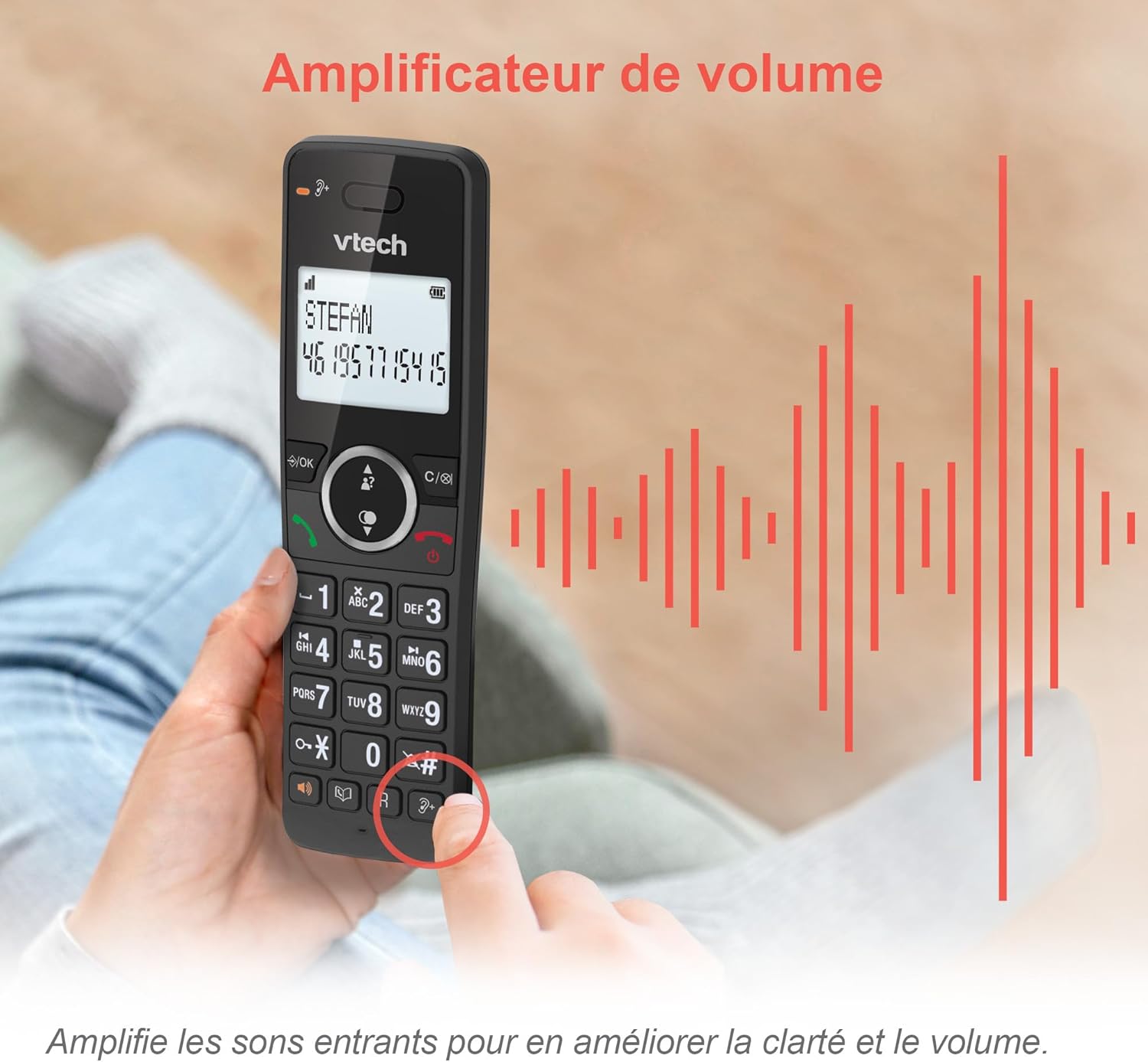
Image: A hand holding the VTech ES2051 handset, with graphic sound waves emanating from the earpiece, illustrating the volume amplification feature.
Conference Function
The conference function allows multiple users to participate in a single conversation. You can set up a three-way conference call with two internal callers (handsets) and one external caller.
- Start af et telefonmøde: Refer to the detailed instructions in the full manual for specific steps on how to add a third party to an ongoing call.

Image: Three people engaged in a conversation, visually representing the three-way conference call capability of the VTech ES2051 phone system.
Intercom-funktion
The intercom feature allows you to communicate between handsets within your home without using the landline. This is useful for calling family members in different rooms.
- Brug af intercom: Tryk på SAMTALEANLÆG button (if available) or access the intercom function through the handset menu, then select the desired handset to call.
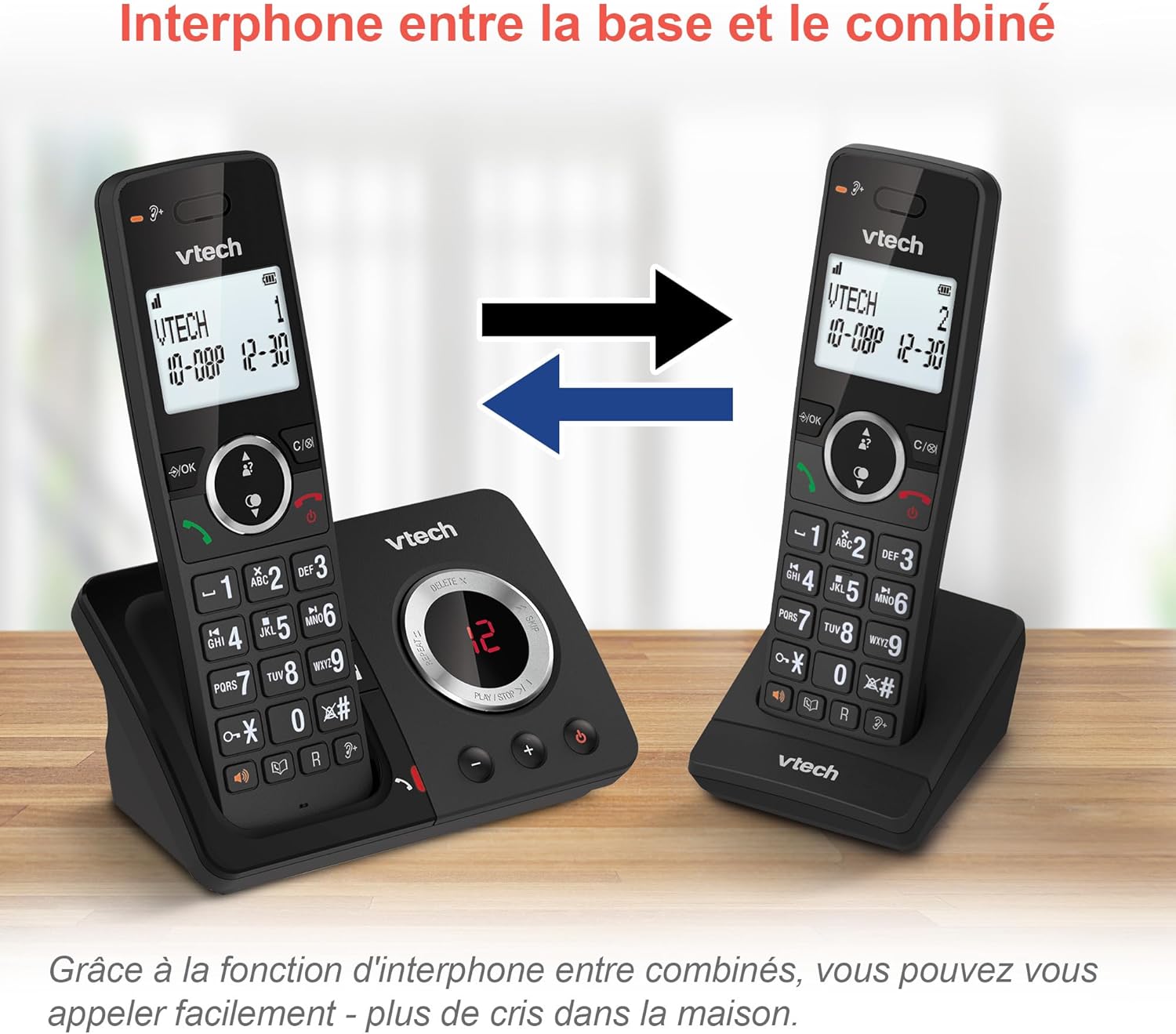
Image: A diagram showing two VTech ES2051 handsets with arrows indicating communication between them, illustrating the intercom feature.
Phonebook and Call Features
The phone includes a 100-name and number phonebook, 8 speed dial keys, and a backlit screen and keypad for easy visibility.
- Lagring af kontakter: Navigate to the phonebook menu to add, edit, or delete contacts.
- Hurtigopkald: Assign frequently called numbers to the 8 speed dial keys for quick access.
- Opkalds-ID-log: Review the last 20 incoming calls with Caller ID information.
- Genopkald: Access the list of the last 10 dialed numbers for quick redialing.

Billede: En collage af billeder, der viserasing various VTech ES2051 phone features, including the 100-entry phonebook, call display, redial function, and an 18-hour talk time battery life indicator.
ECO-tilstand
The ECO mode automatically adjusts and minimizes the radio frequency power based on the distance between the handset and the base unit. This feature helps conserve energy and reduce power consumption.
Opretholdelse
Rengøring af telefonen
The VTech ES2051 is made with antibacterial plastic and features a seamless, easy-to-clean design. To clean your phone:
- Unplug the base unit from the wall outlet and telephone line.
- Tør telefonens overflader af med en blød kludamp klæde. Brug ikke flydende eller aerosol rengøringsmidler.
- Ensure the phone is completely dry before plugging it back in.
Batteripleje
- Use only the supplied rechargeable NiMH AAA batteries.
- Bortskaf ikke batterier i åben ild.
- Hvis telefonen ikke skal bruges i længere tid, skal du fjerne batterierne for at forhindre lækage.
Fejlfinding
If you experience any issues with your VTech ES2051 phone, try the following troubleshooting steps:
| Problem | Løsning |
|---|---|
| Ingen klartone | Ensure the telephone line cord is securely plugged into both the base unit and the wall jack. Check if other phones on the same line are working. |
| Kan ikke foretage eller modtage opkald | Check the power connection to the base unit. Ensure the handset batteries are charged. If using a DSL service, you may need a DSL filter. |
| Handset displays "Out of Range" or "No Power at Base" | Move the handset closer to the base unit. Ensure the base unit's power adapter is securely plugged in. |
| Telefonsvarer optager ikke beskeder | Check if the answering machine is turned ON. Ensure there is enough recording time available (max 30 minutes). |
| Dårlig lydkvalitet eller statisk støj | Move the handset closer to the base unit. Avoid placing the base unit near other electronic devices (e.g., microwaves, Wi-Fi routers) that may cause interference. |
If the problem persists after trying these steps, please refer to the VTech support webwebstedet eller kontakt kundeservice for yderligere assistance.
Specifikationer
| Feature | Detalje |
|---|---|
| Mærke | VTech |
| Modelnummer | ES2051 |
| Farve | sort |
| Telefontype | Trådløs |
| Type svarsystem | Digital |
| Telefonsvarerens optagelsestid | Op til 30 minutter |
| Kompatible enheder | Landlines, Answering Machine |
| Batterier | 4 AAA - inkluderet |
| Batterisammensætning | NiMH |
| Strømkilde | Batteridrevet |
| Materiale | Plastik (antibakteriel) |
| Opkaldstype | Simpelt tastatur |
| Varedimensioner (L x B x H) | 18.3 x 13.5 x 11 centimeter |
| Oprindelsesland | Kina |
Garanti og support
VTech products are manufactured to high-quality standards. For information regarding warranty coverage, please refer to the warranty card included with your product or visit the official VTech webwebsted for din region.
For technical support, frequently asked questions, or to download the full user manual, please visit the VTech support section online or contact their customer service helpline. Contact details can typically be found on the VTech webwebstedet eller på produktemballagen.


