1. Introduktion
This manual provides detailed instructions for the installation, operation, and maintenance of your Hiseeu Wireless Security Cameras System. This system features 5MP PTZ and Bullet cameras, a 3TB HDD NVR, and is designed for reliable surveillance with easy setup and remote access capabilities.

Figur 1: Hiseeu Wireless Security Camera System components including NVR and 8 cameras.
2. Produktet er slutview og komponenter
Your Hiseeu security system includes the following main components:
- Network Video Recorder (NVR) with pre-installed 3TB HDD
- 5MP PTZ Cameras (Quantity may vary based on package)
- 5MP Bullet Cameras (Quantity may vary based on package)
- Strømadaptere til NVR og kameraer
- USB-mus
- HDMI kabel
- Ethernet kabel
- Monteringsskruesæt
Refer to the diagram below for an identification of the various ports and components on your cameras and NVR.

Figur 2: Detaljeret view of camera and NVR ports and features.
3. Opsætning
3.1 NVR'ens første opsætning
- Tilslut NVR til strøm: Sæt NVR-strømadapteren i NVR'en og en stikkontakt.
- Tilslut til skærm: Use the provided HDMI or VGA cable to connect the NVR to a monitor or TV.
- Tilslut mus: Sæt USB-musen i en USB-port på NVR'en for at navigere.
- Netværks forbindelse: Til fjernbetjening viewing and app functionality, connect the NVR to your router using the provided Ethernet cable.
- Parring af kamera: The cameras are pre-paired with the NVR for a plug-and-play experience.
3.2 Kamerainstallation
- Monter kameraer: Securely mount the cameras in your desired outdoor or indoor locations using the provided screw kits. Ensure the cameras have a clear line of sight to the areas you wish to monitor.
- Strømkameraer: Connect each camera to its respective power adapter and plug into a power outlet. The cameras will automatically connect to the NVR.

Figur 3: Camera power connection for continuous operation.
The cameras are IP66 waterproof, making them suitable for outdoor use in various weather conditions.

Figur 4: IP66 waterproof camera designed for year-round outdoor durability.
3.3 Mobile App Setup (Eseecloud App)
To access your cameras remotely, download and configure the Eseecloud mobile application.
- Download app: Søg efter "Eseecloud" in your device's app store (iOS/Android) and install it.
- Registrer konto: Open the app, click "Register," and follow the prompts to create an account using your phone number or email.
- Tilføj enhed: After logging in, click "Add smart camera" or scan the QR code located on your camera or NVR. For new cameras, reset the camera until you hear a beep sound, then proceed with scanning.
- Opret forbindelse til Wi-Fi: Select your home 2.4GHz Wi-Fi network (5GHz is not supported) and enter the password. Ensure the Wi-Fi name and password do not contain special characters and the password is not over 12 characters.
Video 1: Eseecloud App Manual - Video Version. This video demonstrates the process of setting up the Eseecloud app, registering an account, adding devices, and connecting to Wi-Fi for your Hiseeu security camera system.
4. Betjeningsvejledning
4.1 Eseecloud Main Interface
From the main app interface, you can manage various camera functions:
- Alarmtryk: Enable to receive phone notifications for motion alerts.
- Indstillinger: Access camera settings directly.
- Cloud Storage: Purchase cloud storage services if desired. Mobile video stores suspicious object detections, while 24-hour video stores continuous footage.
- Deling: Share device access with family or friends via QR code.
- Videooptagelse i realtid: Switch between SD and HD quality, enable sound, take screenshots, and record video. Recorded content can be found in the "Photo album."
- Ofte Viewed Location: Set and recall specific camera positions.
4.2 PTZ kontrol
For PTZ cameras, you can control movement and zoom:
- Retningskontrol: Drag the direction key to move the camera lens up, down, left, or right.
- PTZ-hastighed: Adjust the rotation speed of the camera (High, Medium, Low).
- Cruise Mode: Choose between panoramic cruise or preset position cruise. For preset cruise, set positions first.
- PTZ Control Direction Flip: If the camera direction is reversed after installation, use this option to correct it.
- Zoom og fokus: Use the "Pro" button on the PTZ interface for zoom in/out options. Optical zoom is for specific camera models; digital zoom can be achieved by swiping the screen.
4.3 Motion Detection Alert
Configure motion detection settings to enhance security:
- Bevægelsesdetekteringsfølsomhed: Adjust sensitivity to reduce false alarms.
- Motion Detection Period: Set specific times for motion detection (all day, daytime, night, or custom).
- Motion Detection Area Setting: Define specific areas for motion detection to trigger alarms.
- Sirene indstilling: Enable or disable the siren to prompt an alarm sound when motion is detected.

Figur 5: Smart person detection tracking with app notifications.
4.4 Optagelsesindstillinger
Manage how your system records footage:
- Optagelsestilstand: Choose between "Event recording" (records when changes are detected) or "Keep recording" (continuous recording).
- Record Sound Switch: Enable to hear sound during playback or live view.
- Time Record: Customize recording schedules for specific days and times.

Figur 6: The NVR supports 24/7 recording with its built-in 3TB HDD.
4.5 Screen and Sound Settings
Adjust visual and audio preferences:
- Nattesynstilstand: Select between Smart, Full Color, or Infrared night vision. Full color night vision uses floodlights for bright, clear images in low light.
- Device Call Volume: Adjust the volume for two-way audio communication.
- Privacy Area: Set specific areas to be covered for privacy.
- Humanoid Detection Frame: Enable to highlight detected people with a frame.
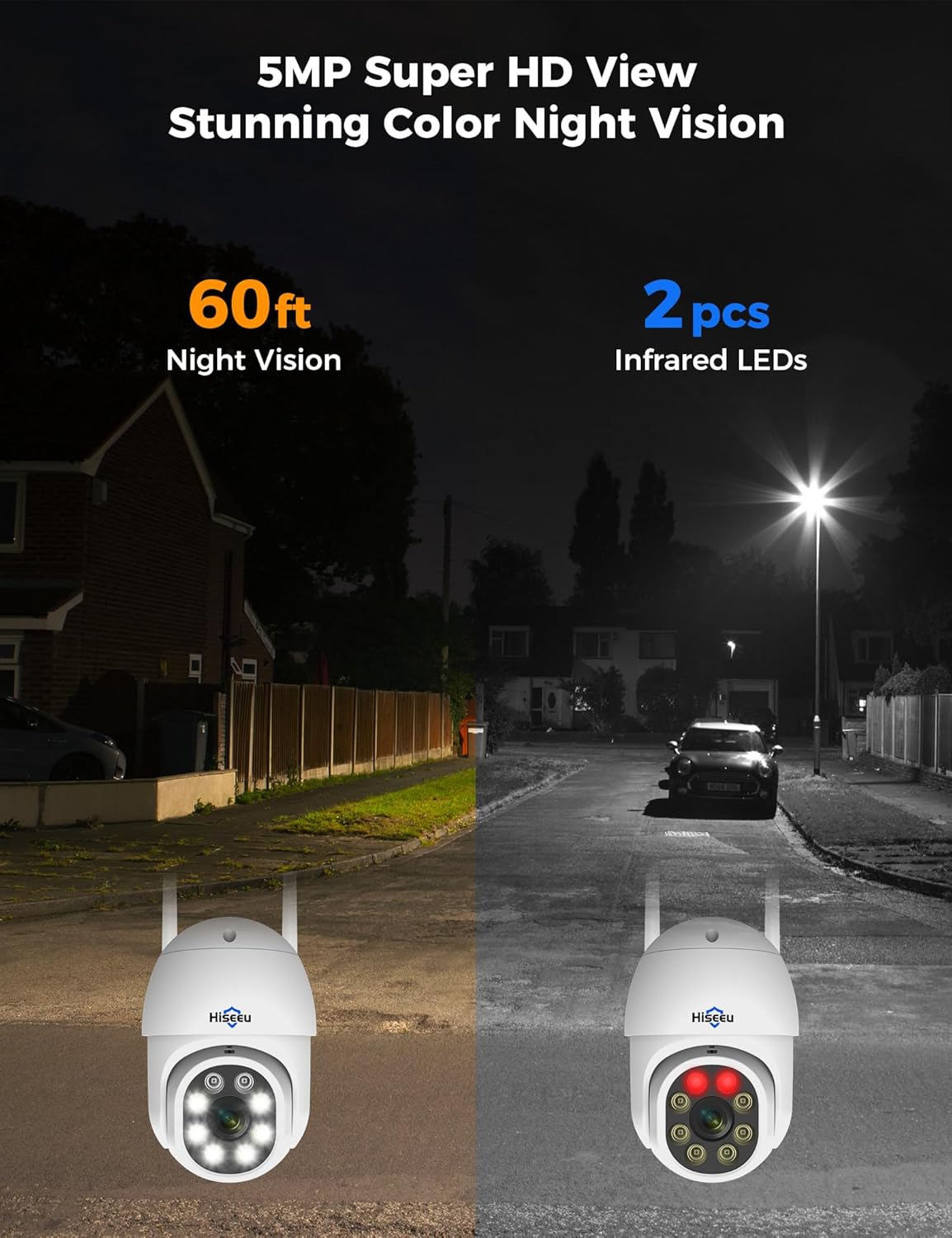
Figur 7: Comparison of night vision capabilities, including 5MP Super HD and Color Night Vision up to 60ft.
4.6 Alexa-integration
Integrate your Hiseeu system with Alexa for voice control and viewing:
- Enable Alexa Service Authorization: In the Eseecloud app's advanced settings, enable Alexa service authorization.
- Search Eseecloud Skill: Open the Alexa app, go to "Skills & Games," and search for "Eseecloud."
- Enable to Use: Input your Eseecloud account and password, then select "Discover Devices."
- View on Echo Show: After discovery, you can view your cameras on compatible Alexa devices like Echo Show.
Note: You must name the device in the Eseecloud app, otherwise Alexa may not find it.

Figur 8: Hiseeu system integration with Alexa for convenient voice control and viewing.
5. Vedligeholdelse
- Regelmæssig rengøring: Rengør kameralinserne og huset med jævne mellemrum med en blød klud.amp klud for at sikre en klar billedkvalitet. Undgå slibende rengøringsmidler.
- Tjek forbindelser: Sørg for, at alle strøm- og netværkskabler er korrekt tilsluttet og ikke er beskadigede.
- Firmwareopdateringer: Check the Eseecloud app regularly for firmware updates to ensure optimal performance and security.
- Waterproof Cap: For outdoor installations, ensure the waterproof cap is correctly installed on the Ethernet port to prevent water ingress.
Video 2: How to use a waterproof cap. This video demonstrates the correct installation of the waterproof cap for the camera's Ethernet port, crucial for outdoor durability.
6. Fejlfinding
- Intet billede/signal: Check power connections for both NVR and cameras. Ensure cameras are within range of the NVR's wireless signal. Verify NVR is connected to the monitor correctly.
- Dårlig Wi-Fi-forbindelse: Ensure the NVR is connected to your router via Ethernet. Check that cameras are connected to a 2.4GHz Wi-Fi network. Reduce distance between cameras and NVR/router if possible.
- Problemer med bevægelsesdetektion: Adjust motion detection sensitivity and ensure detection areas are correctly configured in the app.
- Problemer med appforbindelse: Verify your phone has a stable internet connection. Ensure the Eseecloud app is updated to the latest version. Restart the app or your phone if necessary.
7. Specifikationer
| Feature | Specifikation |
|---|---|
| Mærke | Hiseeu |
| Forbindelsesteknologi | Wired, Wireless (2.4GHz) |
| Videooptagelsesopløsning | 5MP (2640 pixels) |
| Antal kanaler | Op til 16 |
| Hukommelseslagringskapacitet | 3 TB HDD (built-in) |
| Strømkilde | Elektrisk med ledning |
| Varedimensioner (L x B x H) | 8 x 10 x 10 tommer |
| Operativsystemkompatibilitet | Android, iOS |
| Anbefalede anvendelser | Overvågning |
| Kompatible enheder | Smartphones |
| Night Vision Range | 65 fod |
| Billedhastighed | 15 fps, 24 fps, 30 fps |
| Optagetilstand | Kontinuerlig, bevægelsesdetektion |
| Hardware-interface | 802.11 ac/b/g/n |
| Linsetype | Fast |
| Video input | CVBS |
| Varens vægt | 15.37 pund |
8. Garanti og support
Your Hiseeu Wireless Security Cameras System comes with a 12 måneders begrænset garanti. The actual warranty period shall be implemented according to the requirements of local laws and regulations.
For any questions or support needs, the Eseecloud app provides one-on-one 7/24 online support. Please contact customer service directly through the app to resolve any issues.


