1. Introduktion
The GILAYGROW 4K Waterproof Camera is designed to capture your adventures both underwater and on land. With its robust waterproof capabilities and high-resolution imaging, it's an ideal companion for various outdoor and water-based activities. This manual provides essential information for setting up, operating, and maintaining your camera.
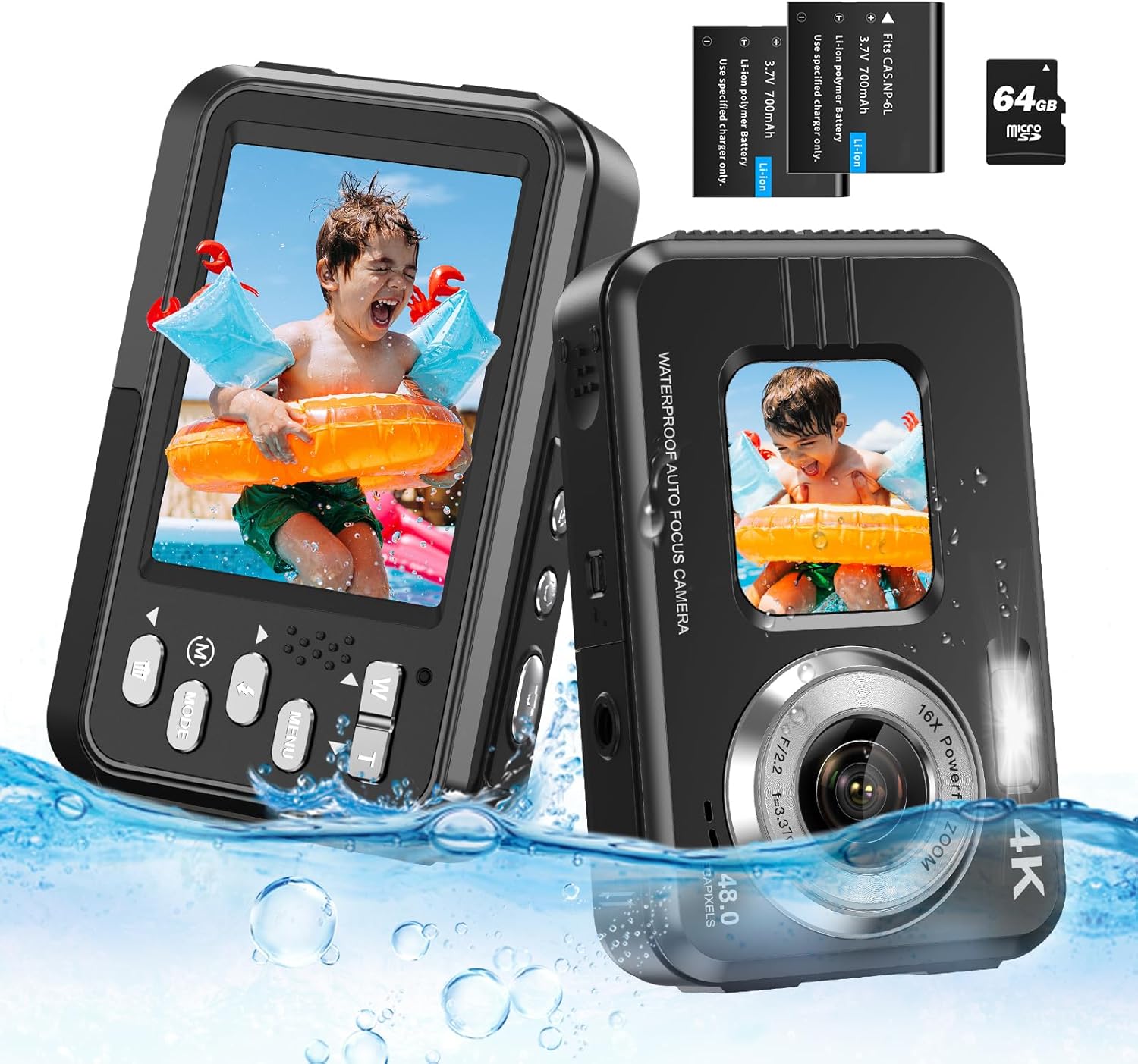
Image: The GILAYGROW 4K Waterproof Camera, showcasing its dual screens and waterproof design.
2. Hvad er der i æsken
Upon unboxing your GILAYGROW 4K Waterproof Camera, please ensure all the following items are present:
- Kamerahus
- 64 GB Micro SD-kort
- 2 x Lithium-Ion Polymer Batteries
- USB opladningskabel
- Camera Pouch/Case
- Snor/håndledsrem
3. Opsætning
3.1. Inserting the Battery and Micro SD Card
Before first use, fully charge the batteries. To insert the battery and Micro SD card:
- Locate the battery compartment on the side of the camera.
- Push the tiny latch and hold it, then press with another hand to slide the door open.
- Open the battery door completely.
- Insert one of the provided Lithium-Ion Polymer batteries into the compartment, ensuring correct polarity as indicated by the arrows.
- Insert the 64GB Micro SD card into its designated slot. Ensure it clicks into place.
- Close the battery door securely until it latches.


Image: Visual guide for opening the battery compartment and inserting the battery.
3.2. Opladning af kameraet
Connect the camera to a power source using the provided USB charging cable. The charging indicator light will illuminate. Once fully charged, the light will change or turn off.
Video: A detailed demonstration of how to set up the camera, including battery and SD card insertion, and initial charging. This video also highlights the camera's dual-screen functionality and shows it being used underwater.
4. Betjeningsvejledning
4.1. Tænd/sluk
Press and hold the power button (usually located on the top or side) to turn the camera on or off.
4.2. Dual Screen Functionality
The camera features a 2.8-inch rear screen and a 1.7-inch front selfie screen. A dedicated button on top allows for easy switching between the two screens, enabling convenient self-portraits and group shots.

Image: The camera displaying its dual-screen capability, ideal for selfies and regular photography.
4.3. Optagelse af fotos og videoer
Press the shutter button (typically on top) to capture a photo. To record a video, switch to video mode (if applicable via the 'Mode' button) and press the shutter button to start/stop recording.

Image: Icons indicating 4K video and 48MP photo resolution, highlighting the camera's capture quality.
4.4. Zoomfunktionalitet
Utilize the 'W' (Wide) and 'T' (Telephoto) buttons to adjust the 16X digital zoom, allowing you to get closer to your subjects.

Image: An underwater scene illustrating the camera's 16x zoom capability to capture distant subjects.
4.5. Flash and Other Features
The camera includes a built-in fill light for low-light conditions. Explore other features such as anti-shake, time-lapse shooting, filters, and smile capture through the camera's menu options.

Image: A visual comparison demonstrating the effectiveness of the camera's fill light in enhancing visibility underwater.
5. Brugsscenarier
This camera is designed for versatility and can be used in various environments:
- Underwater Photography: Waterproof up to 11 feet (3.35 meters) without an additional case, it's perfect for snorkeling, swimming, and shallow diving.
- Vandsport: Ideal for capturing moments while surfing, kayaking, or enjoying other water-based activities.
- Land Photography: Functions as a compact digital camera for everyday use, capturing photos and videos on land.

Image: A collage illustrating diverse usage scenarios for the camera, including surfing, snorkeling, beach outings, and pool activities.
Video: A demonstration of the camera's waterproof capabilities and its ease of use for both underwater and land photography, including a child using it in a hot tub and outdoors.
6. Vedligeholdelse
- Rensning: After using in saltwater, rinse the camera thoroughly with fresh water and dry it with a soft cloth.
- Forseglinger: Regularly inspect the battery compartment seal for any debris, sand, or damage. Ensure it is clean and properly sealed before each use in water to maintain waterproofing.
- Opbevaring: Opbevar kameraet et køligt og tørt sted, væk fra direkte sollys og ekstreme temperaturer.
- Batteripleje: Fjern batterierne, hvis kameraet ikke skal bruges i en længere periode.
7. Fejlfinding
| Spørgsmål | Mulig årsag | Løsning |
|---|---|---|
| Kameraet tændes ikke | Low battery; Battery not inserted correctly | Charge battery; Re-insert battery correctly |
| Kan ikke tage billeder/videoer | SD card full; SD card not formatted; SD card error | Slet files; Format SD card (backup data first); Try a different SD card |
| Vandlækage | Battery compartment not sealed properly; Damaged seal | Ensure compartment is securely closed; Inspect and clean seal; Contact support if damaged |
| Fogging on lens/screen | Temperature difference; High humidity | Allow camera to acclimate to temperature; Store with desiccant packets |
8. Specifikationer
- Modelnavn: Undervands kamera
- Modelnummer: WDC901
- Effektiv stillopløsning: 48 MP
- Videoopløsning: 4K (2160p)
- Vandtæthedsdybde: 11 fod
- Digital zoom: 16x
- Front Screen Size: 1.7 tommer
- Rear Screen Size: 2.8 tommer
- Fotosensorteknologi: CMOS
- Billedstabilisering: Digital
- Hukommelseslagring: Supports up to 64GB Micro SD (included)
- Batteritype: Lithium-Ion Polymer (2 included)
- Forbindelse: Micro USB
- Særlige funktioner: Dual Screen, Face Detection, Anti-Shake, Selfie, Time-lapse, Slow Motion Recording, Fill Light
9. Garanti og support
GILAYGROW provides an impressive 18-måneders udskiftning og livstidsgaranti for your camera. If you encounter any issues, including damage, defects, missing accessories, or dissatisfaction with the product, please do not hesitate to contact our dedicated customer support team.
E -mail til kundesupport: support@gilaygrow.com
Our team is committed to providing high-quality items and professional, responsive customer support.