1. Introduktion
This manual provides detailed instructions for the proper use and maintenance of your Dollarfix EF18 OBD2 Scanner. Please read this manual thoroughly before operating the device to ensure correct usage and to prevent damage.
The Dollarfix EF18 is a diagnostic tool designed to read and clear engine fault codes, display live data, and perform various diagnostic tests on OBDII/EOBD/CAN compliant vehicles manufactured after 1996.
2. Produktet er slutview
2.1 Enhedskomponenter
The Dollarfix EF18 OBD2 Scanner features a compact design with a clear LCD screen and intuitive controls.

Billede 1: Front view of the Dollarfix EF18 OBD2 Scanner, showing the display screen, navigation buttons (up, down, OK, back), and the OBD2 connector cable.
2.2 Nøglefunktioner
- Fuld OBD2-funktioner: Reads and clears Diagnostic Trouble Codes (DTCs), turns off the Check Engine Light (MIL).
- Live datastrøm: Displays real-time vehicle sensor data in text and graph format.
- Frys rammedata: Captures a snapshot of vehicle conditions when an emission-related fault occurs.
- I/M-parathedsstatus: Checks the operational status of the emission system monitors.
- O2-sensortest: Henter og views Testresultater for O2-sensormonitor.
- Test af fordampningssystem: Starter en lækagetest for køretøjets EVAP-system.
- Køretøjsoplysninger: Henter VIN, CIN og CVN.
- Batteri Voltage Monitor: Displays real-time 12V battery voltage.
- Flersproget support: Supports eight languages.
- Plug-and-Play-betjening: No external power or batteries required for basic functions.

Billede 2: The Dollarfix EF18 scanner screen showing icons for various functions including Read Code, Clear Code, Live Data, I/M Readiness, Vehicle Info, Freeze Frame, EVAP Monitor Test, O2 Monitor Test, and On-board Monitor Test.
3. Opsætning
The Dollarfix EF18 scanner is designed for plug-and-play operation. Follow these steps to begin using the device:
- Find OBD2-porten: The OBD2 port is typically located under the dashboard on the driver's side. Refer to your vehicle's owner's manual for the exact location.
- Tilslut scanneren: Plug the EF18 scanner's OBD2 connector into your vehicle's OBD2 port.
- Tænd bilens tænding: Turn the vehicle's ignition to the "ON" position (engine can be off or running, depending on the test). The scanner will power on automatically.
- Start diagnose: The scanner will automatically link to the vehicle's computer. Once linked, you can navigate the menu to select desired diagnostic functions.

Billede 3: Visual guide showing three steps: 1. Plug into OBD2 Port, 2. Turn on the car (ignition), 3. Start diagnosis by pressing the start engine button.
4. Betjeningsvejledning
Use the navigation buttons (Up, Down, OK, Back) on the device to select and confirm menu options.
4.1 Læsning og sletning af koder
- From the main menu, select "OBDII/EOBD".
- Choose "Read Codes" to view current, pending, or historic Diagnostic Trouble Codes (DTCs).
- To clear codes, select "Clear Codes". Confirm the action when prompted. Note: Clearing codes will also turn off the Check Engine Light (MIL) and erase freeze frame data. Ensure you have recorded any necessary information before clearing codes.
4.2 Live-datastrøm
This function displays real-time data from the vehicle's sensors.
- From the "OBDII/EOBD" menu, select "Live Data".
- Det kan du view data in text format or graphical format for selected parameters.
4.3 I/M Readiness Status
Checks if the various emission-related systems on the vehicle are operating correctly and are ready for inspection and maintenance testing.
- From the "OBDII/EOBD" menu, select "I/M Readiness".
- The screen will display the status of various monitors (e.g., Misfire Monitor, Fuel System Monitor, O2 Sensor Monitor). "OK" indicates the monitor has completed its test, "INC" indicates incomplete, and "N/A" indicates not applicable.
4.4 Batteri Voltage Skærm
Allows for a quick check of the vehicle's 12V battery voltage.
- From the main menu, select "Battery".
- Det aktuelle batteri voltage vises på skærmen.

Billede 4: The Dollarfix EF18 scanner connected to a vehicle, illustrating its capability to perform Oxygen Sensor Test, EVAP System Test, and I/M Ready State checks.

Billede 5: The Dollarfix EF18 scanner screen showing a DTC Lookup function (P0006), alongside icons representing DTC Reading & Clearing, Live Data Monitor, Freeze Frame, Battery Voltage Display, and Read Vehicle Information.
5. Vedligeholdelse
- Rensning: Use a soft, dry cloth to clean the scanner's exterior. Do not use abrasive cleaners or solvents.
- Opbevaring: Opbevar enheden et tørt, køligt sted, væk fra direkte sollys og ekstreme temperaturer.
- Kabelpleje: Avoid bending or twisting the OBD2 cable excessively. Ensure the connector is clean and free of debris before plugging it into the vehicle.
6. Fejlfinding
- Scanneren tænder ikke:
- Ensure the OBD2 connector is securely plugged into the vehicle's port.
- Kontroller, at køretøjets tænding er i positionen "ON".
- Check the vehicle's fuse for the OBD2 port (consult your vehicle's manual).
- Linking Error / Communication Failure:
- Confirm the vehicle is OBDII compliant (most vehicles after 1996).
- Sørg for, at tændingen er "ON", og at motoren er slukket eller kører som krævet i testen.
- Tjek for eventuelle løse forbindelser.
- Try connecting to a different OBDII compliant vehicle to rule out scanner malfunction.
- "DTCs Not Found" Message:
- This indicates that no Diagnostic Trouble Codes are currently stored in the vehicle's computer.
7. Specifikationer
| Feature | Detalje |
|---|---|
| Model | EF18 |
| Mærke | Dollarfix |
| Kompatibilitet | OBDII/EOBD/CAN compliant vehicles (most after 1996) |
| Understøttede protokoller | ISO14230-4 KWP, ISO15765-4 CAN, ISO9141-2, J1850 VPW, SAE J1850 PWM |
| Vise | Baggrundsbelyst LCD-skærm |
| Strømkilde | Vehicle OBD2 port (powered by vehicle's 12V battery, no internal battery required for operation) |
| Dimensioner | 6.69 x 2.76 x 2.76 tommer (17.0 x 7.0 x 7.0 cm) |
| Vægt | 260 g |
| Understøttede sprog | 8 sprog |
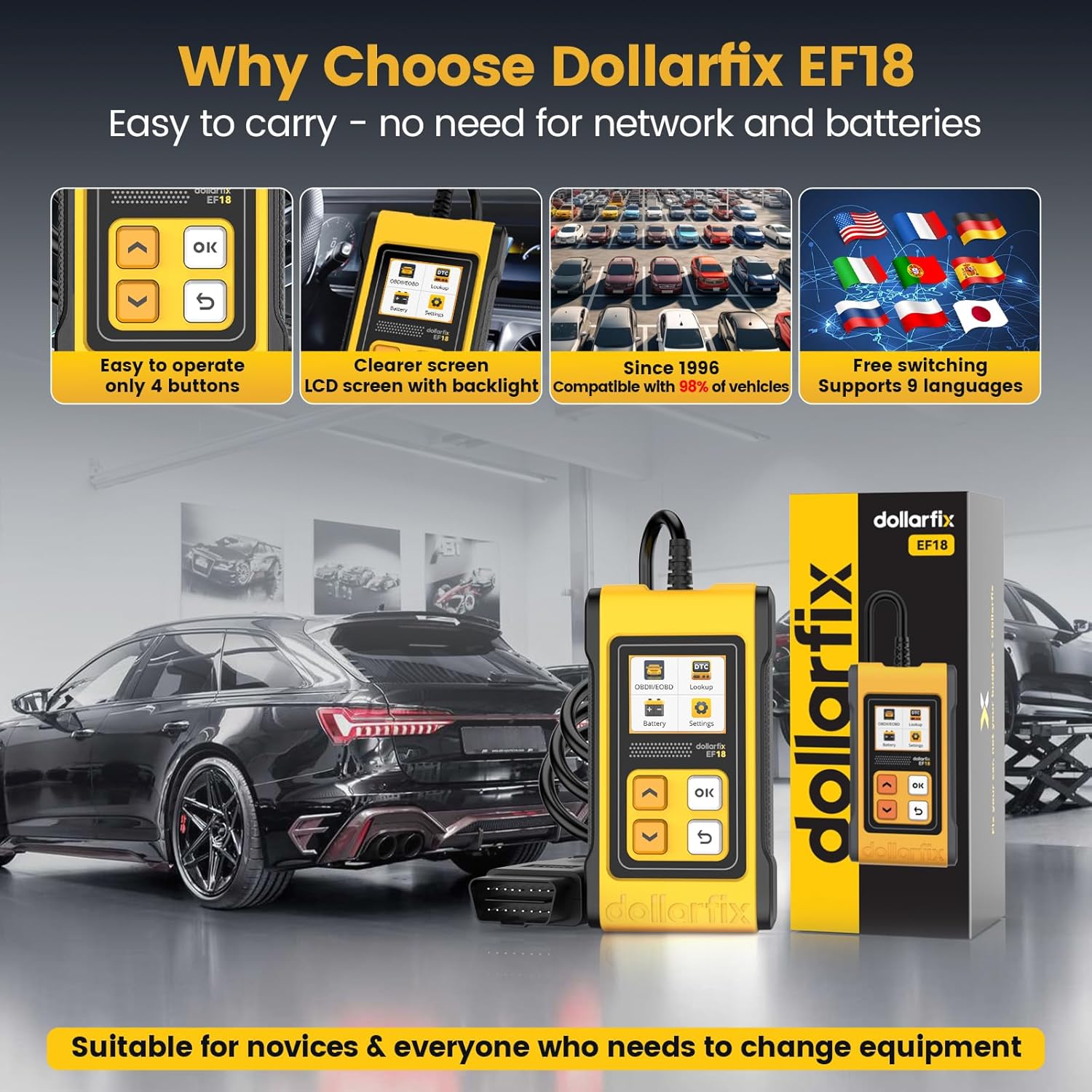
Billede 6: The Dollarfix EF18 scanner shown with its compact size, clear backlit LCD screen, simple 4-button operation, and flags representing its 8-language support. It also emphasizes compatibility with vehicles since 1996.
8. Garanti og support
For warranty information and technical support, please refer to the contact details provided with your product packaging or visit the official Dollarfix webwebsted.
Fabrikant: Dollarfix
ASIN: B0CWLDMC1P
UPC: 768297280023


