1. Introduktion
This manual provides essential information for the setup, operation, and maintenance of your Night Owl 24-Channel 4K Power Over Ethernet (PoE) Network Video Recorder (NVR) security system. This system is designed to provide comprehensive surveillance with advanced features such as 4K resolution, 2-Way Audio, and smart detection alerts. Please read this manual thoroughly before installation and use to ensure proper functionality and safety.
2. Hvad er der i æsken
Your Night Owl NVR security system package includes the following components:
- 1 x 24 Channel Wired NVR with 4TB Pre-Installed Hard Drive
- 1 x NVR-strømadapter
- 1 x 6 ft. HDMI Cable
- 1 x RJ-45 Cable (Ethernet)
- 1 x USB-mus
- 1 x Support Material Packet (including Quick Setup Guide)

The main Night Owl 24-Channel Network Video Recorder (NVR) unit, a central component of the security system.
3. Opsætning
3.1 NVR Initial Connection
- Tilslut strøm: Plug the NVR Power Adapter into the NVR's power input and then into a power outlet.
- Tilslut til skærm: Use the included HDMI Cable to connect the NVR's HDMI output to an HDMI input on your TV or monitor.
- Tilslut mus: Plug the USB Mouse into one of the NVR's USB ports.
- Opret forbindelse til netværk: Use the RJ-45 Ethernet Cable to connect the NVR's LAN port to your router or network switch for internet access.
- Tænd: The NVR should power on automatically. Follow the on-screen prompts for initial setup, including setting a password.

An image of the Night Owl NVR unit, emphasizing its key features: support for 24 channels, a 4TB SATA hard drive for storage, and 4K resolution capabilities.

The rear panel of the Night Owl NVR, detailing its 24 Power Over Ethernet (PoE) ports for camera connections, LAN port for network, HDMI and VGA outputs for display, and USB ports for peripherals.
3.2 Connecting Wired PoE Cameras
Your Night Owl NVR supports up to 16 wired IP cameras (sold separately) via Power Over Ethernet (PoE) ports. This means a single Ethernet cable provides both power and video/audio transmission.
- Tilslut kameraer: Plug one end of an Ethernet cable into a PoE port on the NVR and the other end into the Ethernet port of your compatible Night Owl wired IP camera.
- Kameraregistrering: The NVR should automatically detect and configure the connected cameras. You may need to follow on-screen instructions to finalize the setup.
3.3 Connecting Wi-Fi Cameras & Devices
The NVR also supports adding up to 8 compatible Wi-Fi cameras or devices (sold separately) for expanded coverage.
- Opsætning af mobilapp: Download the free Night Owl Protect mobile app on your iOS or Android device.
- Bluetooth-parring: Use the secure app-based Bluetooth setup feature to pair your mobile device with the NVR.
- Add Wi-Fi Devices: Follow the app's instructions to add compatible Night Owl Wi-Fi cameras or devices to your system. Ensure they are connected to your home Wi-Fi network.

A smartphone displaying the Night Owl Protect mobile app, showcasing features like secure app-based Bluetooth setup, live view, playback, and real-time alerts.
3.4 Setup Videos (Illustrative Examplæs)
This video demonstrates the general process of connecting Wi-Fi cameras to a Power Over Ethernet (PoE) Network Video Recorder (NVR) system. While specific to Reolink, the steps for network configuration and adding cameras are broadly applicable to similar NVR systems like the Night Owl NVR-FTN8-164.
An unboxing and setup guide for a 4K security camera system, providing a visual overview of components and initial configuration steps common to many NVR systems, including the Night Owl NVR-FTN8-164.
This video explains camera compatibility with a DVR system. It provides general guidance on checking if various security camera types (Analog, AHD, TVI, CVI, IP) are supported by a DVR, which can be useful for understanding compatibility with the Night Owl NVR-FTN8-164.
A brief preview showcasing features of a DVR security camera system, including remote viewing and motion detection alerts. This illustrates common functionalities found in the Night Owl NVR-FTN8-164 system.
An unboxing video for a 16-channel DVR, demonstrating the typical contents and initial presentation of a digital video recorder system, similar to the Night Owl NVR-FTN8-164.
4. Betjening af systemet
4.1 Live View & Afspilning
Få adgang til live kamerafeeds og genindlæsview optaget footage through the NVR connected to a TV/monitor or via the Night Owl Protect mobile app.
- NVR-grænseflade: Use the USB mouse to navigate the NVR's on-screen menu. Select cameras for live viewing or access the playback menu to review recordings from the 4TB hard drive.
- Mobil app: Open the Night Owl Protect app, select your NVR, and choose the desired camera for live viewing or access the playback feature to review optagede begivenheder.
4.2 2-vejs lyd
Compatible Night Owl cameras (sold separately) feature 2-Way Audio, allowing you to listen and talk through the camera.
- Mobil app: I live view of a 2-Way Audio compatible camera, tap the microphone icon to speak and the speaker icon to listen.
- Preset Voice Alerts: Utilize the app to trigger preset voice alerts or a camera siren to deter unwanted visitors.

Illustration of the 2-Way Audio feature, showing a person speaking to someone at their door via a compatible Night Owl camera and mobile app.
4.3 Detection Alerts
Receive real-time alerts on your mobile device when the system detects human or vehicle activity.
- Setup Alerts: Configure detection zones and alert preferences within the NVR's settings or through the mobile app.
- Meddelelser: Alerts will be sent to your paired mobile device, allowing you to quickly respond to important events.

A smartphone screen displaying real-time alerts from the Night Owl Protect mobile app, indicating detection of a human and a vehicle by the security cameras.
4.4 Night Vision & Spotlight
Compatible 4K wired IP cameras offer full-color day viewing and full-color night vision up to 100 ft, enhanced by built-in spotlights.
- Automatisk aktivering: Night vision and spotlights typically activate automatically in low-light conditions.
- Konfiguration: Adjust night vision and spotlight settings through the NVR interface or mobile app if available.

A compatible Night Owl security camera (sold separately) featuring a bright built-in spotlight for enhanced night vision and deterrence.
4.5 Udvidelse af dit system
The NVR-FTN8-164 is expandable, allowing you to customize your security coverage.
- Wired Cameras: Add up to 16 compatible wired IP cameras to the available PoE ports.
- Wi-Fi-enheder: Integrate up to 8 compatible Night Owl Wi-Fi devices, including additional cameras or doorbell cameras.

A detailed chart illustrating the compatibility of various Night Owl wired and Wi-Fi cameras with different NVR series, including the FTN8 (NVR-FTN8-164) model.
5. Vedligeholdelse
5.1 Harddiskstyring
Your NVR comes with a 4TB pre-installed hard drive for local storage, ensuring your recordings are private and accessible without monthly fees.
- Lagerkapacitet: 4TB harddisken giver ample space for continuous recording. The exact duration depends on the number of cameras, resolution, and recording settings.
- Overwrite Function: Once the hard drive is full, the system will automatically overwrite the oldest footage for at fortsætte optagelsen.
- HDD Compatibility: For optimal performance and reliability, it is recommended to use NAS/Surveillance/Enterprise-Class HDDs if replacing or upgrading the drive.
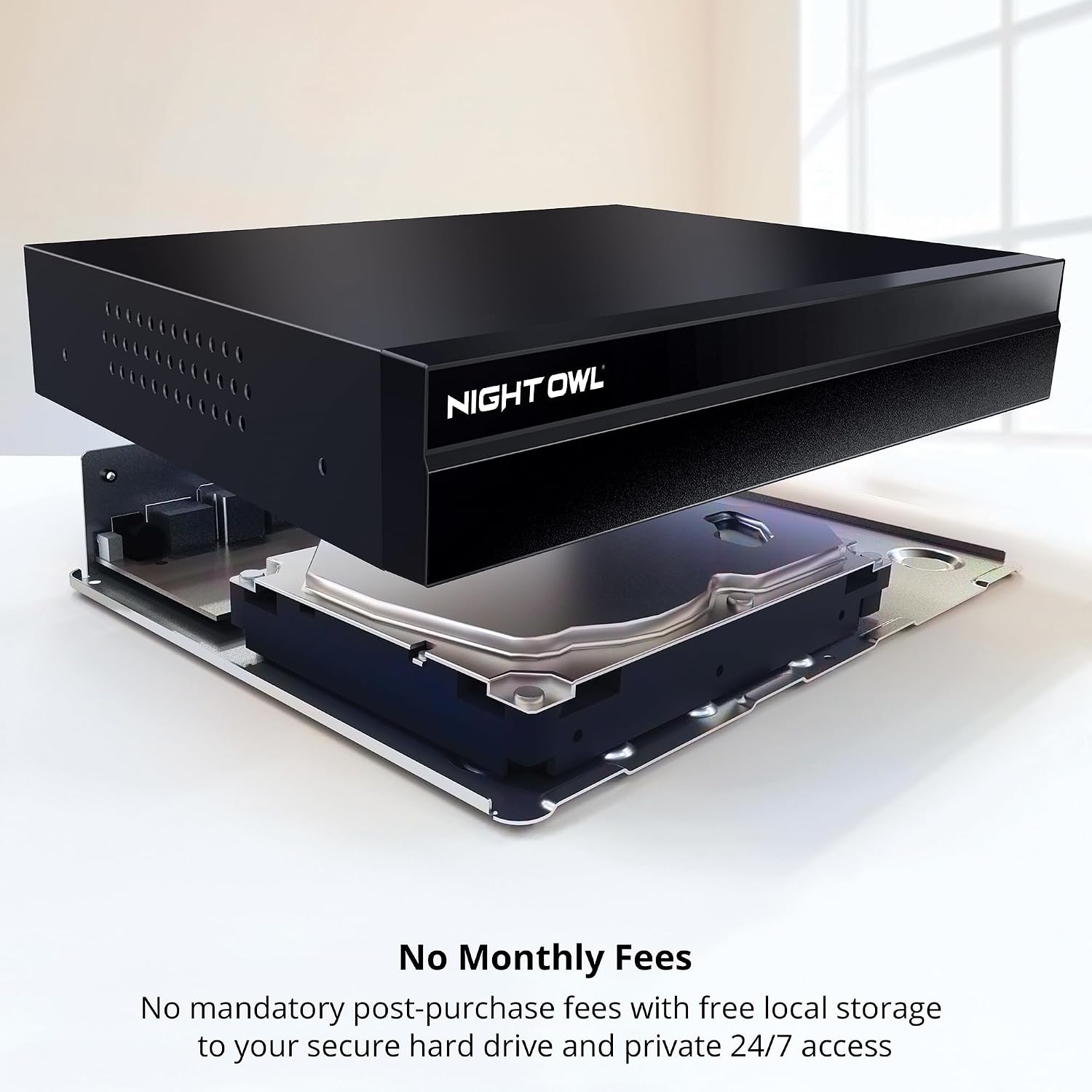
En intern view of the Night Owl NVR, highlighting the pre-installed 4TB hard drive where all recordings are securely stored locally, ensuring no monthly fees.
This video provides information on recommended hard drives (HDDs) compatible with an NVR system. It highlights the importance of using NAS/Surveillance/Enterprise-Class HDDs for optimal performance and reliability, relevant for the 4TB hard drive in the Night Owl NVR-FTN8-164.
5.2 Generel pleje
- Rensning: Use a soft, dry cloth to clean the NVR and cameras. Avoid harsh chemicals or abrasive materials.
- Placering: Ensure the NVR is placed in a well-ventilated area to prevent overheating. Keep cameras free from obstructions that could block their view.
- Vejrbestandighed: Compatible cameras are built for outdoor use and can withstand various weather conditions.
6. Fejlfinding
If you encounter issues with your Night Owl NVR system, consider the following common troubleshooting steps:
- Intet signal på displayet: Check all cable connections (HDMI, power). Ensure the TV/monitor is set to the correct input source.
- Kamera viser ikke: Verify the camera's power and Ethernet connection. Ensure the camera is compatible with the NVR.
- Ingen fjernadgang: Confirm the NVR is connected to the internet via the Ethernet cable. Check your router's internet connection. Ensure the mobile app is updated and correctly configured.
- Ingen optagelse: Check the hard drive status in the NVR settings. Ensure recording schedules are properly set.
- Falske advarsler: Adjust motion detection sensitivity and define specific detection zones within the NVR settings or mobile app to minimize unwanted alerts.
7. Specifikationer
| Feature | Detalje |
|---|---|
| Modelnummer | NVR-FTN8-164 |
| Mærke | Natugle |
| Kanaler | 24 (Up to 16 Wired IP + 8 Wi-Fi) |
| Opløsning | 4K |
| Hukommelseslagringskapacitet | 4 TB (forudinstalleret harddisk) |
| Forbindelsesteknologi | Ethernet (PoE) |
| Produktdimensioner | 4.48 x 13.46 x 15.27 tommer |
| Varens vægt | 8.14 pund |
| Fabrikant | Natugle |
8. Garanti og support
For warranty information, technical support, or to access additional resources, please visit the official Night Owl support website or refer to the support material packet included with your system. Ensure you have your model number (NVR-FTN8-164) and serial number ready when contacting support.


