Indledning
Tak for købetasing the iJoy AquaBoost IPX7 Waterproof Speaker. This portable speaker is designed to provide high-quality audio in various environments, including wet conditions, thanks to its IPX7 waterproof rating. It features Bluetooth connectivity, a built-in microphone for hands-free calling, and multiple playback options including FM radio, U Disk, AUX line, and TF card. This manual provides detailed instructions for setup, operation, and maintenance to ensure optimal performance and longevity of your device.

Billede: Forside view of the iJoy AquaBoost speaker retail packaging, highlighting its waterproof capabilities and battery life.
Pakkens indhold
Kontroller venligst pakkens indhold for at sikre, at alle varer er til stede og i god stand.
- iJoy AquaBoost IPX7 Waterproof Speaker (Main unit)
- Opladningskabel (USB)
- Brugervejledning (dette dokument)

Billede: Bagside view of the iJoy AquaBoost speaker packaging, displaying product information and the UPC barcode (0810116712786).
Produkt overview
Familiarize yourself with the various parts and controls of your iJoy AquaBoost speaker.

Billede: Forside og top view of the iJoy AquaBoost speaker, illustrating the speaker grille and the tactile control buttons on the top surface.
Kontrol og porte:
- Power knap: Tryk og hold for at tænde/slukke.
- Lydstyrke op (+): Kort tryk for at øge lydstyrken. Langt tryk for næste nummer.
- Skrue ned for lyden (-): Kort tryk for at sænke lydstyrken. Langt tryk for forrige nummer.
- Afspil/pause knap: Afspil eller sæt musik på pause. Besvar/afslut opkald.
- Mode-knap (M): Switch between Bluetooth, FM, U Disk, AUX, and TF card modes.
- Opladningsport: USB-port til opladning af højttaleren.
- AUX-indgangsport: Til kablet lydforbindelse.
- TF-kortslot: Til afspilning af musik direkte fra et TF-kort (MicroSD).
- USB-port: For playing music directly from a U Disk (USB flash drive).
- Carabiner Loop: For attaching the speaker to bags or other objects.
Opsætning
1. Opladning af højttaleren
Before first use, fully charge your AquaBoost speaker.
- Tilslut det medfølgende USB-opladningskabel til opladningsporten på højttaleren.
- Tilslut den anden ende af USB-kablet til en USB-strømadapter (medfølger ikke) eller en computers USB-port.
- Opladningsindikatorlampen lyser. Den slukker eller skifter farve, når opladningen er færdig.
- En fuld opladning tager cirka 2-3 timer og giver op til 6 timers spilletid.
2. Tænd/sluk
- To turn on, press and hold the Power button until you hear an audible prompt.
- To turn off, press and hold the Power button again until you hear an audible prompt.
Betjeningsvejledning
Bluetooth-parring
The iJoy AquaBoost speaker uses Bluetooth for wireless audio streaming.
- Ensure the speaker is powered on and in Bluetooth pairing mode (indicated by a flashing LED light and/or an audible prompt). If not, press the Tilstand (M) knappen for at skifte til Bluetooth-tilstand.
- Gå til Bluetooth-indstillingerne på din smartphone, tablet eller anden Bluetooth-aktiveret enhed.
- Søg efter available devices. You should see "iJoy AquaBoost" or a similar name in the list.
- Select "iJoy AquaBoost" to connect. Once successfully paired, the LED indicator will become solid, and you will hear a confirmation sound.
- Du kan nu afspille musik fra din enhed via højttaleren.
Note: Højttaleren vil automatisk forsøge at genoprette forbindelsen til den sidst parrede enhed, når den tændes.

Image: The iJoy AquaBoost speaker demonstrating its IPX7 waterproof capability with water splashing, also showing the integrated carabiner for portability.
Håndfri opkald
Når den er tilsluttet via Bluetooth, kan du bruge højttaleren til håndfri opkald.
- Besvar opkald: Tryk på Afspil/pause knap én gang.
- Afslut opkald: Tryk på Afspil/pause én gang under et opkald.
- Afvis opkald: Tryk og hold på Afspil/pause knap.
Playing Music from Other Sources
The speaker supports various playback modes. Press the Tilstand (M) knappen for at bladre gennem dem.
- FM-radio:
I FM-tilstand skal du trykke på Afspil/pause button to auto-scan and save available radio stations. Use the Volumen +/- buttons (long press) to switch between saved stations.
- U Disk (USB Flash Drive) Playback:
Insert a USB flash drive into the USB port. The speaker will automatically switch to U Disk mode and begin playing compatible audio files.
- AUX Line-in:
Connect an audio device using a 3.5mm AUX cable (not included) to the AUX-in port. The speaker will automatically switch to AUX mode.
- TF Card (MicroSD Card) Playback:
Insert a TF (MicroSD) card into the TF card slot. The speaker will automatically switch to TF card mode and play compatible audio files.
Opretholdelse
Rensning
- Tør højttaleren af med en blød, damp klæde.
- Brug ikke slibende rengøringsmidler, alkohol eller kemiske opløsningsmidler.
- Ensure all ports are dry before charging or connecting other devices after exposure to water.
Vandtæthed (IPX7)
The iJoy AquaBoost speaker is IPX7 rated, meaning it can be submerged in water up to 1 meter (3.3 feet) for up to 30 minutes.
- Ensure the charging port and other covers are securely closed before exposing the speaker to water.
- Udsæt ikke højttaleren for saltvand eller andre kemikalier, da dette kan beskadige tætningerne.
- After exposure to chlorinated or saltwater, rinse the speaker with fresh water and dry thoroughly.
- Undgå ekstreme temperaturer.
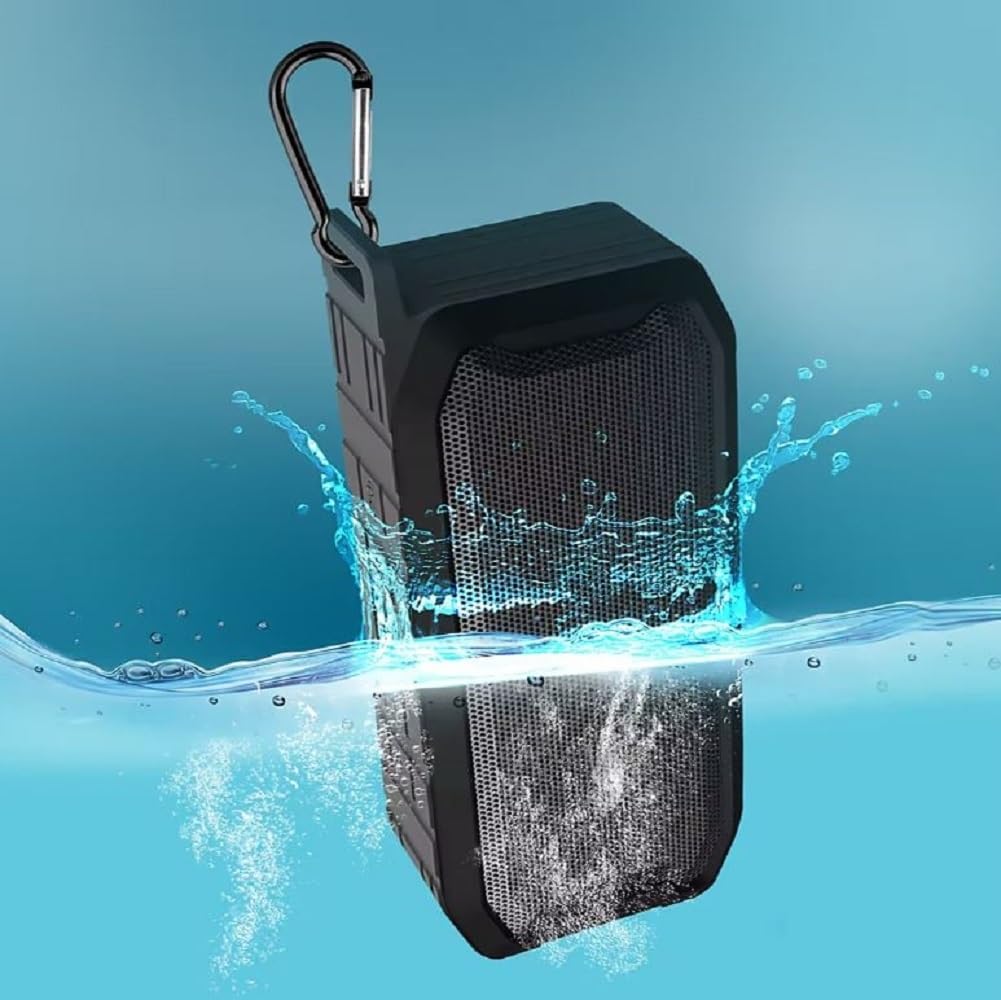
Image: The iJoy AquaBoost speaker submerged in water, illustrating its IPX7 waterproof capability.
Opbevaring
- Opbevar højttaleren et køligt, tørt sted væk fra direkte sollys og ekstreme temperaturer.
- Hvis batteriet opbevares i længere tid, skal det oplades med jævne mellemrum for at bevare dets tilstand.
Fejlfinding
| Problem | Mulig årsag | Løsning |
|---|---|---|
| Højttaleren tænder ikke. | Batteriet er afladet. | Oplad højttaleren helt. |
| Kan ikke parre med Bluetooth-enhed. | Højttaleren er ikke i parringstilstand; Enhedens Bluetooth er slået fra; Højttaleren er for langt fra enheden. | Ensure speaker is in Bluetooth mode (flashing LED). Turn on Bluetooth on your device. Move speaker closer to device (within 10 meters). Forget "iJoy AquaBoost" on your device and try pairing again. |
| Ingen lyd eller lav lydstyrke. | Volume too low on speaker or device; Incorrect mode selected; Audio cable not fully inserted. | Increase volume on both speaker and connected device. Ensure correct mode (Bluetooth, AUX, etc.) is selected. For AUX, ensure cable is fully inserted. |
| Forvrænget lyd. | Lydstyrken er for høj; Enheden er for langt fra højttaleren; Interferens. | Reduce volume. Move device closer to speaker. Move away from other electronic devices that may cause interference. |
| FM-radiomodtagelsen er dårlig. | Svagt signal; Miljøforstyrrelser. | Move to an open area. Try auto-scanning for stations again. |
Specifikationer
| Feature | Detalje |
|---|---|
| Modelnavn | AquaBoost |
| Modelnummer | IJPDQ106 |
| Højttaler type | Bærbar højttaler |
| Vandmodstandsniveau | IPX7 vandtæt |
| Højttaler størrelse | 52 mm |
| Maksimal udgangseffekt | 10 watt |
| Forbindelsesteknologi | Bluetooth |
| Bluetooth-protokol | Bluetooth |
| Batterikapacitet | 1200 mAh |
| Spilletid | Op til 6 timer |
| Funktioner | FM, U Disk, Bluetooth playback, AUX line, TF card |
| Kontrolmetode | Berøringsknapper |
| Produktmål (D x B x H) | 3.82 cm x 7.2 cm x 2.4 cm |
| Varens vægt | 2 pund |
| Inkluderede komponenter | Main speaker unit only (plus charging cable and manual) |
| Farve | Sort |
Garanti og support
The iJoy AquaBoost speaker comes with a Begrænset garanti. For specific warranty terms and conditions, please refer to the warranty card included with your product or visit the official iJoy webwebsted.
For technical support, troubleshooting assistance, or warranty claims, please contact iJoy customer service. Contact information can typically be found on the product packaging or the official iJoy webwebsted.
Fabrikant: iJoy
UPC: 810116712786


