1. Introduktion
The REACHER CR8 is a versatile 4-in-1 bedside device designed to enhance your sleep and daily routine. It integrates a sound machine with 20 soothing sounds, a dual alarm clock, a Bluetooth speaker, and a wireless charging station. This manual provides detailed instructions for setup, operation, and maintenance to ensure optimal performance.

Image 1.1: The REACHER CR8 Sound Machine, showcasing its wireless charging capability and digital time display.
2. Sikkerhedsoplysninger
Please read and follow these safety guidelines carefully before using the device:
- Always follow the manufacturer's instructions for safe operation.
- Keep the device dry and away from heat sources.
- Do not expose yourself to loud noises for extended periods.
- This device is not a toy and should not be used as such.
- Do not use the wireless charging station if the device is damaged or wet.
- Sørg for tilstrækkelig ventilation omkring enheden under drift.
3. Pakkens indhold
Bekræft at alle varer er til stede i pakken:
- REACHER CR8 Sound Machine
- Strømadapter
- Brugermanual
4. Produktet er slutview
Gør dig bekendt med enhedens komponenter og betjeningselementer.

Billede 4.1: Top view of the REACHER CR8, highlighting the control panel and wireless charging area.
Kontrolknapper og porte:
- Power knap: Tænder/slukker enheden.
- Lydvalg: Cycles through 20 soothing sounds.
- Volumenkontrolskive: Adjusts sound and alarm volume.
- Alarm 1/2 knapper: Indstiller og aktiverer Alarm 1 og Alarm 2.
- Snooze knap: Activates snooze for alarms.
- Bluetooth knap: Starter Bluetooth-parringstilstand.
- Lysdæmper urskive: Adjusts display brightness (0-100%).
- DC strømindgang: Tilsluttes strømadapteren.
5. Opsætning
5.1 Initial Setup and Power Connection
- Unpack the REACHER CR8 and place it on a stable, flat surface.
- Connect the provided power adapter to the DC Power Input port on the back of the device.
- Sæt strømadapteren i en almindelig stikkontakt. Displayet lyser.
5.2 Tidsindstilling
The device automatically syncs time via Bluetooth when connected to a smartphone. Manual adjustment may be available through specific buttons (refer to detailed instructions in the full manual if needed).
5.3 Bluetooth -parring
Sådan bruger du Bluetooth-højttalerfunktionen:
- Tryk på Bluetooth knap on the device. The Bluetooth indicator will flash.
- On your smartphone or other Bluetooth-enabled device, search for 'REACHER CR8' in the Bluetooth settings.
- Select 'REACHER CR8' to pair. A confirmation sound will indicate successful pairing.
5.4 Wireless Charging Setup
The integrated wireless charging pad supports Qi-enabled devices.
- Place your compatible smartphone or device on the center of the charging pad located on top of the sound machine.
- Ensure the device is properly aligned for optimal charging. A charging indicator on your phone will confirm charging has begun.
- Note: Cases thicker than 5mm may interfere with wireless charging.
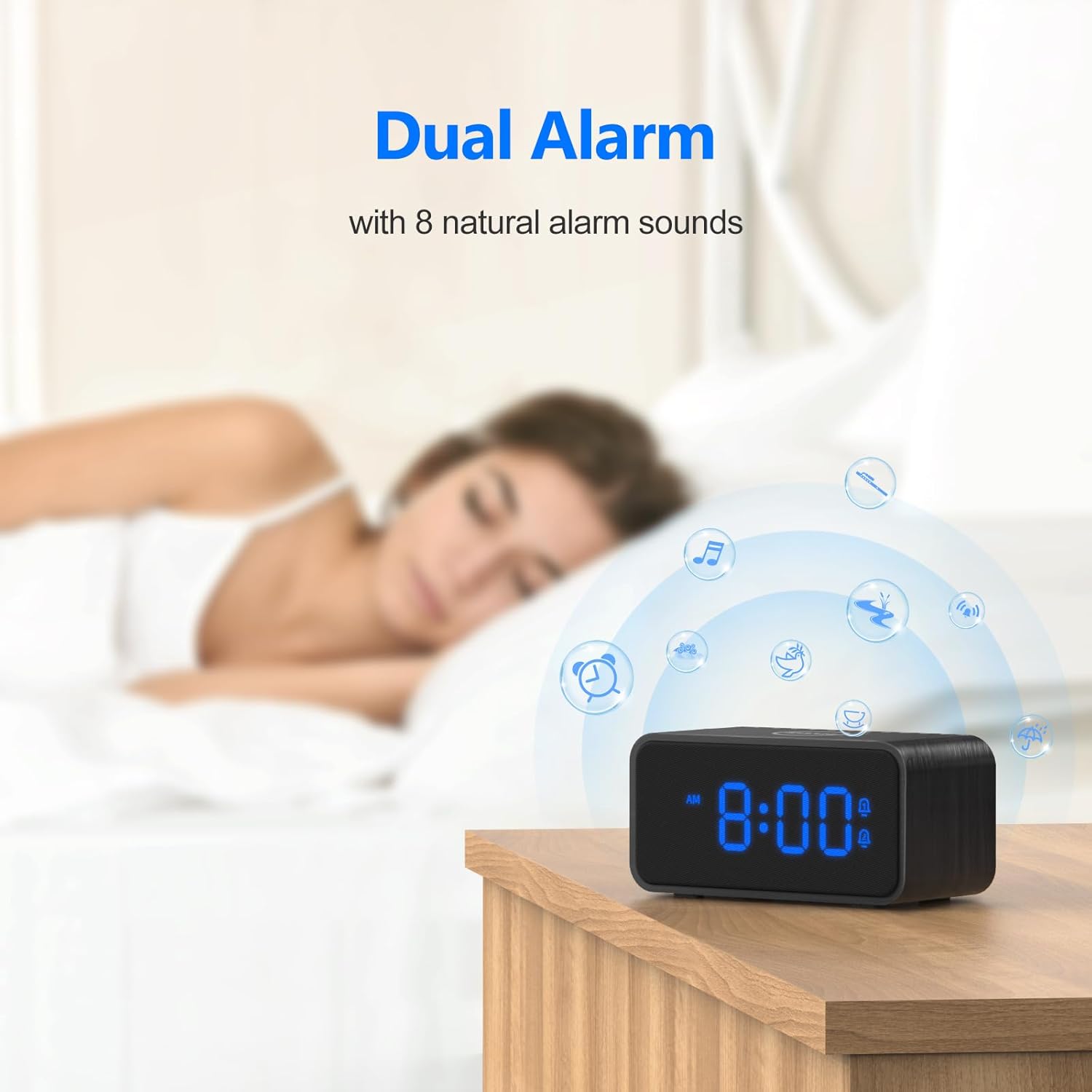
Image 5.1: Illustrates the wireless charging function and case thickness compatibility.
6. Betjeningsvejledning
6.1 Sound Machine Operation
The device offers 20 soothing sounds for relaxation and sleep.
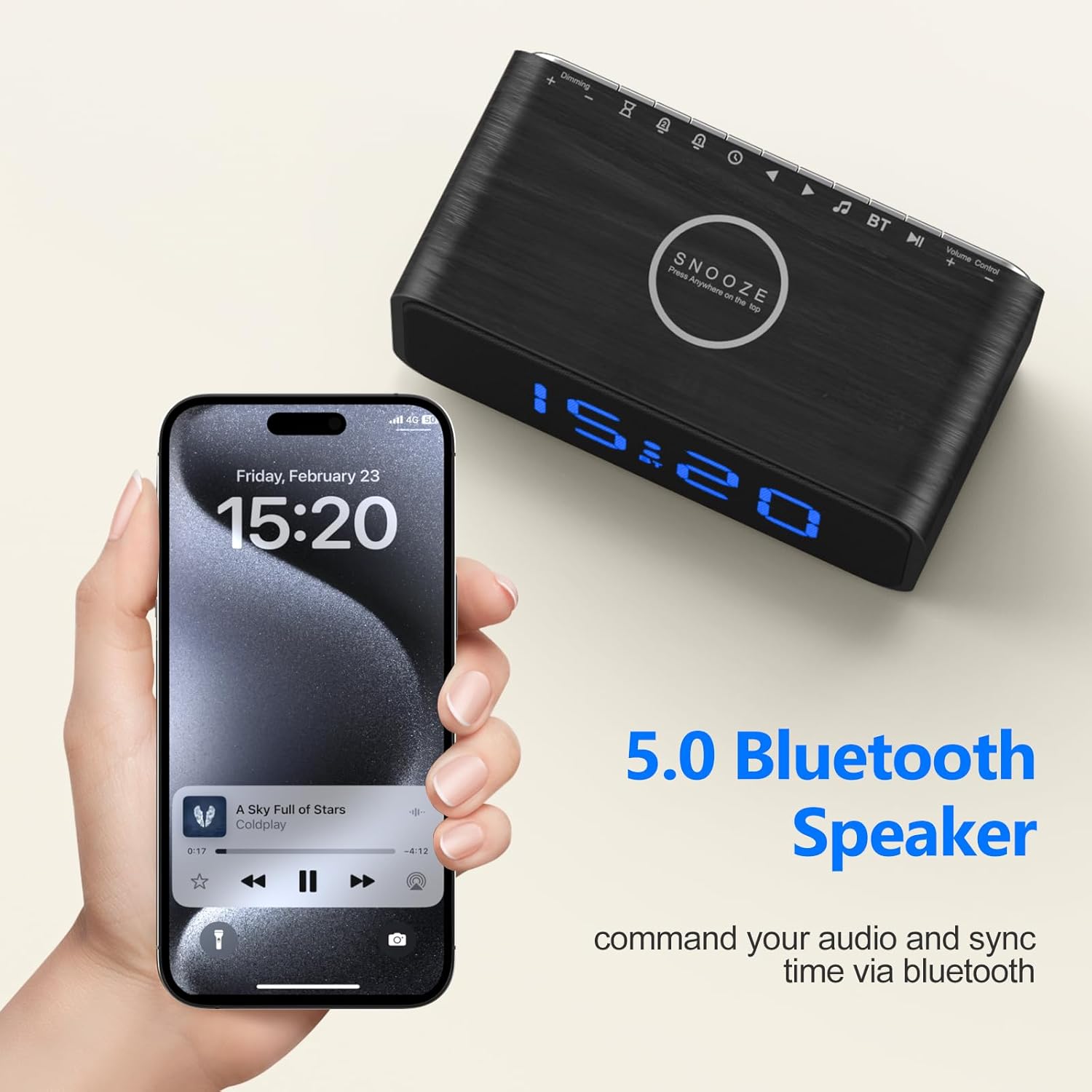
Image 6.1: Visual representation of the 20 soothing sounds available on the device.
- Valg af lyde: Tryk på Lydvalg button to cycle through the 20 available sounds (e.g., rain, fan, ocean wave, white noise).
- Justering af lydstyrke: Drej på Lydstyringskontrol for at øge eller mindske lydniveauet.
- Sleep timer: Activate the sleep timer to automatically turn off the sound after a set duration (e.g., 30, 60, 90, 120 minutes). Refer to the device's specific button for timer settings.
6.2 Vækkeurfunktioner
Set up to two independent alarms with natural wake-up sounds.
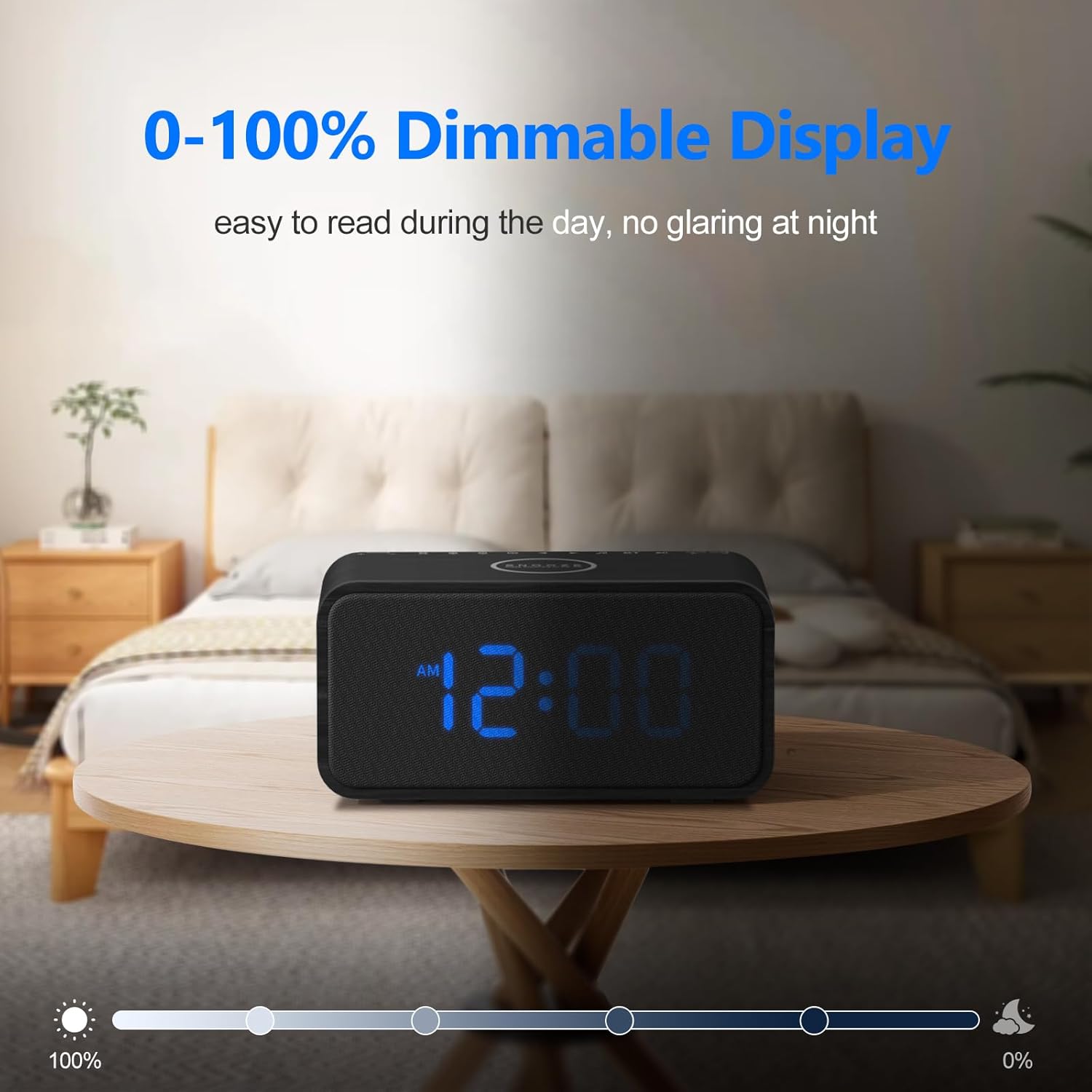
Image 6.2: The dual alarm feature with natural alarm sounds.
- Indstilling af alarmer: Tryk og hold på Alarm 1 or Alarm 2 button to enter alarm setting mode. Use the appropriate buttons (e.g., +/- or navigation buttons) to set the desired wake-up time and alarm sound (8 natural sounds available: Beep, Lullaby, Rain, Ocean Wave, Brook, Bell, Bird, Soft Music). Press the alarm button again to confirm.
- Aktivering/deaktivering af alarmer: Tryk kort på Alarm 1 or Alarm 2 button to toggle the alarm on or off. An alarm icon will appear on the display when active.
- Snooze-funktion: Når en alarm lyder, skal du trykke på Udsæt knap for midlertidigt at slå den fra i 9 minutter.
6.3 Bluetooth højttaler
After successful pairing (Section 5.3), you can stream audio wirelessly.
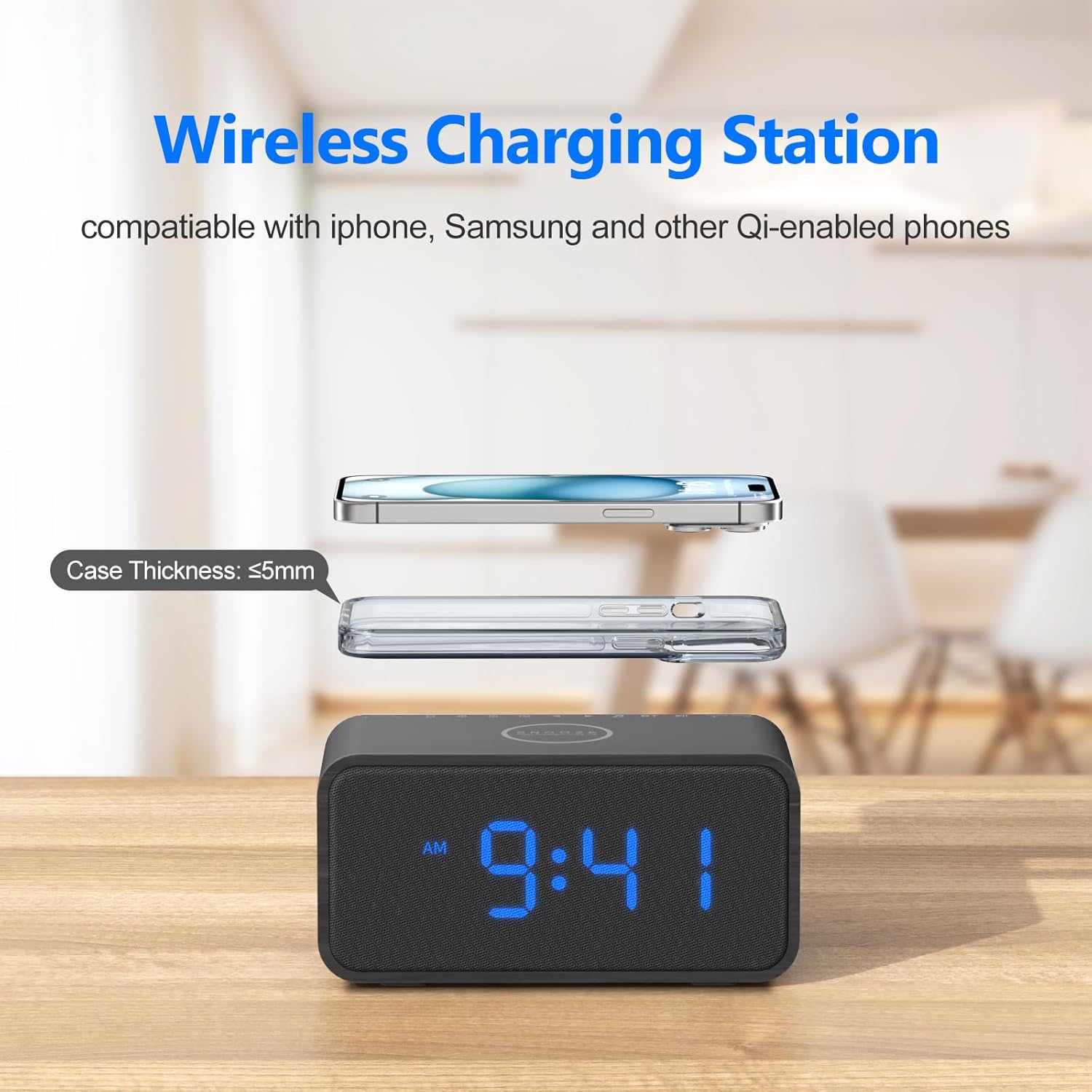
Image 6.3: Using the device as a Bluetooth speaker.
- Play audio from your connected device. The sound will output through the REACHER CR8 speaker.
- Brug Lydstyringskontrol on the sound machine or your connected device to adjust playback volume.
6.4 Displayets lysstyrke
Adjust the display brightness from 0% to 100% to suit your preference.
- Drej på Dimmer Dial (usually located on the back or side) to increase or decrease the display brightness.
6.5 Hukommelsesfunktion
The built-in CR2023 button cell battery saves your last settings, including alarm times, sound preferences, and display brightness, in case of a power outage.
7. Vedligeholdelse
To ensure the longevity and proper functioning of your REACHER CR8:
- Rensning: Brug en blød, tør klud til at rengøre enhedens yderside. Brug ikke flydende rengøringsmidler eller slibende materialer.
- Opbevaring: Når enheden ikke er i brug i længere perioder, skal den opbevares køligt og tørt, væk fra direkte sollys og ekstreme temperaturer.
- Undgå forhindringer: Sørg for, at ventilationsåbningerne ikke er blokeret for at forhindre overophedning.
8. Fejlfinding
If you encounter issues with your REACHER CR8, refer to the following common problems and solutions:
| Problem | Mulig årsag | Løsning |
|---|---|---|
| Enheden tænder ikke. | Strømadapteren er ikke tilsluttet, eller der er en defekt stikkontakt. | Ensure the power adapter is securely plugged into the device and a working electrical outlet. Try a different outlet. |
| Trådløs opladning virker ikke. | Phone misalignment, thick case, or incompatible device. | Reposition your phone on the charging pad. Remove thick phone cases. Verify your device supports Qi wireless charging. |
| Bluetooth kan ikke oprette forbindelse. | Enheden er ikke i parringstilstand eller allerede forbundet til en anden enhed. | Ensure the sound machine is in Bluetooth pairing mode (flashing indicator). Disconnect from other devices. Restart both devices and try pairing again. |
| Alarmen lyder ikke. | Alarmen er ikke aktiveret, eller lydstyrken er for lav. | Check if the alarm is set and activated (alarm icon on display). Increase the alarm volume using the Volume Control Dial. |
| Skærmen er for svag eller for lys. | Dæmperindstillingen skal justeres. | Rotate the Dimmer Dial to adjust the display brightness to your preference. |
9. Specifikationer
| Feature | Detalje |
|---|---|
| Produktdimensioner | 6.7 x 3.4 x 3.1 tommer |
| Vægt | 1.83 pund |
| Modelnummer | CR8 |
| Mærke | REACHER |
| Materiale | Wood, Fabric Display |
| Strømkilde | Elektrisk med ledning |
| Trådløs opladningsoutput | Up to 10W (7.5W for iPhone, 5W for standard Qi) |
| Bluetooth version | 5.0 |
| Beroligende lyde | 20 (Nature tones, white noise, fan sounds) |
| Alarm lyder | 8 naturlige lyde |
| Display lysdæmper | 0-100% justerbar |
10. Garanti og support
REACHER products are designed for reliability and performance. For specific warranty details and customer support, please refer to the warranty card included with your purchase or visit the official REACHER brand store.
REACHER Brand Store: https://www.amazon.com/stores/Reacher/page/FF352095-024E-4C85-B412-EA14D63407D8


