Indledning
This manual provides detailed instructions for the setup, operation, maintenance, and troubleshooting of your Cisco Bang & Olufsen 950 True Wireless Earbuds. These earbuds are designed for professionals, offering high-quality audio, active noise cancellation, and seamless integration with Cisco and Webex platforms.
Hvad er der i æsken
Kontroller, at alle komponenter er til stede i emballagen:
- Cisco Bang & Olufsen 950 True Wireless Earbuds (Left and Right)
- Trådløs opladningsetui
- USB opladningskabel
- Eartips (Multiple sizes, including Comply™ memory foam)
- Brugervejledning (dette dokument)
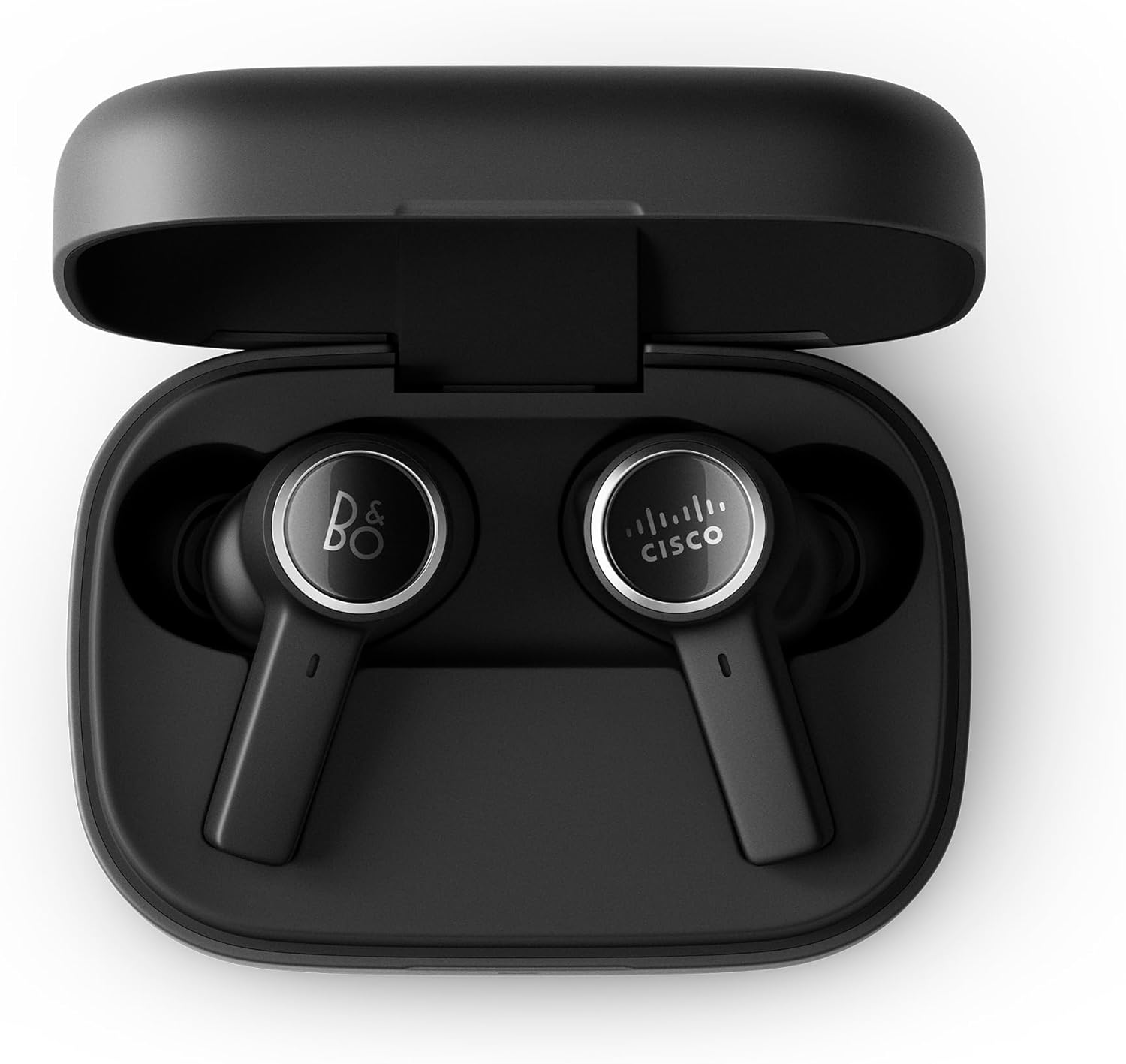
Image: The Cisco Bang & Olufsen 950 True Wireless Earbuds resting inside their open wireless charging case. The earbuds are black with silver accents, and the case is also black.
Opsætning
1. Opladning af øretelefoner og etuiet
Before first use, fully charge the earbuds and the charging case. Place the earbuds into the charging case. Connect the USB charging cable to the case and a power source, or place the case on a Qi-compatible wireless charger.
- LED-indikatoren på etuiet viser opladningsstatus.
- En fuld opladning tager typisk cirka 2 timer.

Image: The closed black wireless charging case for the Cisco Bang & Olufsen 950 earbuds, showing a green LED indicator light on the front, signifying a charged or charging state.
2. Bluetooth-parring
- Sørg for, at ørepropperne er i opladningsetuiet, og at låget er åbent.
- Press and hold the pairing button on the charging case (if available, otherwise refer to the specific pairing method in the quick start guide) or initiate pairing via the Bang & Olufsen app.
- On your device (smartphone, laptop, etc.), go to Bluetooth settings and select "Cisco B&O 950" from the list of available devices.
- Once connected, a confirmation sound will play in the earbuds.
The earbuds support simultaneous connection to up to 2 Bluetooth devices (Bluetooth 5.2). An optional Cisco USB HD Adapter can also be used for connectivity.
3. Tilpasning af ørepropperne
Proper fit is crucial for optimal sound quality and Active Noise Cancellation (ANC) performance. Experiment with the included ear tips (silicon and Comply™ memory foam) to find the best seal for your ears.
- Indsæt forsigtigt øretelefonen i din øregang.
- Twist slightly to ensure a snug and comfortable fit.
- Test different ear tip sizes to achieve a good seal.

Image: A person wearing a black Cisco Bang & Olufsen 950 earbud in their right ear, demonstrating the in-ear fit of the device.

Billede: Et nærbillede view of the two Cisco Bang & Olufsen 950 True Wireless Earbuds, highlighting their black finish and the distinct B&O and Cisco logos on each earbud's outer surface.
4. Bang & Olufsen Mobile App
Download the Bang & Olufsen mobile app from your device's app store. The app allows you to:
- Tilpas lydprofiles with Beosonic.
- Adjust Active Noise Cancellation (ANC) levels.
- Opdater firmware.
- Access troubleshooting guides and support.
Betjening af øretelefonerne
Tænd/sluk
- Tænd: Remove earbuds from the charging case. They will automatically power on and attempt to connect to the last paired device.
- Sluk: Sæt ørepropperne tilbage i opladningsetuiet, og luk låget. De slukker automatisk og begynder at oplade.
Touch and Motion Controls
The earbuds feature intuitive touch and motion controls. Specific functions can be customized via the Bang & Olufsen app.
| Handling | Fungere |
|---|---|
| Enkelt tryk (venstre/højre) | Afspil/Sæt musik på pause, Besvar/Afslut opkald |
| Dobbelttryk (højre) | Næste nummer |
| Dobbelttryk (venstre) | Forrige nummer |
| Tredobbelt tryk (venstre/højre) | Aktiver Voice Assistant |
| Tryk og hold nede (højre) | Lydstyrke op |
| Tryk og hold nede (venstre) | Lydstyrke ned |
| Langt tryk (venstre/højre) | Skift ANC/Transparenstilstand |
For Webex and Cisco devices, integrated call controls are available via Bluetooth, allowing for an intuitive user experience.

Image: A person wearing Cisco Bang & Olufsen 950 earbuds while participating in a video conference on a laptop, demonstrating their use in a professional setting with Webex.
Aktiv støjreduktion (ANC) og transparenstilstand
The earbuds feature Adaptive Active Noise Cancellation to reduce ambient noise and Transparency Mode to allow you to hear your surroundings.
- ANC: Reduces external sounds, ideal for focused work or travel.
- Gennemsigtighedstilstand: Amplifies ambient sounds, useful for awareness in your environment without removing the earbuds.
- Toggle between modes using the touch controls or the Bang & Olufsen app.
Opretholdelse
Rensning
- Rengør regelmæssigt ørepropperne og opladningsetuiet med en blød, tør og fnugfri klud.
- Remove ear tips and clean them with a mild soap solution and water, then dry thoroughly before reattaching.
- Undgå at bruge slibende materialer, alkohol eller kemiske rengøringsmidler.
- Sørg for, at opladningskontakterne på både ørepropper og etuiet er rene og fri for snavs.
Opbevaring
Når ørepropperne ikke er i brug, skal de opbevares i deres opladningsetui for at beskytte dem og holde dem opladede. Opbevares køligt og tørt, væk fra direkte sollys og ekstreme temperaturer.
Fejlfinding
Hvis du støder på problemer, kan du prøve følgende løsninger:
- Ingen lyd:
- Sørg for, at ørepropperne er opladet.
- Bekræft Bluetooth-forbindelsen til din enhed.
- Check device volume settings.
- Øretelefoner parrer ikke:
- Ensure earbuds are in pairing mode.
- Slå Bluetooth fra og til på din enhed.
- Glem enheden i dine Bluetooth-indstillinger, og parr igen.
- Poor Sound Quality/ANC Performance:
- Ensure earbuds are properly seated in your ears with a good seal. Try different ear tip sizes.
- Rengør ørepropperne og øreproppernes gitre.
- Opladningsproblemer:
- Sørg for, at ladekablet er korrekt tilsluttet.
- Kontroller, at strømkilden er aktiv.
- Rengør opladningskontakterne på både ørepropper og etuiet.
For further assistance, refer to the Bang & Olufsen mobile app or the support section.
Specifikationer
| Feature | Detalje |
|---|---|
| Model | HS-WL-950-BUN-C |
| Forbindelse | Bluetooth 5.2, Multipoint (up to 2 devices) |
| Støjkontrol | Adaptive Active Noise Cancellation (ANC), Transparency Mode |
| Batterilevetid (ørepropper) | Op til 5 timer (med ANC) |
| Opladningsetui | Provides 2.5 additional charges (approx. 12.5 hours), Wireless (Qi) and USB-C charging |
| Mikrofoner | 6 microphones for calls and ANC |
| Lyd-codecs | aptX™ Adaptive, AAC |
| Vandmodstand | IP57 klassificeret |
| Vægt (kasse) | Cirka 53 gram |
| Inkluderede komponenter | Earbuds, Charging Case, USB Cable, Eartips, User Manual |
Garantioplysninger
The Cisco Bang & Olufsen 950 True Wireless Earbuds come with a 1-Year Limited Liability WarrantyDenne garanti dækker fabrikationsfejl og udførelse under normal brug. Gem venligst din købsbevis i tilfælde af garantikrav.
For full terms and conditions of the warranty, please refer to the official Cisco or Bang & Olufsen support websites, or contact customer support.
Støtte
For technical support, product inquiries, or warranty service, please utilize the following resources:
- Bang & Olufsen Mobile App: Access troubleshooting guides, FAQs, and direct support contact options.
- Cisco Support Webwebsted: Besøg cisco.com/go/support for product documentation and support contacts.
- Webex Control Hub: For IT teams managing multiple devices, the Webex Control Hub provides centralized management and support tools.
When contacting support, please have your product model number (HS-WL-950-BUN-C) and serial number ready.


