1. Introduktion
This manual provides essential information for setting up, operating, and maintaining your Google Pixel 8 5G smartphone. The Pixel 8 is engineered by Google, featuring an advanced camera, robust security, and an all-day battery. It integrates Google AI for enhanced functionality, including photo editing, call screening, and quick information retrieval. Personal safety features are also incorporated for user peace of mind.
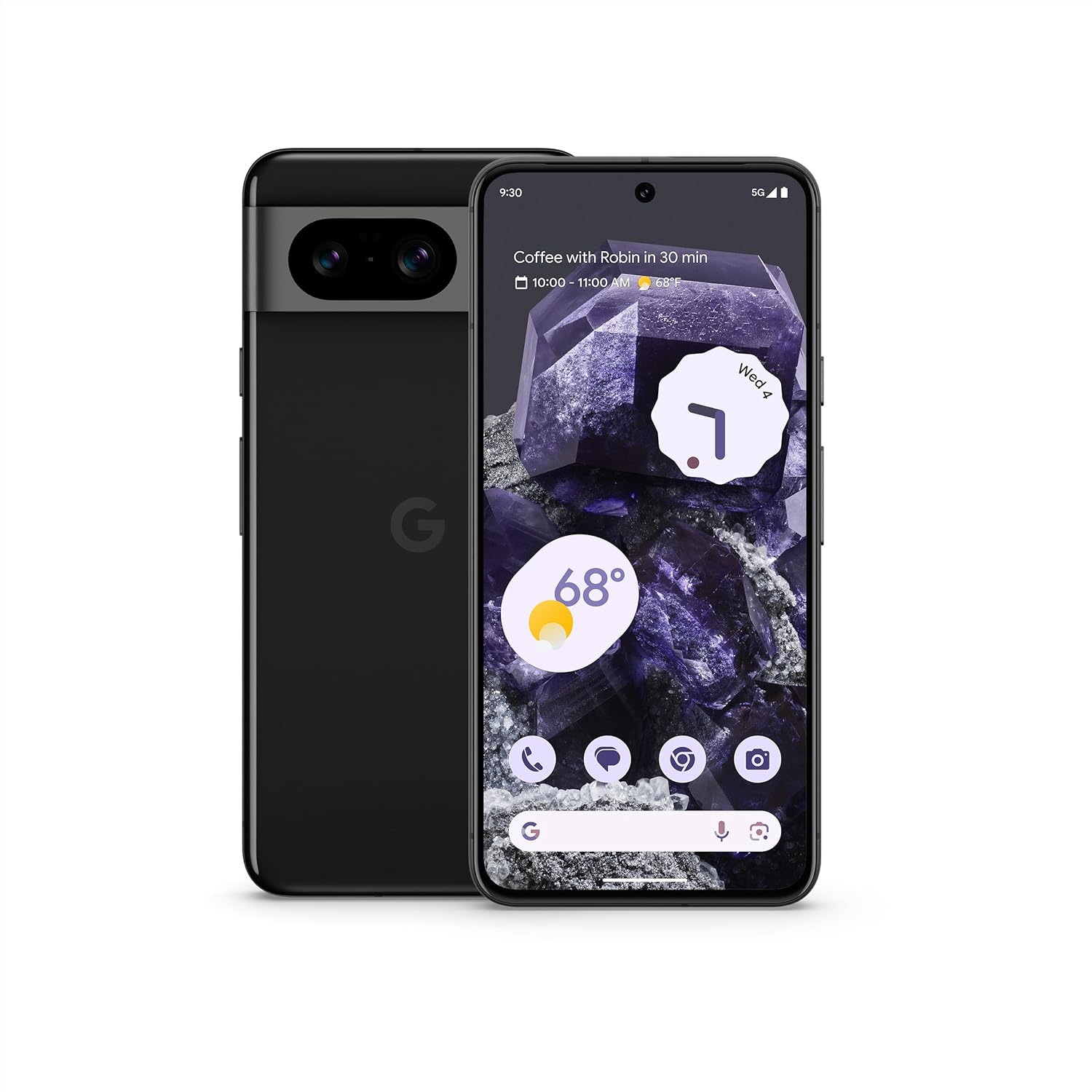
Figure 1: Google Pixel 8 5G, Obsidian
2. Hvad er der i æsken
Upon unboxing your Google Pixel 8, verify that all standard components are present:
- Google Pixel 8 5G Smartphone
- USB-kabel (Type-C til Type-C)
- SIM Ejector Tool
- Lynstartguide og sikkerhedsoplysninger
Bemærk: En strømadapter er ikke inkluderet og skal købes separat.
3. Fysisk overview
Familiarize yourself with the key physical features of your Pixel 8:
- Front: 6.2-inch OLED display, 10.5MP front camera (punch-hole design).
- Bag: 50MP wide camera, 12MP ultrawide camera, LED flash, Google logo.
- Højre side: Power button, Volume rocker.
- Bund: USB-C port, Speaker grille, Microphone.
- Venstre side: SIM-kortbakke.

Figure 2: Pixel 8 design highlights, showcasing the display and camera bar.
4. Indledende opsætning
4.1. Isætning af SIM-kortet
- Find SIM-kortbakken på venstre side af enheden.
- Sæt SIM-kortudløserværktøjet i det lille hul på bakken, og skub forsigtigt, indtil bakken springer ud.
- Placer dit Nano-SIM-kort i bakken med de gyldne kontakter nedad.
- Sæt forsigtigt bakken tilbage i telefonen.
4.2. Tænd og indledende konfiguration
- Press and hold the Power button on the right side until the Google logo appears.
- Følg vejledningen på skærmen for at vælge dit sprog, oprette forbindelse til Wi-Fi og konfigurere din Google-konto.
- You can transfer contacts, photos, and messages from your old device during this process.
5. Betjening af din Pixel 8
5.1. Display og navigation
The Pixel 8 features a 6.2-inch OLED display with a 120Hz refresh rate, providing smooth scrolling and vibrant visuals. Navigate using intuitive Android 14 gestures or traditional three-button navigation.

Figure 3: Live Translate feature on Pixel 8.
5.2. Making Calls and Messaging
Use the Phone app to make calls. The Pixel 8 includes features like Call Screen to help avoid spam calls and Google Assistant to hold calls for you. The Messages app supports standard SMS/MMS and RCS for enhanced messaging features.

Figure 4: Call Screen functionality on Pixel 8.
5.3. Internet og forbindelse
Connect to the internet via Wi-Fi or 5G cellular data. The Pixel 8 supports Bluetooth 5.3 for connecting accessories and NFC for contactless payments.
6. Kamerafunktioner
The Pixel Camera on the Pixel 8 is equipped with fully upgraded sensors and advanced image processing, delivering vivid colors and sharp details in various lighting conditions.
- Hovedkamera: 50MP, f/1.7 (vidvinkel)
- Ultravidvinkelkamera: 12 MP, f/2.2
- Forreste kamera: 10.5 MP, f/2.2

Figure 5: Advanced camera features of Pixel 8.
6.1. Key Camera Modes and AI Enhancements
- Best Take: Combines similar photos to ensure everyone looks their best in group shots.
- Macro Focus: Captures intricate details of small subjects.
- Audio Magic Eraser: Reduces disruptive background noises in videos using Google AI.
- Nattesyn: Forbedrer billeder taget under svagt lys.

Figure 6: Capturing moments with the Pixel 8 camera.
7. Google AI Features
The Google Tensor G3 chip powers the Pixel 8, enabling advanced AI capabilities for a smarter user experience.
- Ring om for at søge: Quickly search for anything on your screen by circling it with your finger.
- Liveoversættelse: Translates languages in real-time.
- Advanced Voice Recognition: Improves accuracy and functionality of voice commands.
8. Security and Safety Features
The Pixel 8 prioritizes user security and safety with integrated hardware and software solutions.
- Google Tensor G3 and Titan M2 Security Chip: Provides multiple layers of hardware security to protect personal information.
- 7 Years of Security Updates: Ensures the device remains secure with long-term software support.
- Bilulykkesdetektion: Automatically calls emergency services and shares location with emergency contacts in the event of a severe car crash.
- Emergency Location Service: Provides crisis alerts about nearby hazards like flooding, fire, or tornadoes.

Figure 7: Security measures on Pixel 8.

Figure 8: Personal safety features for added peace of mind.
9. Specifikationer
| Feature | Detalje |
|---|---|
| Vise | 6.2" OLED, 1080x2400px, 120Hz, HDR10+, 428 PPI |
| Processor | Google Tensor G3 (4nm), Octa-core (1x3.0 GHz Cortex-X3 & 4x2.45 GHz Cortex-A715 & 4x2.15 GHz Cortex-A510), Mali-G710 MP7 |
| VÆDDER | 8 GB |
| Opbevaring | 128 GB |
| Bagkamera | 50MP (vidvinkel, f/1.7) + 12MP (ultravidvinkel, f/2.2) |
| Forreste kamera | 10.5 MP, f/2.2 |
| Batteri | 4575 mAh, Adaptive Battery, 27W wired charging, 18W wireless charging |
| Operativsystem | Android 14 |
| Forbindelse | 5G, Wi-Fi, Bluetooth 5.3, NFC |
| Dimensioner | 6 x 4 x 2 tommer |
| Vægt | 6.6 ounce |
| SIM-type | Nano-SIM and eSIM |
10. Fejlfinding
If you encounter issues with your Pixel 8, consider the following common solutions:
- Enheden reagerer ikke: Tryk og hold tænd/sluk-knappen nede i cirka 30 sekunder for at fremtvinge en genstart.
- Problemer med netværksforbindelse: Toggle Airplane Mode on and off, restart the device, or check your SIM card.
- App-fejl: Clear the app's cache and data (Settings > Apps > [App Name] > Storage & cache), or uninstall and reinstall the app.
- Batteridræning: Review battery usage in Settings > Battery to identify power-hungry apps. Enable Extreme Battery Saver if needed.
- Problemer med fingeraftrykssensor: Ensure your screen is clean and dry. Re-register your fingerprints if problems persist.
11. Garanti og support
Your Google Pixel 8 (Renewed) comes with a 90-day refund/replacement return policy. For detailed warranty information and support, please refer to the documentation provided with your device or visit the official Google support webwebsted.
For additional assistance, you can visit the Amazon Renewed Store for information om fornyede produkter.
11.1. Amazon Renewed Conditions
All Amazon Renewed products are fully functional and come with generic or original accessories and packaging. Conditions are categorized as Excellent, Good, or Acceptable based on cosmetic damage and battery life (greater than 80%).

Figure 9: Amazon Renewed product condition guidelines.


