1. Introduktion
Thank you for choosing the Defender Impulse GMC 600 RGB Gaming Stream Microphone. This high-quality wired microphone is designed for clear audio capture, ideal for gaming, streaming, podcasting, and voiceovers. It features vibrant RGB backlighting, an integrated pop filter, a shock mount, and a convenient mute button for enhanced user experience. This manual provides detailed instructions for setup, operation, and maintenance to ensure optimal performance.
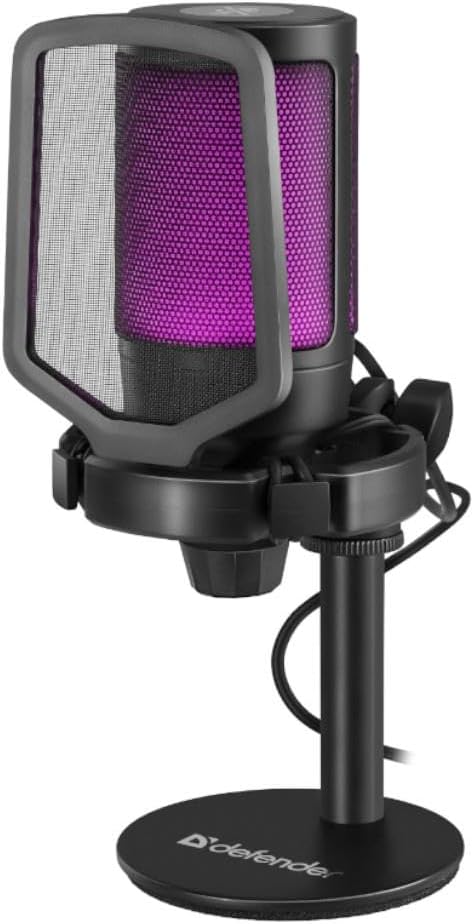
Figure 1.1: The Defender Impulse GMC 600 RGB Microphone, showcasing its integrated pop filter and purple RGB illumination.
2. Pakkens indhold
Kontroller venligst, at alle varer er til stede i pakken:
- Defender Impulse GMC 600 RGB Microphone
- Stationære stativ
- Integreret popfilter
- USB-kabel (1.7m)
- Brugervejledning (dette dokument)

Figure 2.1: The retail packaging of the Defender Impulse GMC 600, indicating compatibility and key features.
3. Opsætningsvejledning
3.1 Tilslutning af mikrofonen
- Udpak komponenter: Carefully remove the microphone, desktop stand, and USB cable from the packaging.
- Saml stativet: Attach the microphone to the desktop stand. Ensure it is securely fastened. The microphone features an integrated shock mount to reduce vibrations.
- Tilslut USB-kabel: Plug the USB-A end of the provided 1.7m cable into an available USB port on your PC or laptop.
- Connect to Microphone: Insert the other end of the USB cable into the USB port located on the microphone.
- Tænd: The microphone will automatically power on and its RGB lighting will illuminate upon successful connection.

Figur 3.1: Side view of the microphone, illustrating the USB connection point.

Figure 3.2: Detail of the integrated shock mount, designed to minimize handling noise and vibrations.
3.2 Initial Software Configuration (Windows/macOS)
The Defender Impulse GMC 600 is a plug-and-play device. No special drivers are typically required.
- Bekræft genkendelse: Your operating system should automatically detect the microphone.
- Access Sound Settings:
- Windows: Right-click the speaker icon in the taskbar, select "Sound Settings" or "Open Sound settings". Navigate to the "Input" section.
- MacOS: Go to System Preferences > Sound > Input.
- Vælg mikrofon: Choose "Defender Impulse GMC 600" (or similar name) as your default input device.
- Juster indgangsniveau: Speak into the microphone and adjust the input level (gain) to an appropriate level, ensuring the meter shows activity without peaking into the red zone.
4. Betjening af mikrofonen
4.1 Microphone Placement
For optimal sound quality, position the microphone approximately 15-30 cm (6-12 inches) from your mouth. The integrated pop filter helps reduce plosive sounds (P's and B's).
4.2 Mute-funktion
The microphone features a touch-sensitive mute button located on the top of the unit. Tap the button to mute or unmute the microphone. The RGB lighting may change or indicate the mute status (e.g., turn off or change color when muted, depending on the specific model's implementation).

Figur 4.1: Øverst view of the microphone, highlighting the touch-sensitive mute button.
4.3 RGB-baggrundsbelysning
The Impulse GMC 600 features dynamic RGB backlighting. The lighting cycles through various colors automatically, enhancing the aesthetic of your setup. There are no user-adjustable controls for the RGB lighting patterns or colors directly on the microphone.

Figur 4.2: Eksamples of the microphone's RGB backlighting in different colors.
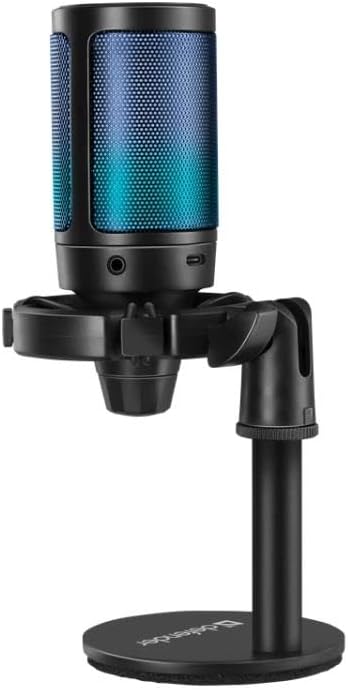
Figure 4.3: The microphone displaying blue RGB lighting, also showing a potential headphone jack for monitoring (if applicable).
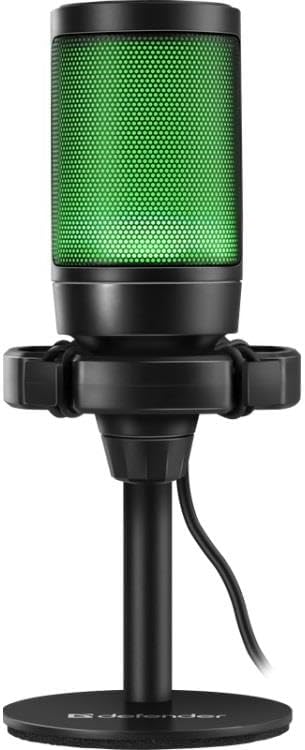
Figure 4.4: The microphone illuminated with green RGB lighting.
5. Vedligeholdelse
- Rensning: Use a soft, dry cloth to wipe the microphone's exterior. Do not use liquid cleaners or abrasive materials.
- Opbevaring: When not in use, store the microphone in a clean, dry place away from direct sunlight and extreme temperatures.
- Kabelpleje: Undgå at bøje eller vride USB-kablet for meget for at forhindre skader.
- Popfilter: The integrated pop filter is not removable for cleaning. Avoid attempting to disassemble the microphone.
6. Fejlfinding
| Problem | Mulig årsag | Løsning |
|---|---|---|
| Microphone not detected by computer. |
|
|
| No sound or low sound level. |
|
|
| Forvrænget eller uklar lyd. |
|
|
| RGB-belysningen virker ikke. |
|
|
7. Tekniske specifikationer
| Feature | Detalje |
|---|---|
| Modelnummer | S9158326 |
| Forbindelse | Kablet USB |
| Kabellængde | 1.7 meter |
| Dimensioner (L x B x H) | 23.5 x 17 x 9.5 cm |
| Signal-støj-forhold (SNR) | 78 dB |
| Antal kanaler | 1 |
| Funktioner | RGB Backlight, Integrated Pop Filter, Shock Mount, Mute Button |
| Kompatibilitet | PC, Laptops with USB port |
8. Garanti og support
Defender products are manufactured to high-quality standards. For warranty information and technical support, please refer to the warranty card included with your purchase or visit the official Defender webwebsted. Gem venligst din købsbevis i tilfælde af garantikrav.
For further assistance, you may contact Defender customer support through their official channels. Contact information is typically available on the product packaging or the manufacturer's webwebsted.


