Indledning
The Sharp GX-BT290 Crystal Clear Series Portable Bluetooth Speaker is designed to deliver high-quality audio with enhanced bass, offering a robust and portable listening experience. Featuring IP67 waterproof and dustproof capabilities, a long-lasting 14-hour battery, and versatile connectivity options including True Wireless Stereo (TWS) pairing, this speaker is suitable for various environments. It also includes a built-in microphone for hands-free calling and two distinct LED light modes to enhance your audio experience.
Pakkens indhold
- Sharp GX-BT290 Bluetooth-højttaler
- USB Charging Cable (not explicitly listed but implied for battery charging)
- Brugervejledning (dette dokument)
Opsætning
1. Opladning af højttaleren
Before first use, fully charge the speaker. Connect the provided USB charging cable to the speaker's charging port and the other end to a compatible USB power adapter (not included) or a computer's USB port. The charging indicator light will illuminate during charging and turn off once fully charged. A full charge provides approximately 14 hours of playtime.
2. Tænd/sluk
Tryk og hold på Power-knap located on the control panel until you hear an audible prompt or see the indicator lights activate. To power off, press and hold the Power-knap igen.

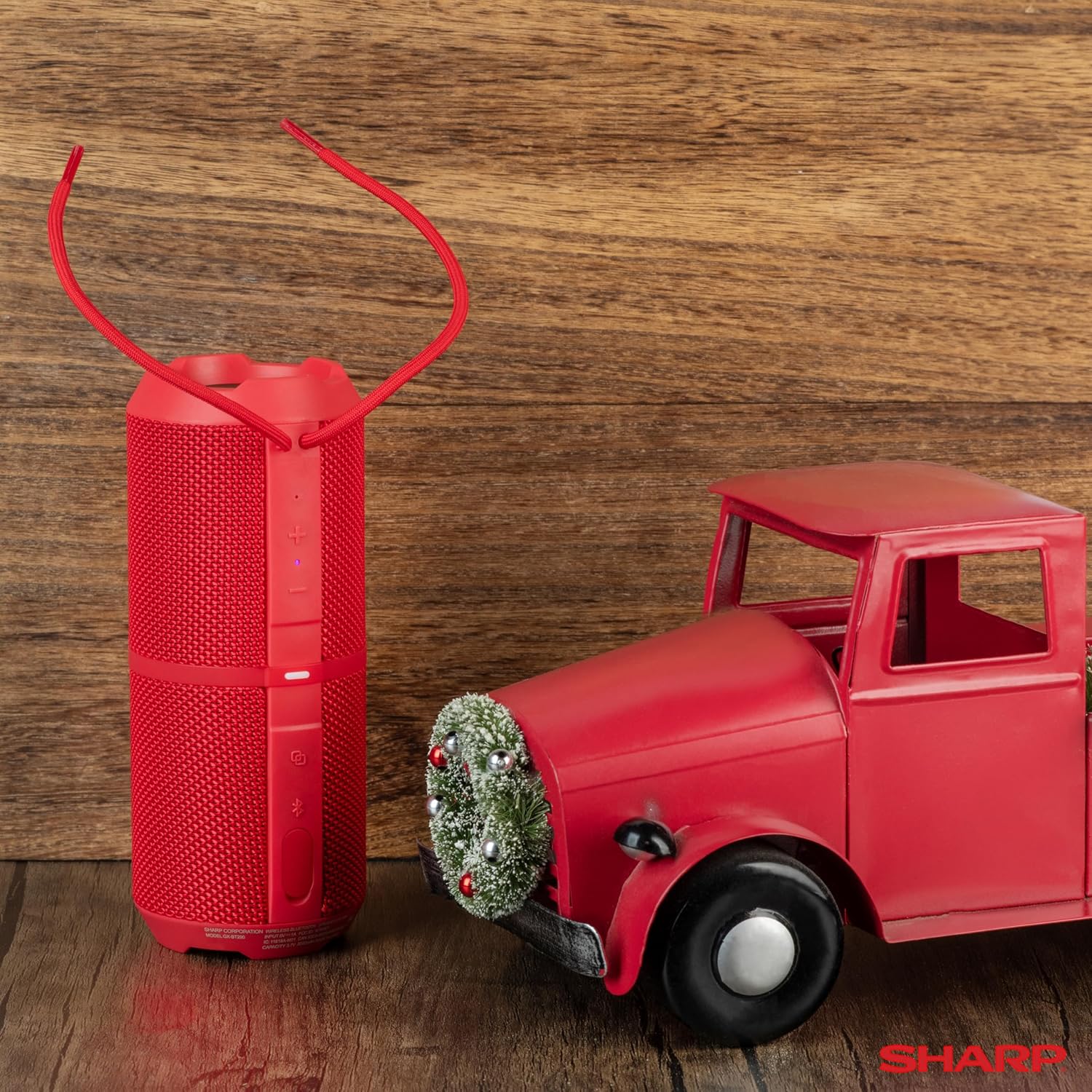
Image: The Sharp GX-BT290 speaker in red, displaying its vertical control panel with power, volume, light mode, and Bluetooth buttons. This view highlights the speaker's cylindrical design and integrated strap.
Betjeningsvejledning
1. Bluetooth-parring
- Ensure the speaker is powered on and in Bluetooth pairing mode (indicated by a flashing blue LED). If not, briefly press the Bluetooth knap.
- Aktiver Bluetooth på din enhed (smartphone, tablet, bærbar computer), og søg efter tilgængelige enheder.
- Select "GX-BT290" from the list of found devices.
- Once connected, the speaker will provide an audible confirmation, and the Bluetooth LED will become solid blue.
2. Ægte trådløs stereo (TWS) parring
To achieve a stereo sound experience, you can pair two GX-BT290 speakers together:
- Ensure both GX-BT290 speakers are powered on and not connected to any other Bluetooth device.
- På én højttaler (dette vil være den primære højttaler) skal du trykke på og holde TWS knap (often integrated with the Bluetooth button or a dedicated button).
- The primary speaker will search for the secondary speaker. Once connected, both speakers will provide an audible confirmation.
- Now, connect your device to the primary speaker via Bluetooth as described in the "Bluetooth Pairing" section. Audio will play in stereo through both speakers.
3. Audio Playback and Volume Control
- Brug Lydstyrke op (+) og Skrue ned (-) buttons on the speaker to adjust the playback volume.
- Tryk på Afspil/pause knap (often integrated with the Power button or a dedicated button) to play or pause audio.
- For track navigation, refer to your connected device's controls.
4. Håndfri opkald
When connected to a smartphone, the speaker's built-in microphone allows for hands-free calls:
- To answer an incoming call, briefly press the Opkaldsknap (often integrated with the Play/Pause button).
- To end a call, briefly press the Opkaldsknap igen.
- Hvis du vil afvise et indgående opkald, skal du trykke på og holde Opkaldsknap.
5. LED-lystilstande
The speaker features two LED light modes. Briefly press the Lystilstand knap (often indicated by a lightbulb icon) to cycle through the available light effects or to turn them off.
Billede: En eksploderet view of the Sharp GX-BT290 speaker, illustrating its unique cylinder design, DSP technology, and the precision dual drivers responsible for exceptional depth and clarity in sound.
Opretholdelse
Rensning
Tør højttaleren af med en blød, tør eller let fugtig kludamp cloth. Do not use abrasive cleaners, alcohol, or chemical solvents, as these may damage the surface.
Vandtæt og støvtæt (IP67)
The GX-BT290 is rated IP67, meaning it is protected from dust ingress and can withstand immersion in water up to 1 meter for 30 minutes. Ensure the charging port cover is securely closed before exposing the speaker to water or dust. After exposure to water, dry the speaker thoroughly before charging.

Image: The Sharp GX-BT290 speaker being splashed with water, visually demonstrating its IP67 water and dustproof capabilities. This image emphasizes the speaker's durability for outdoor use.
Opbevaring
Store the speaker in a cool, dry place away from direct sunlight and extreme temperatures when not in use for extended periods. Avoid storing in environments with high humidity.
Fejlfinding
| Problem | Mulig årsag | Løsning |
|---|---|---|
| Højttaleren tændes ikke | Lavt batteri; Tænd/sluk-knappen er ikke trykket korrekt ind | Oplad højttaleren; Tryk på tænd/sluk-knappen og hold den nede i et par sekunder |
| Ingen lyd | Volume too low; Not paired; Device volume low | Increase speaker volume; Ensure successful Bluetooth pairing; Increase volume on connected device |
| Kan ikke parres med enheden | Speaker not in pairing mode; Device Bluetooth off; Too far from speaker | Ensure speaker is flashing blue LED; Turn on device Bluetooth; Move device closer to speaker (within 33 feet) |
| TWS-parring mislykkes | Speakers already paired to other devices; Too far apart | Disconnect speakers from other devices; Ensure speakers are close to each other during TWS pairing |
| Dårlig lydkvalitet | Interference; Device too far; Low battery | Move away from other wireless devices; Move device closer; Charge the speaker |
Specifikationer
| Feature | Specifikation |
|---|---|
| Modelnavn | GX-BT290(R) |
| Højttaler type | Udendørs |
| Særlige funktioner | Basforstærkning, Indbygget mikrofon, LED-lys, Letvægts, Støvtæt |
| Forbindelsesteknologi | Bluetooth |
| Wireless Range | Op til 10 meter (33 fod) |
| Strømudgang | 32W Max Power (16W RMS) |
| Vandmodstandsniveau | IP67 (vandtæt og støvtæt) |
| Batterilevetid | Op til 14 timer |
| Strømkilde | Batteridrevet (1 lithium-ion-batteri inkluderet) |
| Produktdimensioner | 7.6 cm D x 19 cm B x 7.6 cm H (ca. 3 cm D x 7.5 cm B x 3 cm H) |
| Varens vægt | 16 ounces (ca. 0.45 kg) |
| Inkluderede komponenter | Bluetooth højttaler |
| Farve | Rød |

Image: A hand holding the Sharp GX-BT290 speaker, demonstrating its compact size and portability. This image provides a sense of scale for the device.
Garanti og support
For warranty information, technical support, or customer service inquiries, please refer to the documentation included with your purchase or visit the official Sharp webwebsted. Gem din købsbevis til garantikrav.
For yderligere assistance kan du også kontakte den forhandler, hvor du købte produktet.


