1. Introduktion
Thank you for choosing the Membrane Solutions MSB5 Air Purifier. This device is designed to improve your indoor air quality by effectively filtering out various airborne particles. Featuring H13 True HEPA filtration, quiet operation, and a colorful night light, the MSB5 is ideal for bedrooms, homes, and offices. Please read this manual thoroughly before operating the device to ensure safe and optimal performance.

Figure 1: Membrane Solutions MSB5 Air Purifier
2. Vigtige sikkerhedsinstruktioner
- Read all instructions before using the air purifier.
- Brug ikke luftrenseren, hvis ledningen eller stikket er beskadiget.
- Hold luftrenseren væk fra vand eller våde områder.
- Sørg for, at filteret er korrekt installeret før brug.
- Tag stikket ud af enheden, før du rengør eller udfører nogen form for vedligeholdelse.
- Bloker ikke luftindtag eller -udtag.
- Dette apparat er ikke beregnet til brug af personer (inklusive børn) med nedsatte fysiske, sensoriske eller mentale evner, eller mangel på erfaring og viden, medmindre de har fået opsyn eller instruktion i brugen af apparatet af en person, der er ansvarlig for deres sikkerhed.
3. Pakkens indhold
Bekræft at alle varer er til stede i pakken:
- MSB5 Air Purifier Unit
- H13 True HEPA Filter (pre-installed)
- USB Cable (adapter not included)
- Brugermanual

Figure 2: Air Purifier with included USB cable. Note: Power adapter is not included.
4. Opsætningsvejledning
Follow these steps to set up your MSB5 Air Purifier:
- Pak enheden ud: Tag forsigtigt luftrenseren ud af emballagen.
- Fjern filteremballage:
- Flip the machine over and rotate the base counter-clockwise to remove the cover.
- Take out the H13 True HEPA filter, which is pre-installed inside the unit.
- Fjern plastikemballagen fra filteret.
- Insert the filter back into the air purifier.
- Replace the base cover and turn it clockwise to lock it into place.
- Tilslut strøm: Plug the provided USB cable into the air purifier and connect the other end to a 5V/1A USB power adapter (not included) or a compatible USB port.
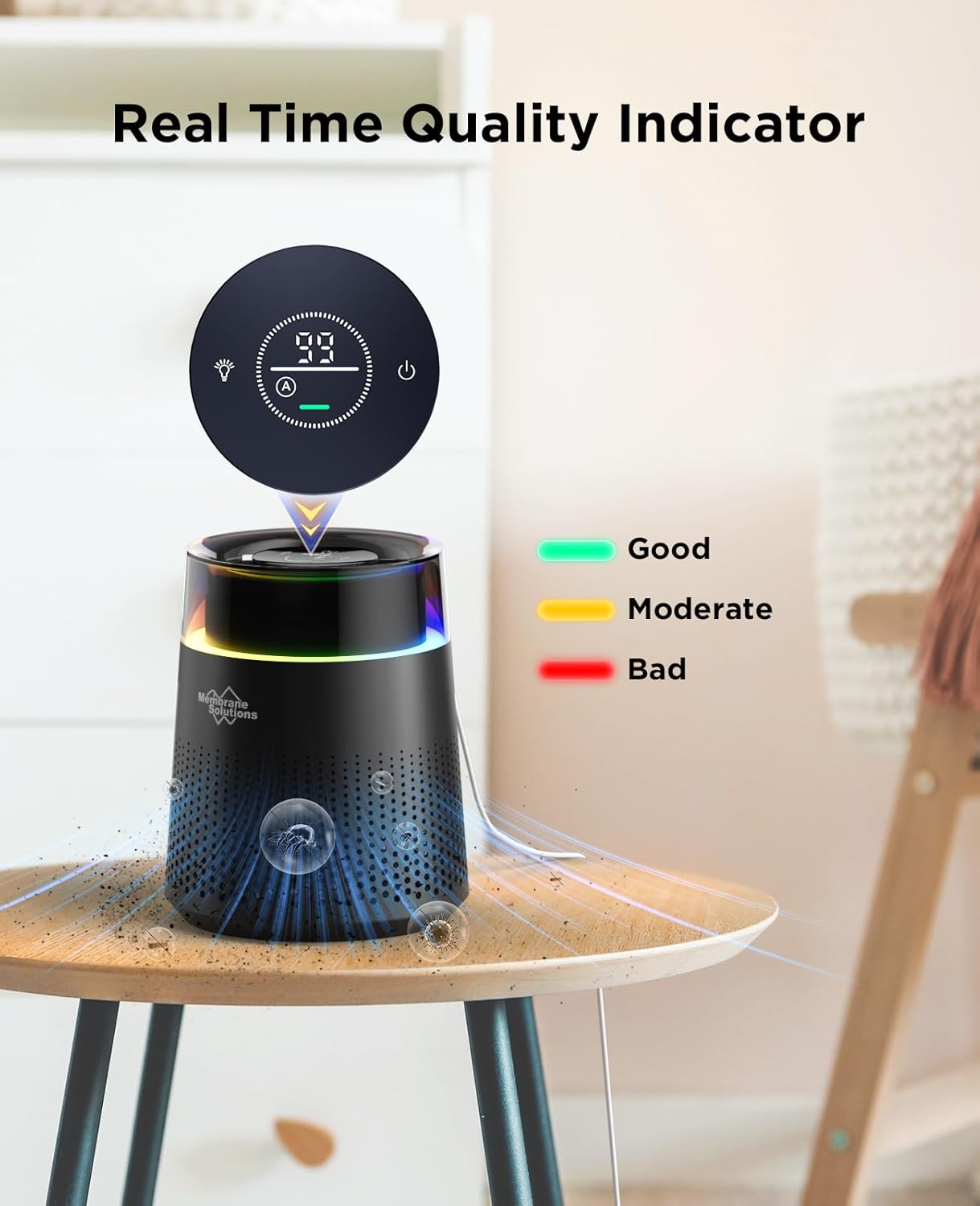
Figure 3: Illustrated steps for filter removal, unwrapping, re-installation, and connecting power.
5. Betjeningsvejledning
The MSB5 Air Purifier features an intuitive touch control panel.
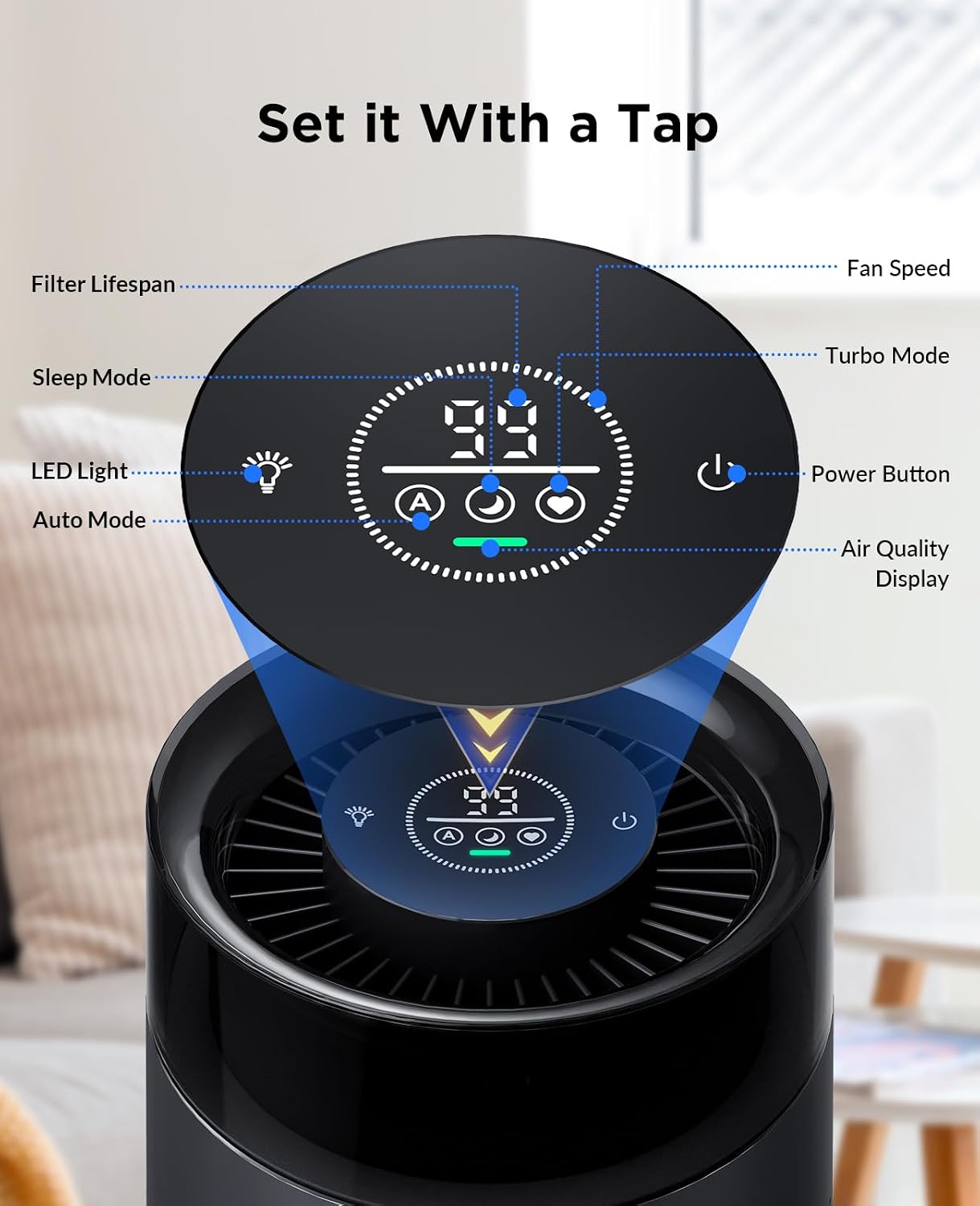
Figur 4: Kontrolpanel overview
- Tænd/sluk: Tryk på tænd / sluk-knappen (⏻) for at tænde eller slukke for enheden.
- Fan Speed Modes: The air purifier offers three fan speeds:
- Automatisk tilstand (A): Luftrenseren justerer automatisk ventilatorhastigheden baseret på den registrerede luftkvalitet.
- Sleep Mode (Zz): Operates at a quiet 20dB for undisturbed sleep while maintaining air quality.
- Turbo Mode (Fan Icon): Provides maximum air purification for quick results.
- Farverigt natlys: The unit features an RGB and color-changing light.
- Tryk på lysknappen (💡) to cycle through different light modes (RGB, solid colors, off).
- Visning af luftkvalitet: The touch panel displays the current air quality.
- Green indicates Good air quality.
- Yellow indicates Moderate air quality.
- Red indicates Bad air quality.

Figure 5: Real-time Air Quality Indicator
The MSB5 refreshes air in rooms up to 215 ft² (20 m²) per hour, utilizing dual-channel technology and 360-degree air outlets for efficient circulation.
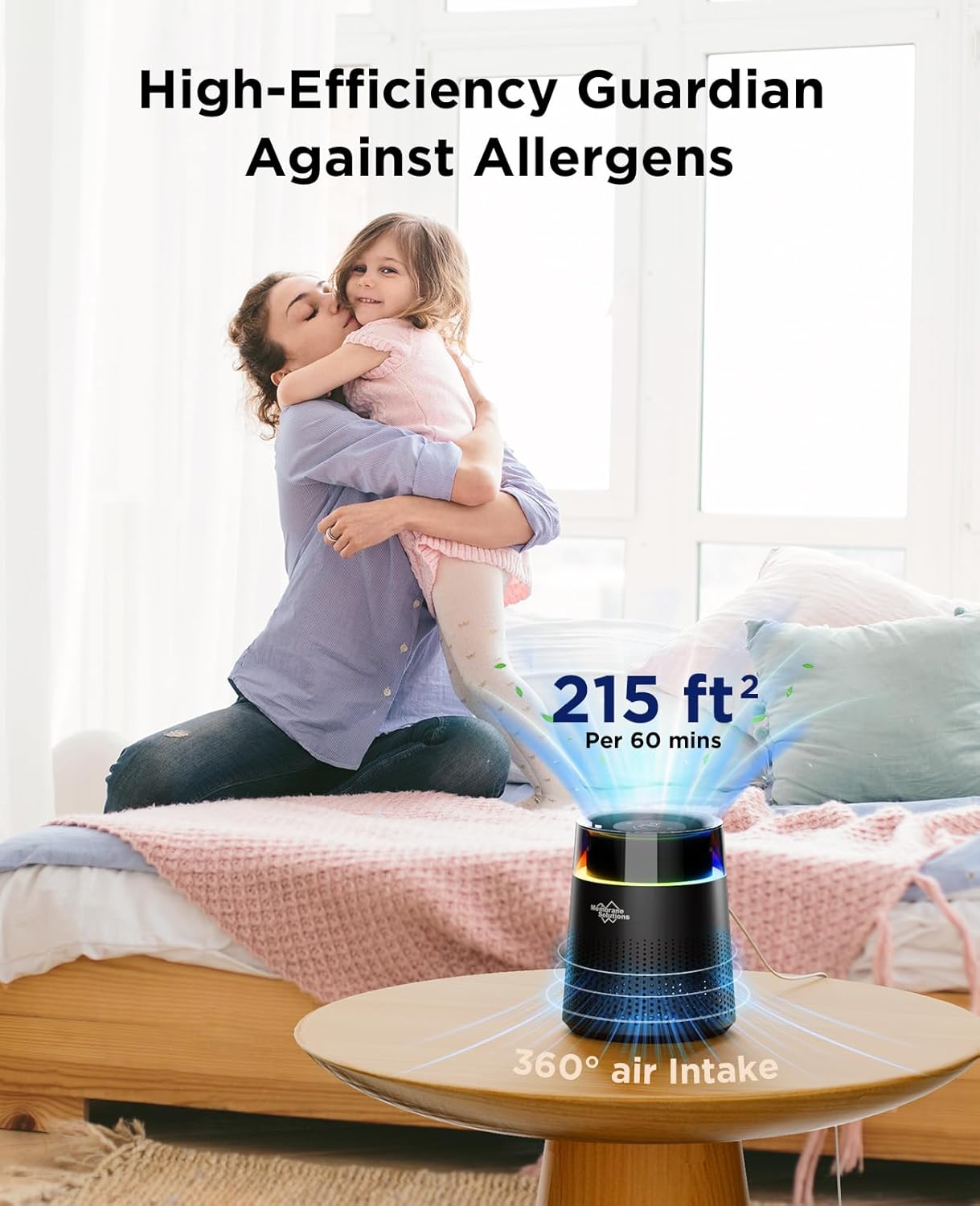
Figure 6: Effective Coverage Area
6. Vedligeholdelse
Udskiftning af filter
The MSB5 Air Purifier is equipped with a 99-day filter time reminder. When the filter usage life is less than 10 days, the LED data on the display will flash every 2 seconds, indicating that the filter needs to be replaced. For optimal performance, it is recommended to replace the filter cartridge once every 3 months.
To purchase genuine MSB5 Air Filters, search on Amazon for: B0CTH16HBF or B0CTH31KNB.
Trin til filterudskiftning:
- When the filter reset LED data flashes, it's time to replace the filter.
- Rotate the base counter-clockwise to remove it.
- Take out the dirty filter.
- Replace with a new MSB5 genuine filter.
- Tighten the cover by turning it clockwise.
- Turn on the purifier, then press and hold the reset button for 3 seconds to reset the filter timer.
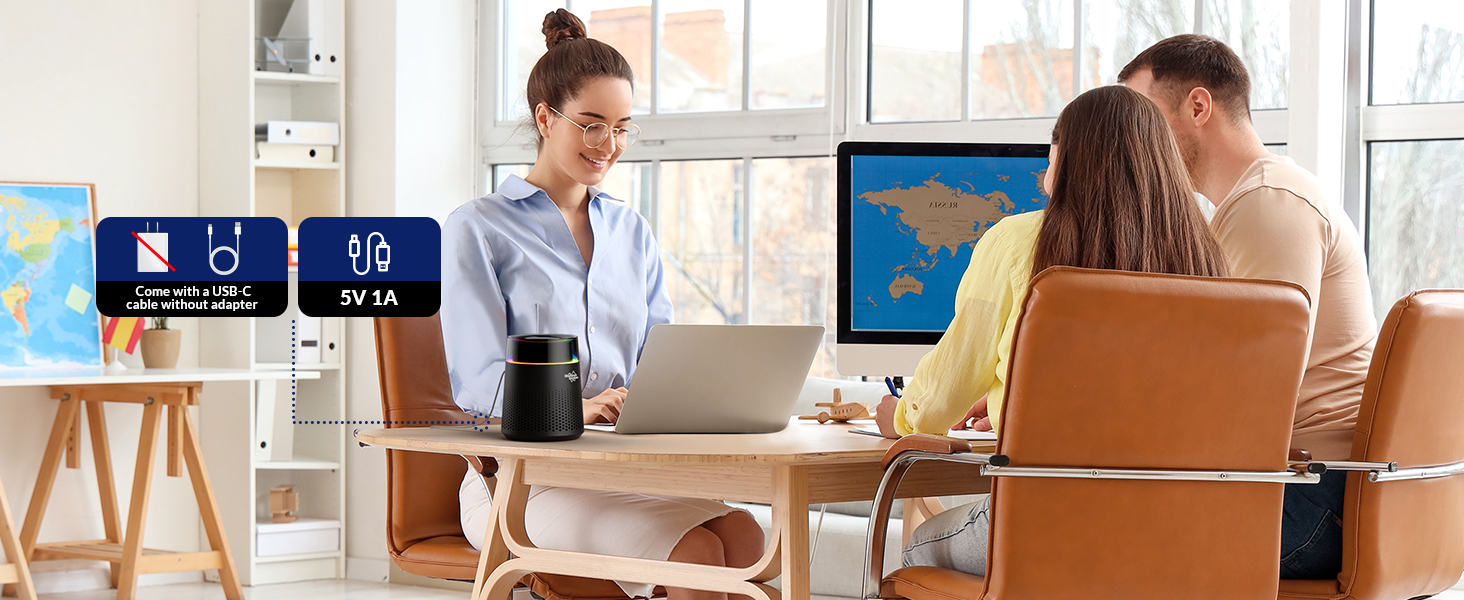
Figure 7: HEPA 13 Filter Replacement and Reset Process
7. Specifikationer
| Feature | Detalje |
|---|---|
| Mærke | Membranløsninger |
| Modelnummer | MSB5 |
| Produktdimensioner | 6.5"D x 6.5"W x 8"H (1.74 Pounds) |
| Dækning af gulvareal | Op til 215 kvadratfod (20 m²) |
| Filtertype | H13 True HEPA (3-stage filtration: Pre-Filter, H13 TRUE HEPA Filter, Activated Carbon Filter) |
| Støjniveau | 20dB (dvaletilstand) |
| Strømkilde | USB Powered (5V/1A, adapter not included) |
| Wattage | 4 watt |
| Farve | Sort |
| Certificering | FCC certificeret |
8. Fejlfinding
If you encounter issues with your MSB5 Air Purifier, please refer to the following common problems and solutions:
- Enheden tænder ikke:
- Ensure the USB cable is securely connected to both the air purifier and a working power source (5V/1A adapter recommended).
- Kontroller, om stikkontakten fungerer.
- Verify that the filter's plastic packaging has been removed and the filter is correctly installed.
- Reduceret luftstrøm eller usædvanlig støj:
- Check if the air filter is clogged and needs replacement.
- Ensure there are no obstructions blocking the air inlet or outlet.
- Verify the base is securely locked in place.
- Air quality indicator always green/red:
- Ensure the air quality sensor is not blocked or dirty. Gently clean the sensor area if accessible.
- Allow the unit to run for some time in Auto mode to calibrate.
Hvis problemet fortsætter, bedes du kontakte kundesupport.
9. Garanti og support
Membrane Solutions stands behind the quality of its products. For warranty information, technical support, or any inquiries regarding your MSB5 Air Purifier, please visit the official Membrane Solutions webwebsted eller kontakt deres kundeserviceteam.
Webwebsted: www.membranesolutions.com (Eksample link, please refer to actual product documentation for correct URL)


