1. Introduktion
This user manual provides essential information for the safe and efficient operation of your Blow KidsTAB8 8-inch tablet. Please read this manual thoroughly before using the device and retain it for future reference. The Blow KidsTAB8 features an 8-inch IPS display, UNISOC T606 octa-core processor, 4GB RAM, 64GB internal storage, and runs on Android 12.
2. Sikkerhedsoplysninger
- Udsæt ikke tabletten for ekstreme temperaturer, direkte sollys eller høj luftfugtighed.
- Undgå at tabe tabletten eller udsætte den for hårde stød.
- Use only the charger provided or approved by the manufacturer.
- Forsøg ikke selv at skille tabletten ad eller reparere den. Kontakt kvalificeret servicepersonale.
- Hold tabletten væk fra vand og andre væsker.
- Bortskaf tabletten og dens batteri på en ansvarlig måde i henhold til lokale regler.
3. Pakkens indhold
Bekræft, at din pakke indeholder følgende varer:
- Blow KidsTAB8 8-inch Tablet
- USB-C ladekabel
- Strømadapter
- Brugervejledning (dette dokument)
Note: Specific accessories may vary by region.
4. Enhed overview
Gør dig bekendt med de fysiske komponenter på din tablet.
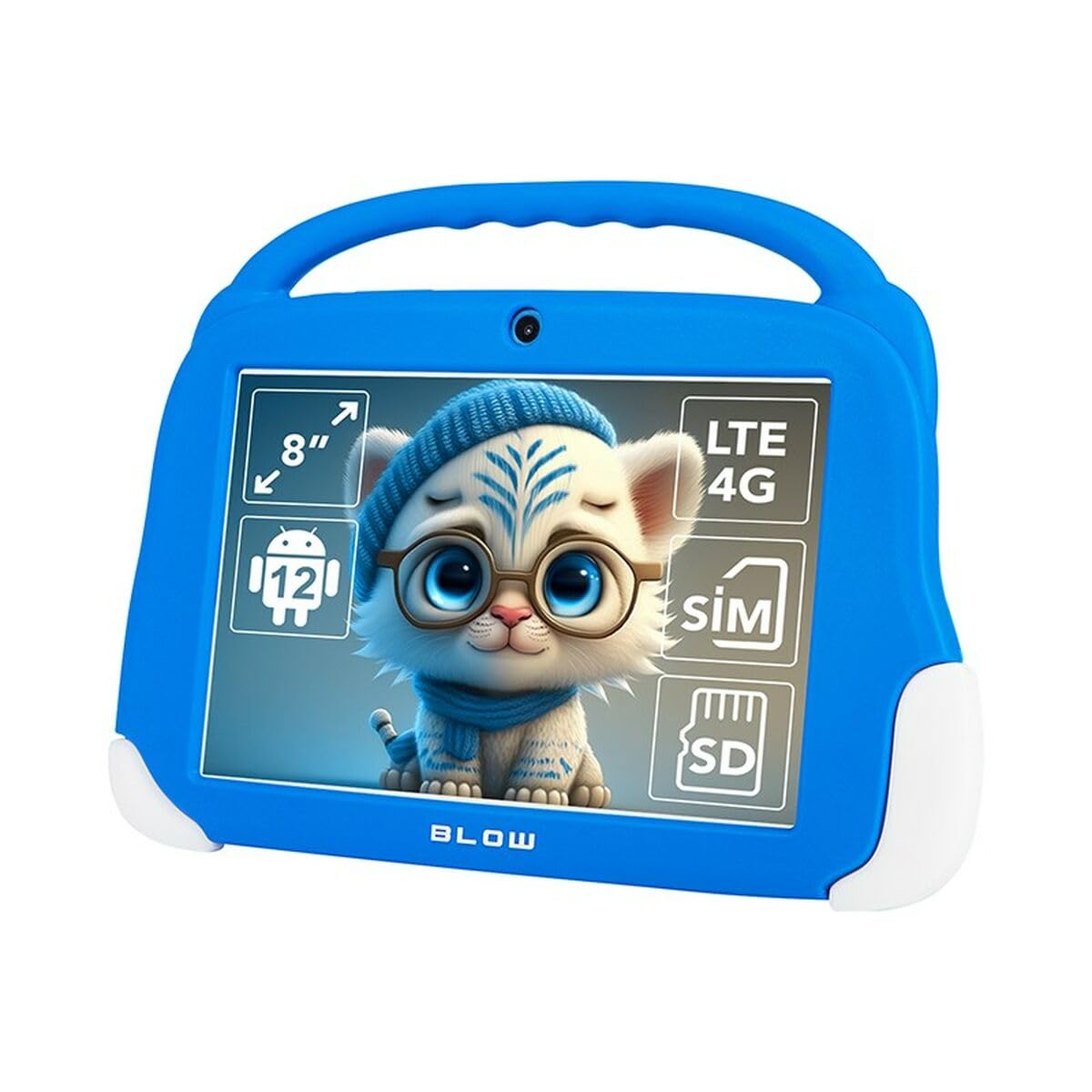
Figur 4.1: Front view of the Blow KidsTAB8 tablet, showing the 8-inch display and front camera.
4.1 Fysiske egenskaber
- 8-tommer IPS-skærm: HD-skærm for klare billeder.
- Forreste kamera: Located above the screen for video calls and selfies.
- Bagkamera: Located on the back for capturing photos and videos (2 MP resolution).
- Power knap: Typisk på siden, bruges til at tænde/slukke og vække/slukke enheden.
- Lydstyrkeknapper: Juster lydniveauer.
- USB-C-port: Til opladning og dataoverførsel.
- Micro SIM/SD Card Slot: For mobile connectivity and expandable storage.
5. Opsætning
5.1 Indledende opladning
Before first use, fully charge your tablet. Connect the USB-C cable to the tablet's USB-C port and the power adapter to a wall outlet. The battery indicator on the screen will show charging status. The tablet has a 4800 mAh battery.
5.2 Tænd/sluk
- For at tænde: Press and hold the Power button until the Blow logo appears.
- For at slukke: Tryk og hold tænd/sluk-knappen nede, og vælg derefter "Sluk" fra mulighederne på skærmen.
- At sove/vågne: Tryk kort på tænd/sluk-knappen for at sætte tabletten i dvale eller vække den.
5.3 Installation af SIM-kort og MicroSD-kort
The tablet supports a Micro SIM card for 4G LTE connectivity and a MicroSD card for expandable storage up to 64GB (or more, depending on card compatibility).
- Find SIM-/MicroSD-kortbakken på siden af tabletten.
- Brug det medfølgende SIM-kortudløserværktøj (hvis det medfølger) til at åbne bakken.
- Carefully place the Micro SIM card and/or MicroSD card into the designated slots on the tray, ensuring correct orientation.
- Skub forsigtigt bakken tilbage i tabletten, indtil den klikker på plads.
6. Betjeningsvejledning
6.1 Grundlæggende navigation (Android 12)
- Startskærm: Stryg til venstre eller højre for at navigere mellem startskærme.
- App Skuffe: Stryg opad fra bunden af skærmen for at få adgang til alle installerede apps.
- Notifikationer og hurtige indstillinger: Stryg ned fra toppen af skærmen til view Skift til notifikationer og adgang til hurtigindstillinger.
- Tilbage, Hjem, Seneste apps: Use the navigation buttons at the bottom of the screen (or gestures, if enabled) to navigate.
6.2 Forbindelse
- Wi-Fi: Gå til Indstillinger > Netværk og internet > Wi-Fi to connect to available Wi-Fi networks (supports 802.11ac, b, g, n, and 5 GHz).
- Bluetooth: Gå til Indstillinger > Forbundne enheder > Bluetooth to pair with Bluetooth 5.0 compatible devices.
- Mobildata (4G LTE): If a Micro SIM card is installed, enable mobile data in Indstillinger > Netværk og internet > Mobilnetværk.
- GPS: The tablet supports GPS, Glonass, and BeiDou for location services. Ensure location services are enabled in Indstillinger > Placering.
6.3 Kamerabrug
Open the Camera app to take photos or record videos. The tablet features a front camera and a 2 MP rear camera.
6.4 Ansøgninger
Download and install applications from the Google Play Store. Ensure you have a Google account set up on your tablet.
7. Vedligeholdelse
7.1 Rengøring af tabletten
Use a soft, lint-free cloth to clean the screen and body of the tablet. Do not use abrasive cleaners or solvents. If necessary, slightly dampRengør kluden med vand eller en skærmrens, der er specielt designet til elektronik.
7.2 Softwareopdateringer
Periodically check for software updates to ensure your tablet has the latest features and security enhancements. Go to Indstillinger > System > Systemopdatering.
8. Fejlfinding
| Problem | Løsning |
|---|---|
| Tabletten tænder ikke. | Sørg for, at batteriet er opladet. Tilslut opladeren, og vent et par minutter, før du forsøger at tænde igen. |
| Problemer med Wi-Fi-forbindelse. | Tjek om Wi-Fi er aktiveret i indstillingerne. Genstart din Wi-Fi-router. Glem netværket, og genopret forbindelsen. |
| Apps går ned eller fryser. | Close and restart the app. Clear the app's cache in Indstillinger > Apps > [Appnavn] > Lagerplads og cacheGenstart tabletten. |
| Langsom ydeevne. | Close unused apps. Clear cache. Consider uninstalling unnecessary applications. Perform a factory reset as a last resort (backup data first). |
9. Specifikationer
| Modelnummer | S9148142 |
| Vise | 8-inch IPS, 1280 x 800 px (HD) |
| Processor | UNISOC T606 Octa-Core |
| VÆDDER | 4 GB |
| Intern opbevaring | 64 GB |
| Operativsystem | Android 12 |
| Batterikapacitet | 4800 mAh |
| Forbindelse | Wi-Fi (802.11ac, b, g, n, 5 GHz), Bluetooth 5.0, 4G LTE, GPS, Glonass, BeiDou |
| Havne | USB-C 3.0 x 1, Micro SIM slot, MicroSD card reader |
| Kameraer | Front Camera, Rear Camera (2 MP) |
| Dimensioner | 18.2 x 2.2 x 25 cm |
| Vægt | 880 g |
10. Garanti og support
For warranty information and technical support, please refer to the warranty card included with your product or visit the official Blow webwebsted. Gem din købsbevis til garantikrav.
Fabrikant: Blæse
Model: KidsTAB8 (S9148142)


