1. Introduktion
Thank you for choosing the Ctronics 4K 8MP Wi-Fi PTZ Outdoor Security Camera. This manual provides detailed instructions for the installation, operation, and maintenance of your new security camera. Please read this manual thoroughly before use to ensure proper functionality and safety.
This camera is designed to provide comprehensive outdoor surveillance with advanced features such as 4K Ultra HD resolution, Pan-Tilt-Zoom capabilities, intelligent detection, and versatile storage options.

Image: The Ctronics 4K 8MP Wi-Fi PTZ Outdoor Security Camera, showcasing its sleek black design and dual antennas.
2. Sikkerhedsoplysninger
Overhold følgende sikkerhedsforanstaltninger for at forhindre skader på produktet eller personskade på dig selv eller andre:
- Ensure the power supply matches the camera's specifications (12 Volts, 24 Watts).
- Udsæt ikke kameraet for ekstreme temperaturer uden for dets driftsområde.
- Undgå direkte udsættelse for stærkt sollys i længere perioder, da dette kan påvirke billedkvaliteten.
- Hold kameraet væk fra stærke magnetfelter.
- Forsøg ikke at skille kameraet ad eller ændre det. Overlad al service til kvalificeret personale.
- Ensure all cables are properly secured to prevent tripping hazards or accidental disconnection.
3. Pakkens indhold
Bekræft at alle varer er inkluderet i din pakke:
- Ctronics 4K 8MP Wi-Fi PTZ Outdoor Security Camera
- Strømadapter
- Monteringsskruer og vægdyvler
- Waterproof Kit for Network Cable
- Hurtig startvejledning
4. Produktet er slutview
Gør dig bekendt med hovedkomponenterne i dit kamera:
- Linse: Optager video footage.
- IR lysdioder: Sørg for infrarød belysning til nattesyn.
- Spotlights: Enhance color night vision and act as deterrents.
- Mikrofon: Optager lyd til tovejskommunikation.
- Højttaler: Udsender lyd til tovejskommunikation og alarmer.
- Antenner: Til Wi-Fi-forbindelse.
- Micro SD -kortplads: For local storage (supports up to 256GB, not included).
- Nulstil knap: Bruges til at nulstille kameraet til fabriksindstillingerne.
- Strømport: Tilsluttes strømadapteren.
- Ethernet-port: Til kabelbaseret netværksforbindelse (valgfrit).
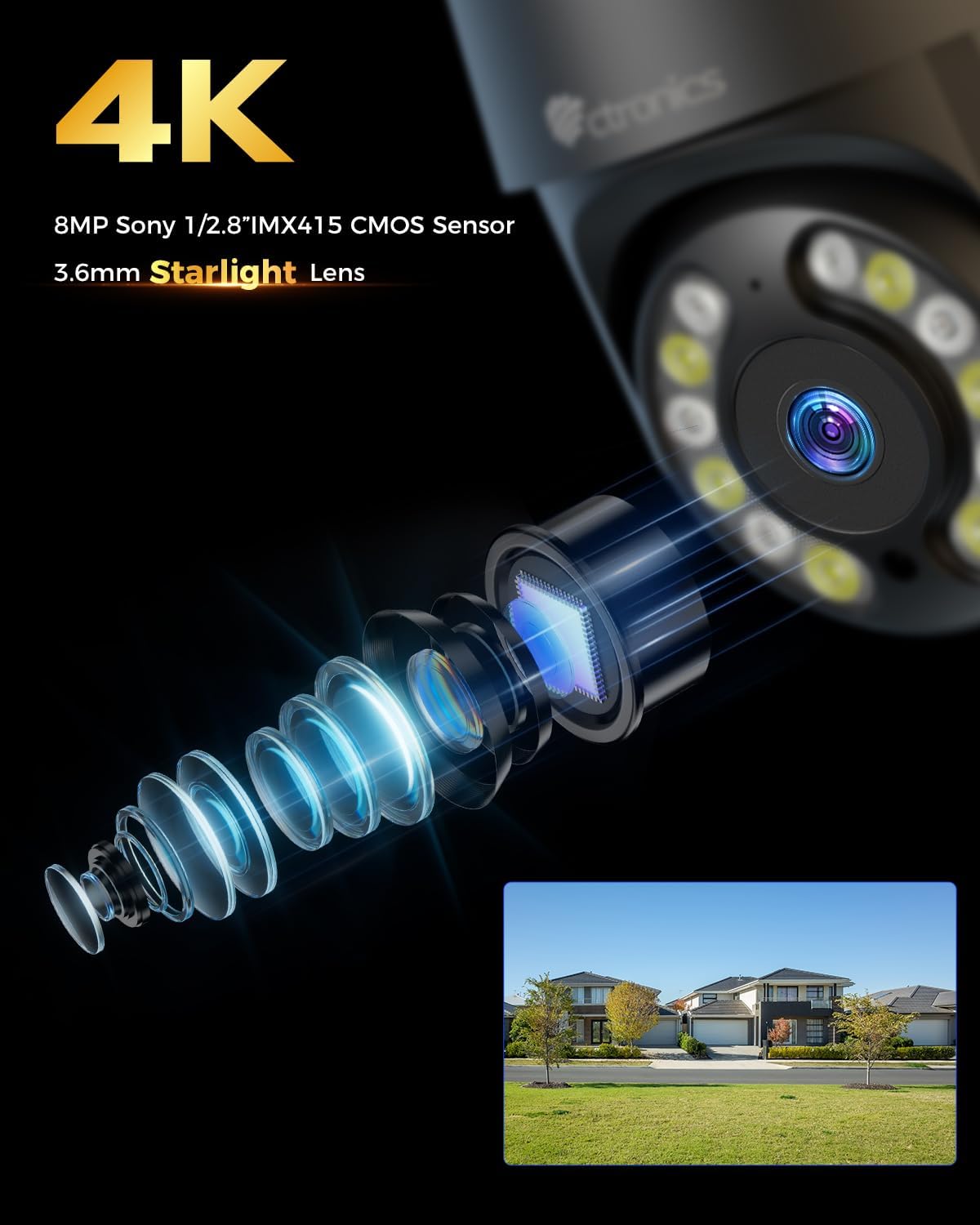
Billede: Nærbillede view of the camera's 4K 8MP Sony 1/2.8" IMX415 CMOS Sensor and 3.6mm Starlight Lens, highlighting its advanced optical components.
5. Opsætning
5.1 Fysisk installation
Kameraet understøtter både loft- og vægmontering. Vælg en placering, der giver den ønskede viewing angle and is within Wi-Fi range or near an Ethernet port.
- Markér borepositioner: Use the mounting template (if provided) or the camera base to mark the screw holes on the wall or ceiling.
- Bore huller: Bor huller på de markerede steder, og isæt vægdyvlerne.
- Sikre kameraet: Align the camera base with the drilled holes and secure it with the provided screws.
- Tilslut strøm: Tilslut strømadapteren til kameraets strømport, og sæt den i en stikkontakt.

Image: Illustrates two flexible installation methods for the Ctronics camera: wall-mounted and ceiling-mounted, demonstrating its versatility.
5.2 Netværksforbindelse
The camera supports dual-band Wi-Fi (2.4GHz and 5GHz) for flexible connectivity.
- Wi-Fi-forbindelse: For wireless setup, ensure your Wi-Fi network is active. The camera will connect to your chosen network during the app setup process.
- Ethernet-forbindelse (valgfrit): For a stable wired connection, connect an Ethernet cable from your router to the camera's Ethernet port.
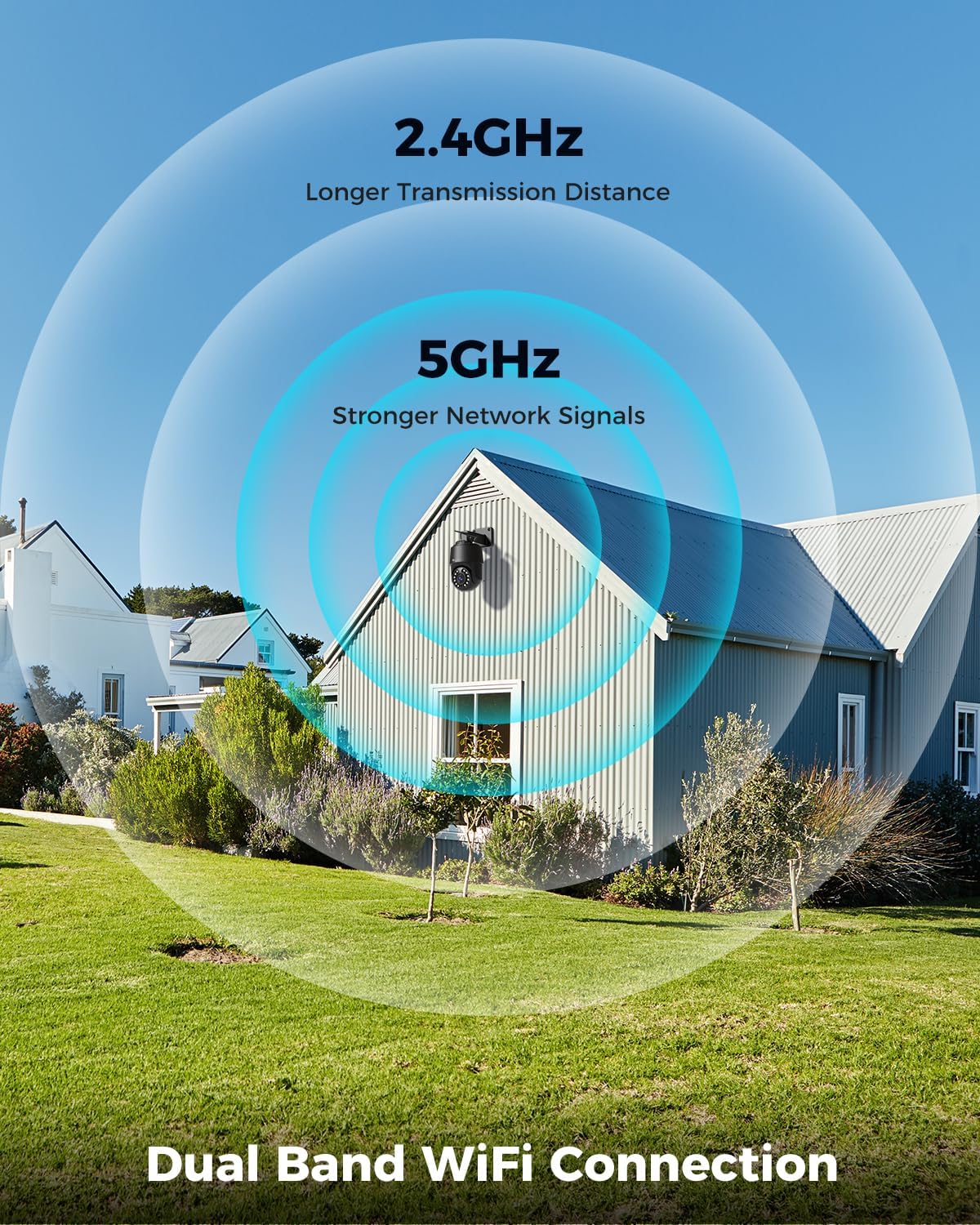
Image: Depicts the camera's dual-band Wi-Fi capability, showing 2.4GHz for longer transmission distance and 5GHz for stronger network signals, ensuring reliable connectivity.
5.3 Appinstallation og første opsætning
Download the 'Ctronics PRO' or 'HIP2P' app from your mobile app store (iOS/Android) or the Ctronics website for PC/Mac clients.
- Download app: Søg efter "Ctronics PRO" or "HIP2P" in the App Store or Google Play Store and install it.
- Registrer konto: Åbn appen, og opret en ny konto, eller log ind, hvis du allerede har en.
- Tilføj enhed: Tap the "+" icon to add a new device. Follow the on-screen instructions to scan the QR code on the camera or manually enter the device ID.
- Konfigurer netværk: If connecting via Wi-Fi, select your Wi-Fi network and enter the password. The camera will then connect.
- Indstil adgangskode: Opret en stærk adgangskode til dit kamera af sikkerhedsmæssige årsager.

Image: Shows the broad compatibility of the Ctronics camera with various operating systems and platforms, including iOS, Android, Mac OS, Windows, Ctronics Pro app, and HiP2P client.
6. Betjening af kameraet
6.1 Live View
Once connected, you can access the live video feed from your camera through the app. This allows you to monitor your property in real-time.
6.2 PTZ-styring (panorering, vipning, zoom)
The camera features 355° pan and 90° tilt capabilities, along with 5x optical zoom.
- Panorering/vip: Use the directional controls in the app to move the camera horizontally and vertically.
- Zoom: Use the zoom controls in the app to optically zoom in or out on objects.
- Forudindstillede positioner: Indstil op til 8 forudindstillede positioner for hurtig navigation til bestemte områder.

Image: Illustrates the camera's PTZ (Pan-Tilt-Zoom) functionality, showing its 355° pan and 90° tilt range for comprehensive coverage.
6.3 Detection Features & Auto Tracking
The camera can accurately detect people, vehicles, and pets, and automatically track them.
- Aktivér detektion: In the app settings, enable person, vehicle, or pet detection.
- Automatisk sporing: When enabled, the camera will automatically follow detected subjects within its field of view.
- Alarmmeddelelser: Receive real-time alarm notifications on your mobile device when motion is detected.
- Lyd- og lysalarm: The camera can activate a sound and red/blue light alarm at night to deter intruders. This feature can be toggled on/off in the app.

Image: Demonstrates the camera's advanced detection capabilities, highlighting its ability to identify and auto-track humans, vehicles, and pets, keeping them in focus.
6.4 Nattesyn
The camera offers both infrared (IR) and color night vision modes.
- IR nattesyn: Provides clear black and white images up to 50 meters in low light or complete darkness.
- Farve Night Vision: Utilizes built-in spotlights to provide full-color images up to 45 meters at night.

Image: Shows the camera's 4K Color/IR Night Vision capabilities, with bright spotlights illuminating a dark scene, available for audio and red & blue light alarm.
6.5 Tovejslyd
Kommuniker med besøgende eller afskræk ubudne gæster ved hjælp af den indbyggede mikrofon og højttaler.
- Tale: Tryk på mikrofonikonet i appen for at tale gennem kameraets højttaler.
- Lytte: The camera's microphone captures audio from its surroundings.
6.6 Optagelsesmuligheder
Kameraet understøtter forskellige optagelsesmetoder:
- Micro SD-kort: Insert a Micro SD card (up to 256GB, not included) into the camera's slot for continuous 24/7 recording or scheduled recordings.
- NVR/NAS: Connect the camera to a Network Video Recorder (NVR) or Network Attached Storage (NAS) for extended recording and management.
- Cloud Storage: Optional cloud storage services may be available through the app for secure off-site backup of your footage.

Image: Displays the camera's versatile storage options, including support for up to 256GB Micro SD card (not included), NVR/NAS for 24/7 recording, FTP, and Ctronics Cloud storage.
6.7 Multi-User Sharing and Remote Access
Share camera access with family and friends, and view footage fjernt fra hvor som helst.
- Deling: Share access to the camera feed with up to four users simultaneously through the app.
- Fjernadgang: Adgang live view and recorded videos from your iOS, Android, Mac, or Windows devices via the Ctronics PRO or HIP2P app/software.
7. Vedligeholdelse
To ensure optimal performance and longevity of your Ctronics camera, follow these maintenance guidelines:
- Rensning: Tør regelmæssigt kameralinsen og huset af med en blød, tør klud for at fjerne støv og snavs. Brug ikke skrappe kemikalier eller slibende rengøringsmidler.
- Firmwareopdateringer: Check the app periodically for firmware updates. Keeping your camera's firmware up-to-date ensures you have the latest features and security enhancements.
- Kabelinspektion: Periodically inspect all cables and connections for any signs of wear or damage. Ensure waterproof connections are sealed properly.
- Lagerstyring: If using a Micro SD card, regularly back up important footage and consider formatting the card periodically to maintain performance.
8. Fejlfinding
Hvis du støder på problemer med dit kamera, kan du se følgende almindelige problemer og løsninger:
| Problem | Mulig årsag | Løsning |
|---|---|---|
| Kamera offline | No power; Wi-Fi signal weak/disconnected; Router issue | Check power connection; Move camera closer to router or use Ethernet; Restart router |
| Dårlig billedkvalitet | Dirty lens; Insufficient lighting; Network bandwidth issue | Clean lens; Ensure adequate lighting or enable color night vision; Check network speed |
| Bevægelsesdetektion virker ikke | Detection sensitivity too low; Detection zone not set; Obstructions | Adjust sensitivity in app; Configure detection zones; Clear obstructions |
| To-vejs lyd virker ikke | Microphone/speaker disabled in app; Volume too low; Network delay | Enable audio in app; Adjust volume; Check network stability |
| Cannot connect to 5GHz Wi-Fi | Router settings; Distance from router | Ensure router supports 5GHz and is configured correctly; 5GHz has shorter range, move camera closer |
If the problem persists, please contact Ctronics customer support for assistance.
9. Specifikationer
| Feature | Specifikation |
|---|---|
| Modelnummer | CTIPC-640C-M12B |
| Opløsning | 4K (3840x2160p), 8 Megapixels |
| Optisk zoom | 5X |
| Pan/tilt rækkevidde | Panorering: 355°, Tilt: 90° |
| Night Vision Range | IR: 50m, Color: 45m |
| Wi-Fi-forbindelse | 2.4GHz / 5GHz Dual-Band |
| Opbevaringsmuligheder | Micro SD (up to 256GB), NVR/NAS, Cloud |
| Vandmodstand | IP66 (Vandtæt) |
| Strømforsyning | 12 volt, 24 watt |
| Materiale | Metal |
| Dimensioner (L x B x H) | 21.99 x 15.99 x 22 cm |
| Vægt | 1.28 kg |
| Kompatible enheder | Computer, Laptop, Tablet, Smartphone |
| Operativsystemer | iOS, Android, Mac OS, Windows |
10. Garanti og support
Ctronics products come with a standard warranty. Please refer to the warranty card included in your package or visit the official Ctronics webhjemmeside for detaljerede garantivilkår.
For technical support, troubleshooting assistance, or any inquiries regarding your product, please contact Ctronics customer service through the following channels:
- Officiel Webwebsted: Besøg Ctronics' officielle webwebsted med ofte stillede spørgsmål, supportartikler og kontaktoplysninger.
- E-mail support: Send an email to the support team (email address typically found on the website or quick start guide).
- Support i appen: Some issues can be resolved directly through the support features within the Ctronics PRO app.
When contacting support, please have your product model number (CTIPC-640C-M12B) and purchase information ready.


