Indledning
This manual provides detailed instructions for the OWC Gemini Thunderbolt (USB-C) Docking Station and External RAID Storage Solution. It covers setup, operation, maintenance, troubleshooting, and technical specifications to ensure optimal performance and longevity of your device.
Sikkerhedsoplysninger
- Læs alle instruktioner omhyggeligt, før du bruger enheden.
- Udsæt ikke enheden for fugt eller ekstreme temperaturer.
- Brug kun den strømadapter, der fulgte med enheden.
- Forsøg ikke at åbne eller reparere enheden selv. Overlad al service til kvalificeret personale.
- Sørg for korrekt ventilation omkring enheden for at forhindre overophedning.
Pakkens indhold
Bekræft at alle varer er til stede i din pakke:
- OWC Gemini Thunderbolt (USB-C) Docking Station
- Strømadapter
- Thunderbolt (USB-C) Cable
- Brugervejledning (dette dokument)
- Drives (pre-installed for 32TB model)
Produkt overview
The OWC Gemini is a versatile docking station and external storage solution designed for high-performance data management and expanded connectivity.

Billede: Forside view of the OWC Gemini Thunderbolt Docking Station, showcasing its sleek black design and OWC branding.
Nøglefunktioner
- Dual Drive Bays: Supports 2.5-inch and 3.5-inch SATA drives for flexible storage configurations.
- Hardware RAID: Offers RAID 0, RAID 1, SPAN, and JBOD modes for optimized performance or data redundancy.
- Thunderbolt (USB-C) Connectivity: Two Thunderbolt 3 (USB-C) ports for host connection, daisy-chaining, and power delivery (up to 27W).
- Udvidet forbindelse: Includes two USB 3.2 Gen 2 Type-A ports, one HDMI port, one 2.5 Gigabit Ethernet port, and one SD 4.0/UHS-II media slot.
- High-Resolution Display Support: HDMI 2.1 supports up to 8K @ 120Hz, and Thunderbolt 3 supports up to 8K @ 60Hz or 4K @ 120Hz.
Port layout
The OWC Gemini provides a comprehensive set of ports for various connectivity needs.

Billede: Bagside view of the OWC Gemini Docking Station, highlighting the 7 ports of connectivity including Thunderbolt, USB, HDMI, and Ethernet.
- Thunderbolt 3 (USB-C) Host Port: Forbinder til din computer.
- Thunderbolt 3 (USB-C) Downstream Port: For daisy-chaining, additional displays, or charging USB-C devices.
- USB 3.2 Gen 2 Type-A-porte (x2): Til tilslutning af USB-enheder.
- HDMI 2.1 port: Til tilslutning af en ekstern skærm.
- 2.5 Gigabit Ethernet-port: For high-speed network connectivity.
- SD 4.0/UHS-II Media Slot: Located on the front panel for convenient access.
- DC 12V strømindgang: Tilsluttes strømadapteren.

Image: Close-up of the front panel of the OWC Gemini, showing the easily accessible SD card slot.
Opsætning
1. Drive Installation (if applicable)
For models without pre-installed drives, follow these steps to install 2.5-inch or 3.5-inch SATA drives.

Image: The OWC Gemini unit illustrating its two flexible drive bays, compatible with both 2.5-inch and 3.5-inch drives.
- Ensure the device is powered off and disconnected from your computer.
- Open the drive bay door(s) according to the product's physical design.
- Insert your 2.5-inch or 3.5-inch SATA drives into the bays, ensuring they are securely seated.
- Close the drive bay door(s).
2. RAID-konfiguration
The OWC Gemini supports hardware RAID. Refer to the specific RAID configuration utility or physical switches on the device (if present) to set your desired RAID level (RAID 0, RAID 1, SPAN, or JBOD).
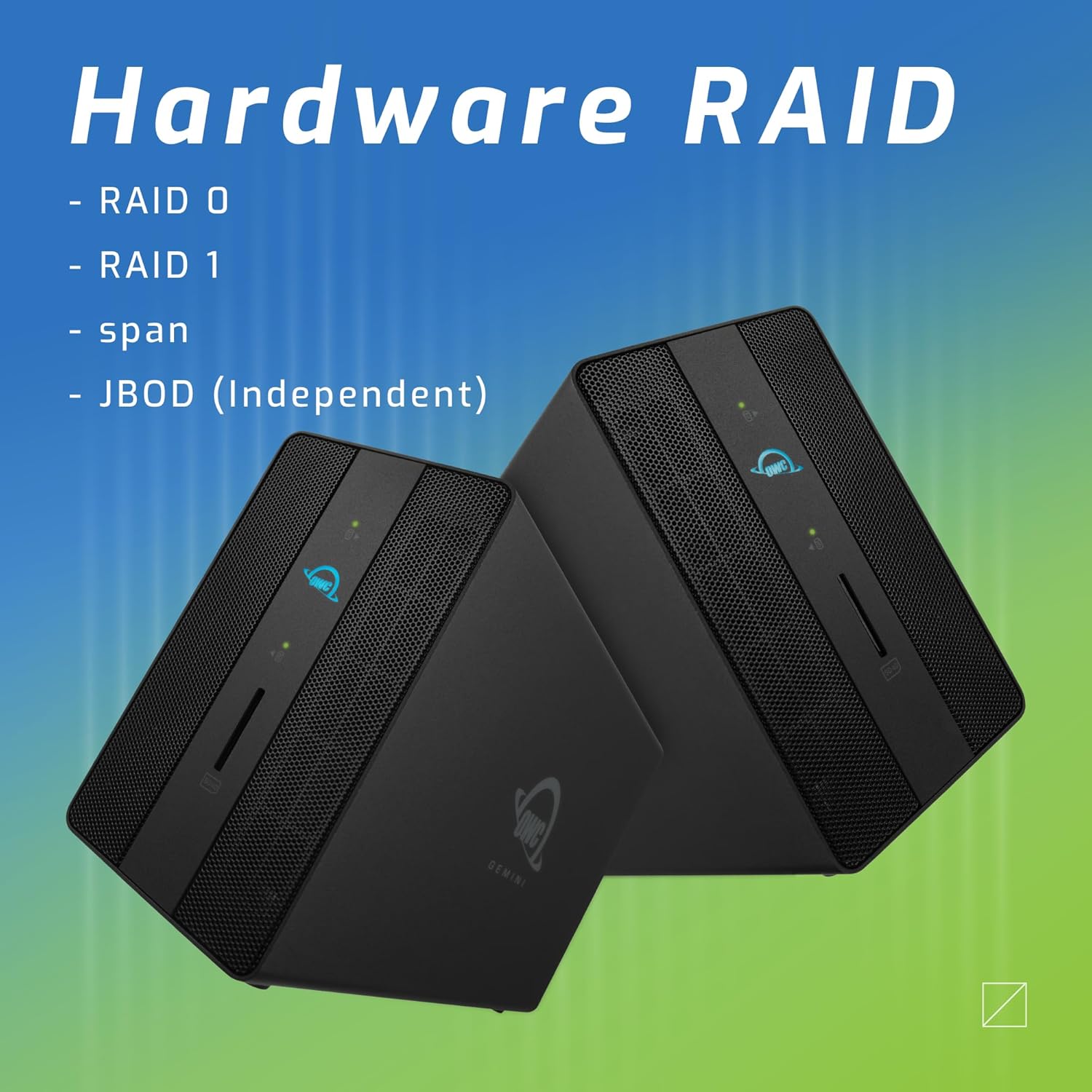
Image: Two OWC Gemini units, emphasizing the hardware RAID capabilities for configurations like RAID 0, RAID 1, SPAN, and JBOD.
RAID Levels Explained:
- RAID 0 (Striping): Kombinerer drev for maksimal hastighed og kapacitet, men tilbyder ingen dataredundans.
- RAID 1 (spejling): Duplicates data across drives for redundancy, sacrificing half the total capacity for data protection.
- SPAN (Concatenation): Combines drives into a single large volume without striping or mirroring.
- JBOD (Just a Bunch Of Disks): Treats each drive as an independent volume.
3. Tilslutning til din computer
- Connect the power adapter to the DC 12V power input on the OWC Gemini and then to a power outlet.
- Connect one end of the Thunderbolt (USB-C) cable to the host port on the OWC Gemini.
- Connect the other end of the Thunderbolt (USB-C) cable to a Thunderbolt (USB-C) port on your computer.
- Enheden burde tænde automatisk.
4. Initializing Drives
After connecting, your operating system may prompt you to initialize and format the new drives. Follow the on-screen instructions. For macOS, use Disk Utility. For Windows, use Disk Management.
Betjeningsvejledning
Dataoverførsel
Once the drives are initialized and formatted, they will appear as accessible volumes on your computer. You can drag and drop files to and from these volumes as you would with any other storage device.
Brug af USB -porte
Connect USB peripherals such as external drives, keyboards, or mice to the two USB 3.2 Gen 2 Type-A ports. These ports support data transfer speeds up to 10 Gb/s.
Tilslutning af en ekstern skærm
Use the HDMI 2.1 port to connect an external monitor. The Gemini supports resolutions up to 8K @ 120Hz via HDMI.
Netværksforbindelse
Connect an Ethernet cable from your network router or switch to the 2.5 Gigabit Ethernet port on the Gemini for high-speed wired network access.
Brug af SD-kortstikket
Insert an SD 4.0/UHS-II compatible SD card into the front-facing slot for quick data transfer from cameras or other devices.
Daisy-Chaining and Power Delivery

Image: A close-up of the OWC Gemini's Thunderbolt ports, illustrating their use for daisy-chaining, connecting additional displays, and charging USB-C devices.
The second Thunderbolt 3 (USB-C) port allows you to:
- Daisy-kæde additional Thunderbolt devices.
- Tilslut en additional display (up to 8K @ 60Hz or 4K @ 120Hz).
- Charge USB-C devices with up to 27 watts of power.
Opretholdelse
- Rensning: Brug en blød, tør klud til at rengøre enhedens yderside. Brug ikke flydende rengøringsmidler eller aerosoler.
- Ventilation: Ensure that the ventilation grilles are not obstructed to prevent overheating.
- Firmwareopdateringer: Periodically check the OWC webwebsted for firmwareopdateringer for at sikre optimal ydeevne og kompatibilitet.
- Sikker udkastning: Always safely eject the OWC Gemini from your operating system before disconnecting it or powering it off to prevent data corruption.
Fejlfinding
Enheden genkendes ikke
- Ensure all cables are securely connected, especially the Thunderbolt cable to both the Gemini and your computer.
- Verify the power adapter is correctly connected and the device is receiving power.
- Try connecting the Gemini to a different Thunderbolt port on your computer.
- Genstart din computer.
- Check your operating system's Disk Utility (macOS) or Disk Management (Windows) to see if the drives are detected but uninitialized or unformatted.
Langsomme dataoverførselshastigheder
- Ensure you are using a Thunderbolt 3 compatible cable and port.
- Check the RAID configuration. RAID 1 (mirroring) will have slower write speeds than RAID 0 (striping).
- Luk alle unødvendige programmer, der muligvis bruger systemressourcer.
- Sørg for, at din computers drivere er opdaterede.
Visningsproblemer
- Verify the HDMI cable is securely connected to both the Gemini and your monitor.
- Check your display settings in your operating system.
- Ensure your monitor supports the resolution and refresh rate you are attempting to use.
- Prøv et andet HDMI-kabel eller en anden skærm, hvis det er muligt.
Netværksforbindelsesproblemer
- Ensure the Ethernet cable is securely connected to both the Gemini and your network device.
- Tjek din computers netværksindstillinger.
- Genstart din router/modem.
Specifikationer
| Feature | Detalje |
|---|---|
| Mærke | OWC |
| Modelnummer | OWCTB3GM000H32 |
| Lagerkapacitet | 32.0TB (as configured) |
| Drive Bays | 2 (supports 2.5" and 3.5" SATA drives) |
| RAID niveauer | SPAN, RAID 0, RAID 1, JBOD (Hardware RAID) |
| Host-interface | Thunderbolt 3 (USB-C) |
| Dataoverførselshastighed | Up to 40 Gb/s (Thunderbolt 3), Up to 10 Gb/s (USB 3.2 Gen 2) |
| Havne | (1) Thunderbolt 3 (USB-C) Host, (1) Thunderbolt 3 (USB-C) Downstream, (2) USB 3.2 Gen 2 Type-A, (1) HDMI 2.1, (1) 2.5 Gigabit Ethernet, (1) SD 4.0/UHS-II |
| Display Support | HDMI 2.1: Up to 8K @ 120Hz; Thunderbolt 3: Up to 8K @ 60Hz or 4K @ 120Hz |
| Strøm levering | Up to 27W via Thunderbolt 3 |
| Kompatible enheder | Desktop, Laptop, Tablet (with Thunderbolt/USB-C port) |
| Farve | Sort |
| Vægt | 9.35 lbs (ca.) |
| UPC | 810100983697 |
Garanti og support
Garantioplysninger
OWC products are covered by a limited warranty. Please refer to the official OWC website or your purchase documentation for specific warranty terms and conditions. Keep your proof of purchase for warranty claims.
Teknisk support
For technical assistance, troubleshooting, or further inquiries, please visit the official OWC support webwebsted eller kontakt deres kundeservice.


