1. Introduktion
Thank you for choosing the iProda 15.6-inch Portable Monitor. This device is designed to enhance your productivity and entertainment by providing a versatile second screen for your laptop, PC, smartphone, and gaming consoles. This manual will guide you through the setup, operation, and maintenance of your new monitor.
2. Produktfunktioner
- 15.6-inch Full HD (1080p) IPS Display: Experience vibrant colors and wide viewing vinkler.
- 60 Hz opdateringshastighed: Ensures smooth visuals for work and entertainment.
- Antirefleksskærm: Reducerer refleksioner for komfort viewunder forskellige lysforhold.
- Let og bærbar: Weighing approximately 1.2 kg (2.6 lbs) and only 0.6 cm (0.24 inches) thick, it's ideal for on-the-go use.
- Plug and Play-tilslutning: Simple setup with USB-C or HDMI.
- Indbyggede højttalere: Integreret lyd for nemheds skyld.
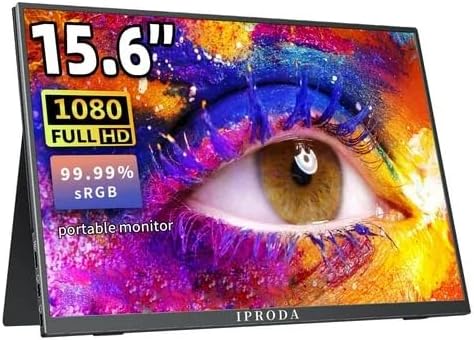
Figure 2.1: iProda 15.6-inch Portable Monitor showcasing its 1080 Full HD resolution and sRGB color accuracy.

Figure 2.2: Close-up of the iProda portable monitor screen highlighting IPS technology and a 178-degree super wide viewing angle for an excellent visual experience.
3. Opsætningsvejledning
The iProda portable monitor is designed for easy plug-and-play setup. Follow these steps to connect your device:
- Strømtilslutning: Connect the monitor to a power source using the provided USB-C cable and a compatible power adapter (not always included, check packaging).
- Videoforbindelse:
- USB-C (Full Function): If your device (laptop, smartphone) has a full-function USB-C port that supports video output and power delivery, simply connect a single USB-C cable from your device to one of the monitor's USB-C ports.
- Mini HDMI: Connect a mini HDMI to HDMI cable from the monitor's mini HDMI port to your device's HDMI port. You will also need to connect a USB-C cable for power.
- Lyd (valgfrit): If you prefer to use external headphones or speakers, connect them to the 3.5mm audio jack on the monitor.
- Enhedsindstillinger: Your device should automatically detect the monitor. If not, you may need to adjust display settings in your operating system (e.g., Windows Display Settings, macOS System Preferences).
4. Betjeningsvejledning
The monitor features intuitive controls for adjusting settings:
- Power Button / Return Button: Press and hold to power on/off. Short press to return to the previous menu in OSD settings.
- Dial-wheel Switch (OSD Settings):
- Trykke: Enter the On-Screen Display (OSD) menu.
- Rul op/ned: Naviger gennem menupunkter eller juster værdier.
- Press (while in menu): Bekræft valg.
The OSD menu allows you to adjust brightness, contrast, color settings, input source, and other display parameters.
5. Forbindelse og kompatibilitet
The iProda portable monitor offers broad compatibility with various devices:
- USB-C (x2, Full Function): Connects to laptops, PCs, tablets, and smartphones that support DisplayPort Alternate Mode and Power Delivery.
- Mini-HDMI (x1): Connects to devices with an HDMI output, including laptops, PCs, gaming consoles (Xbox, PlayStation, Nintendo Switch), and media players.
- 3.5 mm hovedtelefonstik (x1): Til tilslutning af eksterne lydenheder.
Kompatible enheder inkluderer:
- Stationære computere
- Bærbare computere (Windows, macOS)
- Tabletter
- Smartphones (with full-function USB-C)
- Nintendo Switch
- PlayStation 4/5
- Xbox One/Series X|S

Figure 5.1: Port layout and compatible devices for the iProda portable monitor.
6. Brugstilstande
When connected to a laptop or PC, the iProda portable monitor supports various display modes:
- Duplikattilstand: Displays the same content on both your primary screen and the portable monitor. Ideal for presentations or sharing content.
- Udvid tilstand: Extends your desktop across both screens, providing more screen real estate for multitasking. Drag windows between screens.
- Kun anden skærmtilstand: Displays content only on the portable monitor, with your primary screen turned off. Useful for focusing on a single display or when using the portable monitor as the main display.

Figure 6.1: Display modes (Duplicate, Extend, Second Screen Only) with a laptop.
7. Applikationer og brugsscenarier
The iProda portable monitor is versatile for various scenarios:
- Daily Work & Business: Enhance productivity by extending your workspace for spreadsheets, documents, and presentations.
- Phone Extension: Transform your smartphone into a larger display for media consumption or light productivity tasks.
- On-the-GO: Its lightweight design makes it perfect for travel, remote work, or mobile presentations.
- Spil: Connect to your favorite gaming consoles for an immersive gaming experience anywhere.
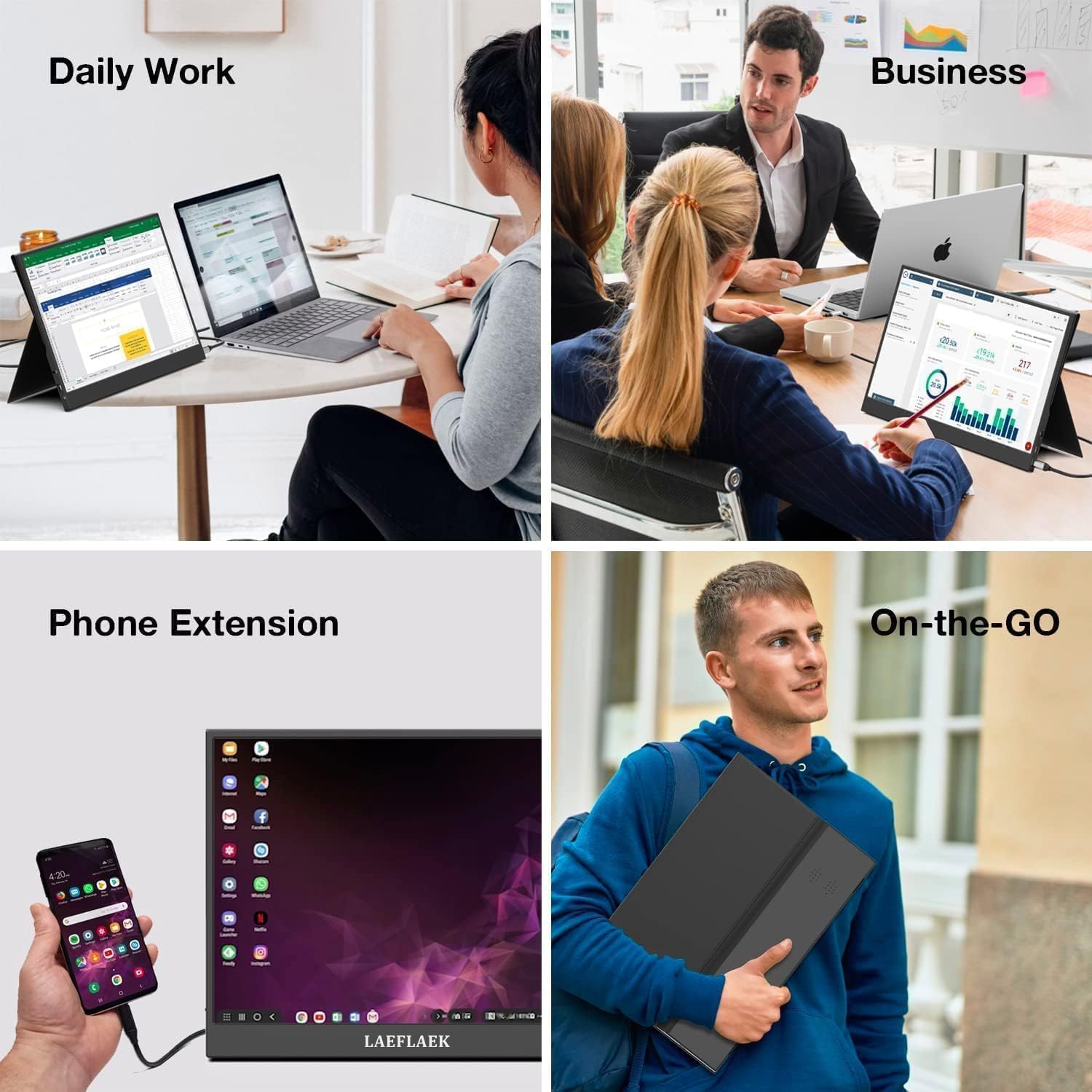
Figure 7.1: Various applications of the iProda portable monitor.

Figure 7.2: iProda portable monitor used for gaming with various consoles.
8. Vedligeholdelse
To ensure the longevity and optimal performance of your iProda portable monitor, follow these maintenance guidelines:
- Rengøring af skærmen: Brug en blød, fnugfri klud lidt dampened with water or a screen-cleaning solution. Do not spray liquid directly onto the screen. Avoid using harsh chemicals or abrasive materials.
- Rengøring af Casing: Tør skærmens c afasinmed en blød, tør klud.
- Opbevaring: Når skærmen ikke er i brug, skal den opbevares et køligt og tørt sted, helst i dens originale emballage eller et beskyttende hylster for at forhindre støv og ridser.
- Håndtering: Hold altid skærmen i kanterne. Undgå at trykke på skærmen.
9. Fejlfinding
If you encounter issues with your iProda portable monitor, refer to the following common problems and solutions:
| Problem | Mulig årsag | Løsning |
|---|---|---|
| Intet signal / Sort skærm | Forkert inputkilde valgt; Løs kabelforbindelse; Utilstrækkelig strøm; Enheden udsender ikke video. | Check cable connections; Ensure monitor is powered; Select correct input source via OSD; Verify device's video output settings. |
| Ingen strøm | Power cable not connected; Power adapter faulty; USB-C port on device not providing enough power. | Ensure power cable is securely connected; Try a different power adapter/USB-C port; Use an external power source if needed. |
| Flimrende skærm | Faulty cable; Interference; Graphics driver issue. | Try a different cable; Ensure no strong electromagnetic interference; Update graphics drivers on your connected device. |
| Ingen lyd fra skærmen | Monitor volume too low; Audio output not set to monitor; External speakers/headphones connected. | Adjust monitor volume via OSD; Set audio output to the monitor in your device's sound settings; Disconnect external audio devices if using monitor speakers. |
If the problem persists after trying these solutions, please contact iProda customer support for further assistance.
10. Specifikationer
| Feature | Specifikation |
|---|---|
| Skærmstørrelse | 15.6 tommer |
| Display Type | IPS, Anti-glare |
| Opløsning | Fuld HD (1920 x 1080) |
| Opdateringshastighed | 60 Hz |
| Aspektforhold | 16:9 |
| Forbindelse | 2x USB-C (Full Function), 1x Mini HDMI, 1x 3.5mm Audio Jack |
| Vægt | Ca. 1.2 kg (2.6 lbs) |
| Tykkelse | Ca. 0.6 cm (0.24 tommer) |
| Indbyggede højtalere | Ja |
11. Garanti og support
Your iProda portable monitor comes with a standard manufacturer's warranty. Please refer to the warranty card included in your product packaging for specific terms and conditions.
For technical support, troubleshooting assistance, or warranty claims, please contact iProda customer service through the contact information provided on the official iProda webwebsted eller din købsplatform.
Hav venligst din produktmodel og købsoplysninger klar, når du kontakter support.


