Produkt overview
The Housbay White Noise Machine (Model TS1Z) is a versatile 3-in-1 device designed to enhance your sleep and daily routine. It functions as a white noise machine, an alarm clock, and a Bluetooth speaker. This compact device features a natural wood-tone finish and offers a comprehensive set of features for a restful environment.
Key functionalities include a rich sound library with 25 soothing sounds, a customizable alarm clock with natural wake-up sounds, and Bluetooth 5.0 connectivity for streaming personal audio. It also incorporates a 7-color night light and a dimmable LED display for optimal user experience.
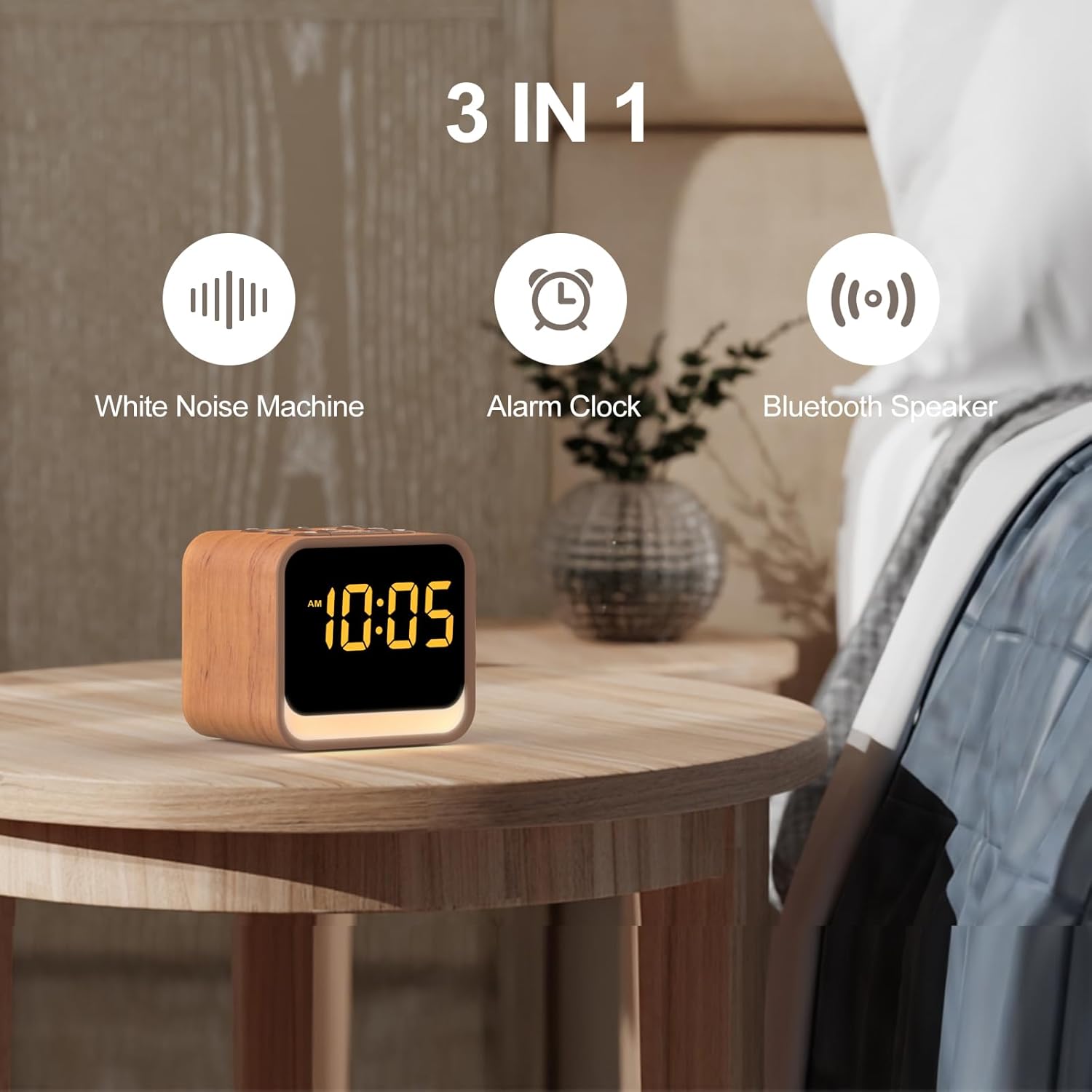
Figur 1: The Housbay White Noise Machine highlighting its three core functions: White Noise Machine, Alarm Clock, and Bluetooth Speaker.
Opsætningsvejledning
1. Strømtilslutning
Connect the provided power adapter to the DC input port on the back of the device. Plug the adapter into a standard wall outlet. The LED display will illuminate, indicating the device is powered on.
2. Indstilling af starttidspunkt
Upon first power-up or after a power interruption, you may need to set the time. Refer to the "Setting Time and Alarms" section under Operating Instructions for detailed steps.
Betjeningsvejledning
Lydbibliotek
The device features 25 built-in soothing sounds to aid in relaxation and sleep. These include various noise types (white, brown, pink, blue), fan sounds, and natural sounds like birds, ocean, campfire, rain, thunderstorm, stream, cricket, and wind.
- Valg af lyde: Tryk på Sund button (often represented by a musical note or sound wave icon) to cycle through the available sounds.
- Justering af lydstyrke: Brug Lydstyrke op (+) og Lydstyrke ned (-) buttons to set your preferred listening level. The device offers 1-30 volume levels (20-105dB).
- Sleep timer: For at indstille en sleep-timer skal du trykke på Timer button. Options typically include 30, 60, or 90 minutes, after which the sound will gradually fade out.

Figur 2: The extensive sound library available on the Housbay device, including various noise types and natural sounds, along with Bluetooth pairing capability.

Figur 3: Illustration of the adjustable volume feature, allowing users to select their preferred sound level for sleep and relaxation.
Vækkeurfunktioner
The integrated alarm clock features a progressive wake-up system and 8 natural alarm sounds.
- Setting Time and Alarms:
- Tryk og hold på Indstil tid button (often represented by a clock icon) to enter time setting mode.
- Brug + og - knapperne for at justere timer og minutter. Tryk på Indstil tid again to confirm each step.
- To set an alarm, press and hold the Alarmsæt button (often represented by an alarm clock icon).
- Adjust the alarm time and select one of the 8 natural alarm sounds (birds, ocean, piano, soft music, stream sound, ocean wave, beep, honey beep) using the + og - knapper. Bekræft med Alarmsæt.
- Aktivering/deaktivering af alarm: Tryk på Alarmsæt button briefly to toggle the alarm on or off. An alarm icon will appear/disappear on the display.
- Snooze-funktion: Når alarmen lyder, skal du trykke på Snooze button (usually a large button on top) to temporarily silence the alarm for a set period (e.g., 9 minutes).
- Stopper alarm: For at slukke alarmen helt, tryk på en hvilken som helst knap bortset fra Snooze.

Figur 4: Overview of the alarm clock's capabilities, including multiple wake-up sounds and snooze functionality.
Bluetooth højttaler
The device can connect to your smartphone or other Bluetooth-enabled devices to stream audio content.
- Parringstilstand: Tryk på Bluetooth button (often represented by a Bluetooth symbol) to enter pairing mode. The Bluetooth icon on the display will flash.
- Tilslutter: On your device (e.g., smartphone), go to Bluetooth settings and select "Housbay TS1Z" (or similar name) from the list of available devices. Once connected, the Bluetooth icon on the display will stop flashing and remain solid.
- Afspilning af lyd: Play music or other audio content from your connected device. The volume can be controlled both from your device and the Housbay machine.
Night Light and LED Display
The device features a soft night light with 7 color options and a dimmable LED display.
- Natlysstyring: Tryk på Lys button (often represented by a light bulb icon) to turn the night light on/off and cycle through the 7 color options.
- LED Display Brightness: The LED display has an intelligent dimming feature. To adjust brightness manually or set it to dim automatically, use the Lysdæmper button (or a dedicated brightness control). The display can be dimmed from 0-100% and can go completely dark.

Figur 5: The dimmable LED display, illustrating its ability to adjust brightness from completely off to fully illuminated.
Opretholdelse
To ensure the longevity and optimal performance of your Housbay White Noise Machine, follow these simple maintenance guidelines:
- Rensning: Disconnect the power adapter before cleaning. Use a soft, dry, or slightly damp cloth to wipe the exterior surfaces. Do not use abrasive cleaners, waxes, or solvents.
- Opbevaring: If storing the device for an extended period, ensure it is clean and dry. Store it in a cool, dry place away from direct sunlight and extreme temperatures.
- Undgå væsker: Do not expose the device to water or other liquids. Avoid placing it in humid environments.
Fejlfinding
If you encounter any issues with your Housbay White Noise Machine, please refer to the following common problems and solutions:
| Problem | Mulig årsag | Løsning |
|---|---|---|
| Ingen strøm/skærm slukket | Strømadapteren er ikke tilsluttet, eller der er en defekt stikkontakt. | Ensure the power adapter is securely plugged into the device and a working wall outlet. Try a different outlet. |
| Ingen lyd fra højttaleren | Volume too low; sound paused; Bluetooth not connected or connected to another device. | Increase volume using the '+' button. Ensure a sound is selected. If using Bluetooth, verify connection and disconnect from other devices. |
| Bluetooth-parring mislykkedes | Device not in pairing mode; too far from the machine; interference. | Ensure the machine is in Bluetooth pairing mode (flashing icon). Move your device closer. Turn off other Bluetooth devices nearby. |
| Alarmen lyder ikke | Alarm ikke aktiveret; alarmlydstyrke for lav; forkert alarmtidspunkt indstillet. | Verify the alarm is activated (alarm icon visible). Increase alarm volume. Double-check the set alarm time. |
| LED display too bright/dim | Lysstyrkeindstillingen skal justeres. | Use the Dimmer button to adjust the display brightness to your preference. |
Hvis problemet fortsætter efter at have prøvet disse løsninger, bedes du kontakte kundesupport.
Specifikationer
| Mærke | HUSBAY |
| Modelnummer | TS1Z |
| Farve | Oak (Wood Tone) |
| Produktmål (L x B x H) | 8.99 x 7.19 x 8 cm (ca. 3.54 x 2.83 x 3.15 tommer) |
| Varens vægt | 472 gram (ca. 1.04 pund) |
| Lydbibliotek | 25 Soothing Sounds (White Noise, Brown Noise, Pink Noise, Blue Noise, Fan Sounds, Nature Sounds) |
| Alarm lyder | 8 Natural Alarm Sounds |
| Lydstyrkeniveauer | 1-30 (20-105dB) |
| Bluetooth version | 5.0 |
| Nattelys farver | 7 Valgmuligheder |
| LED Display | Dimmable (0-100%) |
Garanti og support
For warranty information and customer support, please refer to the documentation included with your purchase or visit the official Housbay website. If you have any questions or require assistance with your device, please contact Housbay customer service directly.
Kontaktoplysninger: Se venligst produktemballagen eller producentens officielle webhjemmeside for de mest opdaterede kontaktoplysninger.


