1. Introduktion
Thank you for choosing the Olympia Vitus 2G Senior Mobile Phone. This device is designed with ease of use in mind, featuring a foldable design, large buttons, and essential functions to keep you connected. It is also hearing aid compatible for enhanced accessibility.

Image 1.1: The Olympia Vitus 2G phone in both open and closed positions, alongside its charging dock.

Image 1.2: A selection of Olympia Vitus 2G phones, showcasing available colors and their charging docks.
2. Sikkerhedsoplysninger
- Læs alle instruktioner omhyggeligt, før du bruger enheden.
- Hold enheden væk fra vand og fugt.
- Udsæt ikke enheden for ekstreme temperaturer.
- Brug kun godkendte batterier, opladere og tilbehør.
- Undgå at tabe enheden eller udsætte den for kraftige stød.
- Consult a qualified service professional for any repairs.
- Bortskaf enheden og dens batteri på en ansvarlig måde i henhold til lokale regler.
3. Opsætning
3.1. Udpakning og pakkeindhold
Carefully unpack your Olympia Vitus 2G phone. The package should contain:
- Olympia Vitus 2G Senior Mobile Phone
- Opladningsdock
- USB-C ladekabel
- Strømadapter
- Batteri
- Brugervejledning (dette dokument)
3.2. Batteriinstallation og opladning
- Fjern bagcoveret på telefonen.
- Isæt batteriet, og sørg for, at de gyldne kontakter er justeret med telefonens terminaler.
- Sæt bagdækslet på igen.
- Connect the USB-C charging cable to the phone or place the phone in the charging dock.
- Connect the other end of the cable to the power adapter and plug it into a wall outlet.
- Allow the phone to charge fully before first use. The battery indicator on the display will show charging status.
The Vitus 2G offers a standby time of up to 240 hours and a talk time of up to 3.5 hours. An automatic SMS notification will alert you when the battery level is low, prompting timely charging.

Image 3.1: The Olympia Vitus 2G phone securely placed in its charging dock, indicating the charging process.
3.3. SIM-kort installation
- Sørg for, at telefonen er slukket.
- Fjern bagdækslet og batteriet.
- Locate the SIM card slot(s). This phone supports 2G cellular technology.
- Carefully insert your SIM card(s) into the designated slot(s) with the gold contacts facing down, following the diagram usually found near the slot.
- Reinsert the battery and replace the back cover.
3.4. Tænd/sluk
- For at tænde: Tryk og hold nede Tænd/afslut opkald knappen, indtil skærmen lyser.
- For at slukke: Tryk og hold nede Tænd/afslut opkald button, then select "Power off" from the options on the screen.
4. Betjeningsvejledning
The Olympia Vitus 2G is designed for straightforward operation with its intuitive user interface and large, easy-to-press buttons.

Image 4.1: A user demonstrating the ease of making a call with the Olympia Vitus 2G, highlighting its large buttons and clear display.
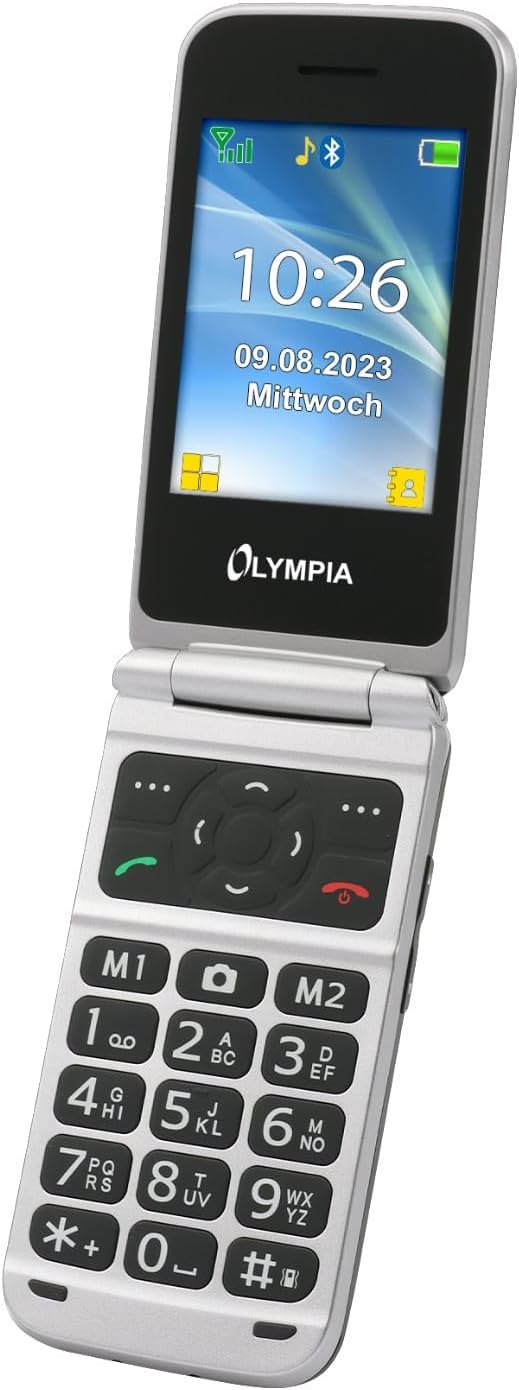
Billede 4.2: En detaljeret view of the Olympia Vitus 2G's keypad, emphasizing the large, well-spaced, and clearly labeled buttons for easy dialing and navigation.
4.1. Foretage og modtage opkald
- To make a call: Dial the number using the large keypad and press the Ring button (green receiver icon).
- To answer a call: Press the Ring knappen, når telefonen ringer.
- To end a call: Press the Afslut opkald button (red receiver icon).
4.2. Emergency Call Button (SOS Function)
The Vitus 2G features a dedicated SOS button for emergencies. When activated, it can trigger an SOS sound alarm, send SOS SMS messages, and initiate calls to pre-programmed emergency contacts.

Billede 4.3: Bagsiden view of the Olympia Vitus 2G, clearly showing the prominent red SOS emergency call button.
- For at aktivere: Tryk og hold nede SOS knap on the back of the phone for a few seconds.
- Ensure emergency contacts are set up in the phone's settings for this feature to function correctly.
4.3. Speed Dial and Direct Dial Buttons
The phone supports image speed dialing and includes two direct dial buttons (M1, M2) for quick access to important contacts.
- To set up: Refer to the phone's menu for "Speed Dial" or "Direct Dial" settings to assign contacts to M1, M2, or other number keys.
- To use: Simply press the assigned M1 or M2 button, or hold down a number key for speed dial.
4.4. Multimedia and Extra Features
Your Vitus 2G phone includes several useful features:
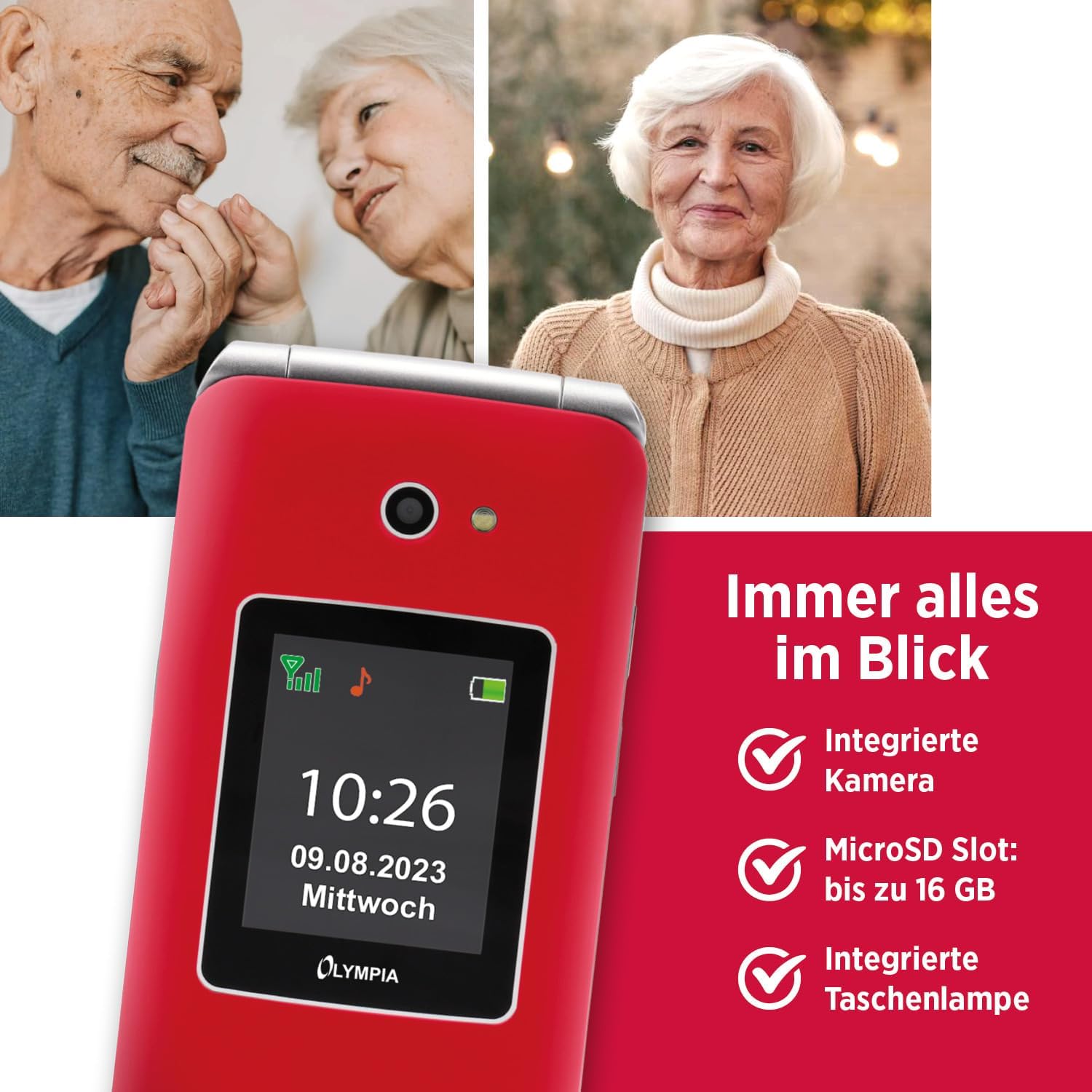
Image 4.4: The Olympia Vitus 2G phone, showcasing its integrated camera, microSD card slot for expandable storage, and built-in torch.
- Kamera: Capture photos using the integrated camera. Access it via the main menu.
- FM-radio: Listen to your favorite radio stations. Headphones may be required for optimal reception.
- Fakkel: Activate the built-in torch for illumination in dark environments.
- MicroSD slot: Expand storage up to 16GB for photos, music, and other files.
- Calendar, Calculator, Alarm Clock: Access these utility functions from the main menu.
- Bluetooth: Connect wirelessly to compatible devices such as headsets or other phones.
4.5. Hearing Aid Compatibility (HAC)
The Olympia Vitus 2G is designed to be compatible with hearing aids, reducing interference and improving call clarity for users with hearing devices.

Image 4.5: The Olympia Vitus 2G phone in its closed state, featuring the Hearing Aid Compatible (HAC) logo, indicating its suitability for users with hearing aids.
- When using a hearing aid, position the phone near your hearing aid to find the optimal listening position.
- Adjust the volume on both your phone and hearing aid for the best experience.
5. Vedligeholdelse
5.1. Cleaning Your Phone
- Brug en blød, tør og fnugfri klud til at rengøre telefonens yderside.
- Brug ikke skrappe kemikalier, rengøringsopløsningsmidler eller stærke rengøringsmidler.
- Undgå at fugt kommer ind i åbninger.
5.2. Batteripleje
- For at forlænge batteriets levetid bør du undgå at aflade batteriet helt ofte.
- Charge the phone regularly, especially when the low battery notification appears.
- Opbevar telefonen et køligt og tørt sted, når den ikke er i brug i længere perioder.
5.3. Softwareopdateringer
Periodically check for software updates in the phone's settings menu. Updates can improve performance, add new features, and enhance security.
6. Fejlfinding
| Problem | Mulig løsning |
|---|---|
| Telefonen tænder ikke | Ensure the battery is correctly installed and charged. Connect to charger and try again. |
| Kan ikke foretage/modtage opkald | Check SIM card installation. Ensure you have network signal. Contact your service provider. |
| Dårlig opkaldskvalitet | Move to an area with better network reception. If using a hearing aid, adjust phone position. |
| Batteriet aflades hurtigt | Reducer skærmens lysstyrke. Luk ubrugte programmer. Begræns brugen af baggrundsdata. |
| SOS-knappen virker ikke | Sørg for, at nødkontakter er korrekt konfigureret i telefonens indstillinger. |
7. Specifikationer
The following are the technical specifications for the Olympia Vitus 2G Senior Mobile Phone:

Billede 7.1: En overview of the Olympia Vitus 2G's key features and specifications, including its SOS button, USB-C, FM Radio, Bluetooth, and battery life.
- Modelnavn: VITUS 2G
- Varemodelnummer: 2225
- Mærke: OLYMPIA
- Operativsystem: KaiOS
- CPU model: Snapdragon
- Vise: 1.7 inches (outer), 2.88 inches (inner)
- Opløsning: 240 x 320 pixels
- Trådløs operatør: Låst op for alle udbydere
- Mobilteknologi: 2G
- Forbindelse teknologi: USB-C, Bluetooth
- Farve: Red (other colors may be available)
- Batteriets standbytid: Op til 240 timer
- Batteri taletid: Op til 3.5 timer
- MicroSD Support: Op til 16 GB
- Dimensioner (BxHxD): 56 x 19 x 106 mm (closed)
- Vægt: 115 g
8. Garantioplysninger
Your Olympia Vitus 2G Senior Mobile Phone comes with a standard manufacturer's warranty. Please refer to the warranty card included in your package for specific terms, conditions, and duration. Keep your proof of purchase for warranty claims.
9. Kundesupport
For technical assistance, troubleshooting, or further inquiries regarding your Olympia Vitus 2G, please contact Olympia customer support. Contact details can typically be found on the manufacturer's webwebstedet eller på garantikortet.
Please note: Product specifications and features are subject to change without prior notice.


