Indledning
This manual provides detailed instructions for the safe and efficient operation of your Retevis P1 Superheterodyne Digital Two-Way Radio. Please read this manual thoroughly before using the device to ensure proper function and to prevent damage.
The Retevis P1 is a professional-grade digital two-way radio designed for reliable communication in various environments. It features a superheterodyne receiver for clear audio, long-range capabilities with a built-in relay function, and compatibility with both analog and digital communication systems.
Pakkens indhold
Bekræft, at alle nedenstående varer er inkluderet i din pakke:
- P1 walkie talkie (x2)
- Antenne (x2)
- Desktop charger (x2)
- Datakabel (x1)
- 2500mAh battery (x2)

The package contains two P1 walkie-talkies, two antennas, two desktop chargers, one data cable, and two 2500mAh batteries. A user manual is also included.
Opsætning
1. Batteriinstallation
- Juster batteriet med radioens bagside.
- Skub batteriet på plads, indtil det klikker sikkert.
- To remove, press the release latch (if present) and slide the battery off.

The image displays the back of the Retevis P1 radio and its detachable 2500mAh Lithium-Ion battery. The battery connects via gold-plated contacts. The radio's dimensions are approximately 1.33"D x 2.18"W x 4.92"H, and it weighs about 1.14 lbs.
2. Antennetilslutning
Skru antennen med uret på stikket øverst på radioen, indtil den er fingerstram. Spænd den ikke for hårdt.
3. Opladning af batteriet
The radio uses a 2500mAh Lithium-Ion battery. Charge the battery using the provided desktop charger or directly via the USB-C port on the radio.
- Bordoplader: Placer radioen (med batteri installeret) i bordopladerholderen. Sørg for, at opladningsindikatoren lyser.
- USB-C opladning: Connect the data cable to the USB-C port on the radio and to a compatible USB power source.
A full charge provides approximately 14 hours of continuous working time and up to 46 hours of standby time.

This image shows the Retevis P1 radio docked in its desktop charging unit, connected to a wall adapter. This is one method for recharging the radio's battery.

The illustration highlights the 2500mAh battery's capacity, offering 14 hours of working time and 46 hours of standby time. It also indicates the presence of a USB-C charging port for convenience.
Betjeningsvejledning
1. Tænd/sluk og lydstyrkekontrol
- Tænd: Drej tænd/sluk-/lydstyrkeknappen med uret, indtil du hører et klik.
- Sluk: Drej tænd/sluk-/lydstyrkeknappen mod uret, indtil du hører et klik.
- Lydstyrkejustering: Drej på tænd/sluk-/lydstyrkeknappen for at justere lyttevolumen.
2. Kanalvalg
The Retevis P1 supports 256 channels. Use the channel selector knob at the top of the radio to choose your desired channel. Ensure all radios in your group are on the same channel for communication.
3. Sending og modtagelse
- At sende: Press and hold the Push-to-Talk (PTT) button on the side of the radio. Speak clearly into the microphone.
- At modtage: Release the PTT button. The radio will automatically receive transmissions on the selected channel.
4. Analog and Digital Mode Compatibility
The P1 radio operates in both analog and digital modes, allowing compatibility with various two-way radio systems, including Motorola solutions (70cm band). This feature enables seamless communication with other analog or digital walkie-talkies.

This image illustrates the Retevis P1's ability to communicate in both digital and analog modes, making it compatible with a wide range of existing radio systems like RT81, RT29, and Motorola solutions.

The diagram shows the Retevis P1 radio positioned between a digital mode radio and an analog mode radio, with arrows indicating its capability to transmit and receive in both modes.
5. Single/Group/All Call Functions
The P1 radio supports flexible communication options:
- Enkelt opkald: Direkte kommunikation med en specifik radio.
- Gruppeopkald: Kommunikation med en foruddefineret gruppe af radioer.
- Alle opkald: Send besked til alle radioer inden for rækkevidde.

This diagram visually explains the single call (one-to-one), group call (one-to-many within a group), and all call (broadcast to all) functionalities of the radio.
6. Nødalarm
In emergency situations, the radio features an emergency alarm function to alert others. Refer to the full user manual for specific instructions on activating and configuring the emergency alarm.

The image shows the Retevis P1 radio alongside a flashing red emergency light, indicating its emergency alarm capability, useful for lone workers or in critical situations.

This illustration highlights the radio's utility for lone workers and its emergency alarm function, designed to provide safety in potentially hazardous work environments.
7. Record Function
The DMR walkie-talkie supports recording up to 260 hours of conversations. This feature is useful for reviewing critical details or for training purposes. Consult the full user manual for instructions on activating and managing recordings.

The image shows the radio with a play icon and a sound wave graphic, representing its ability to record and play back up to 260 hours of audio.
8. Long Range and Built-in Relay Function
The P1 radio is designed for long-range communication, especially in large commercial environments. Its high-power design ensures strong signal penetration. The built-in single frequency relay (SFR) function extends the communication distance effectively, allowing for stable and smooth transmission and reception over greater areas.

This diagram illustrates how one Retevis P1 radio can function as a Single Frequency Relay (SFR) to extend the communication range between two other radios, enabling communication even when direct line-of-sight is obstructed.

The image shows three radios with signal waves connecting them, highlighting the built-in relay function that extends the talk range for stable and long-term transmission and reception.
9. Secure Communication
The Retevis P1 supports advanced encryption standards including ARC4, AES128, and AES256. These features ensure secure and private conversations, preventing unauthorized listening.

This image displays the Retevis P1 radio with a prominent shield and padlock icon, symbolizing its strong compatibility and secure communication capabilities, including support for ARC4, AES128, and AES256 encryption.

The diagram shows two radios communicating with encryption protocols like AES256, ARC4, and AES128 ensuring secure transmission.
Opretholdelse
- Rensning: Brug en blød, damp klud til at rengøre radioens yderside. Brug ikke skrappe kemikalier eller opløsningsmidler.
- Batteripleje: Undgå at aflade batteriet helt for ofte. Opbevar radioen og batteriet et køligt og tørt sted, når de ikke er i brug i længere perioder.
- Antenne: Ensure the antenna is securely attached. Do not operate the radio without an antenna.
Fejlfinding
| Problem | Mulig årsag | Løsning |
|---|---|---|
| Radioen tænder ikke. | Batteriet er lavt eller ikke installeret korrekt. | Oplad batteriet, eller sæt det sikkert i igen. |
| Kan ikke sende eller modtage. | Forkert kanal valgt, uden for rækkevidde, eller antenne ikke tilsluttet. | Bekræft kanalen, flyt dig tættere på andre radioer, og sørg for, at antennen er fastgjort. |
| Dårlig lydkvalitet. | Lavt batteri, interferens eller radioen er for langt fra hinanden. | Charge battery, move away from sources of interference, reduce distance. |
Specifikationer
| Feature | Detalje |
|---|---|
| Varens vægt | 1.14 pund |
| Produktdimensioner | 1.33 x 2.18 x 4.92 tommer |
| Modelnummer | P1 |
| Batterier | 2 Lithium Ion batterier påkrævet (medfølger) |
| Batterikapacitet | 2500mAh |
| Standby tid | 46 timer |
| Kontinuerlig arbejdstid | 14 timer |
| Opladningsport | USB-C |
| Antal kanaler | 256 |
| Maksimal talerækkevidde | 7 Mil |
| Voltage | 7.4 volt (DC) |
| Vandmodstandsniveau | Ikke vandafvisende |
| Særlige funktioner | Built-in relay, High power, Record function, Emergency alarm, Superheterodyne digital, Analog/digital mode |
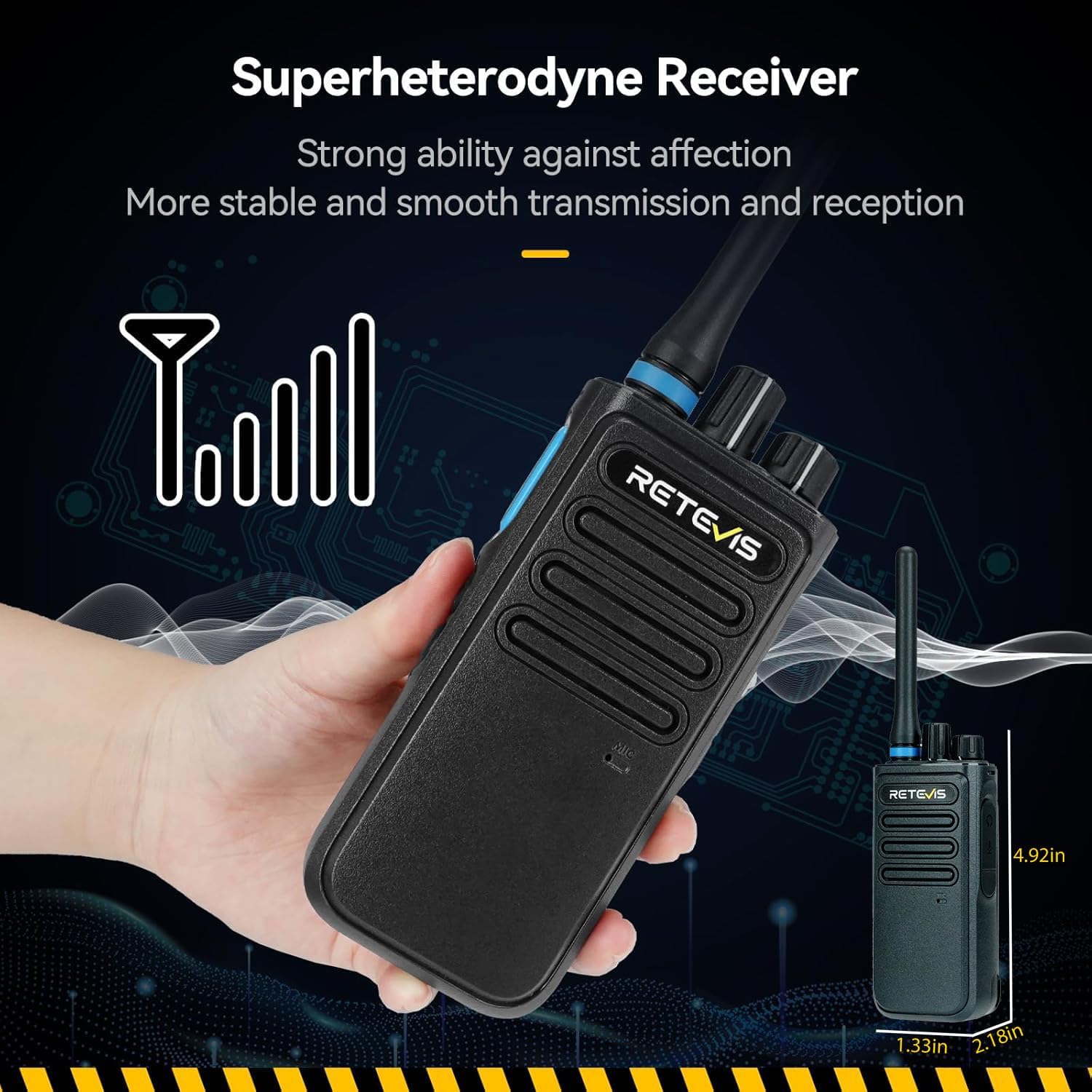
This image shows a hand holding the Retevis P1 radio, with an overlay indicating its compact dimensions, making it suitable for portable use.

The graph visually compares the signal reception quality of the Retevis P1's Superheterodyne Receiver ("our") against other receivers, demonstrating its enhanced stability and smoother transmission and reception by showing a more consistent signal curve.
Garanti og support
Retevis tilbyder en 2 års garanti for radiohuset og en 1 års garanti for accessories. Additionally, there is a 30-day no-reason return policy.
Ud over garantiperioden tilbydes der stadig vedligeholdelsestjenester, hvor købere er ansvarlige for de tilhørende omkostninger.
For support or warranty claims, please contact Retevis customer service via Amazon. Responses are typically provided within 12 hours.
For further assistance, visit the official Retevis store on Amazon: Retevis-butik
Vigtige sikkerhedsoplysninger
- Brug ikke radioen i eksplosive atmosfærer.
- Du må ikke skille radioen ad eller modificere den.
- Use only approved batteries and chargers.
- Keep the radio away from water and moisture (Note: Not Water Resistant).
- Undgå langvarig udsættelse for direkte sollys eller ekstreme temperaturer.


