1. Introduktion
This manual provides detailed instructions for the installation, operation, and maintenance of the GLEDOPTO ZigBee Pro+ 3-in-1 LED Strip Light Controller (Model GL-C-202P). This versatile controller is designed to manage RGBCCT, RGBW, and RGB LED strips, offering smart control via ZigBee 3.0 compatible hubs, including voice control through platforms like Alexa and Google Home.
2. Sikkerhedsoplysninger
Vigtige sikkerhedsadvarsler:
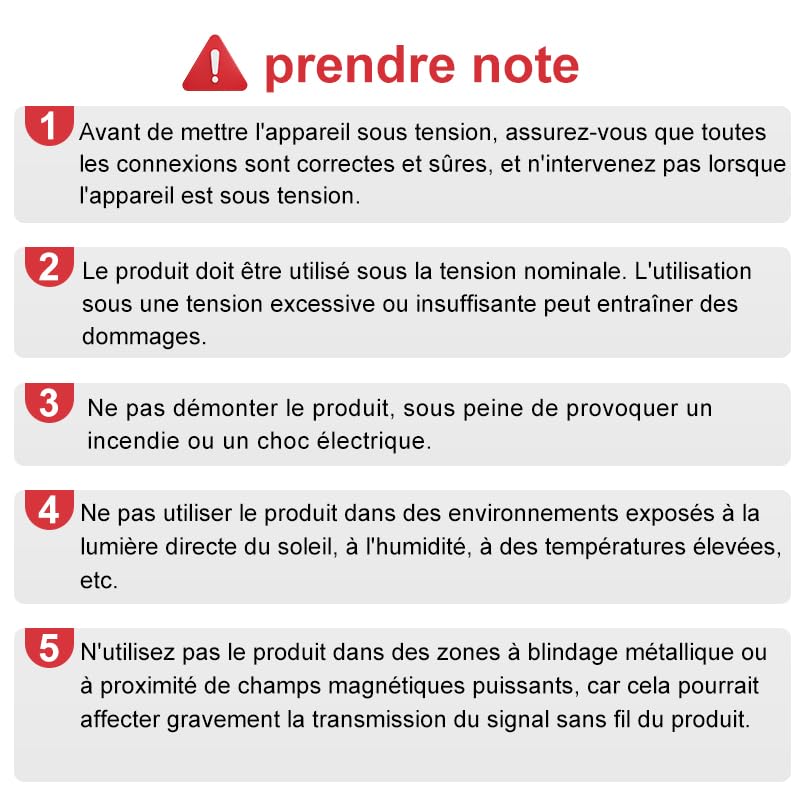
- Before powering on the device, ensure all connections are correct and secure. Do not intervene or handle the device when it is powered.
- The product must be used at its rated voltage (DC12V-24V). Use under excessive or insufficient voltage may cause damage to the controller or connected LED strips.
- Do not disassemble the product. Disassembly may cause fire, electric shock, or void the warranty.
- Do not use the product in environments exposed to direct sunlight, high humidity, or extreme temperatures (outside -20°C to 45°C).
- Avoid using the product in areas with metallic shielding or near strong magnetic fields, as this could severely affect the product's wireless signal transmission and performance.
3. Produktet er slutview
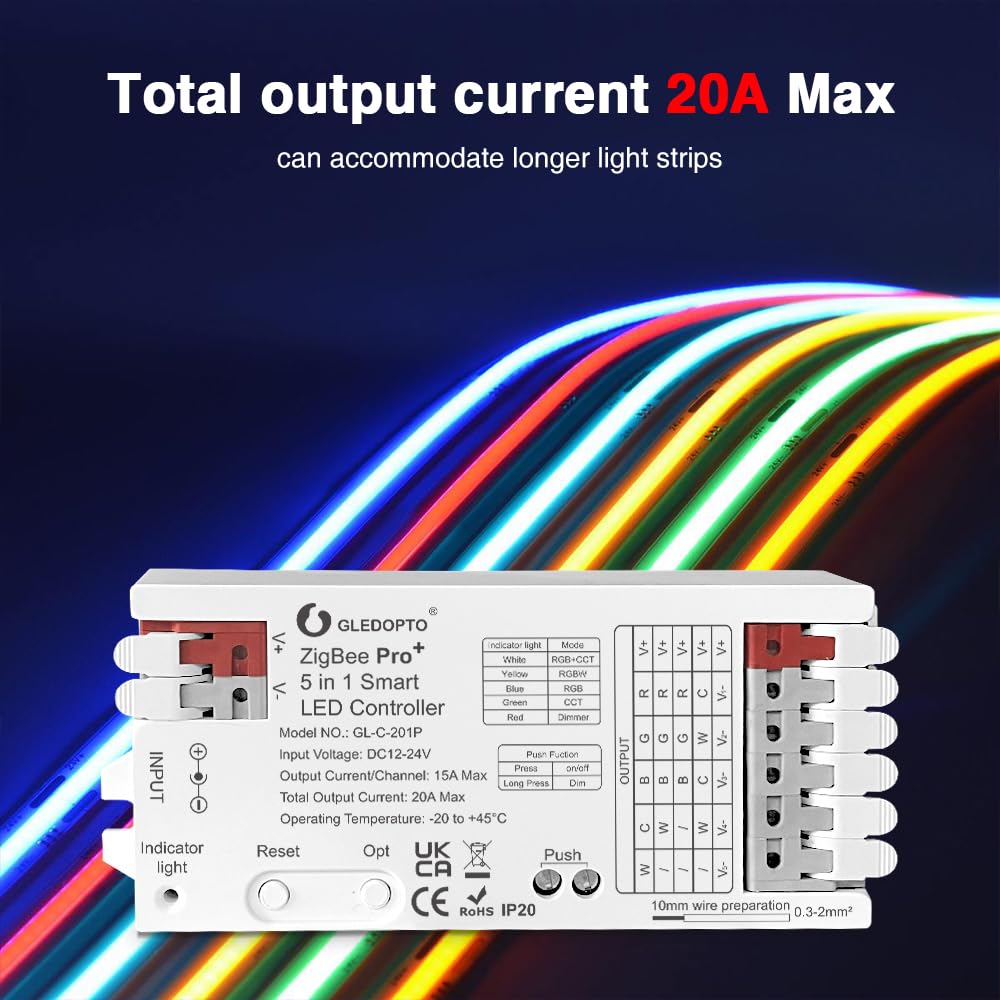
The GLEDOPTO ZigBee Pro+ controller is a compact and powerful device designed for intelligent control of various LED strip types. It features a 3-in-1 mode selection, allowing compatibility with RGBCCT, RGBW, and RGB LED strips. With a maximum total output current of 20A, it can support longer LED strip installations.

Nøglefunktioner:
- 3-in-1 Mode Selection: Supports RGBCCT, RGBW, and RGB LED strips.
- Høj strømkapacitet: Total output current of 20A Max, with 15A Max per channel.
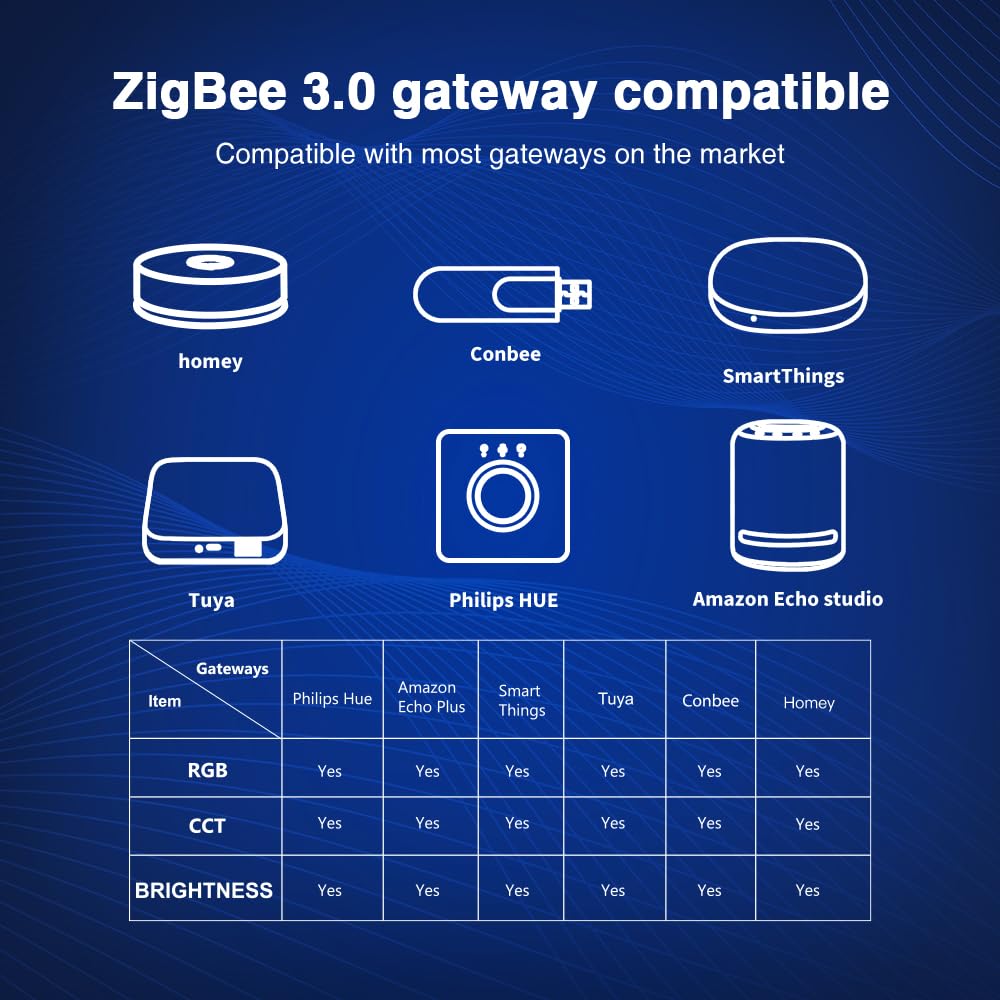
- ZigBee 3.0-kompatibilitet: Works with various ZigBee hubs (e.g., Tuya, Amazon Echo Plus, SmartThings, Philips Hue).
- APP & Voice Control: Control via smartphone apps and voice assistants (Alexa, Google Home) when connected to a compatible hub.
- Quick Connect Port Design: Simplified wiring for easy installation.
4. Opsætning og installation
Before installation, ensure the power supply is disconnected. A ZigBee 3.0 compatible hub is required for smart control functionalities.
4.1 Ledningsinstruktioner
The controller features a quick connect port design for easy and secure wiring.
- Open the Connector: Gently open the connector upwards.
- Indsæt ledning: Insert the stripped wire (10mm preparation, 0.3-2mm² wire size) into the appropriate terminal. Refer to the wiring diagram for correct connections (V+, R, G, B, C, W for RGBCCT; V+, R, G, B, W for RGBW; V+, R, G, B for RGB).
- Sikker ledning: Press down the connector to secure the wire firmly.
- Komplet ledningsføring: Repeat for all necessary connections. Ensure all wires are correctly seated and secure before proceeding.

4.2 Dimensioner
The compact design of the controller allows for flexible installation.

4.3 Parring med en ZigBee Hub
To enable smart control, the controller must be paired with a compatible ZigBee 3.0 hub.
- Ensure your ZigBee hub is powered on and in pairing mode (refer to your hub's specific instructions).
- Power on the GLEDOPTO controller. It should automatically enter pairing mode.
- If the controller does not pair automatically, perform a reset (see Section 5.1).
- Once paired, the controller will appear in your ZigBee hub's application, allowing for remote control and automation.
5. Betjeningsvejledning
The controller features an 'Opt' button for mode switching, a 'Reset' button for frequency and factory reset, and a 'Push' button for basic power control and dimming.
5.1 Knapfunktioner
- Nulstil knap:
- Kort tryk: Switches the operating frequency (600Hz, 800Hz, 1000Hz, 2000Hz, 4000Hz, 8000Hz). The indicator light will flash white and then resume its previous color. Default frequency is 1000Hz.
- Langt tryk (5 sekunder): Resets the controller to factory settings and unpairs it from the ZigBee network.
- Opt Button (Mode Selection):
- Kort tryk: Switches between the three LED strip modes: RGBCCT, RGBW, and RGB. The indicator light will change color to indicate the selected mode (White for RGBCCT, Yellow for RGBW, Blue for RGB).
- Langt tryk (5 sekunder): Initiates Power-on Status Settings. The indicator will flash light blue and then turn off for 4 seconds. The default power-on status is 'light on'. Flashing 3 times in light blue means 'light on' at power-on; flashing 4 times means 'light off' at power-on.
- Trykknap:
- Kort tryk: Slår strøm til/fra.
- Langt tryk: Adjusts brightness. Long press increases brightness; release and long press again decreases brightness.

5.2 Smart Control (via ZigBee Hub)
Once paired with a ZigBee hub, you can control the LED strip via the hub's dedicated smartphone application or through integrated voice assistants.
- Farvekontrol: Access 16 million colors for RGB and RGBW strips.
- Farvetemperaturkontrol: Adjust white light from warm to cool for RGBCCT strips.
- Dæmpning: Juster lysstyrken fra 1 % til 100 %.
- Scenes & Automation: Create custom lighting scenes and set schedules through your ZigBee hub's application.
- Stemmestyring: Use voice commands with compatible assistants (e.g.,
Relaterede dokumenter - GL-C-202P

GLEDOPTO Zigbee 3i1/5i1 LED Smart Controller Pro+ Brugermanual
Brugervejledning til GLEDOPTO Zigbee 3i1 og 5i1 LED Smart Controller Pro+, der dækker specifikationer, opsætning, parring, ledningsføring og fejlfinding.
ZigBee Light Link Gateway Controller: Tilslutnings- og parringsvejledning
Instruktionsmanual med detaljer om tilslutning og parring af ZigBee Light Link-controllere med smart home-gateways. Dækker ledningsføring, opsætning og nulstillingsprocedurer for forskellige LED-typer.
Gledopto GL-CP-1-002K Zigbee RGBCCT LED-controller med tre knapper, manual
Instruktionsmanual til Gledopto GL-CP-1-002K Zigbee RGBCCT LED-controlleren med tre knapper, der dækker funktioner, installation, betjening og kompatibilitet med smart home-systemer som Philips Hue.
Gledopto Smart Lighting Produktkatalog - Zigbee, WiFi, RF LED-controllere, pærer og armaturer
Udforsk det omfattende udvalg af Gledopto smarte belysningsløsninger, herunder Zigbee 3.0, WiFi og RF LED-controllere, lysdæmpere, RGB+CCT-strips, downlights, pærer og projektører. Gør dit hjem bedre med intelligent, energieffektiv belysning.
Gledopto Zigbee Controller Pro User Manual and Compatibility Guide
User instructions for the Gledopto Zigbee Controller Pro, including wiring diagrams, gateway compatibility, and remote control pairing. Learn how to connect and operate your Gledopto Zigbee devices with various smart home systems.
GLEDOPTO GL-C-008 Zigbee LED-controller brugermanual og opsætningsvejledning
Omfattende brugermanual til GLEDOPTO GL-C-008 Zigbee LED-controlleren. Lær, hvordan du tilslutter ledninger, parrer med Zigbee-gateways som Philips Hue, Osram Lightify og IKEA Tradfri, og nulstiller enheder. Indeholder oplysninger om FCC-overholdelse.