Indledning
Thank you for choosing the MeesMeek Digital Kitchen Timer. This versatile timer is designed to assist you with various time management tasks, from cooking and baking to classroom activities and fitness routines. Featuring a large LED display, adjustable brightness, and multiple volume settings, it offers convenience and clarity for all your timing needs. Please read this manual carefully to ensure proper use and maintenance of your device.
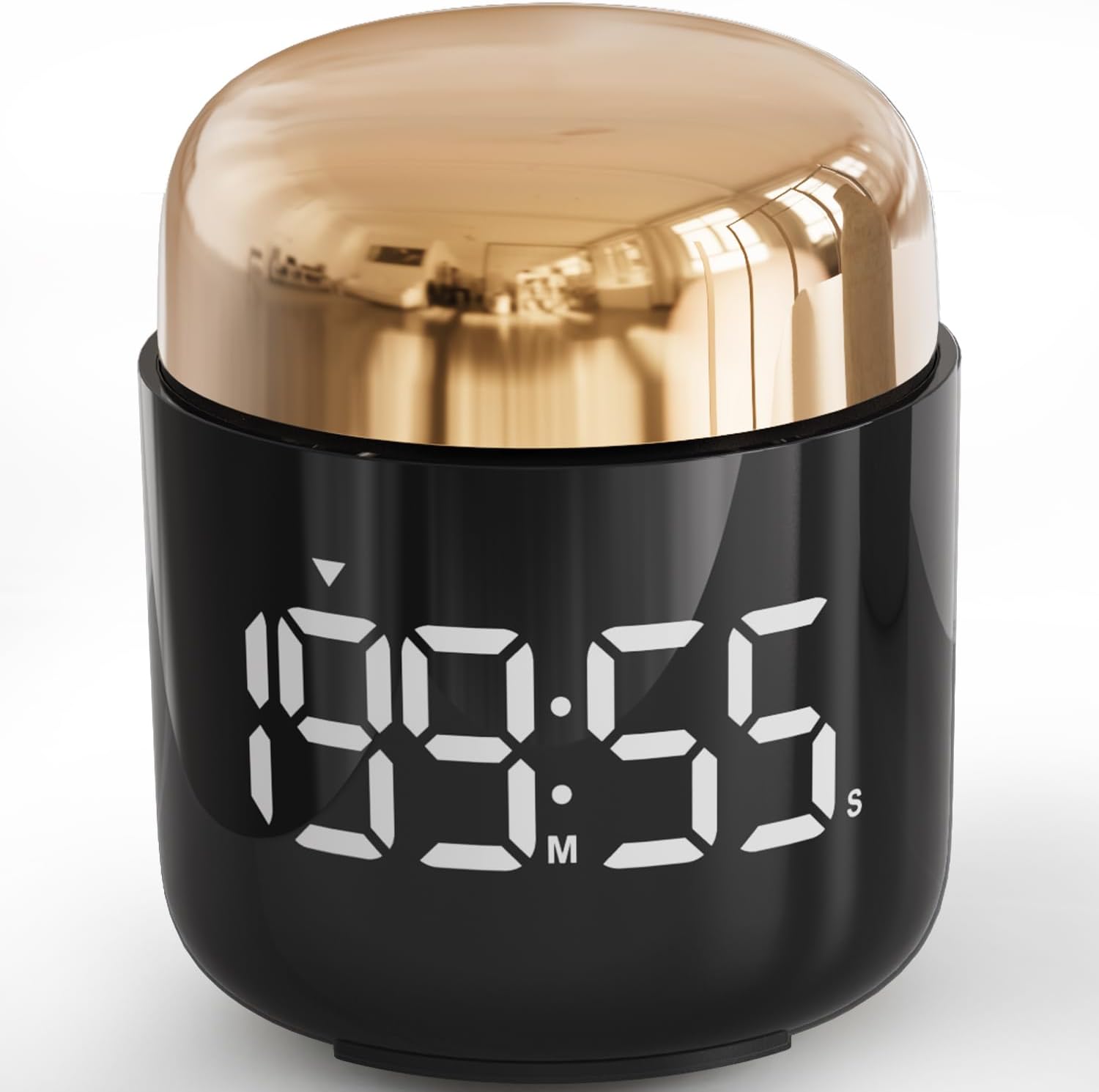
Image: The MeesMeek Digital Kitchen Timer in gold, showcasing its large LED display.
Pakkens indhold
- 1 x MeesMeek Digital Kitchen Timer
- 3 x AAA batterier
- 1 x brugermanual
Produktegenskaber
- Stort LED display: Clear and easy-to-read numbers for optimal visibility.
- Simple Rotary Setting: Intuitive dial for quick and precise time adjustments.
- Countdown & Countup Modes: Functions as both a countdown timer (up to 199 minutes 55 seconds) and a stopwatch (up to 199 minutes 59 seconds).
- Justerbar lysstyrke: Two levels (Bright and ECO) to suit different lighting conditions and conserve battery.
- Justerbar lydstyrke: Three alarm levels (Loud, Soft, and Mute) for various environments.
- Skridsikker base: Equipped with two silicone pads for stability on surfaces.
- Kompakt og bærbart design: Cylindrical shape, easy to hold and place.

Image: The timer being used in various settings, including a kitchen, classroom, and meeting room, demonstrating its versatility.
Opsætning
Installation af batteri
- Locate the battery compartment on the bottom of the timer.
- Åbn batterirummets dæksel.
- Isæt tre (3) AAA-batterier, og sørg for korrekt polaritet (+/-) som angivet i batterirummet.
- Luk batterirummets dæksel forsvarligt.
The timer will automatically power on once batteries are correctly installed.
Betjeningsvejledning
Setting the Timer (Countdown Mode)
- Ensure the timer is in standby mode (display off or showing 00:00).
- Rotate the top casing clockwise to increase the time. Each click of the dial adds 5 seconds. Continue rotating to quickly add minutes.
- Rotate the top casing counter-clockwise to decrease the time.
- Once the desired time is set (e.g., 10:00 for 10 minutes), press the top of the timer once to start the countdown.
- To pause the countdown, press the top of the timer again. Pressing it once more will resume the countdown.
- When the countdown reaches zero, the alarm will sound. Press the top of the timer to stop the alarm.
- To reset the timer to 00:00 during a countdown or after the alarm, press and hold the top of the timer for 3 seconds.

Image: A hand demonstrating the rotary action to set the timer, highlighting its ease of use.
Using as a Stopwatch (Countup Mode)
- Ensure the timer is in standby mode (display showing 00:00).
- Press the top of the timer once to start the countup.
- To pause the stopwatch, press the top of the timer again. Pressing it once more will resume the countup.
- To reset the stopwatch to 00:00, press and hold the top of the timer for 3 seconds.

Image: The timer displaying both countdown (199:55) and countup (199:59) capabilities, with examples of its use in a gym and classroom setting.
Justering af lysstyrkeniveauer
The timer has two brightness levels: Lyse og ØKO. The ECO mode is recommended for extended battery life.
- To switch between brightness levels, locate the small switch on the side or bottom of the timer (refer to product diagram if available).
- Slide the switch to select your desired brightness: Bright for well-lit environments, ECO for darker settings or battery conservation.

Image: Two timers side-by-side, illustrating the difference between the Eco (dimmer) and Bright Light (brighter) display settings.
Justering af lydstyrkeniveauer
The timer offers three volume settings: Højt (80-90dB), Blød (60-75dB), and Stum.
- To adjust the volume, locate the volume switch on the side or bottom of the timer.
- Slide the switch to select your preferred volume: Loud for noisy environments, Soft for quiet settings, or Mute for silent operation.
- Note: When set to Loud or Soft, the timer will also beep during time setting. Slide to Mute if you prefer silent setting.

Image: The timer depicted with icons representing Loud, Soft, and Mute volume settings, showing its use in a kitchen, living room, and laboratory to illustrate different sound needs.
Opretholdelse
Rensning
To clean your MeesMeek Digital Kitchen Timer, gently wipe the surface with a soft, damp cloth. Do not use abrasive cleaners or immerse the device in water. Ensure the timer is completely dry before use.
Udskiftning af batteri
When the display dims significantly or the timer stops responding, it's time to replace the batteries. Follow the battery installation steps outlined in the "Setup" section. Always use fresh AAA batteries.
Fejlfinding
| Problem | Mulig årsag | Løsning |
|---|---|---|
| Timeren tænder ikke. | Batteries are not installed or are depleted/incorrectly inserted. | Kontroller batteripolariteten. Udskift med nye AAA-batterier. |
| Displayet er svagt. | Timer is in ECO brightness mode or batteries are low. | Switch to Bright mode. Replace batteries if necessary. |
| Alarm is too quiet or silent. | Volume is set to Soft or Mute. | Adjust the volume switch to Loud or Soft. |
| Cannot set time by rotating. | Timer might be paused or in an unresponsive state. | Press and hold the top button for 3 seconds to reset. Ensure the timer is in standby (00:00) before setting. |
| Timer stops unexpectedly. | Lav batteristrøm. | Udskift batterierne. |
Specifikationer
| Mærke | MeesMeek |
| Modelnummer | 5288fr |
| Farve | Guld |
| Produktdimensioner | 7.52 x 7.52 x 9 cm |
| Varens vægt | 160 g |
| Materiale | Silikone |
| Strømkilde | 3 x AAA batterier |
| Max Countdown | 199 minutter 55 sekunder |
| Max Countup | 199 minutter 59 sekunder |
| Skærmstørrelse | 7.98 centimeter (3.14 tommer) |
Garantioplysninger
MeesMeek products are manufactured to high quality standards. For specific warranty details and terms, please refer to the product packaging or contact MeesMeek customer support. Keep your purchase receipt as proof of purchase for any warranty claims.
Kundesupport
If you have any questions, concerns, or require assistance with your MeesMeek Digital Kitchen Timer, please do not hesitate to contact our customer support team. You can find more information and contact details by visiting the official MeesMeek store:

