1. Introduktion
This manual provides detailed instructions for the Hyperkin Pixel Art Bluetooth Controller, Miraculous Cat Noir Edition. Please read this manual thoroughly before using the product to ensure proper operation and to maximize your gaming experience. This controller is designed for use with multiple platforms, offering wireless connectivity and a comfortable, ergonomic design.
2. Produktet er slutview
The Hyperkin Pixel Art Bluetooth Controller combines a retro aesthetic with modern functionality. It features a unique Miraculous Cat Noir design, wireless Bluetooth connectivity, and a built-in turbo function.
2.1 Nøglefunktioner
- Trådløs Bluetooth-forbindelse: Enjoy gaming freedom up to 30 feet away.
- Turbofunktion: Activate rapid-fire action for enhanced gameplay.
- Retro Design with Modern Ergonomics: A classic look combined with comfortable handling for extended play sessions.
- Rejsevenlig: Kompakt design giver mulighed for nem transport.
- High-Quality Symmetrical Sticks: Designed for precision and responsiveness.
2.2 Controllerlayout

Billede 2.2.1: Front view of the Hyperkin Pixel Art Bluetooth Controller, Miraculous Cat Noir Edition. This image displays the D-pad, left and right analog sticks with paw print designs, A/B/X/Y buttons, Start/Select buttons, and the Cat Noir character art.

Billede 2.2.2: Side view of the Hyperkin Pixel Art Bluetooth Controller, Miraculous Cat Noir Edition. This image shows the shoulder buttons (L1, R1) and triggers (L2, R2), along with the USB-C charging port and mode switch.

Billede 2.2.3: Nærbillede view emphasizing the controller's retro design combined with modern ergonomic features for comfortable handling.
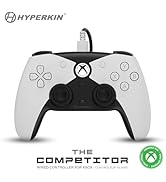
Billede 2.2.4: Nærbillede view showcasing the high-quality symmetrical analog sticks, designed for precise control during gameplay.
3. Opsætning
3.1 Opladning af controlleren
The controller includes a built-in Lithium Polymer battery. To charge, connect the supplied Type-C cable to the controller's charging port and the other end to a USB power source (e.g., a computer USB port, a USB wall adapter). The LED indicator on the controller will show charging status and turn off when fully charged.
3.2 Pairing via Bluetooth
To pair the controller with your device:
- Sørg for, at controlleren er tilstrækkeligt opladet.
- Tænd controlleren ved at trykke på Home-knappen.
- Put the controller into pairing mode (refer to your device's specific instructions for Bluetooth pairing, as this may vary). Typically, this involves holding a small pairing button or a combination of buttons until the LED indicator flashes rapidly.
- On your device (Nintendo Switch, PC, Mac, Android, iOS, etc.), navigate to the Bluetooth settings.
- Søg efter available devices and select "Hyperkin Pixel Art Controller" (or similar name) from the list.
- Once connected, the LED indicator on the controller will stabilize.
For Nintendo Switch, navigate to the 'Controllers' menu, then 'Change Grip/Order' to initiate pairing mode on the console.
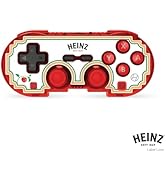
Billede 3.2.1: Illustration of the controller connecting wirelessly via Bluetooth, indicating a range of up to 30 feet.
3.3 Kabelforbindelse
The controller can also be used via a wired connection. Connect the Type-C cable from the controller to a compatible USB port on your device. This mode is often plug-and-play, requiring no additional pairing.
4. Betjeningsvejledning
4.1 Grundlæggende kontroller
The controller features standard gaming buttons:
- D-pad: Retningsbestemt input.
- Analoge pinde: Left and Right symmetrical sticks for precise movement and camera control.
- Handlingsknapper (A, B, X, Y): Primary interaction buttons.
- Shoulder Buttons (L, R) and Triggers (ZL, ZR): Additional input buttons, typically for actions like aiming, firing, or menu navigation.
- Start/vælg-knapper: For in-game menus and options.
- Hjemknappen: Vender tilbage til systemets startskærm.
4.2 Turbofunktion
The turbo function allows for rapid, repeated input of a button press without continuously pressing the button. To activate or deactivate turbo for a specific button:
- Tryk og hold på Turbo knap.
- While holding the Turbo button, press the desired action button (e.g., A, B, X, Y, L, R, ZL, ZR) once to activate turbo for that button.
- Repeat the process (hold Turbo, press the same action button) to deactivate turbo for that button.
5. Kompatibilitet
The Hyperkin Pixel Art Bluetooth Controller is compatible with a wide range of gaming platforms:
- Nintendo Switch
- Nintendo Switch OLED Model
- Nintendo Switch Lite
- Windows 10/11 pc
- Mac
- Chromebook
- Android-enheder
- Apple iOS-enheder
- Damp
- Steam dæk
- ROG Allierede
- Raspberry Pi
- Amazon Games/Amazon Luna
- Tesla
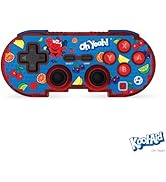
Billede 5.1: Visual representation of the controller's broad compatibility across multiple gaming platforms and operating systems.
6. Vedligeholdelse
For at sikre din controllers levetid og optimale ydeevne skal du følge disse vedligeholdelsesretningslinjer:
- Rensning: Brug en blød, tør klud til at tørre controlleren af. Ved genstridigt snavs, tør letampRengør kluden med vand. Undgå skrappe kemikalier eller slibende rengøringsmidler.
- Opbevaring: Opbevar controlleren et køligt, tørt sted væk fra direkte sollys og ekstreme temperaturer.
- Batteripleje: Avoid fully discharging the battery frequently. Charge the controller regularly, even if not in use for extended periods, to maintain battery health.
- Undgå fysisk påvirkning: Do not drop or expose the controller to strong impacts, as this can damage internal components.
7. Fejlfinding
If you encounter issues with your Hyperkin Pixel Art Bluetooth Controller, refer to the following common problems and solutions:
| Problem | Mulig løsning |
|---|---|
| Controlleren tænder ikke. | Ensure the controller is charged. Connect it to a power source using the Type-C cable. |
| Controlleren opretter ikke forbindelse via Bluetooth. |
|
| Knapperne reagerer ikke eller er forsinkede. |
|
| USB charging port does not work. |
|
| Vibration is too strong or loud. | Some games or systems may offer an option to adjust or disable vibration feedback within their settings. Consult your game or system's options menu. |
8. Specifikationer
| Feature | Detalje |
|---|---|
| Modelnummer | M01328-MTCN |
| Forbindelse | Bluetooth (Wireless), USB Type-C (Wired) |
| Wireless Range | Op til 30 fod |
| Batteritype | 1 Lithium Polymer batteri (medfølger) |
| Pakkedimensioner | 7.4 x 5.2 x 2.4 tommer |
| Varens vægt | 9.9 ounce |
| Fabrikant | Hyperkin |
9. Garanti og support
This product is covered by the manufacturer's standard warranty. For specific warranty terms and conditions, please refer to the documentation included with your purchase or visit the official Hyperkin website. For technical support or further assistance, please contact Hyperkin customer service through their official channels.


