1. Introduktion
This instruction manual provides detailed guidance for using the Bluevua Descaling Kit with your Bluevua RO100ROPOT Countertop Reverse Osmosis Water Filtration System. Regular descaling is essential to prevent mineral scale accumulation, maintain optimal flow rates, and extend the lifespan of your system.
2. Kitets indhold
The Bluevua Descaling Kit includes the following components:
- 4 x Descaling Filter Kits (for temporary replacement of existing filters)
- 2 x Descaling Powder Packets (30g each)

Image: Contents of the Bluevua Descaling Kit, showing the temporary filter kits and descaling powder.
3. When to Descale Your RO100ROPOT System
Descaling is recommended when you observe the following signs:
- Water filtration takes longer than usual.
- Water flow weakens significantly.
- Water flow stops completely.
These indicators suggest mineral scale buildup within the system, which can impede performance and potentially cause damage.
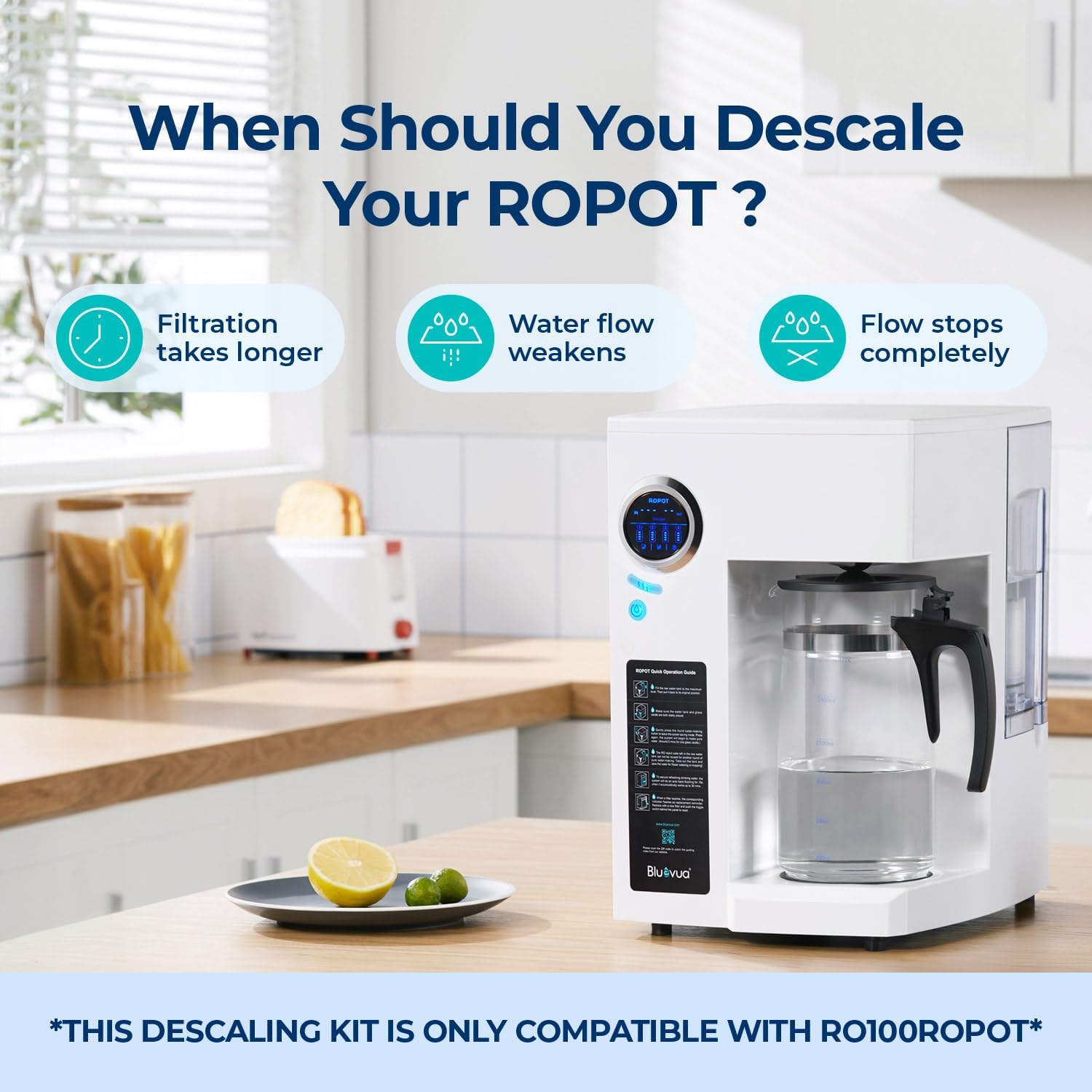
Image: Visual guide on when to descale your ROPOT system, highlighting reduced flow and longer filtration times.
4. Forberedelse
Before beginning the descaling process, gather the following items:
- Bluevua Descaling Kit (1 set)
- A clean towel
- A stirring stick
- Warm water (below 120°F / 49°C), enough to fill one tank of your RO100ROPOT system.
5. Afkalkningsprocedure
Follow these six steps to effectively descale your Bluevua RO100ROPOT system:
Step 1: Backflush the Filters
- To release pressure, simultaneously press the water-making button and the volume button for a 60-second backflush.
- For earlier models without this feature, simply turn the unit off and on again to initiate an auto backflush.
Step 2: Set Up the Descaling Kits
Use the descaling kits to temporarily replace your existing filters. This prevents the descaling solution from damaging the actual filters.
- Start with the PP filter (usually labeled '1'). Lift the filter to a 45-degree angle, then turn it clockwise to unlock and remove it from its housing.
- Take one of the descaling kits. Align the triangle icon on the top of the descaling kit with the corresponding triangle icon on the filter base.
- Insert the descaling kit into the slot by gently pushing it in and then twisting counter-clockwise until it locks into place.
- Repeat this process for the CTO, RO, and PCF filters (labeled '2', '3', and '4' respectively), replacing each with a descaling kit.

Image: Three-step visual guide for descaling: dissolving the powder, soaking the system, and rinsing.
Step 3: Prepare the Descaling Solution
- Fill the system's tank with warm water (up to 120°F / 49°C) to the MAX line.
- Stir in one packet of descaling powder until it is fully dissolved.
- Place the filled tank back onto the tank base.
Step 4: Perform the Descale Cycle
- Select the largest water volume setting on your system and start the system to circulate the descaling solution.
- After 5 minutes, turn off the system and allow it to soak for 30 minutes. This allows the descaling solution to effectively break down mineral deposits.
- Press the water-making button again to finish filtering the descaling solution into the carafe.
- Transfer the solution from the carafe back to the tank for a second descaling cycle. Repeat the circulation and soaking process.
- After the second cycle, discard the descaling solution from both the tank and the carafe.
Step 5: Cleanse the System
This step flushes out any remaining descaling solution and loosened mineral deposits.
- Refill the tank with fresh water to the MAX line.
- Run the system to flush out the descaling solution.
- Discard the water from the carafe and tank.
- Repeat this flushing process 3 times to ensure thorough cleansing and removal of all descaling solution residues.
Step 6: Reassemble the Filters
- Remove the temporary descaling kits by turning them clockwise.
- Reinstall each original filter (PP, CTO, RO, PCF) by twisting counter-clockwise until they click into place. Ensure each filter is placed in its correct position.
Your Bluevua RO100ROPOT system is now successfully descaled and ready to provide pure, healthy drinking water.
Video: Official Bluevua tutorial on how to descale your ROPOT & ROPOT-UV system, demonstrating the steps outlined above.
6. Benefits of Descaling
Regular descaling of your Bluevua RO100ROPOT system offers several advantages:
- Improved Water Flow: Removes mineral buildup that restricts water passage.
- Restored Peak Performance: Ensures the system operates at its intended efficiency.
- Prolonged Machine Lifespan: Prevents damage to internal components caused by scale accumulation.

Image: Benefits of descaling, including improved water flow, restored performance, and extended lifespan.
7. Natural Descaling Powder Information
The descaling powder included in your kit features:
- Eco-Friendly Formula: Made from natural and biodegradable ingredients.
- No Aftertaste: Designed to leave no residual taste in your purified water.
- Gentle on Appliances: Formulated to be safe for your water filtration system.

Image: Details about the natural descaling powder, emphasizing its eco-friendly and appliance-safe properties.
8. Specifikationer
| Feature | Detalje |
|---|---|
| Materiale | Polypropylen (PP) |
| Produktdimensioner | 5.2" D x 5.2" B x 3" H |
| Varens vægt | 8 ounce |
| Ekstern testcertificering | WQA |
| Produktfordele | Removes Limescale |
| Antal enheder | 1.0 tæller |
| Antal genstande | 1 |
| Fabrikant | JSK |
| Dato først tilgængelig | 11. december 2023 |
9. Fejlfinding
Hvis du støder på problemer under eller efter afkalkningsprocessen, skal du overveje følgende:
- Incomplete Descaling: If water flow issues persist, ensure all steps were followed correctly, especially the soaking and flushing cycles. You may need to repeat the descaling process, particularly in areas with very hard water.
- Filterinstallation: Double-check that the original filters are reinstalled correctly and securely after descaling. Misaligned filters can cause leaks or prevent proper operation.
- Usædvanlig smag/lugt: If you notice any unusual taste or odor after descaling, perform additional flushing cycles with fresh water until the water is clear and taste-free.
For further assistance, please refer to the main Bluevua RO100ROPOT system manual or contact Bluevua customer support.
10. Garanti og support
For information regarding the warranty of your Bluevua products or for technical support, please refer to the documentation included with your original Bluevua RO100ROPOT system or visit the official Bluevua website. Customer support contact details are typically available on the product packaging or the manufacturer's webwebsted.


