Indledning
Welcome to the user manual for your Baseus Bowie EZ10 Wireless Bluetooth Earbuds. This guide provides detailed instructions on how to set up, operate, and maintain your earbuds to ensure optimal performance and a seamless audio experience. Please read this manual carefully before using your device.
Produkt overview
Pakkens indhold

Image: The package contents for the Baseus Bowie EZ10, including the two earbuds, the charging case, a USB charging cable, and multiple pairs of silicone ear tips in various sizes.
- Baseus Bowie EZ10 Wireless Earbuds (Left and Right)
- Opladningsetui
- USB opladningskabel
- Multiple Pairs of Ear Tips (various sizes)
- Brugervejledning (dette dokument)
Nøglefunktioner
- Adaptive Noise Cancellation (ANC) up to -42dB: Experience high-quality, immersive audio regardless of your environment.
- ENC Noise Cancellation with 4 Microphones: Ensures clear and high-quality calls even in noisy surroundings.
- Ultra-Low Latency (0.038s): Guarantees audio and video synchronization for an immersive experience, especially for gaming and video playback.
- Forlænget batterilevetid: Up to 30 hours of total playback with the charging case, and 5 hours on a single charge.
- Simultaneous Device Connection: Connect to two devices at the same time for seamless switching.
- Customizable App Support: Personalize your audio experience and controls via the dedicated Baseus application.
Produktdiagram
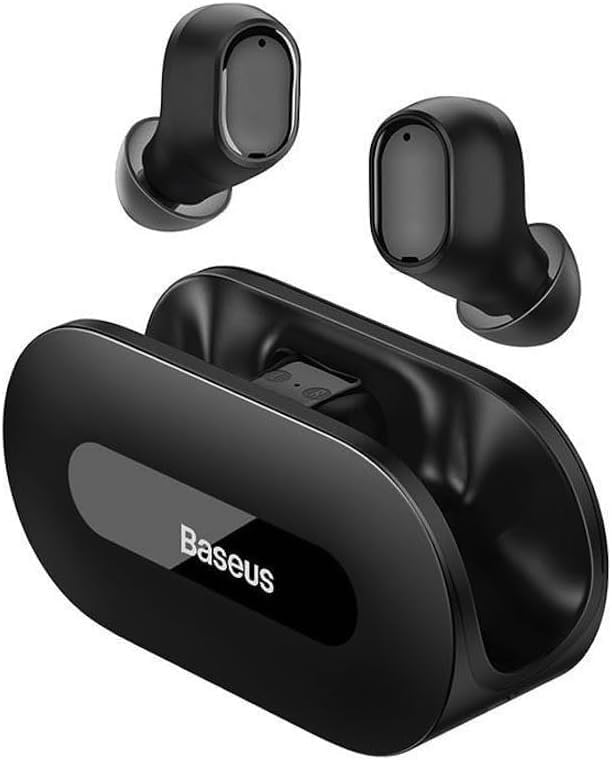
Billede: En klar view of the Baseus Bowie EZ10 wireless earbuds and their sleek black charging case, showcasinderes kompakte design.
The Baseus Bowie EZ10 earbuds feature a compact in-ear design for a comfortable and secure fit. The charging case is designed for easy portability and secure storage, with magnetic slots to hold the earbuds in place.
Opsætning
Opladning af øretelefoner og etui

Image: A graphic illustrating the long battery life of the Baseus Bowie EZ10 earbuds, indicating extended listening time with the charging case and quick charging capabilities.
- Indledende opkrævning: Before first use, fully charge both the earbuds and the charging case. Place the earbuds into the charging case.
- Tilslut oplader: Connect the USB charging cable to the charging port on the case and plug the other end into a compatible USB power source (e.g., wall adapter, computer USB port).
- Opladningsindikatorer: The LED indicators on the charging case will show the charging status. Refer to the specific light patterns in your quick start guide for detailed information.
- Hurtig opladning: The earbuds support fast charging, providing significant playback time with a short charge.
Parring med din enhed
Image: A visual representation of Bluetooth 5.3 technology, highlighting its role in providing a fast and stable wireless connection for the Baseus Bowie EZ10 earbuds.
- Tænd: Åbn opladningsetuiet. Ørepropperne tændes automatisk og går i parringstilstand.
- Aktiver Bluetooth: Aktiver Bluetooth på din enhed (smartphone, tablet, computer).
- Søg efter Enheder: Søg efter tilgængelige enheder i din enheds Bluetooth-indstillinger.
- Select 'Baseus Bowie EZ10': From the list of found devices, select 'Baseus Bowie EZ10' to connect.
- Bekræftelse: Once connected, you will hear an audio prompt from the earbuds, and the device's Bluetooth settings will show them as connected.
- Multi-enhedsforbindelse: The earbuds can connect to two devices simultaneously. After pairing with the first device, disable Bluetooth on it, then pair with the second device. Re-enable Bluetooth on the first device, and the earbuds should connect to both.
Betjeningsvejledning
Iført øretelefoner
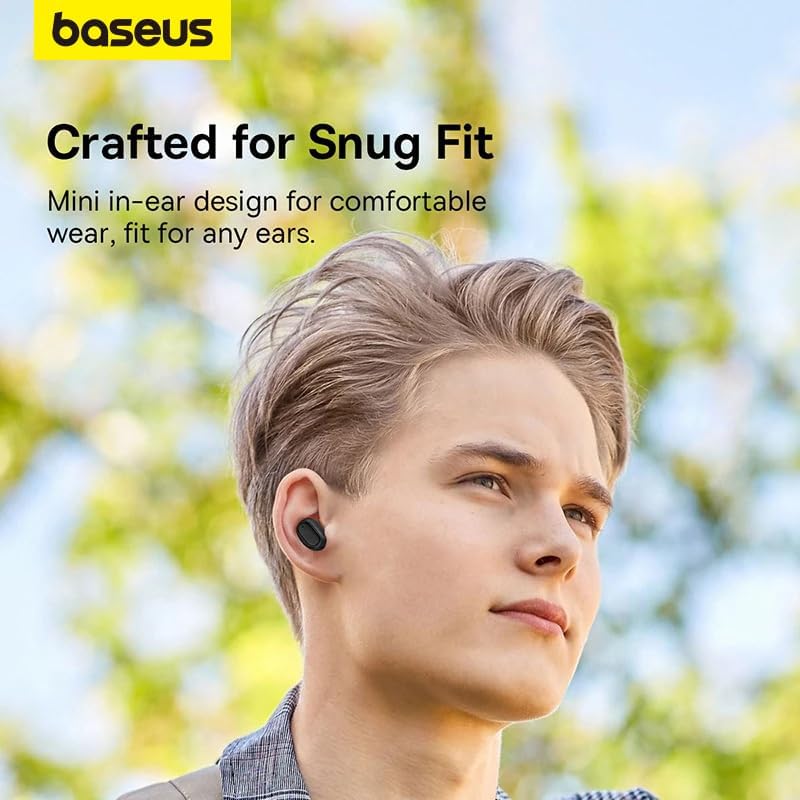
Image: A person wearing a Baseus Bowie EZ10 earbud, illustrating the comfortable and snug fit of the mini in-ear design.
- Choose Right Ear Tips: Vælg de ørepropper, der giver den bedste tætning og komfort til dine ører.
- Indsæt ørepropper: Før forsigtigt hver øreprop ind i din øregang.
- Juster for pasform: Rotate the earbuds slightly until they feel secure and comfortable, ensuring a good seal for optimal sound quality and noise cancellation.
Tryk på kontrolelementer
The Baseus Bowie EZ10 earbuds feature intuitive touch controls on each earbud. Specific functions may vary or be customizable via the Baseus app.
- Afspil/pause: Et enkelt tryk på begge øretelefoner.
- Næste nummer: Dobbelttryk på den højre øreprop.
- Forrige nummer: Dobbelttryk på den venstre øreprop.
- Besvar/afslut opkald: Et enkelt tryk på begge øretelefoner.
- Afvis opkald: Tryk og hold nede på en af øretelefonerne.
- Aktiver stemmeassistent: Tryk tre gange på en af øretelefonerne.
- Lydstyrkekontrol: Specific gestures for volume control can often be set up in the Baseus app.
Noise Cancellation (ANC/ENC)
The Baseus Bowie EZ10 earbuds offer advanced noise cancellation features:
- Adaptiv støjreduktion (ANC): Reduces ambient noise for an immersive listening experience. This mode can often be toggled on/off or adjusted via the touch controls or the Baseus app.
- ENC Noise Cancellation for Calls: The 4-microphone ENC system automatically works during calls to ensure your voice is clear and background noise is minimized for the person on the other end.
Lav latenstilstand
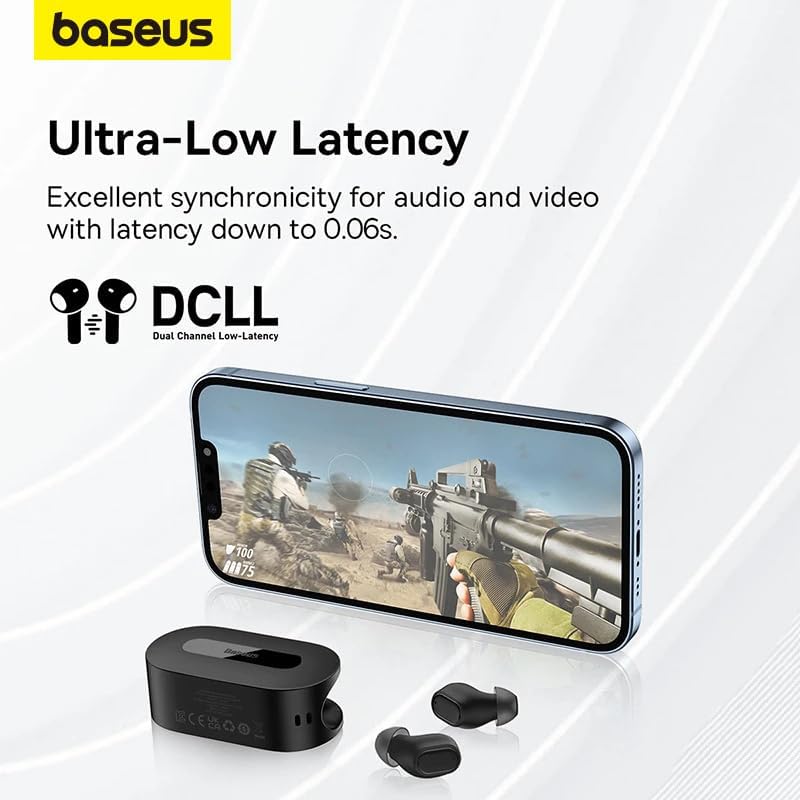
Image: The Baseus Bowie EZ10 earbuds and charging case positioned next to a smartphone displaying a gaming scene, emphasizing the ultra-low latency feature for synchronized audio and video.
For gaming or watching videos, activate the ultra-low latency mode to ensure perfect synchronization between audio and video. This mode can typically be activated via a specific touch gesture or through the Baseus app.
Brug af Baseus-appen
Download the official Baseus app from your device's app store. The app allows you to:
- Tilpas berøringskontroller.
- Juster EQ-indstillingerne.
- Toggle noise cancellation modes.
- Kontroller batteriniveauer.
- Opdater firmware.
Opretholdelse
Rensning
- høretelefoner Use a soft, dry, lint-free cloth to wipe the earbuds. For earwax or debris, gently clean with a small, soft brush or cotton swab. Do not use liquids or abrasive cleaners.
- Ørespidser: Fjern silikoneørepropperne, og vask dem med mild sæbe og vand. Skyl grundigt, og lad dem tørre helt, før du sætter dem på igen.
- Opladningsetui: Wipe the case with a soft, dry cloth. Ensure the charging contacts inside the case are clean and free of debris.
Opbevaring
- Opbevar altid ørepropperne i deres opladningsetui, når de ikke er i brug, for at beskytte dem og holde dem opladede.
- Opbevar enheden et køligt, tørt sted, væk fra ekstreme temperaturer og direkte sollys.
Fejlfinding
| Problem | Mulig årsag | Løsning |
|---|---|---|
| Øretelefoner parrer ikke | Øretelefoner er ikke i parringstilstand; Bluetooth slukket på enheden; tidligere parrede enheder forstyrrer. | Ensure earbuds are in pairing mode (open case); turn on Bluetooth on your device; forget previous connections on your device and try again. |
| Ingen lyd fra et ørepropp | Low battery; earbud not properly connected; earbud dirty. | Place both earbuds in the case to charge; ensure they are properly seated; clean earbud and charging contacts. |
| Opladningsproblemer | Cable or adapter faulty; charging contacts dirty; case battery empty. | Try a different USB cable and power adapter; clean charging contacts on earbuds and case; ensure charging case is charged. |
| Dårlig lydkvalitet | Improper fit; ear tips dirty; interference. | Adjust earbud fit and try different ear tips; clean ear tips and earbuds; move closer to your device or away from sources of interference. |
Specifikationer
| Feature | Detalje |
|---|---|
| Modelnavn | Bowie EZ10 |
| Forbindelsesteknologi | Trådløs (Bluetooth 5.3) |
| Øreplacering | In-Ear |
| Støjkontrol | Adaptive Noise Cancellation, ENC for calls |
| Latency | 0.038s (Ultra-Low Latency Mode) |
| Batterilevetid (ørepropper) | Op til 5 timer (enkelt opladning) |
| Batterilevetid (med etui) | Op til 30 timer |
| Kontroltype | Media Control, Volume Control (customizable) |
| Materiale | Plastic, Silicone/Memory Foam (ear tips) |
| Farve | Sort |
| Fabrikant | Baseus_Inc |
| Certificering | CE |
Garanti og support
The Baseus Bowie EZ10 Wireless Bluetooth Earbuds come with a manufacturer's warranty. Please refer to the warranty card included in your package or visit the official Baseus webhjemmeside for detaljerede garantivilkår.
For technical support, troubleshooting assistance, or any product-related inquiries, please contact Baseus customer service through their official webwebstedet eller kontaktoplysningerne på din produktemballage.




