1. Introduktion
This user manual provides detailed instructions for the Phomemo WiFi Thermal Label Printer PM-344-WF. This printer is designed for efficient and high-quality label printing, featuring WiFi and USB connectivity, 300DPI resolution, and compatibility with various operating systems and label sizes.
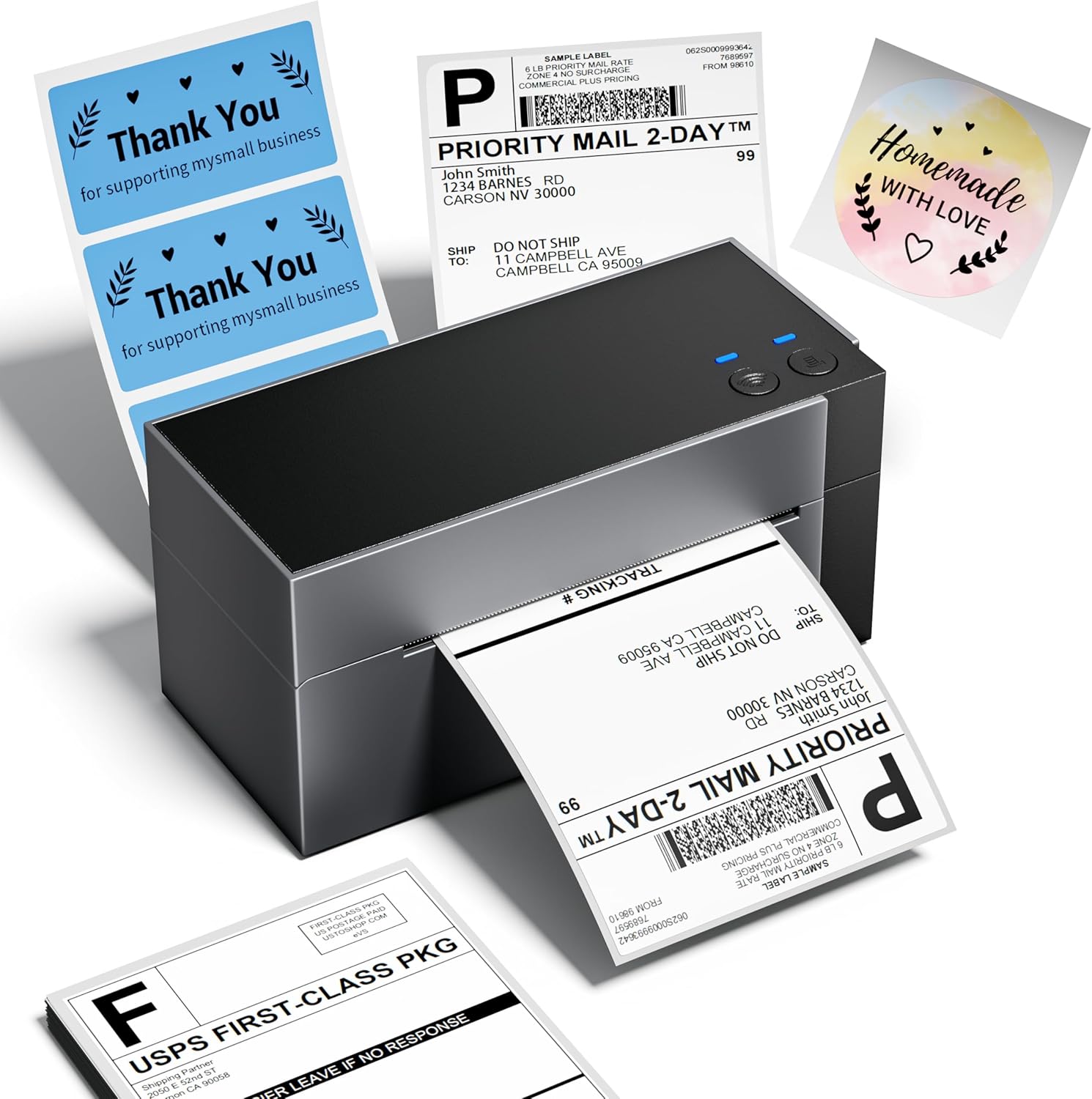
2. Hvad er der i æsken
Ved udpakning skal du kontrollere, at alle komponenter er til stede:
- Phomemo WiFi Thermal Label Printer (PM-344-WF)
- Strømadapter
- USB-A til USB-C kabel
- Mac USB Adapter
- Sample 4x6 Labels
- Brugervejledning (dette dokument)
3. Opsætningsvejledning
3.1 Hardwareforbindelse
- Placer printeren på en stabil, flad overflade.
- Connect the power adapter to the printer's power port and then to a power outlet.
- If using USB, connect the USB-A to USB-C cable from your computer to the printer. Use the Mac USB adapter if necessary.
- Load thermal labels into the rear slot of the printer. The printer will automatically feed and calibrate the label.
3.2 Installation af software og drivere
For full functionality, install the appropriate drivers and the Labelife application.
- Windows/macOS: Download drivers and the Labelife application from the official Phomemo webFølg instruktionerne på skærmen for installation.
- iOS/Android: Download the "Labelife" app from the App Store (iOS) or Google Play Store (Android).
- ChromeOS/Linux: USB connectivity is supported. Ensure your system has generic printer drivers or install specific drivers if available from the Phomemo webwebsted.
3.3 WiFi-forbindelse
The PM-344-WF supports 5GHz WiFi for stable and fast wireless printing.
- Sørg for, at din printer er tændt.
- Open the Labelife application on your device (smartphone, tablet, computer).
- Follow the in-app instructions to connect the printer to your WiFi network. This typically involves selecting your WiFi network and entering the password.
- Once connected, the WiFi indicator light on the printer will illuminate steadily.


4. Betjeningsvejledning
4.1 Ilægning af etiketter
The printer supports thermal labels with widths ranging from 1 inch to 4.6 inches.
- Sørg for, at printeren er tændt.
- Gently insert the stack of thermal labels into the rear feed slot, print-side up.
- The printer will automatically detect the label and feed it to the correct starting position.

4.2 Udskrivning af etiketter
Use the Labelife application or your computer's printing dialogue to send print jobs.
- From Labelife App:
- Open the Labelife app and select the document or image you wish to print.
- Adjust print settings such as label size, orientation, and quantity.
- Tap the print button.
- From Computer (Windows/macOS):
- Open the document (e.g., PDF shipping label) in your preferred application.
- Select "Print" and choose the Phomemo PM-344-WF as your printer.
- Adjust printer preferences (e.g., paper size, quality) to match your label.
- Klik på "Udskriv".


4.3 Officiel produktvideo
5. Vedligeholdelse
Regular maintenance ensures optimal performance and extends the lifespan of your printer.
- Rengøring af printhovedet: Brug en fnugfri klud letampened with isopropyl alcohol to gently wipe the print head. Ensure the printer is off and cooled down before cleaning.
- Rengøring af pladevalsen: Drej pladevalsen og tør den af med reklameamp klud for at fjerne eventuelle klæbemiddelrester eller støv.
- Udvendig rengøring: Wipe the exterior of the printer with a soft, dry cloth. Avoid abrasive cleaners.
- Opbevaring: Store the printer in a cool, dry place away from direct sunlight and excessive dust.
6. Fejlfinding
| Problem | Mulig årsag | Løsning |
|---|---|---|
| Printer not responding / Red light blinking | Paper jam, out of labels, or connection issue. |
|
| Dårlig udskriftskvalitet (svag, sløret) | Dirty print head, low quality labels, or incorrect settings. |
|
| Cannot connect via WiFi | Incorrect WiFi password, printer too far from router, or 2.4GHz/5GHz band issue. |
|
| Labels not aligning correctly | Improper label loading or calibration issue. |
|
For yderligere assistance, se venligst supportafsnittet.
7. Specifikationer
| Feature | Detalje |
|---|---|
| Modelnavn | PM-344-WF |
| Udskrivningsteknologi | Termisk |
| Forbindelsesteknologi | Wi-Fi, USB |
| Udskriftsopløsning | 300 x 300 DPI |
| Maksimal udskrivningshastighed (monokrom) | 150 mm/s (approx. 72 sheets of 4x6 labels per minute) |
| Maksimal mediestørrelse | 4 x 6 tomme |
| Understøttede etiketbredder | 1 cm til 4.6 cm |
| Kompatible enheder | Bærbare computere, pc'er, smartphones, tablets |
| Controller type | Android, iOS |
| Produktdimensioner | 7.18" D x 3.48" B x 3.52" H |
| Varens vægt | 1.59 pund |
| Fabrikant | Phomemo |
8. Garantioplysninger
The Phomemo WiFi Thermal Label Printer PM-344-WF comes with a Limited Warranty. For specific terms and conditions of your warranty, please refer to the warranty card included in your product packaging or visit the official Phomemo webwebsted. Gem din købsbevis til garantikrav.
Valgfrie beskyttelsesplaner kan være tilgængelige for udvidet dækning. Kontakt din forhandler for yderligere oplysninger.
9. Kundesupport
Should you encounter any issues or have questions regarding your Phomemo printer, please contact our customer support team. Phomemo offers lifetime technical support.
- Online support: Besøg den officielle Phomemo website for FAQs, driver downloads, and online chat support.
- E-mail support: Se din produktemballage eller den officielle webwebsted for kundesupportens e-mailadresse.
- Telefonsupport: Contact numbers may be available on the official Phomemo webwebsted.


