1. Produktet er slutview
The VTech ES2050 is a DECT cordless phone designed for home and office use, featuring an integrated digital answering machine, call blocking capabilities, and enhanced audio functions. This manual provides detailed instructions for setting up, operating, and maintaining your phone.

The VTech ES2050 DECT Cordless Phone with its base unit, showcasing the handset's backlit display and keypad, and the base unit's answering machine controls.

The VTech ES2050 DECT Cordless Phone positioned in a contemporary living space, highlighting its sleek design and integration into a home environment.

Illustration of the VTech ES2050's Nuisance Call Blocker feature, showing how it helps prevent unwanted calls from ringing through. Up to 100 numbers can be blacklisted.

The VTech ES2050's Digital Answering System, capable of recording up to 30 minutes of messages, with a digital message counter on the base unit.

Depiction of the VTech ES2050's easy one-touch features, including Mute/Alarm, adjustable ring volume and melodies, and a high-quality handsfree speakerphone.

Visual representation of the VTech ES2050's Volume Booster function, which amplifies incoming sounds for enhanced clarity and loudness, beneficial for hearing-impaired users.

The VTech ES2050 handset with its backlit display and keypad illuminated, demonstrating improved visibility in low-light conditions.

A composite image illustrating key features: 100 name and number phonebook, calling numbers displayed with 20 call list records, 10 last number redial, and up to 18 hours talk time / 250 hours standby time.
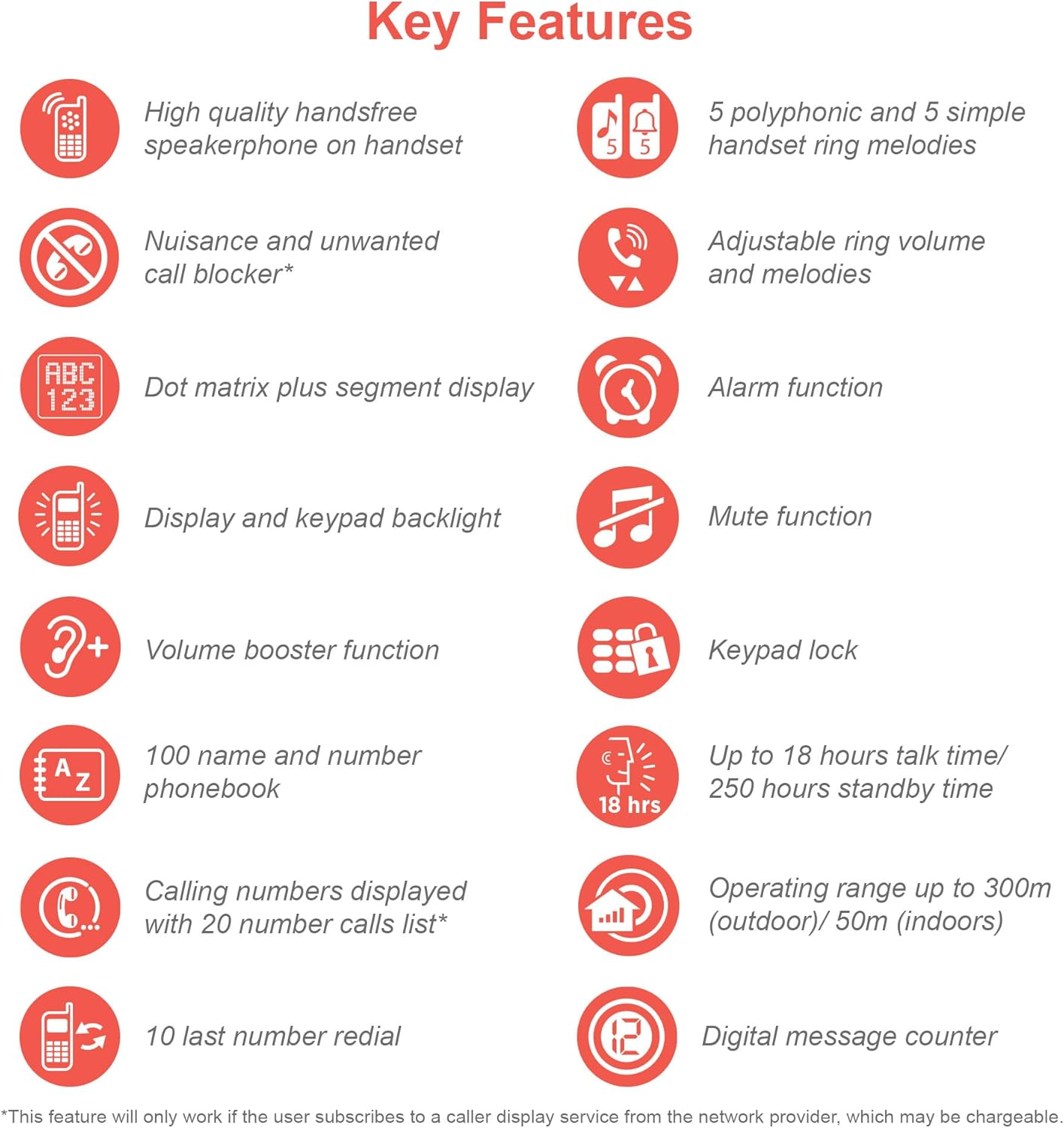
An infographic summarizing the VTech ES2050's key features, including speakerphone, call blocker, polyphonic ringtones, alarm, mute, keypad lock, volume booster, phonebook, call list, redial, talk time, operating range, and digital message counter.
Nøglefunktioner:
- Digital telefonsvarer: 30 minutes recording time.
- Nuisance Call Blocker: Block up to 100 blacklisted numbers.
- Lydstyrkeforstærker: Amplifies incoming sounds for enhanced clarity.
- Lang batterilevetid: Up to 18 hours talk time / 250 hours standby time.
- Baggrundsbelyst skærm og tastatur: Let viewi svagt lys.
- Handsfree Speakerphone: High-quality speakerphone on handset.
- Telefonbog: 100 name and number capacity.
- Hurtigopkald: 3 speed dial numbers.
- ØKO -tilstand: For reduced power consumption.
- Nummeropkald / Ventende opkald: Stores 20 records.
- Genopkald: 10 last number redial.
- Alarm funktion: Integrated alarm.
- Mute-funktion: For privacy during calls.
- Tastaturlås: Prevents accidental dialing.
2. Hvad er der i æsken
Før du begynder, skal du sørge for at alle komponenter er til stede:
- 1 basisenhed
- 1 Trådløst håndsæt
- 1 Charger (for handset)
- 1 Battery Pack (2 AAA batteries included)
- Telefonledning
- Lynstartguide (se denne manual for yderligere oplysninger)
3. Opsætningsvejledning
3.1. Batteriinstallation og opladning
- Locate the battery compartment cover on the back of the handset. Slide it open.
- Sæt batteripakkens stik sikkert i stikket inde i batterirummet.
- Place the 2 AAA batteries (included) into the compartment, ensuring correct polarity (+ and -).
- Sæt batterirummets dæksel på igen.
- Place the handset on the base unit or charger. The charging indicator light on the handset should illuminate.
- Lad håndsættet oplade i mindst 16 timer før første brug for at sikre fuld batterikapacitet.
3.2. Tilslutning af baseenheden
- Tilslut den ene ende af telefonledningen til TEL LINE-stikket på bagsiden af baseenheden.
- Tilslut den anden ende af telefonledningen til dit telefonstik i væggen.
- Plug the small end of the power adapter into the POWER jack on the back of the base unit.
- Sæt den store ende af strømadapteren i en almindelig stikkontakt.
- Ensure all cables are securely connected and routed to prevent tripping hazards.
3.3. Første opsætning (dato og klokkeslæt)
After the handset is charged, you will need to set the date and time. Follow the on-screen prompts on the handset display. If prompted multiple times, ensure each step is confirmed before proceeding.
- Tryk på MENU / OK knap.
- Naviger til Dato og tid ved hjælp af piletasterne.
- Trykke MENU / OK at vælge.
- Enter the current date and time using the keypad.
- Trykke MENU / OK at gemme.
4. Betjeningsvejledning
4.1. Foretage og modtage opkald
- Sådan foretager du et opkald: Løft håndsættet, eller tryk på TALE button. Dial the number.
- Sådan modtager du et opkald: Når telefonen ringer, skal du løfte røret eller trykke på TALE knap.
- Sådan afslutter du et opkald: Place the handset back on the base unit/charger or press the ENDE knap.
4.2. Brug af højttalertelefonen
Under et opkald skal du trykke på HØJTTALER button to activate the handsfree speakerphone. Press it again to switch back to the handset earpiece.
4.3. Digital Answering Machine
- Afspiller beskeder: Tryk på på baseenheden SPIL/STOP.
- Sletning af beskeder: Tryk på under afspilning af beskeder SLET på basisenheden.
- Optagelse af udgående besked (OGM): Refer to the handset menu for OGM recording options.
4.4. Nuisance Call Blocker
This feature allows you to block unwanted calls. You can add numbers to a blacklist.
- To Block a Number from Call History: Access the Call History, select the number, and choose the "Block" option.
- To Manually Add a Number to Blacklist: Navigate to the Call Blocker menu in the handset settings and add the number.
- The phone can store up to 100 blacklisted numbers.
4.5. Volume Booster
Til amplify the incoming sound during a call, press the BOOST button (often marked with a speaker icon or "+") on the handset. Press it again to deactivate.
4.6. Telefonbog og hurtigopkald
- Tilføjelse af kontakter: Access the Phonebook menu, select "Add New Entry", and enter the name and number.
- Opkald fra telefonbog: Tryk på TELEFONBOG button, scroll to the desired contact, and press TALE.
- Hurtigopkald: Assign frequently called numbers to speed dial keys (e.g., 1, 2, 3). Refer to the handset menu for speed dial setup.
4.7. ØKO-tilstand
The phone automatically enters ECO mode when the handset is close to the base unit, reducing power consumption and transmission power. This mode is indicated by an ECO icon on the display.
5. Vedligeholdelse
- Rensning: Tør telefonen og baseenheden af med en blød kludamp klæde. Brug ikke slibende rengøringsmidler eller opløsningsmidler.
- Batteripleje: For optimal battery life, avoid overcharging by leaving the handset off the charger for extended periods once fully charged. If the phone will not be used for a long time, remove the batteries.
- Beliggenhed: Place the base unit in a central location away from other electronic devices that may cause interference.
6. Fejlfinding
If you experience issues with your VTech ES2050 phone, try the following solutions:
| Problem | Mulig løsning |
|---|---|
| Ingen klartone / Kan ikke foretage eller modtage opkald. |
|
| Dårlig lydkvalitet / Statisk. |
|
| Telefonsvarer optager ikke beskeder. |
|
| Handset display is blank or unresponsive. |
|
| Difficulty with menu navigation or settings. |
|
7. Specifikationer
| Feature | Detalje |
|---|---|
| Modelnummer | ES2050 |
| Telefontype | Trådløs DECT |
| Type svarsystem | Digital |
| Optagelseskapacitet | 30 minutter |
| Telefonens taletid | Op til 18 timer |
| Telefonens standbytid | Op til 250 timer |
| Batterier | 2 AAA batterier (medfølger) |
| Strømkilde | Batteridrevet |
| Opkaldstype | Enkelt tastatur |
| Kompatible enheder | Standard Landline Telephone Networks |
| Farve | Sort |
| Fabrikant | VTech |
| Oprindelsesland | Kina |
8. Garanti og support
For garantioplysninger og teknisk support henvises til den officielle VTech webwebstedet eller kontakt VTechs kundeservice. Gem din købskvittering som købsbevis.
Fabrikant: VTech
For the most up-to-date support resources, visit the VTech support page or refer to the contact information provided with your product packaging.


